Free trial
Paid web subscriptions include a 7-day free trial before billing starts, and annual billing is optional. One-time payment plans qualify for a 7-day refund under the published refund policy.
Learn moreTurn any podcast episode into notes you can actually keep

Podwise is an AI summarizer tool that turns any podcast episode into notes you can actually keep. Podwise converts podcast episodes into AI summaries, takeaways, mind maps, searchable transcripts and key insights, then exports them to Notion, Readwise, Obsidian, Logseq, Markdown or PDF.
Podwise is a listening companion built around a simple premise: podcasts carry a lot of useful information, and almost none of it survives the commute home. The service ingests an episode and returns an AI summary, a set of top takeaways, a visual mind map, a searchable full transcript and short key insights, so the value of an hour of audio stays available after the audio stops. A library of processed episodes becomes searchable across every show, which means a quote or a topic can be located without scrubbing through a player. The workflow starts from wherever the audio lives. Apple Podcasts, Spotify, YouTube, RSS feeds, private feeds and direct audio uploads are all accepted, and episodes can be read or processed in twelve languages. From there the product goes beyond passive summaries: users can ask questions of a specific episode and get answers pinned to a timestamp, clip moments, translate content, and push summaries, highlights and mind maps out to Notion, Readwise, Obsidian, Logseq, Markdown or PDF. That export layer is what separates Podwise from a transcript generator, since the output lands in the notes system the listener already uses. A second, more technical surface exists for power users. A command line client handles search, transcript fetch, questions and export from a terminal. MCP support connects the same library to Claude, ChatGPT and Cursor through a hosted URL or a local server, and assistant skills let agents discover and summarize episodes inside research workflows. Mobile apps for iOS and Android cover on-the-go listening, including CarPlay and Android Auto support and quick clips from the lock screen or headphones. The audience is people who listen to learn: founders mining business shows before meetings, students turning lectures into study notes, researchers searching long conversations for exact passages, and creators hunting quotes without replaying entire episodes. The free tier suits occasional listeners, while the paid tiers scale AI episode volume and unlock unlimited Q&A, clips and translation plus the API and CLI. Compared with generic transcription apps, Podwise is narrower but goes further into note capture and retrieval.
Paid web subscriptions include a 7-day free trial before billing starts, and annual billing is optional. One-time payment plans qualify for a 7-day refund under the published refund policy.
Learn moreFree account for basic access. Standard is $5.90 per month billed annually at $70.80, with 20 AI episodes monthly, Q&A, clips, translation, RSS and OPML imports, uploads and exports. Pro is $11.90 per month billed annually at $142.80, adding 50 monthly credits, unlimited Q&A, clips and translation, API, CLI, MCP and Skills. Enterprise starts at $299 per month with 5 seats.
Learn moreContact is handled by email at support@podwise.ai, including sales enquiries for the Enterprise plan. A documentation site covers MCP setup, and policies for acceptable use and refunds are published on the main site.
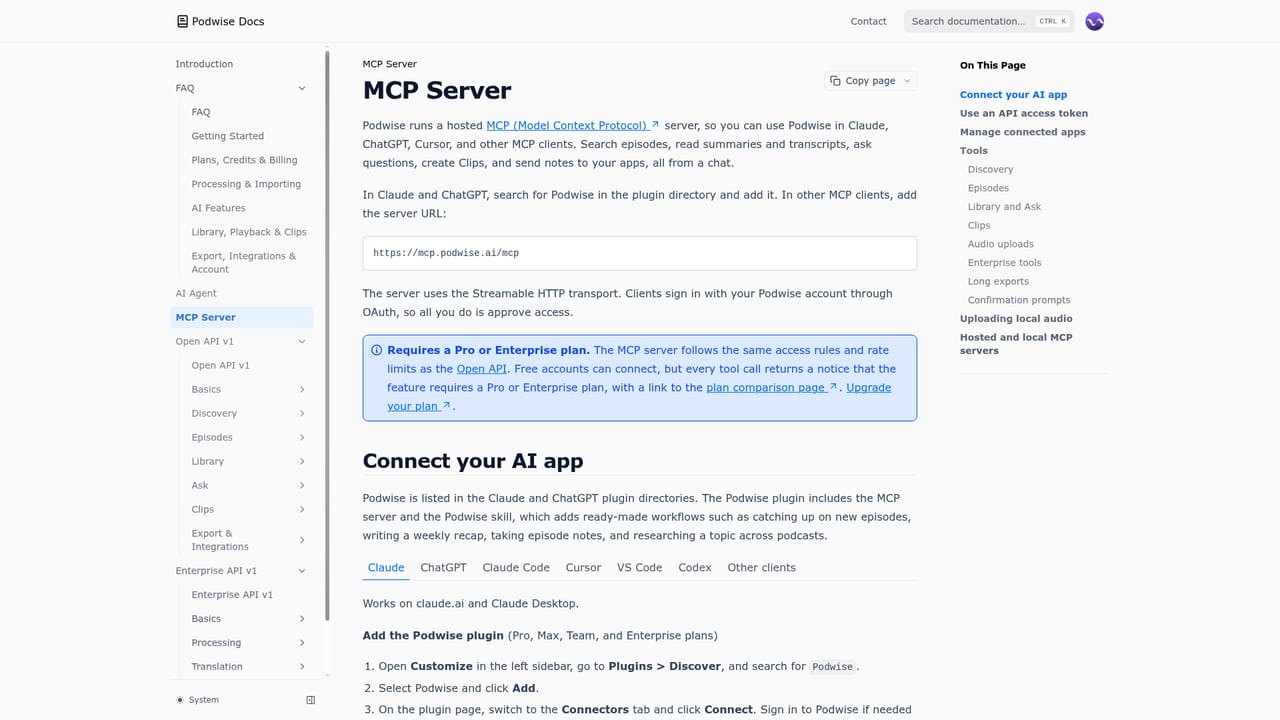
Learn moreImports from Apple Podcasts, Spotify, YouTube, RSS feeds, private feeds and audio uploads. Exports to Notion, Readwise, Obsidian, Logseq, Markdown and PDF. MCP connects Claude, ChatGPT and Cursor through a hosted endpoint or a local server.
Learn moreEach episode yields an AI summary, top takeaways, a mind map, a full searchable transcript and key insights. Users can ask questions of an episode, search the whole library, clip moments, translate across twelve languages and export to Notion, Readwise, Obsidian, Logseq, Markdown or PDF. CLI, MCP and assistant skills expose the same library to terminals and AI apps.
 AI Angels400+ customizable AI girlfriends for NSFW chat, voice calls, and roleplay
 Candy AIExperience the future of companionship with AI friends who chat, role-play, and connect with you on a human level.
 ourdream.aiA vast AI roleplay platform with millions of characters for chat, images, video and voiceAI Angels400+ customizable AI girlfriends for NSFW chat, voice calls, and roleplayCandy AIExperience the future of companionship with AI friends who chat, role-play, and connect with you on a human level.ourdream.aiA vast AI roleplay platform with millions of characters for chat, images, video and voice


