Free trial
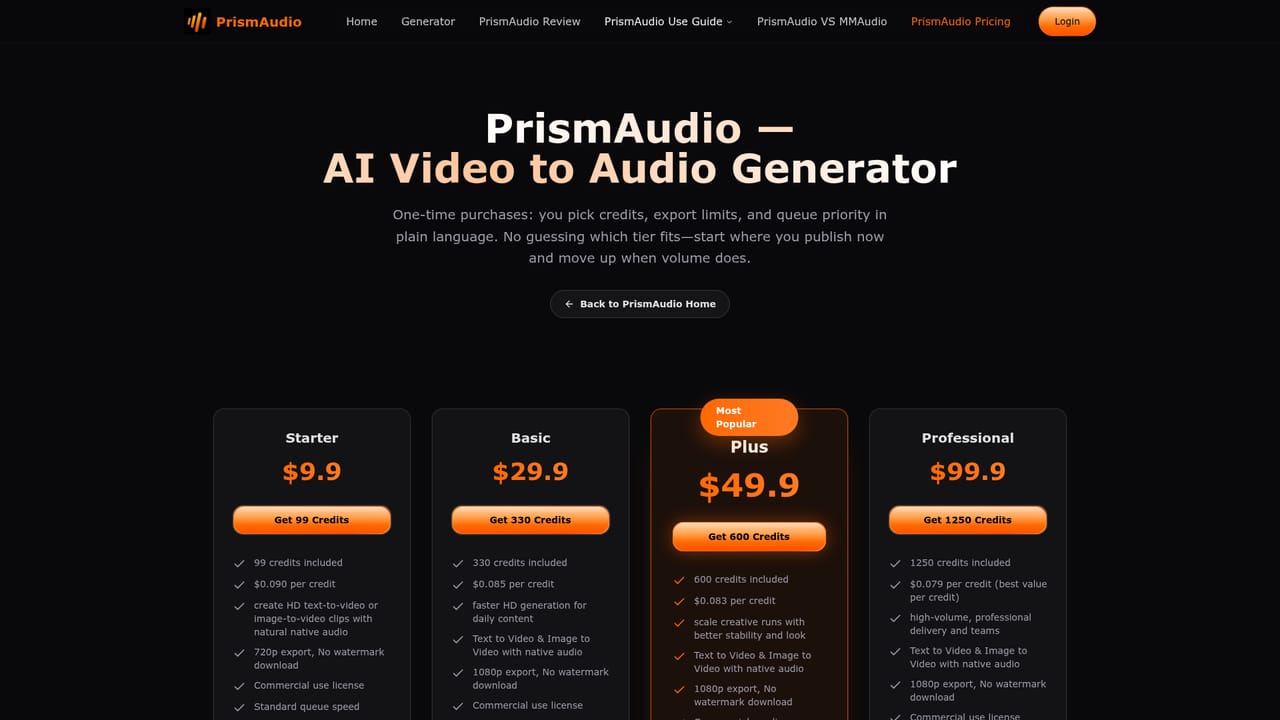
The free tier is available without signup or payment details and covers personal, non-commercial use. Commercial rights begin on the $19 per month Starter plan. The monthly generation allowance is not specified on the homepage.
Learn moreAI video to spatial stereo sound effects in under a second

PrismAudio turns silent or finished video into synchronised spatial stereo sound effects. Upload a clip, describe the scene, and it generates frame-matched audio in under a second. Built for AI video exports, quick foley drafts and social content.
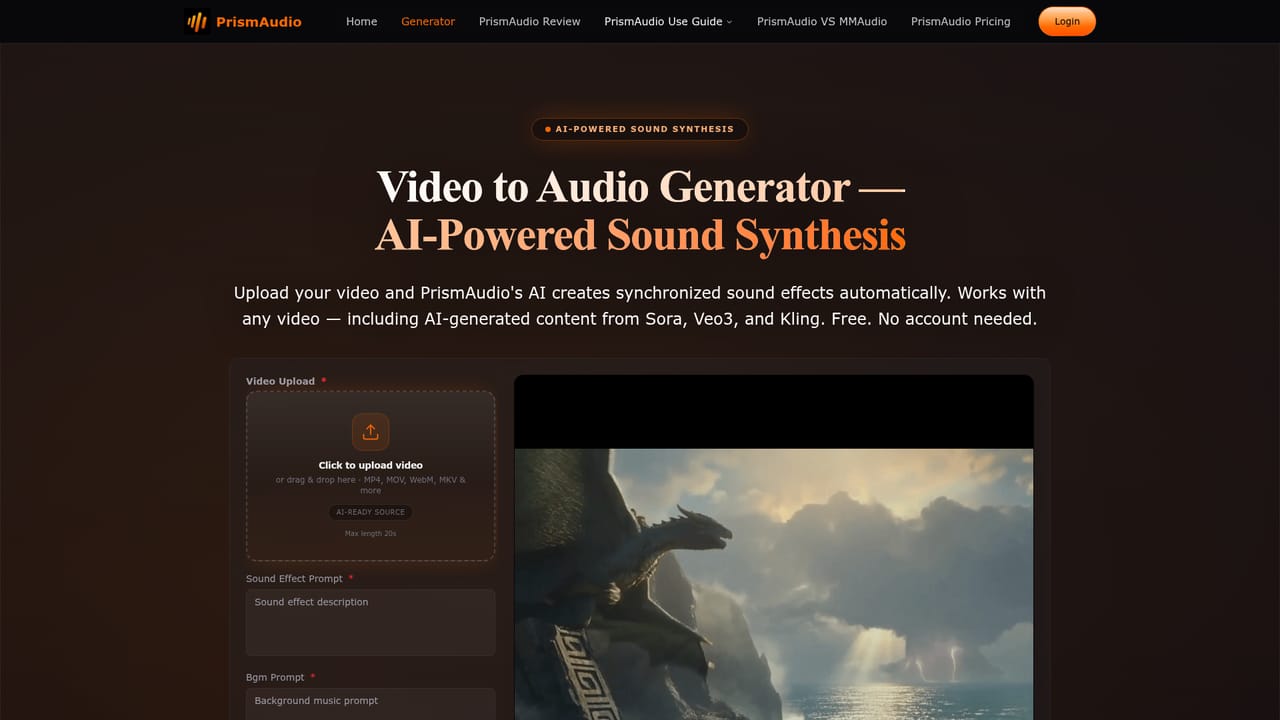
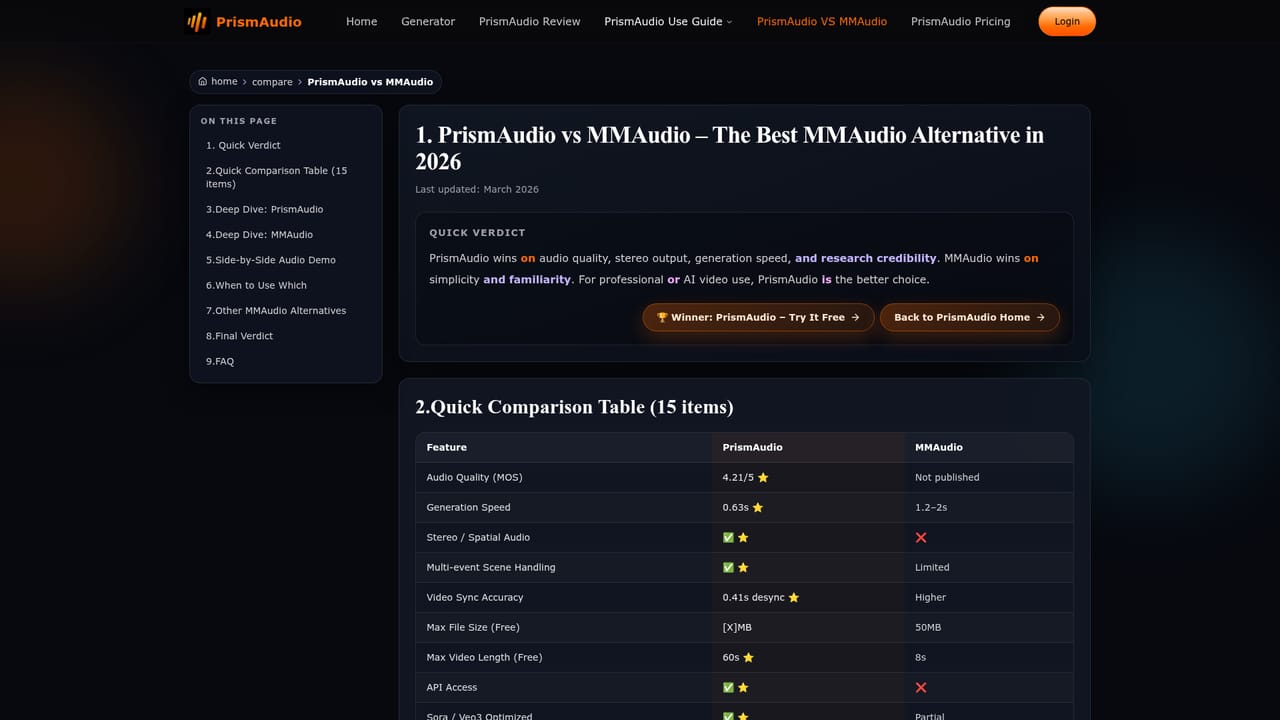
PrismAudio is a web tool that generates sound effects for video. You upload a clip, silent or already scored, and the system reads the footage frame by frame, works out which objects, actions and environments are present, and builds matching audio from scratch. Footsteps on gravel, rain on glass, an engine turning over, a crowd rising: the model treats the video like a sound designer would and produces the track automatically. The project comes from Alibaba's FunAudioLLM team and rests on research accepted at ICLR 2026. The distinguishing claim is stereo. Most video to audio models output mono, so every effect sits in the centre of the mix. PrismAudio positions sounds across a stereo field according to where things appear on screen, so an object on the left of frame is heard on the left. The company also emphasises overlapping events: rain plus footsteps plus passing traffic in the same shot, rather than one clean sound at a time. Average generation time is quoted at 0.63 seconds. In practice the workflow is a single page. Upload a file in MP4, MOV, AVI, WebM or MKV, write a sound effect prompt and a background music prompt describing scene, action and mood, generate, then download the video with its new audio. There is no timeline, no foley library and no mixing console, which is the point: the tool is aimed at people who need a usable audio pass without opening a DAW. The stated audiences are AI video creators working with Sora, Veo3, Kling, Runway and Pika exports, filmmakers wanting a fast first draft before proper sweetening, game developers prototyping cutscenes, and social content producers. Against alternatives such as MMAudio, the pitch is stereo output, faster turnaround and better handling of busy scenes. Treat PrismAudio as a rapid drafting layer rather than a replacement for a sound team: professional editors in the testimonials still finish work in their own suite. Check the pricing page for current generation limits, since the homepage leaves the free allowance unspecified.
The free tier is available without signup or payment details and covers personal, non-commercial use. Commercial rights begin on the $19 per month Starter plan. The monthly generation allowance is not specified on the homepage.
Learn morePrismAudio has a free tier that needs no credit card or account, restricted to personal, non-commercial use. Paid plans start at $19 per month on the Starter tier, which adds commercial usage rights and higher volume or longer videos. The homepage does not state the exact free generation allowance.
Learn moreNo formal integrations are documented. PrismAudio works with AI generated video exports from Sora, Veo3, Kling, Runway and Pika by accepting their output files directly.
Spatial stereo output with sounds positioned left, right, near and far, plus frame accurate sync and an average generation time of 0.63 seconds. Handles overlapping events in busy scenes, accepts MP4, MOV, AVI, WebM and MKV, and is tuned for AI video from Sora, Veo3, Kling, Runway and Pika. Prompts for sound effects and background music guide each generation.
Learn more AI Angels400+ customizable AI girlfriends for NSFW chat, voice calls, and roleplay
 Candy AIExperience the future of companionship with AI friends who chat, role-play, and connect with you on a human level.
 ourdream.aiA vast AI roleplay platform with millions of characters for chat, images, video and voiceAI Angels400+ customizable AI girlfriends for NSFW chat, voice calls, and roleplayCandy AIExperience the future of companionship with AI friends who chat, role-play, and connect with you on a human level.ourdream.aiA vast AI roleplay platform with millions of characters for chat, images, video and voice


