Pseudoface

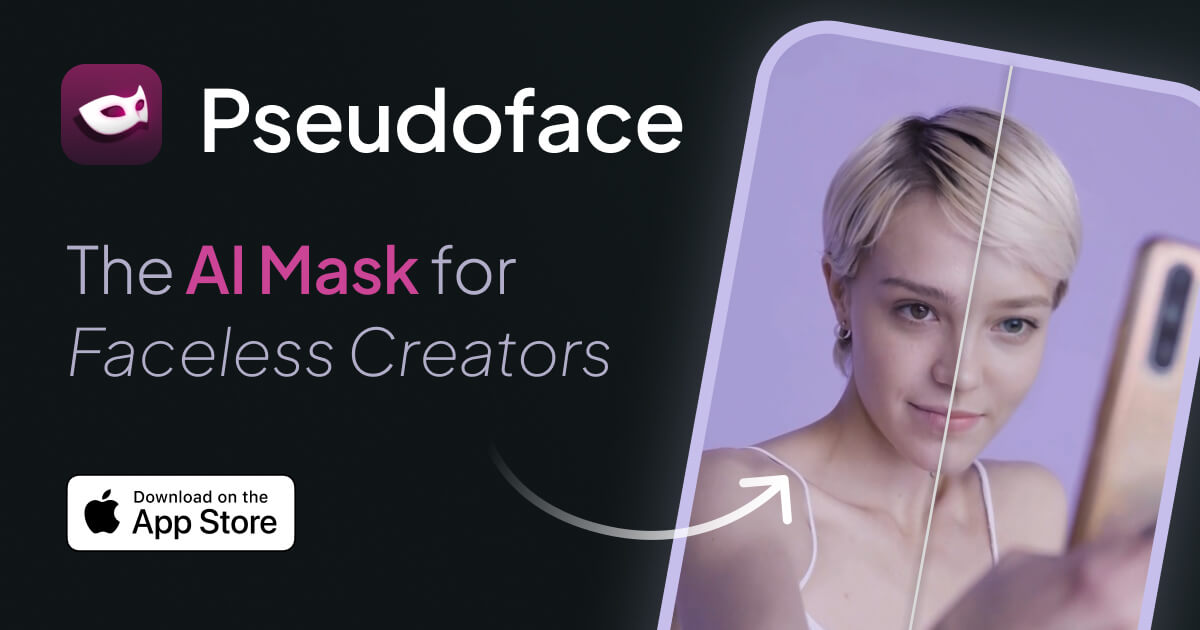
AI face masks that let creators show a face without showing theirs

Beginner
Screenshot of Pseudoface, AI face masks that let creators show a face without showing theirs

What is Pseudoface?

Pseudoface is an iOS app that applies AI generated face masks to photos and video so creators can appear with a face while keeping their real identity private. It runs on a monthly credit subscription with optional top ups.

Pseudoface is an iPhone and iPad app for content creators who want to post photos and videos with a face attached without exposing their real one. It generates an AI mask that adapts to the shape of the user's own face and changes features just enough that the person becomes unrecognizable, while the result still reads as a natural, expressive face. The site is aimed mainly at adult subscription creators, and its guides section centers on staying anonymous on OnlyFans. In practice, a creator builds a mask in the in-app editor by choosing facial features, including ethnicity, and then applies it to photos and video clips. Usage runs on credits: one credit covers one photo, and ten credits cover a minute of video. The Pro subscription includes 80 credits a month, which works out to 80 photos, 8 minutes of video or a mix of both, and extra credit packs can be bought inside the app and never expire. The homepage states that the masks are generated entirely by AI rather than copied from real people, and that they must not be used to pass identity verification on other platforms, since that would break those platforms' rules. The product's pitch rests on creators' own testimonials, mostly quoted Reddit posts, claiming that showing a face lifts earnings and makes promotion easier. Pseudoface positions itself as a middle path between going fully faceless and revealing a real identity. Buyers should treat those earnings claims as anecdotal. One App Store reviewer also mentions that the tutorial takes a while and that the app is not cheap, though the same review judges it worthwhile. Compared with general face swap apps or business oriented video avatar generators, Pseudoface is narrower. It is built around privacy driven creator workflows on Apple devices, and reviewers describe the small team behind it as responsive when problems come up.

How do you use Pseudoface?

  1. 1Download the app
    Install Pseudoface from the App Store on an iPhone or iPad. The app is free to download and the subscription is purchased inside it.
  2. 2Read the anonymity guides
    Browse the guides section for advice on protecting identity and planning faceless content before creating a mask.
  3. 3Subscribe and pick credits
    Start the Pro plan in the app to get 80 credits a month, or top up with a credit pack if more photos or video are needed.
  4. 4Build your mask
    Open the editor and select features, including ethnicity, so the mask suits you. Consider slightly changing some traits to protect your identity further.
  5. 5Mask photos and video
    Apply the mask to a photo (1 credit) or a video clip (10 credits per minute), then review the output before posting it.

Pros and cons

Pros

  • Masks adapt to the user's face shape, so the result looks like a natural face rather than a blur or coverAI
  • Handles both photos and video within one credit systemAI
  • Extra credit packs never expire and can be bought on any planAI
  • Mask editor lets users pick features, including ethnicity, to tune how different the mask looksAI
  • Reviewers describe a small, responsive developer team that fixes reported issues quicklyAI

Cons

  • Available only on iPhone and iPad, with no Android, web or desktop version listedAI
  • Video allowance is small: 80 monthly credits equal only 8 minutes of footageAI
  • A reviewer says the tutorial takes a while and the app is not cheapAI
  • Earnings claims rest on quoted Reddit posts and are anecdotal, not verified resultsAI
  • Masks cannot be used for identity verification, which limits use on platforms that require itAI

How much does Pseudoface cost?

Pricing

Pseudoface Pro costs $99.99 billed yearly ($8.33 a month) and includes 80 credits monthly. Credit top ups run from $3.99 for 10 credits to $27.99 for 100 credits ($0.28 each). One credit equals one photo, ten equal a minute of video.

Learn more

Features

AI face masks that adapt to the user's face shape, a mask editor with feature selection, photo and video masking, a monthly credit allowance, in-app credit top ups that never expire, and a library of anonymity guides for creators.

Frequently asked questions about Pseudoface

  • How much does Pseudoface cost?
    Pseudoface Pro costs $99.99 billed yearly ($8.33 a month) and includes 80 credits monthly. Credit top ups run from $3.99 for 10 credits to $27.99 for 100 credits ($0.28 each). One credit equals one photo, ten equal a minute of video.
  • How do you use Pseudoface?
    The walkthrough on this page covers 5 steps: 1. Download the app 2. Read the anonymity guides 3. Subscribe and pick credits 4. Build your mask 5. Mask photos and video.
  • What platforms does Pseudoface support?
    Pseudoface is available on iOS.
  • What are the limitations of Pseudoface?
    Available only on iPhone and iPad, with no Android, web or desktop version listed. Video allowance is small: 80 monthly credits equal only 8 minutes of footage. A reviewer says the tutorial takes a while and the app is not cheap.

Status

StatusActive
Views0
Outbound clicks0
Added10/20/2026

Platforms

iOS

Pricing

Subscription