Reverse Prompt

Decode any reference video or image into a reusable AI prompt

Beginner
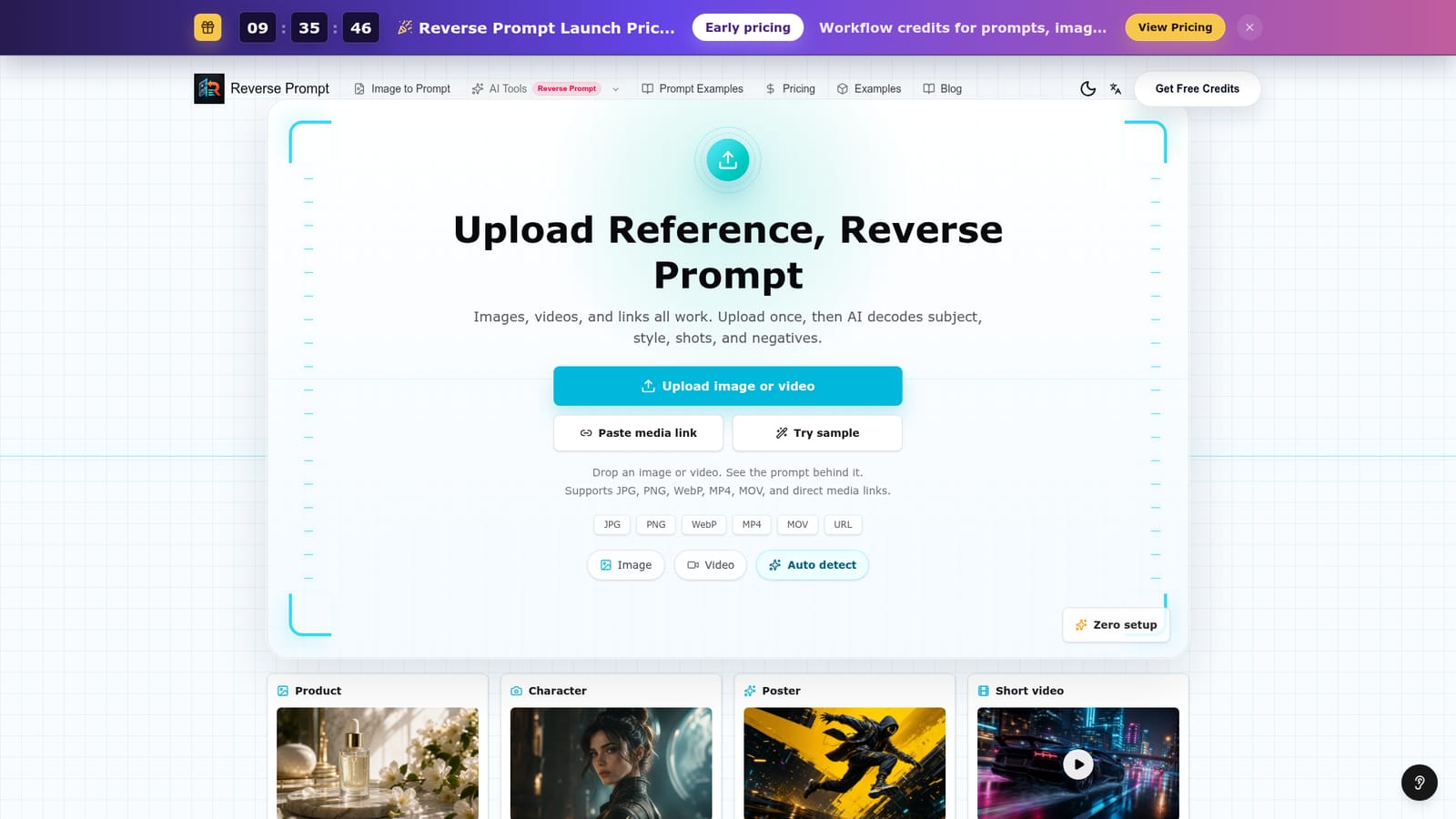
Screenshot of Reverse Prompt, Decode any reference video or image into a reusable AI prompt

What is Reverse Prompt?

Reverse Prompt is an image editor prompt tool. Reverse Prompt analyses a reference video or image and returns the reusable prompt behind it, including subject, style, shot structure, key frames and negative prompts.

Reverse Prompt is a web tool built around one idea: instead of writing a video prompt from scratch, you feed the system a reference and it writes the prompt for you. The input can be a still image, a video file, or a direct media link, and the tool accepts JPG, PNG, WebP, MP4 and MOV formats along with URLs. From that single upload, the AI reads the subject, the visual style, the shot structure and the negative prompts, then returns them as a structured prompt you can reuse in your own generation workflow. This is aimed at people who already make AI video or image content and need to match an existing look rather than invent one. Common use cases shown on the site include product shots, character work, poster design and short video clips. A marketer who wants a product ad in the same visual language as a competitor's spot, or a creator trying to replicate a specific aesthetic across a series, can upload the reference and get the descriptive language back instead of guessing at wording. The output goes beyond a single block of text. The tool breaks the reference into key frames, describes the shot structure, and produces both a positive prompt and a list of negative prompts, which matters for models that support exclusion terms. There is also an auto detect mode that decides whether the file is a video or an image, and a sample option if you want to see the output format before uploading your own media. Pricing is separate from the free upload flow. The site advertises early launch pricing based on workflow credits that cover prompts, images and videos, so heavy users should check the pricing page before committing. Compared with generic prompt libraries, the value here is specificity: the prompt describes your exact reference rather than a generic style category. It is a research and extraction step, not a generator, so it complements rather than replaces a video model.

How do you use Reverse Prompt?

  1. 1Open the video to prompt page
    Go to the video to prompt generator on the Reverse Prompt site. The upload panel sits at the top of the page with file type limits listed underneath it.
    Reverse Prompt — Open the video to prompt page
  2. 2Choose your input type
    Pick Image, Video or Auto detect depending on what you are uploading. Auto detect is the safest choice if you are unsure how the file will be read.
  3. 3Upload a file or paste a media link
    Drag in a JPG, PNG, WebP, MP4 or MOV file, or paste a direct media URL. Direct links avoid uploading large video files.
  4. 4Try a sample first if you want
    Use the sample option to see how the tool formats its output for a product, character or short video reference before spending credits on your own media.
  5. 5Review the decoded prompt
    Read the returned subject, style, shot structure, key frames and negative prompts. Copy the sections your video or image model accepts as input.
  6. 6Check credit pricing before scaling up
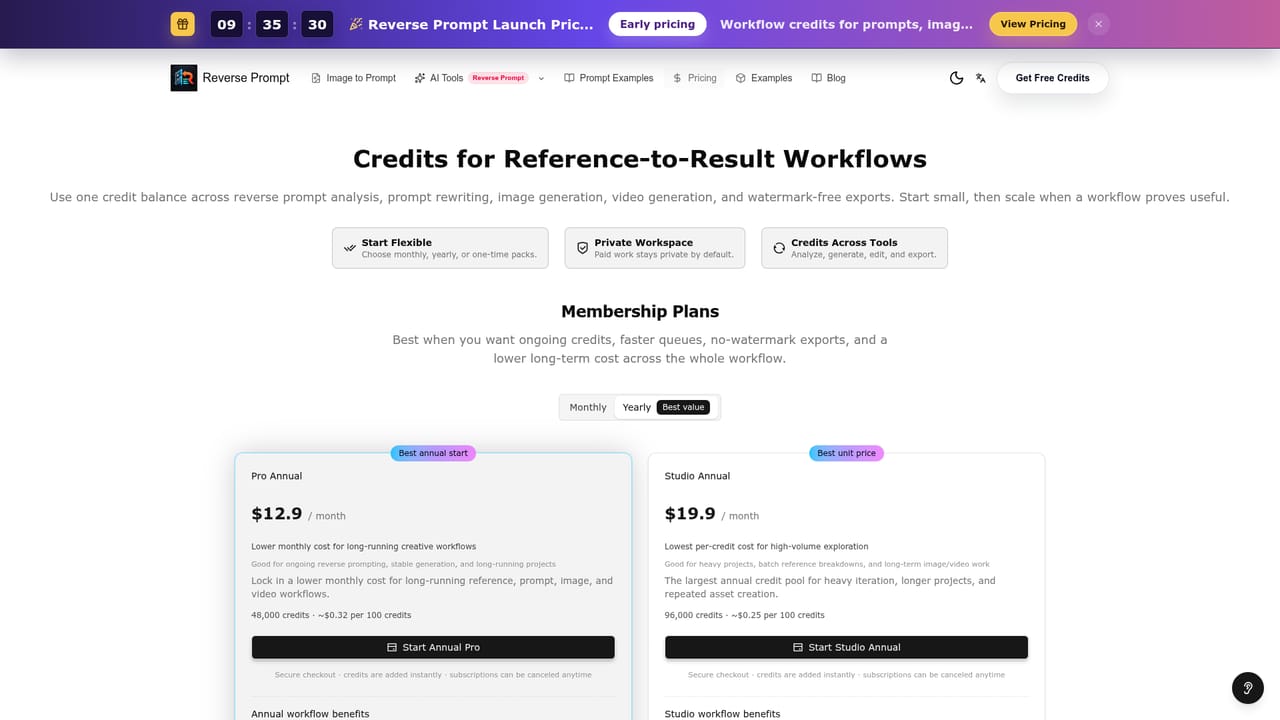
    Confirm how workflow credits are consumed for prompts, images and videos on the pricing page before running a large batch of references.
    Reverse Prompt — Check credit pricing before scaling up

Pros and cons

Pros

  • Accepts video, image and direct media links in a single upload flowAI
  • Returns shot structure, key frames and negative prompts, not just a style descriptionAI
  • Auto detect mode removes the need to classify the file yourselfAI
  • Sample option lets you inspect the output format before uploading mediaAI
  • Useful for matching a reference look across a whole content seriesAI

Cons

  • The tool only reverse-engineers prompts; it does not generate the final video or image itselfAI
  • No information on the homepage about output length limits or turnaround time for long clipsAI
  • Pricing is credit-based and tied to launch offers, so costs may change after the early periodAI
  • No stated integrations with video models, meaning prompts must be copied out manuallyAI
  • Support and documentation are not described on the homepageAI

How much does Reverse Prompt cost?

Pricing

The site advertises early launch pricing for Reverse Prompt, using workflow credits that cover prompts, images and videos. Exact credit amounts and tiers are not listed on the homepage, so the pricing page is the place to confirm current rates.

Learn more

Features

Upload an image, video or direct media link and the AI decodes the subject, style, shots and negative prompts behind it. Supported formats are JPG, PNG, WebP, MP4 and MOV. Output includes reusable video prompts, shot structure, key frames, negative prompts and image prompts, with auto detect and sample options available.

Frequently asked questions about Reverse Prompt

  • How much does Reverse Prompt cost?
    The site advertises early launch pricing for Reverse Prompt, using workflow credits that cover prompts, images and videos. Exact credit amounts and tiers are not listed on the homepage, so the pricing page is the place to confirm current rates.
  • How do you use Reverse Prompt?
    The walkthrough on this page covers 6 steps: 1. Open the video to prompt page 2. Choose your input type 3. Upload a file or paste a media link 4. Try a sample first if you want 5. Review the decoded prompt 6. Check credit pricing before scaling up.
  • What platforms does Reverse Prompt support?
    Reverse Prompt is available on Web App.
  • What are the limitations of Reverse Prompt?
    The tool only reverse-engineers prompts; it does not generate the final video or image itself. No information on the homepage about output length limits or turnaround time for long clips. Pricing is credit-based and tied to launch offers, so costs may change after the early period.

Status

StatusActive
Views0
Outbound clicks0
Added10/21/2026

Platforms

Web App

Pricing

FreemiumSubscription