RewriteCmd

Rewrite any selected text on your Mac with one keyboard shortcut.

Beginner
Screenshot of RewriteCmd, Rewrite any selected text on your Mac with one keyboard shortcut

What is RewriteCmd?

RewriteCmd is a grammar checker tool that rewrites any selected text on your Mac with one keyboard shortcut. A macOS menu bar app that rewrites selected text in any application when you press a hotkey. It uses your own Claude, OpenAI or Mistral API key, stores it in the Keychain, and offers preset plus custom instructions with assignable shortcuts.

RewriteCmd is a macOS menu bar utility that sends selected text to an AI model and swaps the rewritten version back in place. The premise is narrow and deliberate: rather than opening a chat window, pasting text, waiting for a reply and copying the result back, the user highlights text in whatever app is already open and presses a hotkey. The improved text replaces the selection within seconds, so the writing stays in the document where it belongs. The tool is built for people who write inside other applications all day: email clients, Slack, Notion and code editors are all named as working targets. Behaviour is controlled through instructions. Presets cover autocorrect, formal, casual, shorter and longer output, and users can author their own prompts such as translate to English or convert to bullet points, then attach a global hotkey to each one. The free tier allows a single custom instruction shortcut; the Pro tier removes that cap and unlocks custom tones and styles. Architecture is bring-your-own-key. Connecting Claude, OpenAI or Mistral requires an API key, and that key is kept in the macOS Keychain with system level encryption rather than written to disk. The developer states there is no middleman proxy and no data storage on their side, which also means the running cost of usage is billed by the model provider, not by RewriteCmd. The app itself is native Swift with no dependencies, has no dock icon and targets macOS Ventura (13) and later on both Apple Silicon and Intel machines. Among rewriting tools, RewriteCmd trades breadth for speed of access. It is not a long-form drafting environment or a grammar dashboard; it is a system wide correction layer that happens to also handle tone shifts and translation. Anyone already paying for an OpenAI or Anthropic key gets a cheaper route than most subscription rewriters, provided they are willing to manage that key and accept macOS only availability.

How do you use RewriteCmd?

  1. 1Download and install the Mac app
    Grab the build from the download endpoint and install it on a machine running macOS Ventura or later, either Apple Silicon or Intel.
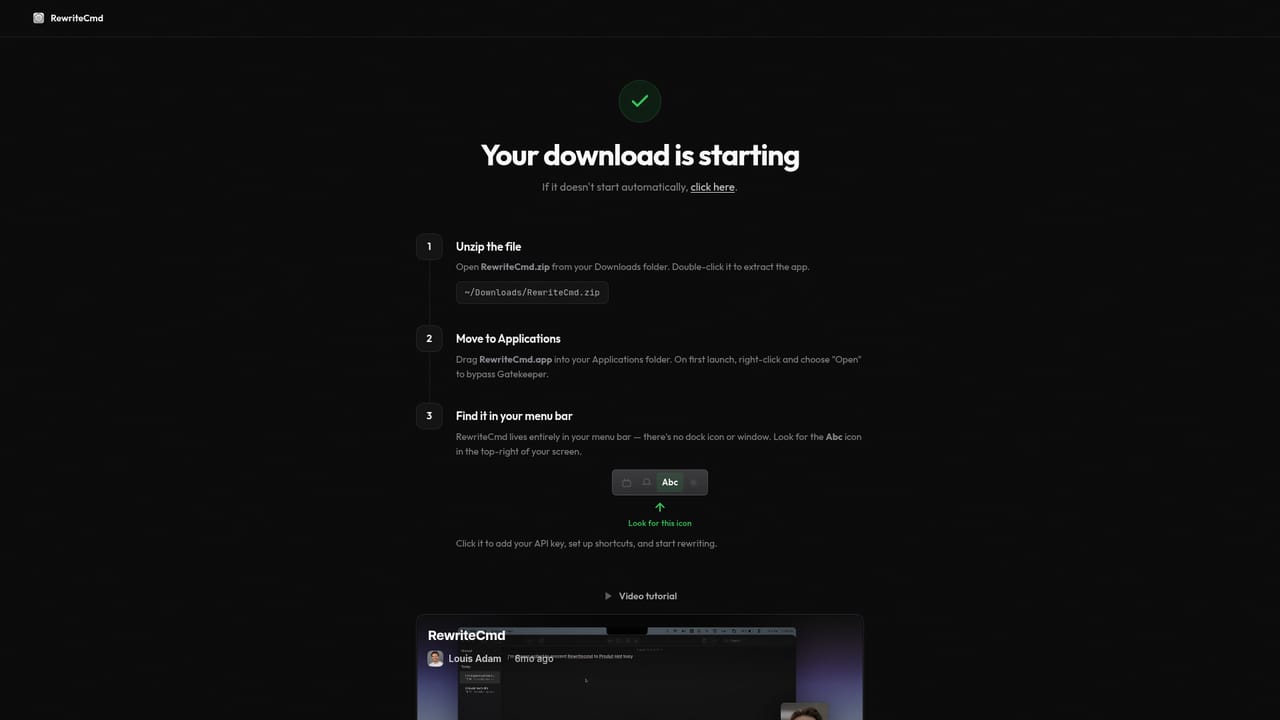
    RewriteCmd — Download and install the Mac app
  2. 2Add your AI provider key
    Enter an API key from Claude, OpenAI or Mistral. The key is written to the macOS Keychain with system level encryption rather than to disk.
  3. 3Rewrite your first selection
    Highlight text in any app, press the default shortcut, and the corrected version replaces the original selection in place.
  4. 4Assign shortcuts to instructions
    Pick from the built-in presets such as autocorrect or formal, or write your own instruction and bind it to a global hotkey for one press access.
  5. 5Upgrade if you need more shortcuts
    The free plan includes one custom instruction shortcut. Pro lifts that limit and adds custom tones and styles plus priority support.

Pros and cons

Pros

  • Rewriting happens in place, so there is no tab switching or clipboard round trip between appsAI
  • Bring-your-own-key model avoids a second AI subscription for users who already pay a providerAI
  • API keys are held in the macOS Keychain rather than on disk or a remote serverAI
  • Custom instructions can be bound to individual global hotkeys for quick tone or translation changesAI
  • Native Swift build with no dock icon or dependencies keeps the app unobtrusiveAI

Cons

  • macOS only, and it requires Ventura or later, so Windows and Linux users are excludedAI
  • No bundled model access: an API key from Claude, OpenAI or Mistral is mandatory before any rewrite worksAI
  • The free tier caps you at one custom instruction shortcut, which limits shortcut based workflowsAI
  • Model usage is billed separately by the API provider, so real costs depend on your own token consumptionAI
  • No team administration, shared instruction libraries or centralised key management are describedAI

How much does RewriteCmd cost?

Pricing

Free plan at $0 includes Claude, GPT and Mistral support, global hotkey rewriting, Keychain encrypted keys and one custom instruction shortcut. Pro costs $5 per month (annual billing saves 42 percent) and adds unlimited instruction shortcuts, custom tones and styles, priority support and early access. API usage is billed by your own provider.

Learn more

Support

Support is handled by email at support@hyperstack.studio. Pro subscribers are listed as receiving priority support.

Integrations

Model access runs through user supplied keys for Claude, OpenAI and Mistral. Rewriting works on text selected inside other macOS applications such as email, Slack, Notion and IDEs.

Features

Select text in any Mac app and trigger a rewrite with the default shortcut or a custom hotkey. Presets cover autocorrect, formal, casual, shorter and longer output, and custom instructions can be saved and bound to global hotkeys. Keys for Claude, OpenAI and Mistral live in the macOS Keychain with no proxy or stored data, and the app runs as a native Swift menu bar utility for macOS 13 and later.

Frequently asked questions about RewriteCmd

  • How much does RewriteCmd cost?
    Free plan at $0 includes Claude, GPT and Mistral support, global hotkey rewriting, Keychain encrypted keys and one custom instruction shortcut. Pro costs $5 per month (annual billing saves 42 percent) and adds unlimited instruction shortcuts, custom tones and styles, priority support and early access. API usage is billed by your own provider.
  • How do you use RewriteCmd?
    The walkthrough on this page covers 5 steps: 1. Download and install the Mac app 2. Add your AI provider key 3. Rewrite your first selection 4. Assign shortcuts to instructions 5. Upgrade if you need more shortcuts.
  • What platforms does RewriteCmd support?
    RewriteCmd is available on MacOS.
  • What does RewriteCmd integrate with?
    Model access runs through user supplied keys for Claude, OpenAI and Mistral. Rewriting works on text selected inside other macOS applications such as email, Slack, Notion and IDEs.
  • What are the limitations of RewriteCmd?
    macOS only, and it requires Ventura or later, so Windows and Linux users are excluded. No bundled model access: an API key from Claude, OpenAI or Mistral is mandatory before any rewrite works. The free tier caps you at one custom instruction shortcut, which limits shortcut based workflows.

Status

StatusActive
Views0
Outbound clicks0
Added10/21/2026

Platforms

MacOS

Pricing

FreeFreemiumSubscription