Free trial
The homepage advertises a free start with no credit card required and a sample dataset to try before connecting anything. No time limit or feature restrictions are stated.
Learn moreAsk your database questions in plain English and get Python-powered analysis back

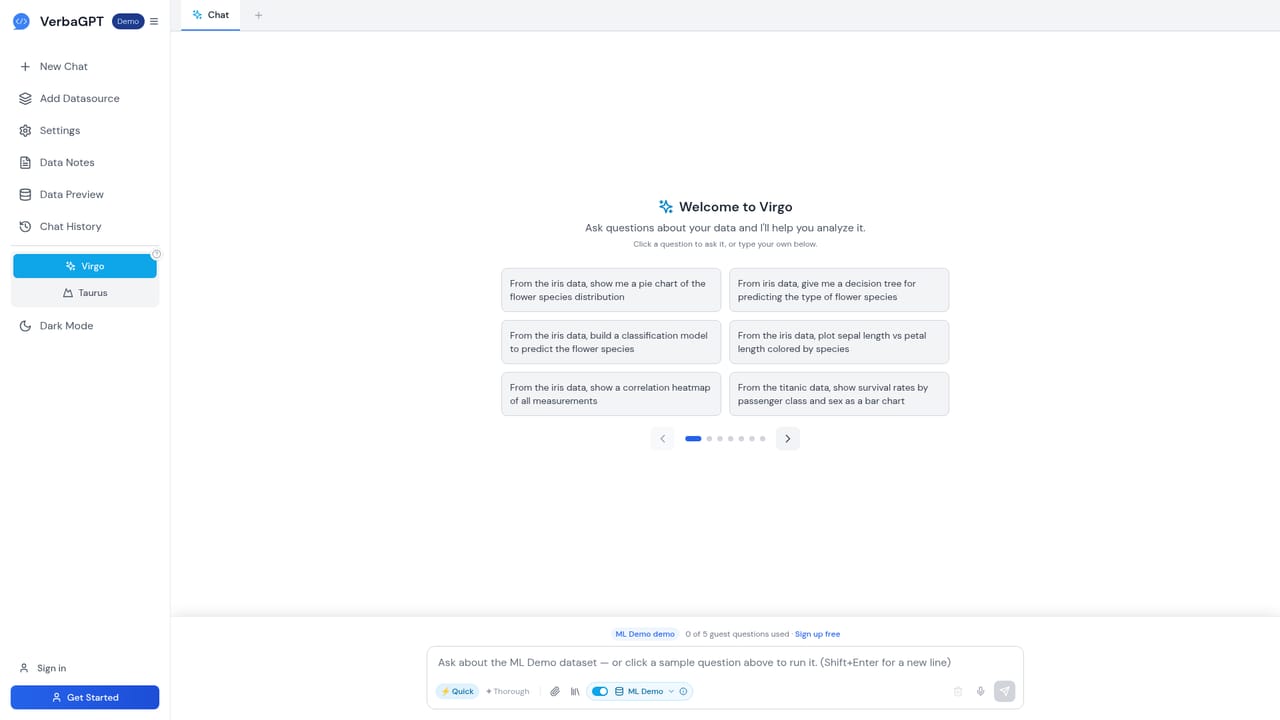
VerbaGPT turns plain English questions into Python analysis, charts and models against your databases and files. It combines a cloud analyst (Virgo) with a local Claude Code agent (Taurus), plus Data Notes and shared prompt libraries so the model understands your schema and business logic.
VerbaGPT is a natural language analytics layer that sits on top of your databases and files. Rather than generating SQL alone, it writes executable Python: pandas for transformation, scikit-learn for modeling, matplotlib for charts. You connect PostgreSQL, MySQL, SQL Server, Snowflake, or upload CSV, Excel, JSON and PDF files (Google Drive import is also offered), then ask a question like "what were the top 10 products last quarter" and receive tables, charts and statistical output rather than a query string you have to run yourself. The product ships in two modes. Virgo is the browser-based cloud analyst: it runs at app.verbagpt.com, uses embeddings to pull only the relevant schema columns before writing code, and executes that code in a sandboxed process. It supports several frontier models from modern providers, so one model can handle schema reasoning while another writes and reviews code. Taurus is a local agent powered by Claude Code that plans multi-step investigations, runs a Python REPL against your own files and databases, corrects its own errors, and keeps the underlying data on your machine. A Taurus connector also lets the web app reach databases on your laptop or LAN without exposing them to the internet. The context problem gets its own layer. Data Notes act as a living data dictionary at database, table, column, value and sample-question level, so the model knows that status 2 means active or that customer_id joins to the clients table. Prompt Libraries capture prompts that already worked and share them org-wide, with semantic footnotes surfacing relevant examples. The workspace also learns from corrections and thumbs-up ratings, drafting Data Note improvements for you to approve, always scoped and reversible. It fits best with data teams supporting non-technical colleagues, and with consultancies that publish a database to clients through a link covered by the firm's own credit pool. It is heavier than a simple text-to-SQL chatbot and expects someone to curate context before answers get reliable.
The homepage advertises a free start with no credit card required and a sample dataset to try before connecting anything. No time limit or feature restrictions are stated.
Learn moreDatabases: PostgreSQL, MySQL, SQL Server and Snowflake, including Windows sign-in for SQL Server. Files: CSV, Excel, JSON, PDF and Word, plus Google Drive import. Model providers include frontier cloud models, Ollama, LM Studio and any OpenAI-compatible engine through Private Inference.
Core features include text-to-Python analysis with statistical modeling, machine learning and matplotlib visuals; Data Notes as a contextual data dictionary; Prompt Libraries with semantic footnotes; multi-model orchestration in Virgo; the Taurus local agent with multi-step reasoning; private inference via Ollama or LM Studio; client sharing with credit caps; and a workspace memory that learns from corrections with review and reversal.
 AI Angels400+ customizable AI girlfriends for NSFW chat, voice calls, and roleplay
 Candy AIExperience the future of companionship with AI friends who chat, role-play, and connect with you on a human level.
 ourdream.aiA vast AI roleplay platform with millions of characters for chat, images, video and voiceAI Angels400+ customizable AI girlfriends for NSFW chat, voice calls, and roleplayCandy AIExperience the future of companionship with AI friends who chat, role-play, and connect with you on a human level.ourdream.aiA vast AI roleplay platform with millions of characters for chat, images, video and voice


