Roboto

Describe the image, video or voiceover you want, approve the cost, and Roboto builds it.

Beginner
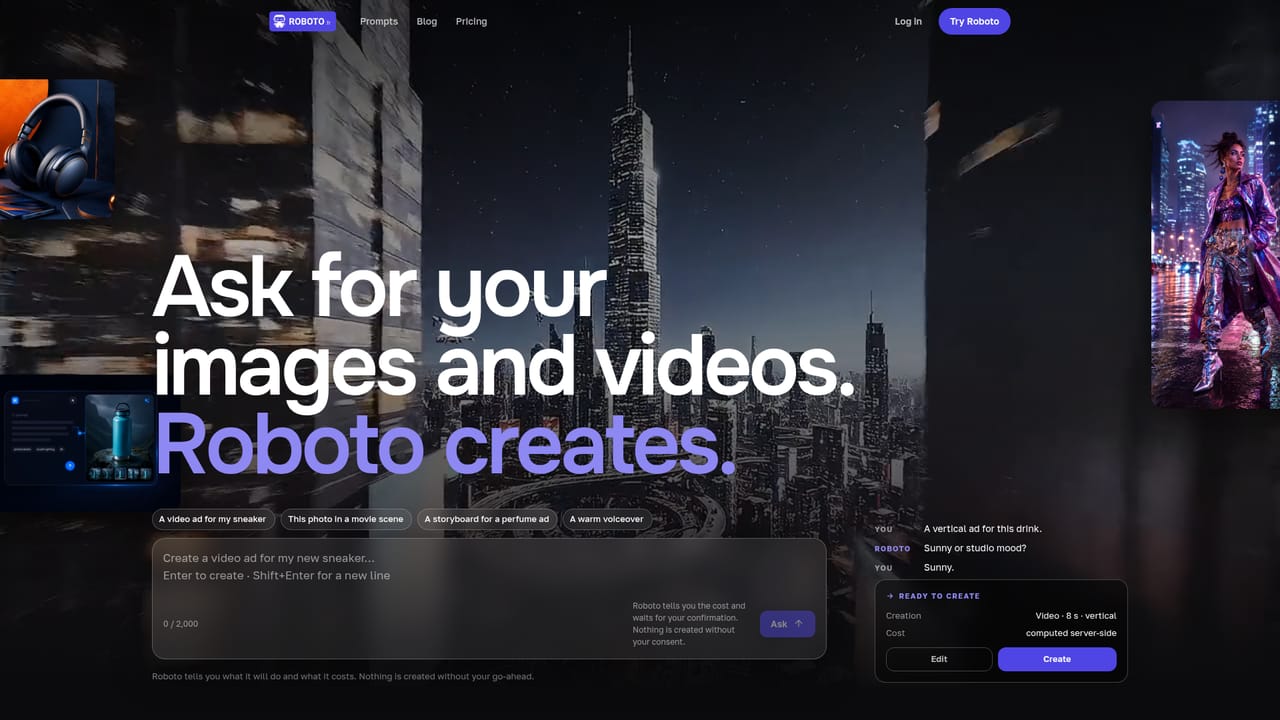
Screenshot of Roboto, Describe the image, video or voiceover you want, approve the cost, and Roboto builds it

What is Roboto?

Roboto is a generative image tool. A French AI generator for images, short videos and voiceovers. Roboto only asks for missing details, announces the credit cost of each job and holds until you confirm, then keeps scenes, voice tracks and outputs together in a project workspace.

Roboto is a French creative platform that turns plain-language requests into images, short videos and voiceovers. The pitch is unusually narrow and practical: instead of dropping users into a parameter panel, it reads the request, asks only for what is missing (a mood, an orientation, a format), states what the job will cost, and then waits. Nothing renders until the user confirms. That consent step is the defining design choice, and it reframes generation as a supervised transaction rather than a one-click gamble. For users who want hands-on control, the editor exposes the usual levers: references, aspect ratio, duration and variants, all rerunnable. For users who want output rather than a workflow, the conversational mode accepts a single sentence and returns a finished result once approved. Both routes feed the same balance, so images, videos and voice assets draw on one shared credit counter. Roboto states that failed attempts are refunded, which changes the calculus on experimentation with video, where wasted credits are the usual complaint. The Studio is where the product separates itself from single-shot generators. A conversation, its scenes, the voiceovers and the generated assets stay bundled as a project with a storyboard view, a gallery and a final render, so a campaign can be assembled and revisited instead of stitched together from downloads. Ready-made prompt examples (a bracelet photo turned into an end-of-summer campaign, a comic-book animation, a phone photo converted into a shooting plan) show the intended working pattern for marketing and social content. It suits small marketing teams, solo creators and agencies that need ad-style visual assets without a production crew, and the French origin makes it a natural pick for francophone businesses. It competes with general text-to-image and text-to-video services, betting that cost transparency and project structure matter more than raw model choice. The site also carries an editorial blog on model comparisons, though the generator itself is presented as model-agnostic.

How do you use Roboto?

  1. 1Open Roboto and describe what you need
    From the homepage, type a request such as a vertical ad for a drink or a warm voiceover into the prompt field. You can enter up to 2,000 characters.
    Roboto — Open Roboto and describe what you need
  2. 2Answer the clarifying question
    Roboto rephrases the brief and asks only for what is missing, for instance a sunny or studio mood. Reply briefly and the job is prepared.
  3. 3Review the announced cost
    Before anything renders, the platform shows the creation type, duration and format together with a server-side cost estimate. Confirm to spend the credits, or edit the brief.
  4. 4Adjust or rerun in the editor
    For precise work, set the reference, format, duration and number of variants in the editor, then rerun until the result fits. Failed attempts are refunded.
  5. 5Keep everything in the Studio
    The approved output lands in a project with its receipt, alongside the conversation, storyboard, scenes and voice tracks, so the campaign stays in one place.
  6. 6Borrow a ready-made brief
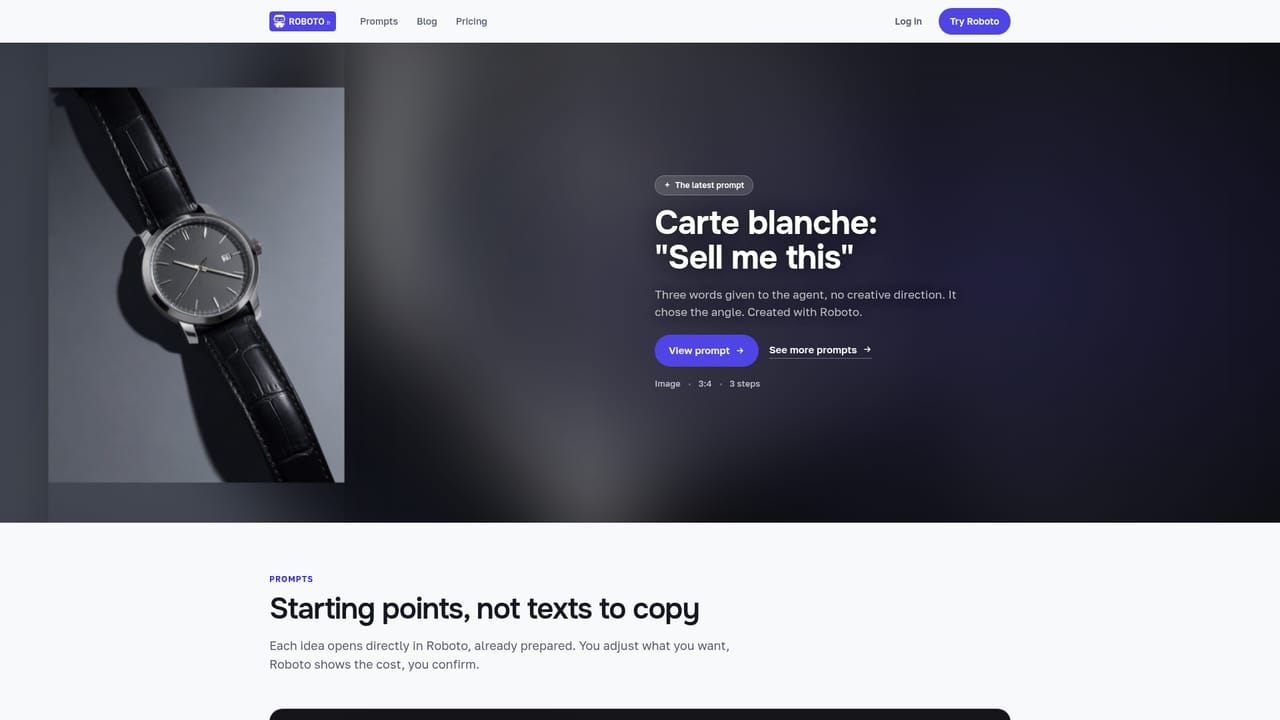
    The prompt library shows complete examples, from a bracelet photo turned into a campaign to a comic-book animation, which you can adapt instead of starting blank.
    Roboto — Borrow a ready-made brief

Pros and cons

Pros

  • Cost is announced before every creation and nothing starts without explicit confirmationAI
  • One shared credit balance covers images, videos and voiceovers, which keeps budgeting simpleAI
  • Failed attempts are refunded, so retrying a video does not silently burn the balanceAI
  • The Studio keeps conversation, storyboard, scenes and final renders in one projectAI
  • Ready-made prompt examples give marketers a realistic starting point rather than a blank boxAI

Cons

  • No model names or engine details are disclosed, so output quality and style limits are hard to predict before spending creditsAI
  • The description makes no claims about resolution, frame rate or commercial licensing for generated assetsAI
  • Video output is shown at short durations, which rules out anything resembling longer narrative editingAI
  • Workflow is built around conversation and approval, so batch production at volume is not the emphasisAI
  • The interface is young and the site offers little documentation beyond examples and blog postsAI

How much does Roboto cost?

Pricing

Roboto sells a Creator plan that includes a credit allowance, and images, videos and voiceovers all draw on that single balance. The homepage does not publish plan prices or credit rates; it only states that the cost of each job is computed server-side and disclosed before you approve it, and that credits for failed creations are refunded. Check the pricing page for current figures.

Learn more

Features

Prompt-to-image, prompt-to-video and voiceover generation in one place. Every request is rephrased, priced and held for confirmation before rendering. An editor exposes reference, format, duration and variant controls, while a conversational mode handles one-sentence briefs. The Studio bundles conversation, storyboard, scenes, voiceovers and final renders into a single project, and a prompt library supplies complete worked examples.

Frequently asked questions about Roboto

  • How much does Roboto cost?
    Roboto sells a Creator plan that includes a credit allowance, and images, videos and voiceovers all draw on that single balance. The homepage does not publish plan prices or credit rates; it only states that the cost of each job is computed server-side and disclosed before you approve it, and that credits for failed creations are refunded. Check the pricing page for current figures.
  • How do you use Roboto?
    The walkthrough on this page covers 6 steps: 1. Open Roboto and describe what you need 2. Answer the clarifying question 3. Review the announced cost 4. Adjust or rerun in the editor 5. Keep everything in the Studio 6. Borrow a ready-made brief.
  • What platforms does Roboto support?
    Roboto is available on Web App.
  • What are the limitations of Roboto?
    No model names or engine details are disclosed, so output quality and style limits are hard to predict before spending credits. The description makes no claims about resolution, frame rate or commercial licensing for generated assets. Video output is shown at short durations, which rules out anything resembling longer narrative editing.

Status

StatusActive
Views0
Outbound clicks0
Added10/21/2026

Platforms

Web App

Pricing

FreemiumSubscription