RoomLab.app

AI room redesign, virtual staging and rendering from a single photo

Beginner
Screenshot of RoomLab.app, AI room redesign, virtual staging and rendering from a single photo

What is RoomLab.app?

RoomLab.app is a web tool that redesigns, stages, declutters and renders rooms from a single photo or 3D model. It targets real estate agents, interior designers and architects, with credit-based one-time plans from $15.

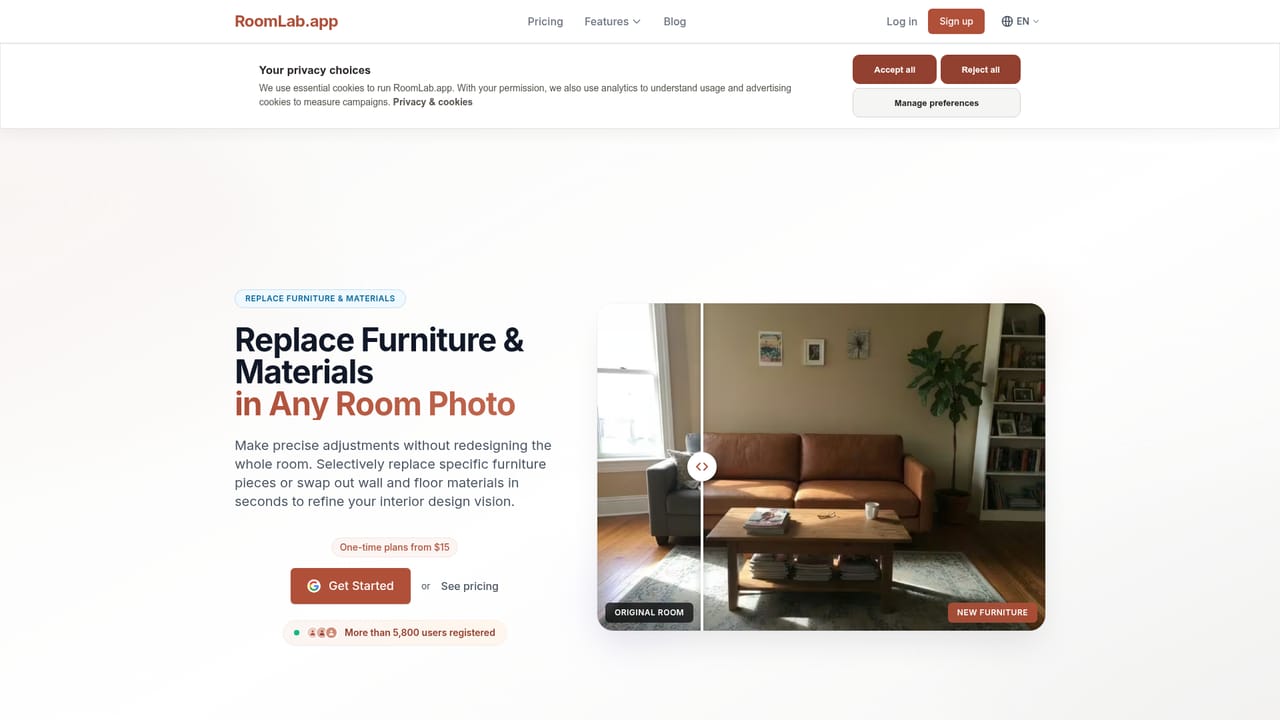
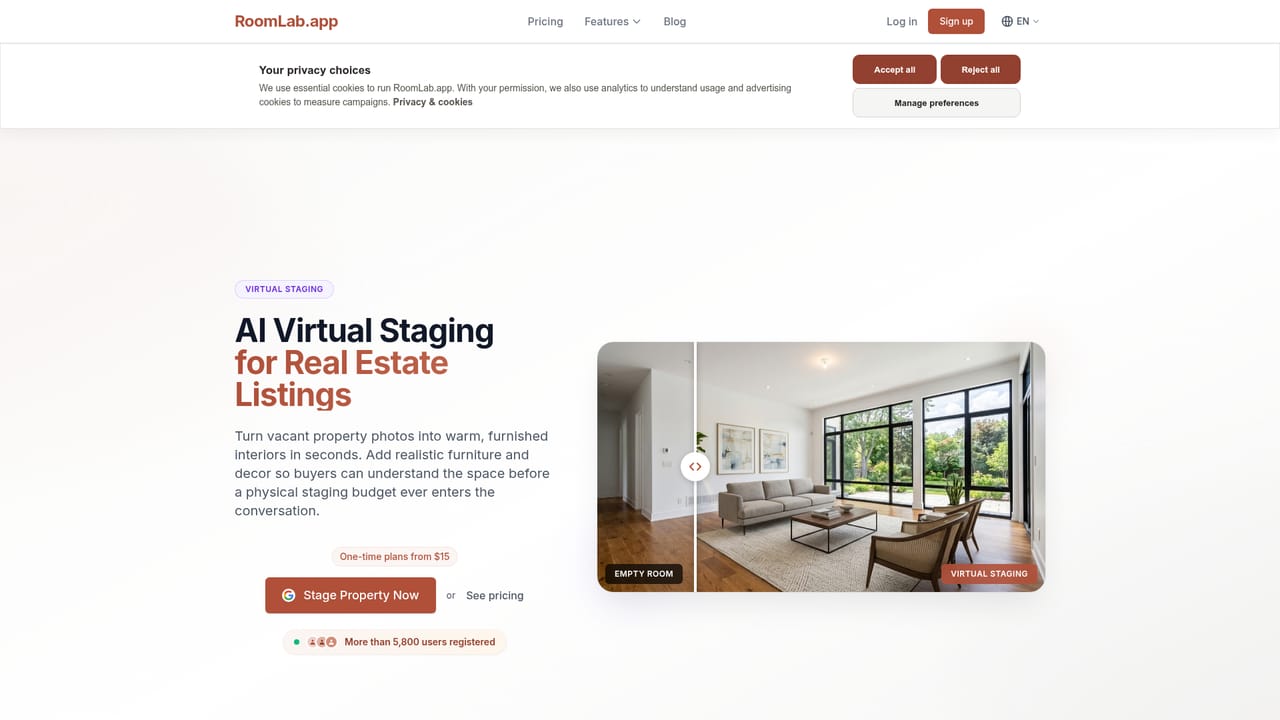
RoomLab.app is a web-based image generator aimed at people who sell or design spaces. A user uploads a photo of a room, an exterior or a 3D model, picks a mode, and receives a photorealistic result in seconds. The modes cover architectural rendering, restyling a room, virtual staging, replacing furniture and materials, decluttering, emptying a room, wall color previews, custom prompts, 4K upscaling and short videos made from still photos. The audience is broad but clearly professional. Real estate agents and marketers use it to declutter listings, stage vacant properties and show renovation potential. Interior designers use it to swap materials and test style directions before a client meeting. Architects can turn SketchUp or Revit models into renders with control over lighting, season and weather. Furniture shoppers and renovators get dedicated pages too, since the same engine lets them place a piece from a reference image into their own room or preview a new look before spending money. In practice the workflow is three steps: upload a JPG, PNG or WebP, choose a mode and generate, then download the result for listings, social media or presentations. The replace tool accepts a reference image, so a specific sofa or floor can be placed into the scene instead of relying on a text description alone. Video turns a still room photo into a short clip, useful for portals and social posts. Pricing is credit-based rather than subscription-led. The homepage states that all users get all features, that one free image is included, and that plans are one-time purchases starting at $15 for 15 images or 3 videos. Customers cite faster turnaround on listings, and the site lists several property and design businesses as users. Among alternatives, RoomLab.app sits between single-purpose virtual staging services and general image generators: it is narrower than a general tool but bundles more room-specific editing than most staging-only products.
How do you use RoomLab.app?

  1. 1Open the workspace and sign up
    Create an account with email or Google, then open the workspace. The free image lets you test one generation before buying credits.
    RoomLab.app — Open the workspace and sign up
  2. 2Upload a room photo or 3D model
    Drop in a JPG, PNG or WebP of a room, an exterior or a 3D model render. Clear, well-lit photos give the best starting point.
  3. 3Pick a mode
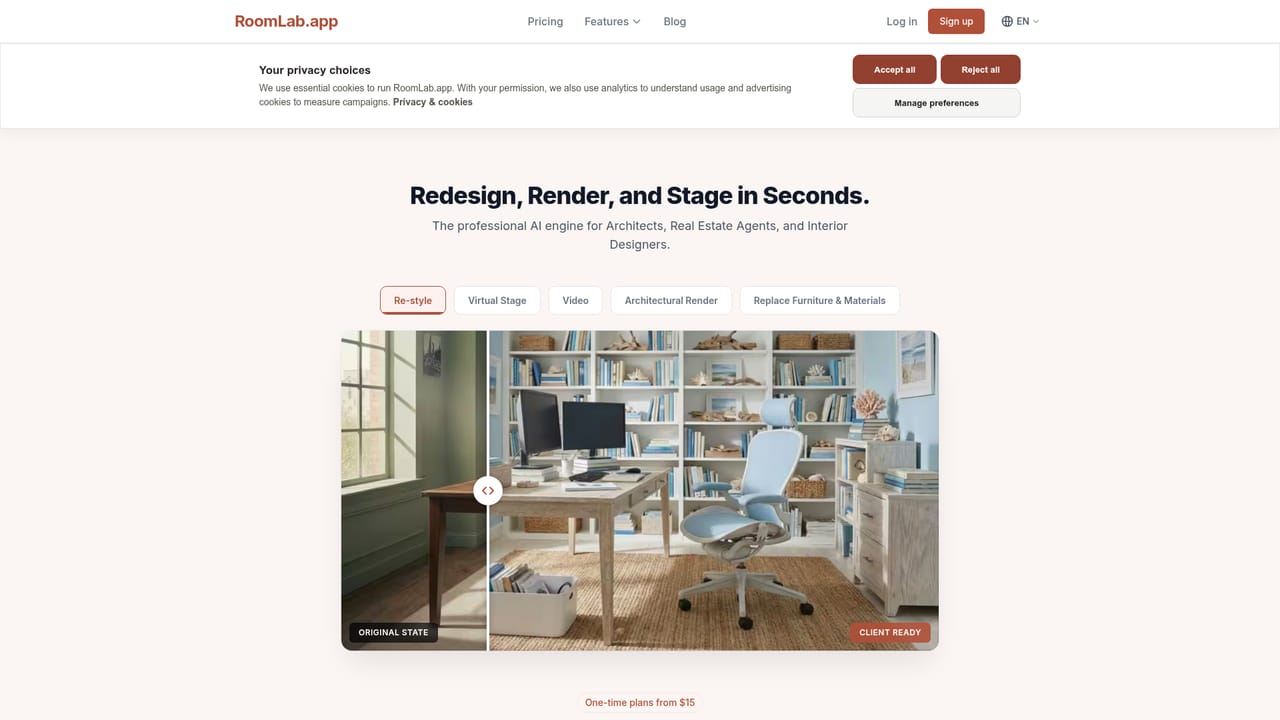
    Choose from architectural render, virtual staging, change style, replace furniture and materials, declutter, wall colors, custom prompt or video. Each mode has its own feature page.
    RoomLab.app — Pick a mode
  4. 4Generate and refine
    Run the generation and review the result. For replacements, add a reference image of the item you want placed in the room.
    RoomLab.app — Generate and refine
  5. 5Download and share
    Save the finished image, optionally upscale it to 4K, and use it in listings, presentations or social posts.
  6. 6Watch the video tutorials
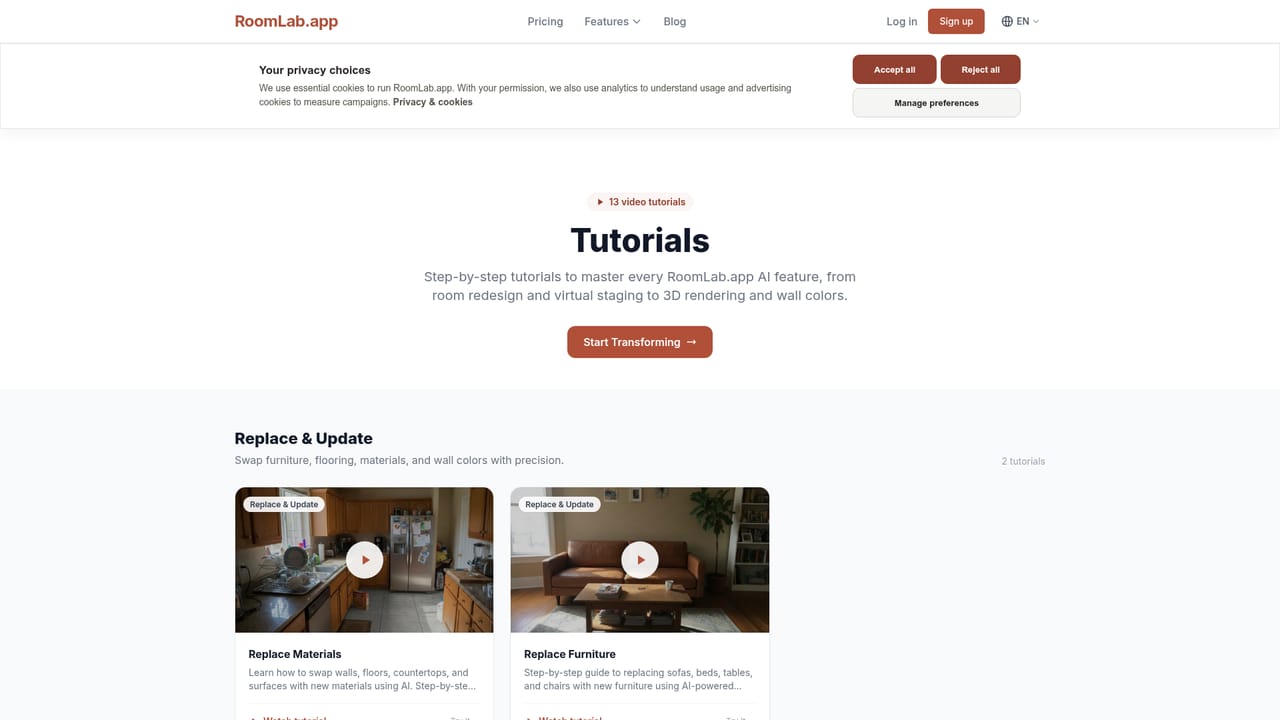
    The tutorials page walks through each tool and helps new users get consistent results.
    RoomLab.app — Watch the video tutorials

Pros and cons

Pros

  • Covers many room tasks in one place: staging, restyling, decluttering, material swaps, renders and videoAI
  • All features are available to every user, with no tier-locked toolsAI
  • One-time credit packs from $15 avoid a recurring subscriptionAI
  • Reference-image replacement lets users place a specific furniture piece or materialAI
  • Dedicated pages for agents, designers, architects, stagers and renovators show clear fitAI

Cons

  • Only one free image is offered, which limits testing across the many modesAI
  • Credit-based billing means heavy users, such as agencies staging many listings, must keep buying packsAI
  • Videos are costly in credits: the entry plan gives 15 images or only 3 videosAI
  • Aimed at interiors and architecture, so it is of little use for general image workAI
  • Output is AI-generated, so staged images may need disclosure under listing rulesAI

How much does RoomLab.app cost?

Free trial

One free image is included so new users can try a generation before buying credits.

Learn more

Pricing

Pay-per-image credits with one-time purchases. The Personal plan is $15 one-time for 15 images or 3 videos (150 credits), no subscription. All features are included for every user, and one free image is offered.

Learn more

Support

A tutorials page with video walkthroughs is available. The homepage does not describe other support channels.

Learn more

Integrations

The homepage mentions support for SketchUp and Revit models as inputs. No other integrations are listed.

Features

Architectural rendering from 3D models, room restyling, virtual staging, furniture and material replacement with reference images, decluttering, furniture removal, wall color visualizer, custom prompts, 4K upscaling and photo-to-video.

Learn more

Frequently asked questions about RoomLab.app

  • How much does RoomLab.app cost?
    Pay-per-image credits with one-time purchases. The Personal plan is $15 one-time for 15 images or 3 videos (150 credits), no subscription. All features are included for every user, and one free image is offered.
  • Does RoomLab.app offer a free trial?
    One free image is included so new users can try a generation before buying credits.
  • How do you use RoomLab.app?
    The walkthrough on this page covers 6 steps: 1. Open the workspace and sign up 2. Upload a room photo or 3D model 3. Pick a mode 4. Generate and refine 5. Download and share 6. Watch the video tutorials.
  • What platforms does RoomLab.app support?
    RoomLab.app is available on Web App.
  • What does RoomLab.app integrate with?
    The homepage mentions support for SketchUp and Revit models as inputs. No other integrations are listed.
  • What are the limitations of RoomLab.app?
    Only one free image is offered, which limits testing across the many modes. Credit-based billing means heavy users, such as agencies staging many listings, must keep buying packs. Videos are costly in credits: the entry plan gives 15 images or only 3 videos.

Status

StatusActive
Views0
Outbound clicks0
Added10/18/2026

Platforms

Web App

Pricing

PaidFree Trial