Free trial
New users receive free starter credits, and generation is credit based, so the tool can be tested before any purchase. No time limited trial period is stated.
Learn moreBytedance text and image to video, rendered in the browser

Seedance 4.0 is a browser based Bytedance video generator that turns prompts or still images into short HD clips. It offers aspect ratio and duration controls, preview and render passes, built in audio, and a commercial license on paid plans, with credits starting free.
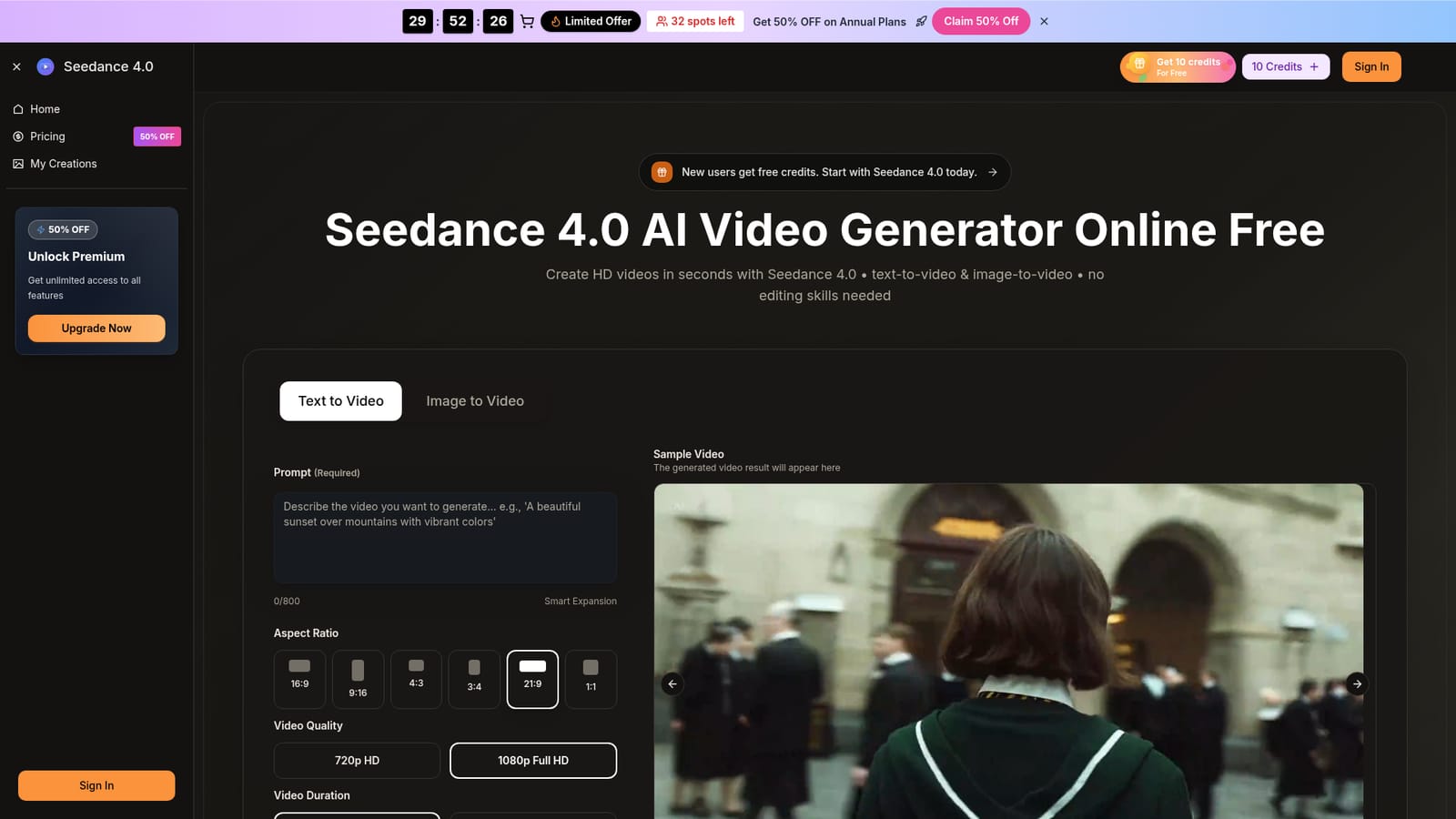
Seedance 4.0 is a browser based AI video generator built on the Bytedance Seedance model family. It takes a written prompt or a still image and returns a moving clip, with controls for aspect ratio (16:9, 9:16, 4:3, 3:4, 21:9 and 1:1), output quality at 720p or 1080p, and clip length of 5 or 10 seconds. Prompts can run up to 800 characters and a Smart Expansion option lengthens short briefs. The homepage pitches the output as HD, with marketing copy elsewhere describing it as 4K-ready, so treat the resolution ceiling as HD and the 4K language as aspirational framing. In practice the workflow is short. A user picks text to video or image to video, describes the shot or uploads a still, selects settings, and generates. The site says most clips render in seconds to under a minute depending on settings and server load, and offers a preview first so a cheap pass can be judged before a higher quality render is committed. Beyond the base generator, the plan pages list a video enhancer, a background remover, scene splitting, batch jobs, prompt helpers, share pages and built in audio with dialogue and ambience, plus the ability to switch between Seedance 4.0, Seedance V4, Seedream, Veo 3, Sora 2 and Wan 2.5 on yearly plans. Finished MP4 files download for web and social use, and the paid tiers include a commercial use license. That makes it a fit for marketers producing short ads and brand clips without a studio, social teams on tight deadlines, and product or agency people who need storyboards and demos fast. It is a lighter option than full editing suites: the value is in prompt adherence and iteration speed rather than timeline level control, and the site positions it against models like Seedream 4.0 and Dreamina style workflows. Non-technical users are clearly the target audience, since the FAQ stresses plain description over editing skill.

New users receive free starter credits, and generation is credit based, so the tool can be tested before any purchase. No time limited trial period is stated.
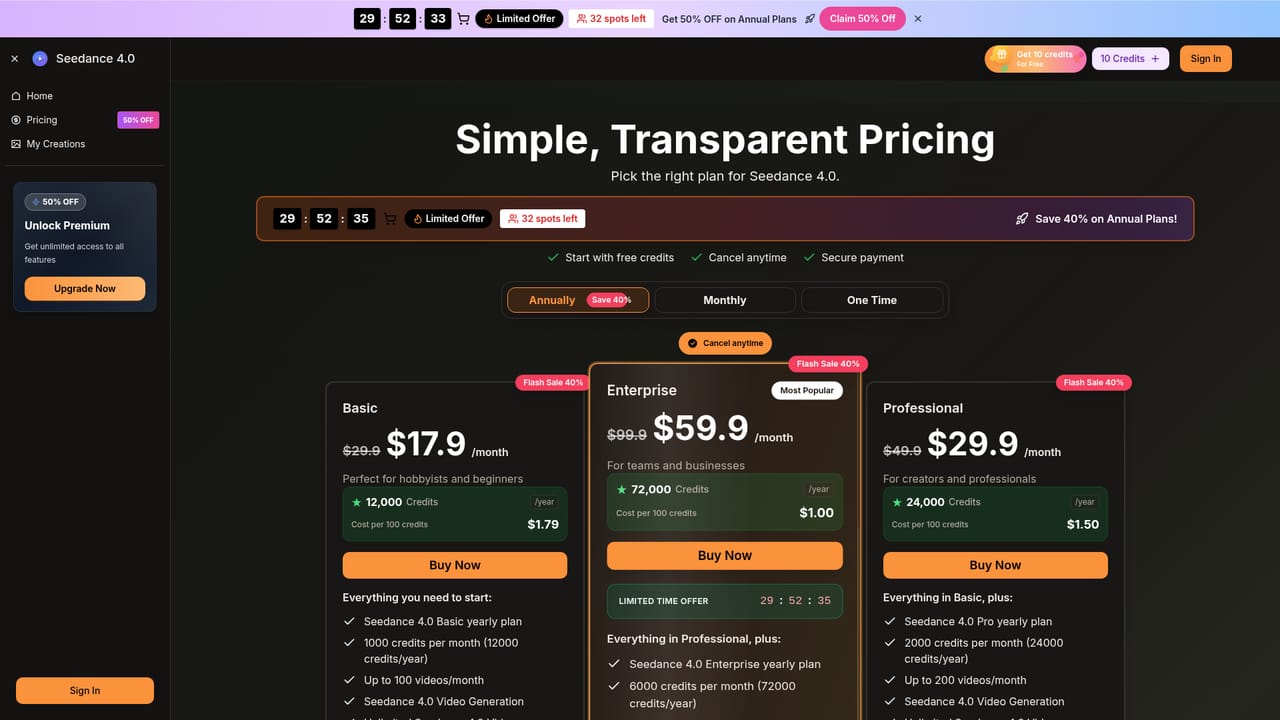
Learn moreAnnual plans only for the listed tiers: Basic at $17.9 per month ($29.9 standard) with 12,000 credits a year and up to 100 videos a month; Professional at $29.9 per month with 24,000 credits and up to 200 videos; Enterprise at $59.9 per month with 72,000 credits and up to 600 videos. Cancel anytime, paid by card.
Learn moreSupport is handled by email at support@seedance4.video, which is also the route for cancellation requests. Priority customer support is listed as a plan feature on annual billing. No live chat or phone support is mentioned.
Text to video and image to video with prompts up to 800 characters and optional Smart Expansion; six aspect ratios; 720p or 1080p output; 5 or 10 second clips; preview then higher quality render; built in audio with dialogue and ambience; model switching across Seedance 4.0, Seedance V4, Seedream, Veo 3, Sora 2 and Wan 2.5 on yearly plans; video enhancer, background remover, batch jobs, scene splitting, prompt helpers and share pages.
 AI Angels400+ customizable AI girlfriends for NSFW chat, voice calls, and roleplay
 Candy AIExperience the future of companionship with AI friends who chat, role-play, and connect with you on a human level.
 ourdream.aiA vast AI roleplay platform with millions of characters for chat, images, video and voiceAI Angels400+ customizable AI girlfriends for NSFW chat, voice calls, and roleplayCandy AIExperience the future of companionship with AI friends who chat, role-play, and connect with you on a human level.ourdream.aiA vast AI roleplay platform with millions of characters for chat, images, video and voice


