Free trial
14 days of full access on sign-up with no credit card. Afterwards the account moves automatically to the Free plan and everything sent stays available.
Learn moreA WhatsApp-based second brain that sorts and recalls your notes
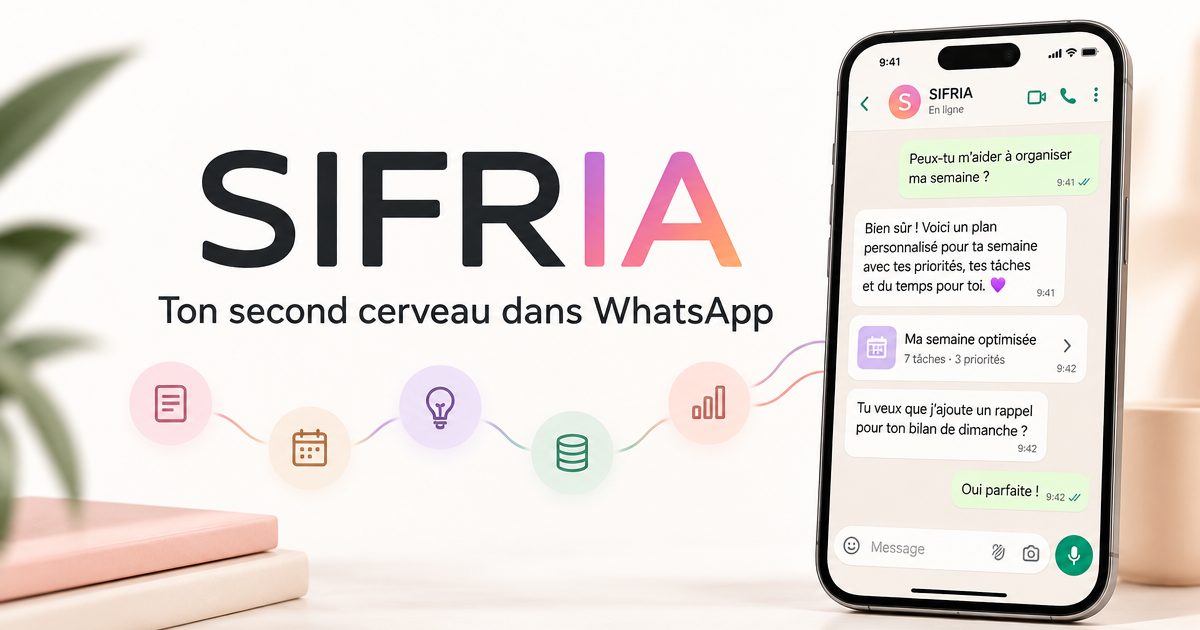
Sifria turns WhatsApp into a second brain: send voice notes, photos, links and documents, and it sorts them into themes and answers questions from your own knowledge, with optional Gmail, Notion and Google Drive sync.
Sifria is a personal knowledge assistant that lives inside WhatsApp. Users send voice notes, photos, links, documents or plain text to a dedicated WhatsApp contact, and the service stores them and groups them into themes without any manual filing. Later, a question typed into the same chat returns an answer drawn from the user's own material, with sources, dates and context attached. The product is aimed at people who carry a lot of information in their heads: coaches, consultants, therapists, entrepreneurs and busy parents. The pitch is that note apps, folders and tags tend to add more clutter over time, so Sifria removes the organizing step entirely. Capture happens in a messaging app the user already opens daily, which lowers the friction of saving an idea at the moment it appears. In practice, the service connects to outside sources as well as WhatsApp. Gmail, Notion, Google Drive and computer files can be synced so that email threads, campaign notes and documents sit alongside voice memos in one searchable pool. The agent links related items automatically and can answer from that pool alone or, if the user chooses, enrich the answer with AI knowledge. A web dashboard shows the structured knowledge and can produce PDFs, PowerPoint decks, FAQs and summaries from it. Paid tiers add summaries of videos and podcasts, Instagram Reels converted into written recipes, questions about exported WhatsApp chats and reminders. Among alternatives, Sifria sits between classic note-taking apps and general AI chat assistants. Tools such as Notion or Evernote demand structure from the user, while generic chatbots do not know the user's history. Sifria's distinguishing choice is using WhatsApp as the main interface and the user's own content as the default source of truth. The vendor states that it does not train models on user data without explicit consent. Billing is in euros with a free tier, a 14-day trial of full access and three paid plans, which makes it easy to test before committing.
14 days of full access on sign-up with no credit card. Afterwards the account moves automatically to the Free plan and everything sent stays available.
Learn moreFree plan at €0 forever with light monthly use. Starter is €9/month, Essential €19/month and Pro €39/month. Prices are in euros, excluding taxes, with no commitment and cancellation at any time.
Learn morePriority support is included on the Pro plan. The homepage names no other support channels.
Syncs with WhatsApp, Gmail, Notion, Google Drive and computer files. Essential includes one sync of choice (Gmail or Notion); Pro includes all syncs.
Capture via WhatsApp (voice, photos, links, documents, text), automatic theme structuring, an AI agent that answers with sources, reminders, a dashboard, document generation (PDF, PowerPoint, FAQ, summary) and optional AI enrichment.
 AI Angels400+ customizable AI girlfriends for NSFW chat, voice calls, and roleplay
 Candy AIExperience the future of companionship with AI friends who chat, role-play, and connect with you on a human level.
 ourdream.aiA vast AI roleplay platform with millions of characters for chat, images, video and voiceAI Angels400+ customizable AI girlfriends for NSFW chat, voice calls, and roleplayCandy AIExperience the future of companionship with AI friends who chat, role-play, and connect with you on a human level.ourdream.aiA vast AI roleplay platform with millions of characters for chat, images, video and voice


