Free trial
The service itself is free for the first 7 songs each week, and no account is needed to use that allowance.
Learn moreAutomatic song mastering matched to a reference track you upload
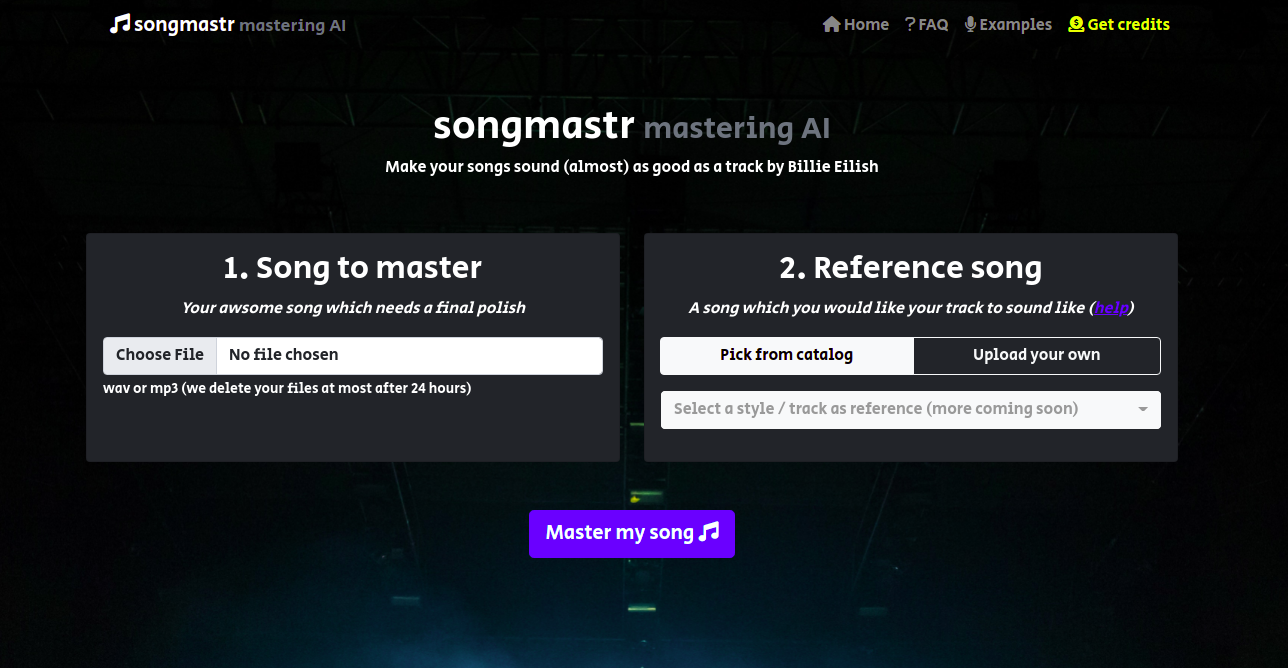
Songmastr is an AI mashup maker tool. A free, no registration web tool that masters a wav or mp3 against a reference track you upload, matching its RMS, frequency response, peak amplitude and stereo width. Built on the open source matchering library, with a 10 minute and 80MB cap per song.
Songmastr is a browser based mastering service that takes an unfinished mix and reshapes it to match the tonal and dynamic character of a reference song. You supply two files: the track that needs a final polish and a commercial release you want it to sound like. The service runs both through an AI driven process and returns a mastered version for download. The technical approach is unusually transparent. Songmastr is built on the open source matchering library, and the site states plainly that the algorithm applies the same RMS level, frequency response, peak amplitude and stereo width as the chosen reference. That means the output is not a creative master built from genre templates or engineer judgement; it is a statistical match to whatever track you feed it. Pick a loud, bright reference and the master will lean loud and bright. Pick something restrained and the result follows. The workflow is deliberately minimal. No account, no plugin, no install. Upload both files, wait for processing, land on a download page, grab the file. Uploaded audio is deleted at most 24 hours after it arrives. Two hard limits apply: songs must run 10 minutes or shorter and stay under 80MB, and only wav and mp3 are accepted. This suits bedroom producers, rappers, beatmakers and small labels who want a quick, free reference match before release, or who want to hear how a mix behaves against a professional target. It is less suited to anyone needing stem level control, multiband decisions, or a master that departs from the reference. Compared with paid mastering plugins and human mastering services, Songmastr trades control and depth for speed, zero cost and no learning curve.
The service itself is free for the first 7 songs each week, and no account is needed to use that allowance.
Learn moreFree to use for up to 7 songs per week, with no registration required. The site does not publish a paid tier or any price beyond the free weekly allowance.
Learn moreUpload a wav or mp3 mix plus a reference track and receive a mastered file matched to the reference in RMS, frequency response, peak amplitude and stereo width. Runs in the browser with no install, deletes uploads within 24 hours, caps songs at 10 minutes and 80MB, and offers a free allowance of 7 songs per week.
 AI Angels400+ customizable AI girlfriends for NSFW chat, voice calls, and roleplay
 Candy AIExperience the future of companionship with AI friends who chat, role-play, and connect with you on a human level.
 ourdream.aiA vast AI roleplay platform with millions of characters for chat, images, video and voiceAI Angels400+ customizable AI girlfriends for NSFW chat, voice calls, and roleplayCandy AIExperience the future of companionship with AI friends who chat, role-play, and connect with you on a human level.ourdream.aiA vast AI roleplay platform with millions of characters for chat, images, video and voice


