Soniox Speech-to-Text AI

Multilingual speech AI API for realtime transcription, TTS and translation

Advanced API
Screenshot of Soniox Speech-to-Text AI, Multilingual speech AI API for realtime transcription, TTS and translation

What is Soniox Speech-to-Text AI?

Soniox Speech-to-Text AI is an AI transcriber tool. Soniox is a speech AI API covering realtime speech-to-text, text-to-speech and speech translation in 60+ languages and 3,600 language pairs. It targets developers building voice agents, call analytics, meeting transcription and multilingual products, with a focus on language switching, alphanumeric accuracy and low-latency streaming.

Soniox is a speech AI platform delivered primarily as an API layer for voice products. Its core is a realtime speech-to-text engine that handles 60+ languages with what the company describes as native-speaker accuracy, including multilingual conversations where speakers switch languages mid-sentence, multi-speaker dialogue, alphanumeric strings and domain-specific vocabulary. The same platform adds text-to-speech and speech translation, so transcription, synthesis and translation can be wired into a product through one unified interface rather than three separate vendors. The transcription side is aimed at live use rather than batch cleanup. Soniox emphasizes low-latency streaming, meaning text appears as speech is spoken and audio generation can begin from the first few words instead of waiting for a complete sentence. Translation covers 3,600 language pairs and is built for code-switching environments, which matters for contact centers, conferencing tools and voice agents serving mixed-language callers. Text-to-speech rounds this out with expressive output, audio tags for delivery control, instant voice cloning and language switching inside a single utterance. In practice the buyer is a developer or product team building voice infrastructure: realtime meeting transcription, call analytics, voice assistants, dubbing, or a translation layer on top of an existing app. Setup happens at the API level, so evaluation means reading the speech-to-text docs, sending test audio through streaming endpoints and comparing accuracy on your own accents and jargon. The company lists LiveKit, Pipecat, Agora, Vapi, Retell AI, Fireflies.ai, Samsung, LG, Truecaller and Zomato among teams using its models, which suggests it competes on multilingual accuracy rather than on an end-user app. That positioning is the main distinction from consumer transcription services. Soniox does not present itself as a destination for someone who wants to upload a file and get a formatted summary; it is the engine underneath products like that. Teams that already have an app, or are building one, get broad language coverage and streaming behavior from a single provider. Teams looking for a ready-made note-taking interface, built-in speaker-labeled exports or team collaboration features will need to build or buy those elsewhere.

How do you use Soniox Speech-to-Text AI?

  1. 1Review the realtime speech-to-text capability
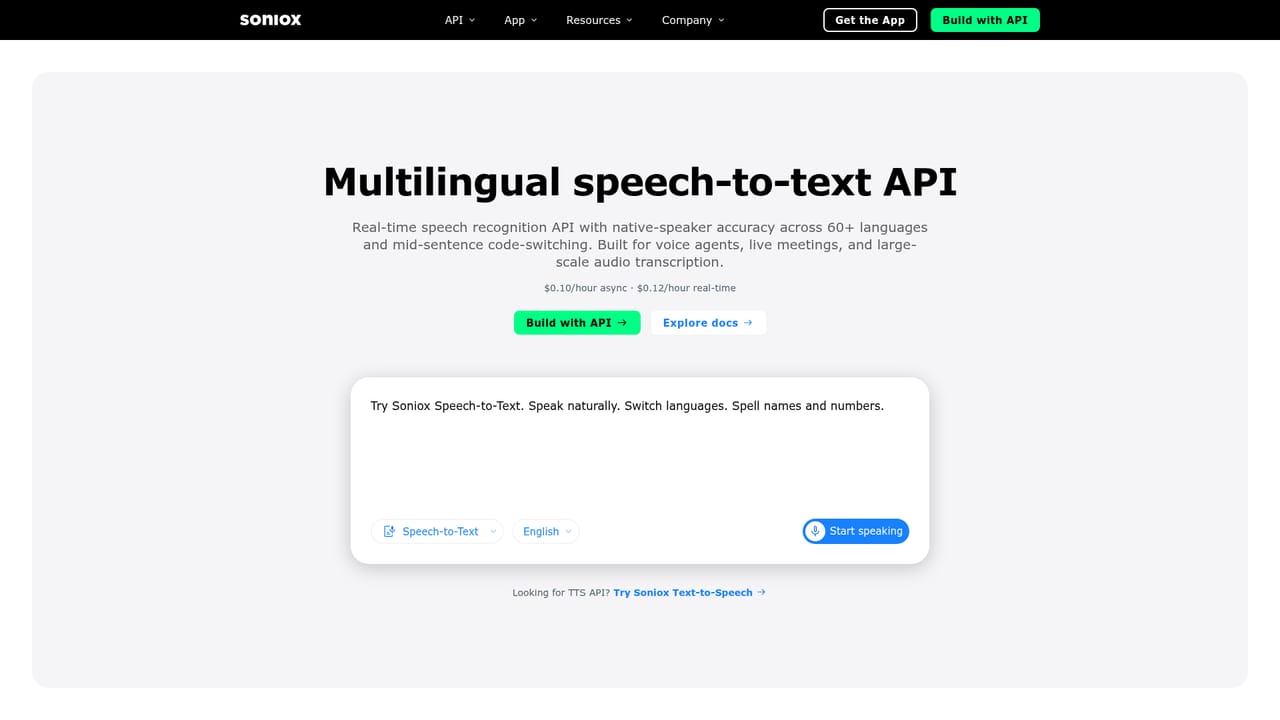
    Start on the speech-to-text page to understand what the streaming engine covers: language switching, multi-speaker input and noisy environments. Use it to decide whether streaming or file transcription fits your use case.
    Soniox Speech-to-Text AI — Review the realtime speech-to-text capability
  2. 2Check your language pair on the translation pages
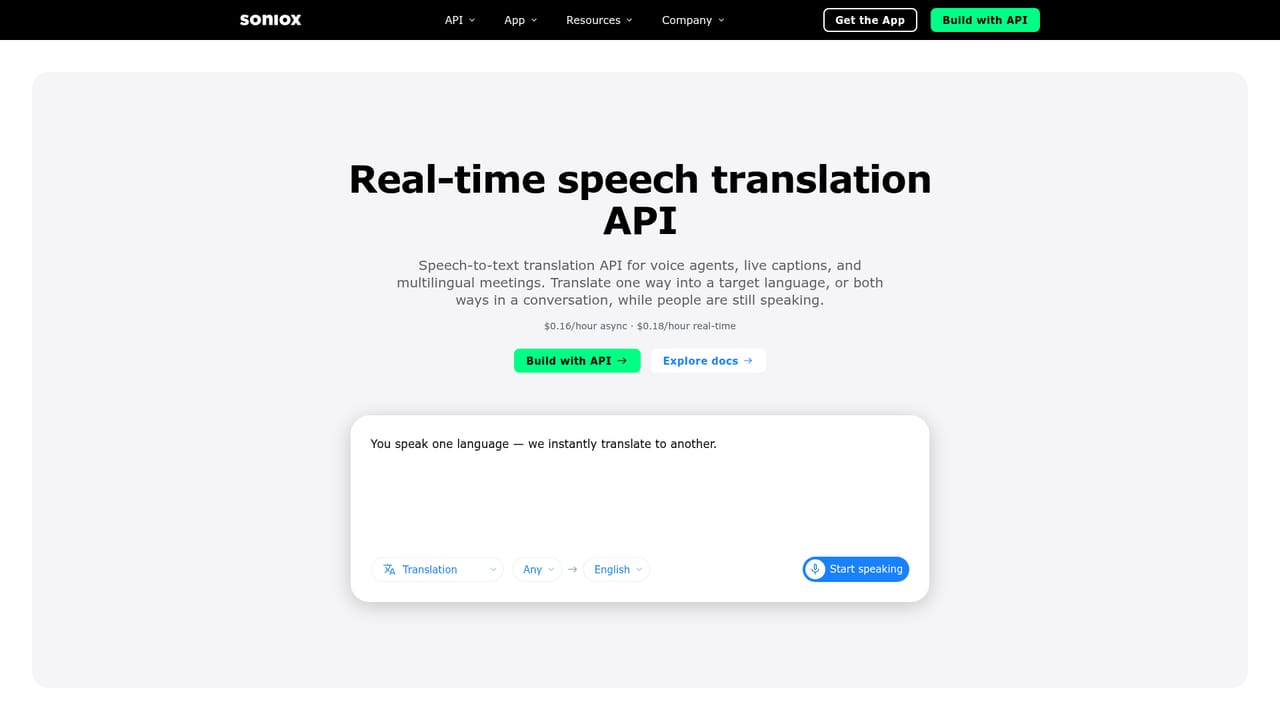
    Find the source and target language you need among the published speech translation pages to confirm the pair is supported. This avoids assuming coverage from the general 60+ language claim.
    Soniox Speech-to-Text AI — Check your language pair on the translation pages
  3. 3Try the text-to-speech voice controls
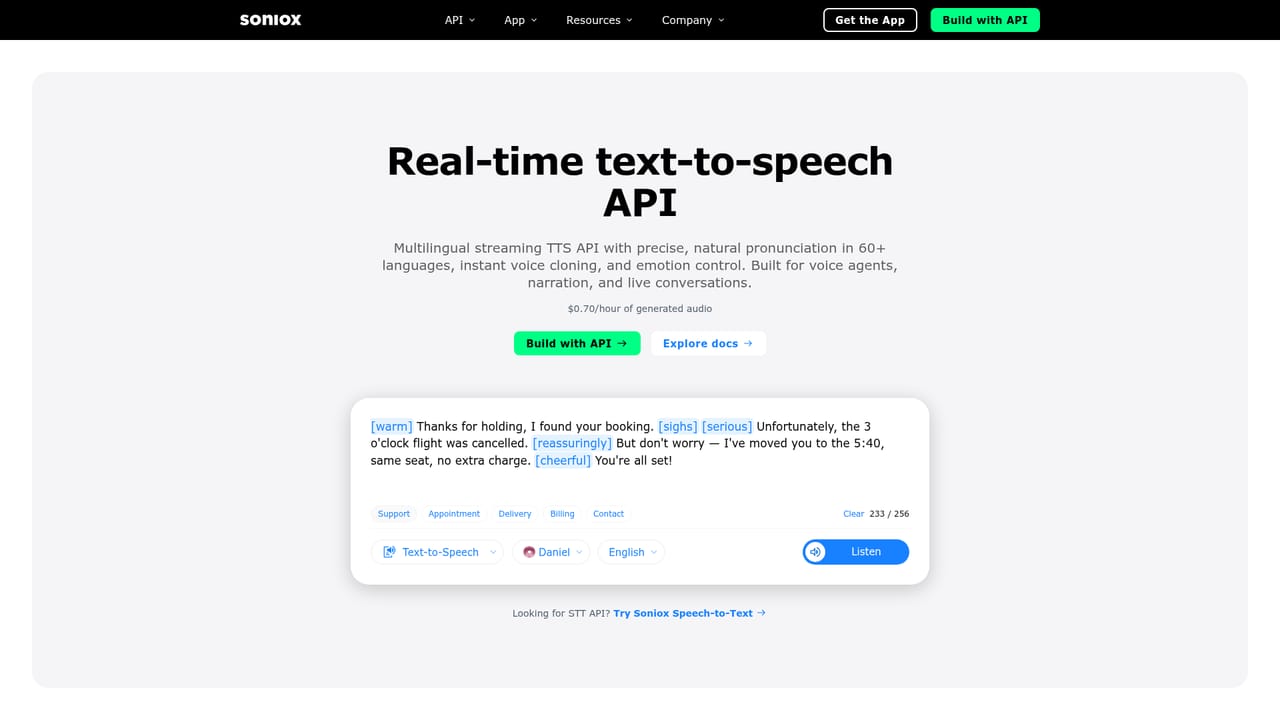
    The TTS page includes a live demo with audio tags such as tone and delivery cues. Test a short script to hear how expressive control, alphanumeric reading and language switching behave.
    Soniox Speech-to-Text AI — Try the text-to-speech voice controls
  4. 4Create an account and get API credentials
    Sign up on the Soniox site and locate your API key in the developer dashboard. Credentials are needed before any request can be sent to the transcription, synthesis or translation endpoints.
  5. 5Send a streaming request with your own audio
    Connect to the realtime endpoint and stream live or recorded audio from your domain, ideally with accents and jargon you expect in production. Compare returned text against a manual transcript to judge accuracy.
  6. 6Measure latency and plan for scale
    Record the delay between speech and returned text, and between request and generated audio, under realistic network conditions. Use those figures to size your integration before committing to production traffic.

Pros and cons

Pros

  • Broad language coverage in one platform: 60+ languages for transcription and synthesis, plus 3,600 translation pairsAI
  • Streaming design handles speakers who switch languages mid-sentence, a weak spot for English-first enginesAI
  • Transcription, TTS and translation share one API, which reduces the number of vendors a voice product must integrateAI
  • Explicit attention to alphanumerics, names and domain vocabulary, the details that usually break live transcriptsAI
  • Public translation pages for many specific language pairs make capability checks straightforward before integrationAI

Cons

  • Not a finished app: no built-in editor, formatted exports or team workspace, so transcription output has to be handled in your own productAI
  • Pricing is not disclosed on the homepage, so cost per audio minute and per character has to be confirmed before budgetingAI
  • Accuracy claims are vendor-stated and come without published benchmark comparisons, so you must test on your own audioAI
  • Voice cloning and expressive TTS raise consent and compliance questions that the marketing pages do not addressAI
  • Documentation depth for edge cases like loud multi-speaker rooms or heavy accents is hard to judge without signing upAI

How much does Soniox Speech-to-Text AI cost?

Features

Realtime speech-to-text across 60+ languages with native-speaker accuracy, language switching and multi-speaker support. Text-to-speech with expressive audio tags, instant voice cloning, alphanumeric precision and low-latency streaming. Speech translation across 3,600 language pairs built for code-switching conversation. All three run through one unified API for live voice applications.

Learn more

Frequently asked questions about Soniox Speech-to-Text AI

  • Does Soniox Speech-to-Text AI have an API?
    Yes, Soniox Speech-to-Text AI offers an API.
  • How do you use Soniox Speech-to-Text AI?
    The walkthrough on this page covers 6 steps: 1. Review the realtime speech-to-text capability 2. Check your language pair on the translation pages 3. Try the text-to-speech voice controls 4. Create an account and get API credentials 5. Send a streaming request with your own audio 6. Measure latency and plan for scale.
  • What platforms does Soniox Speech-to-Text AI support?
    Soniox Speech-to-Text AI is available on Web App.
  • What are the limitations of Soniox Speech-to-Text AI?
    Not a finished app: no built-in editor, formatted exports or team workspace, so transcription output has to be handled in your own product. Pricing is not disclosed on the homepage, so cost per audio minute and per character has to be confirmed before budgeting. Accuracy claims are vendor-stated and come without published benchmark comparisons, so you must test on your own audio.

Status

StatusActive
Views0
Outbound clicks0
Added10/22/2026

Platforms

Web App

Pricing

Paid