What these tools do
Aesthetic notes sit at the point where note taking meets presentation. A reader searching to make my notes pretty usually has content already and wants the page to look better: consistent headings, cleaner handwriting, a layout that is easy to scan later. These tools replace the mix of a plain text editor, a scanner and a separate design app. They are for students revising from handwritten pages, people keeping journals or planners, and anyone who shares notes with a group. The work is still writing and organizing. These tools just change how the finished page looks.
How to choose one
Start with the input. If the notes are typed and need to look handwritten, a text to handwriting converter does the job in one step and nothing else is required. Handwriting-heavy work needs a stylus-friendly app where the page and the pen behave naturally, because a converter cannot reproduce the pressure and spacing of real writing.
Then decide where the notes will live. Shared notes, PDFs and quick sketches point to a handwriting app with document support. A workspace that mixes notes, docs and tasks suits people who write and plan in the same place. Check export too: a page that only looks good inside one app is limited if it has to be printed or pasted elsewhere.
Finally, judge the aesthetic features honestly. Templates, page color and font choice matter for the look, but so does the writing itself. An app with strong styling and weak text tools produces pretty pages that are hard to search. Pick the tool whose plain mode you would still use on a busy day.
Notable tools
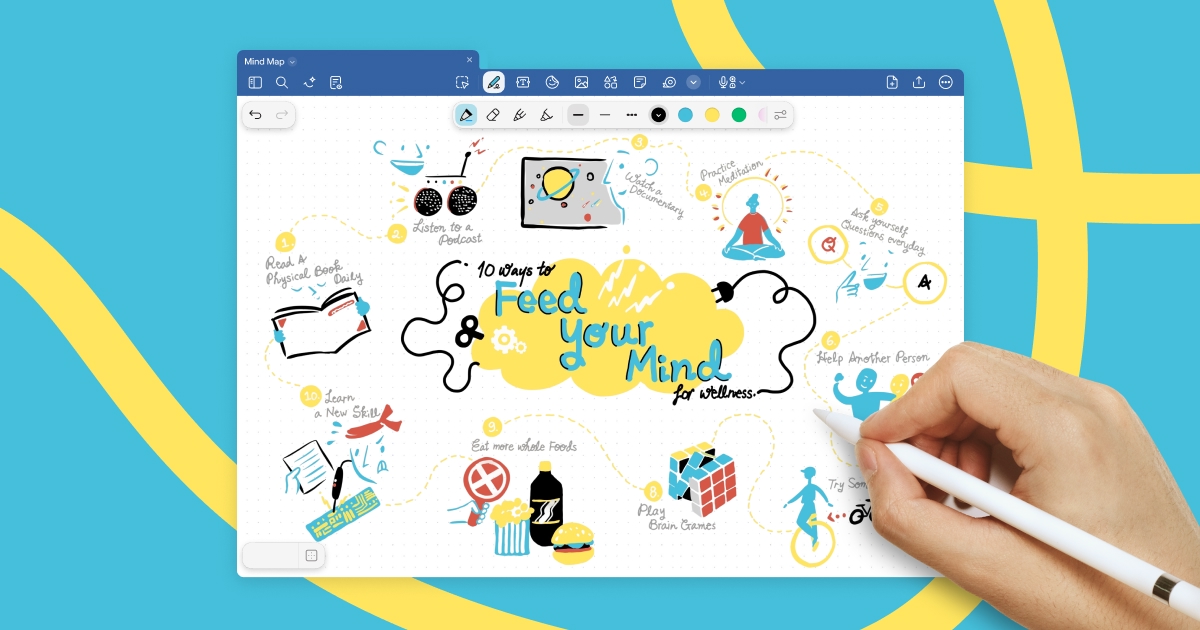
Goodnotes is a note-taking app built around handwriting, PDFs and shared work. It suits readers who write by hand and want pages that stay organized, and the shared work side makes it usable for group notes.
Craft is a notes, docs and tasks workspace with AI writing built in. The draw is the mix: typed notes, longer documents and task lists in one place, with assistance when drafting or tidying text.
Text To Handwriting turns typed text into realistic handwritten pages. It is free and runs in a browser, which makes it the quickest route from a typed file to something that looks handwritten.
Common questions
How do I make my notes pretty?
Decide first whether the notes are typed or handwritten. Typed notes can be converted to a handwriting look, or moved into a workspace with clean templates. Handwritten notes benefit most from a consistent page size, a limited set of pen colors and clear headings. The formatting work is small if it is done as the notes are written rather than afterward.
What counts as aesthetic notes?
In practice the term covers two things: legible notes with deliberate structure, and notes with a visible style, from handwriting to page layout. Neither requires a design background. A readable title, consistent spacing and one accent color do most of the work, and a converter or note app can handle the rest.
Can typed notes be turned into handwriting?
Yes. Text To Handwriting takes typed text and outputs pages that look handwritten, which is useful for printing or submitting work that must look written by hand. The result is a page, not an editable handwriting session, so keep the typed source if the text will change later.
When to look elsewhere
If the goal is capturing spoken content rather than styling pages, Video Notes covers meetings and recordings. For pages that need heavy document conversion or form work, PDF Solver is the closer fit than a note app.