Tana Outliner

An outliner where every bullet can become a typed, searchable object.

Intermediate
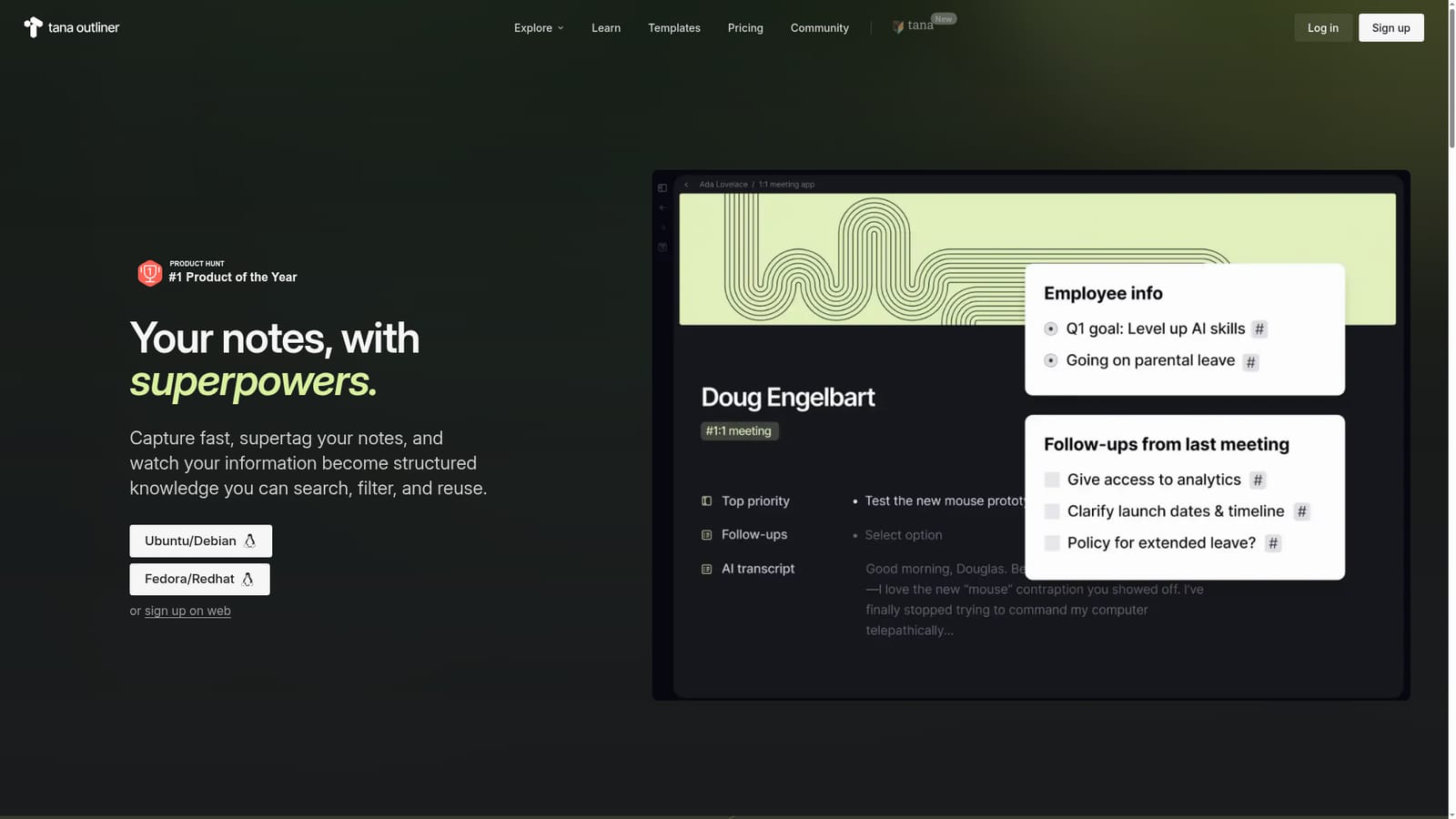
Screenshot of Tana Outliner, An outliner where every bullet can become a typed, searchable object

What is Tana Outliner?

Tana Outliner is an aesthetic notes tool. A networked outliner with supertags, saved views, voice capture, and note-aware AI chat. Built for people who want notes to become structured objects they can filter and reuse, rather than static pages filed in folders.

Tana Outliner is an AI-assisted knowledge management workspace built around an infinite outliner. Instead of folders and pages, notes live as nodes in a connected graph, and any bullet can be given a supertag, which works as a type: task, project, meeting, webpage, strategy doc, OKR, or a category of your own invention. Once a note carries a type, the information behind it becomes structured, searchable, and reusable rather than stranded in a file you have to remember to open. Saved views are the second half of the model. A view can be built once and then surface anything matching its filters, such as agenda items, delegated tasks, investors, goals, or bugs, without hunting through the graph. Voice is treated as a first class input: on desktop the tool transcribes live and can process meeting audio, while mobile voice memos land as clean notes that are auto tagged and linked to the right project or person. A built in AI chat can be started under any note using that note as context, so rough capture can be reshaped into minutes, a summary, or a draft. The product suits power users who find page-and-database tools too rigid: consultants, founders, small agencies, researchers, and teams standardizing process documentation. It is explicitly not the same thing as Tana, the company's agentic meeting platform, so buyers comparing the two should check which product they actually need. Compared with Notion-style workspaces, Tana Outliner asks less upfront database design and more incremental building, at the cost of a mental model that rewards patience.

How do you use Tana Outliner?

  1. 1Create an account or install the desktop app
    Sign up on the web to start in the browser, or grab the Ubuntu/Debian or Fedora/Redhat build if you prefer a local desktop client.
    Tana Outliner — Create an account or install the desktop app
  2. 2Capture first notes in the outliner
    Start typing bullets on a page. The outliner accepts notes anywhere, and you can link related notes later rather than deciding on folders upfront.
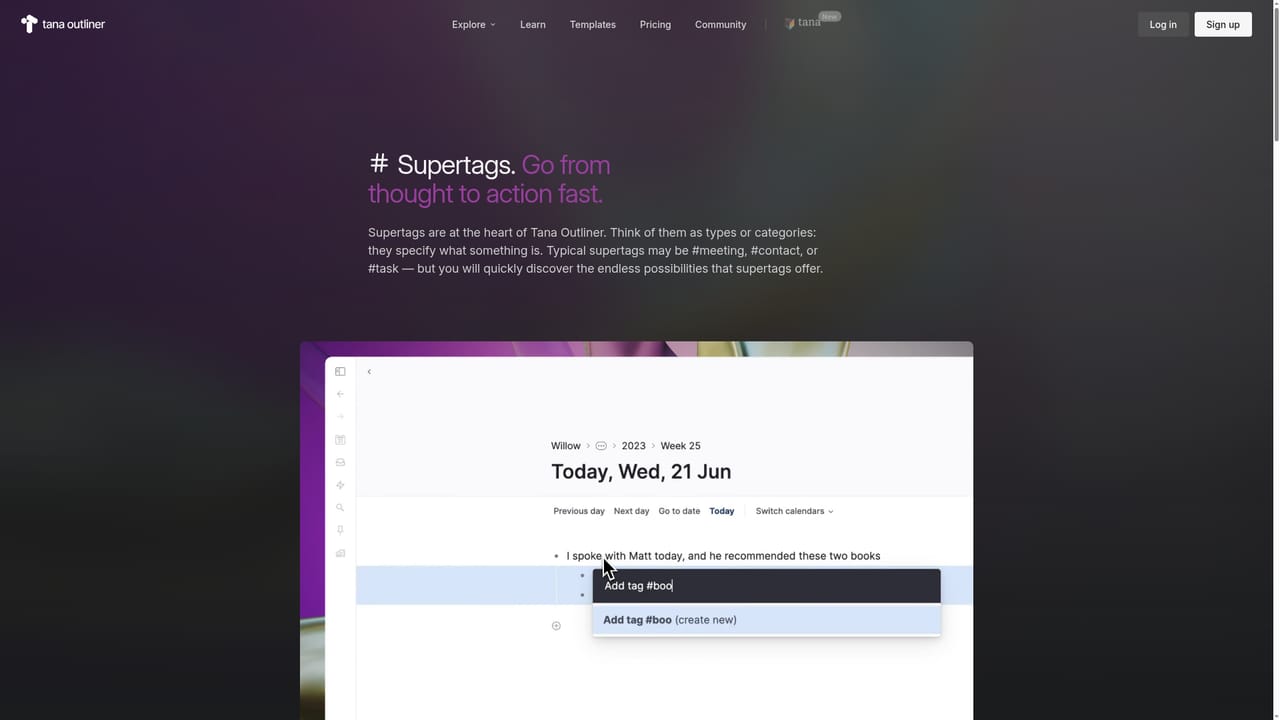
  3. 3Turn bullets into typed objects with supertags
    Apply a supertag to a bullet to make it a task, project, meeting, or a type you define yourself. Fields attached to the type then hold the structured detail.
    Tana Outliner — Turn bullets into typed objects with supertags
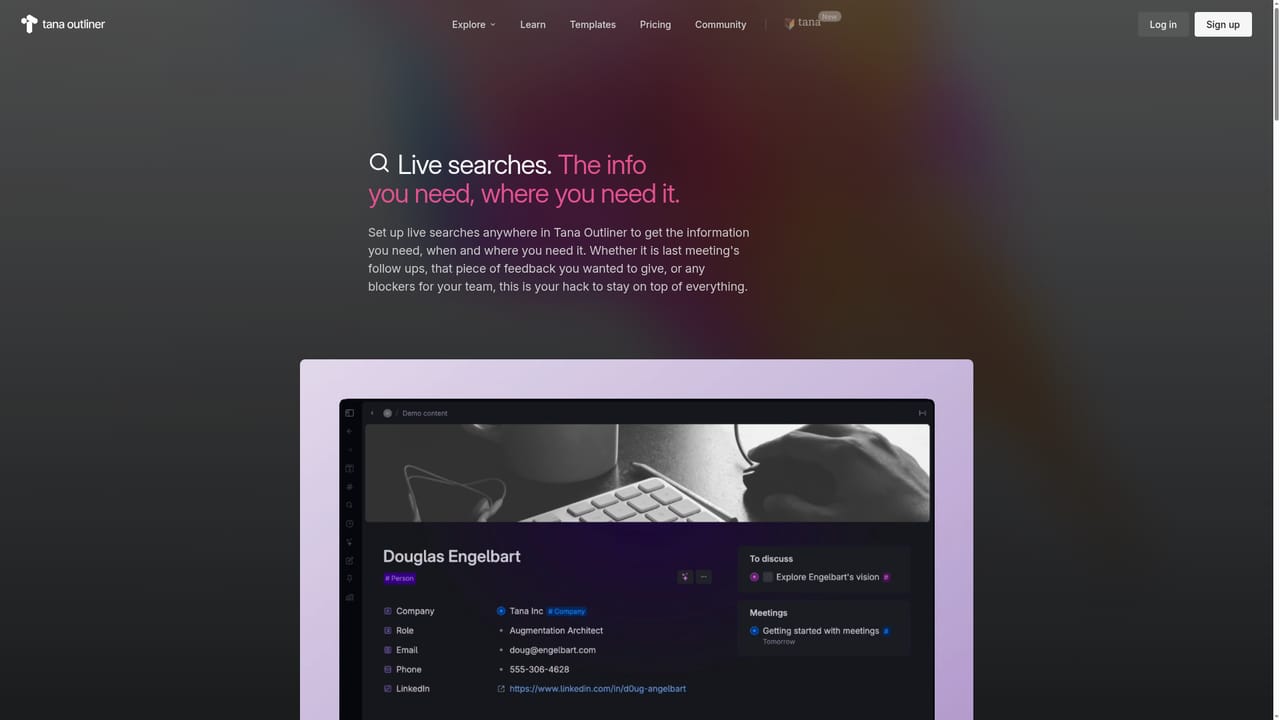
  4. 4Build a saved view for what you check often
    Create a view once, filtering on supertags and properties, then return to it whenever you need your agenda, delegated tasks, or open goals without searching.
    Tana Outliner — Build a saved view for what you check often
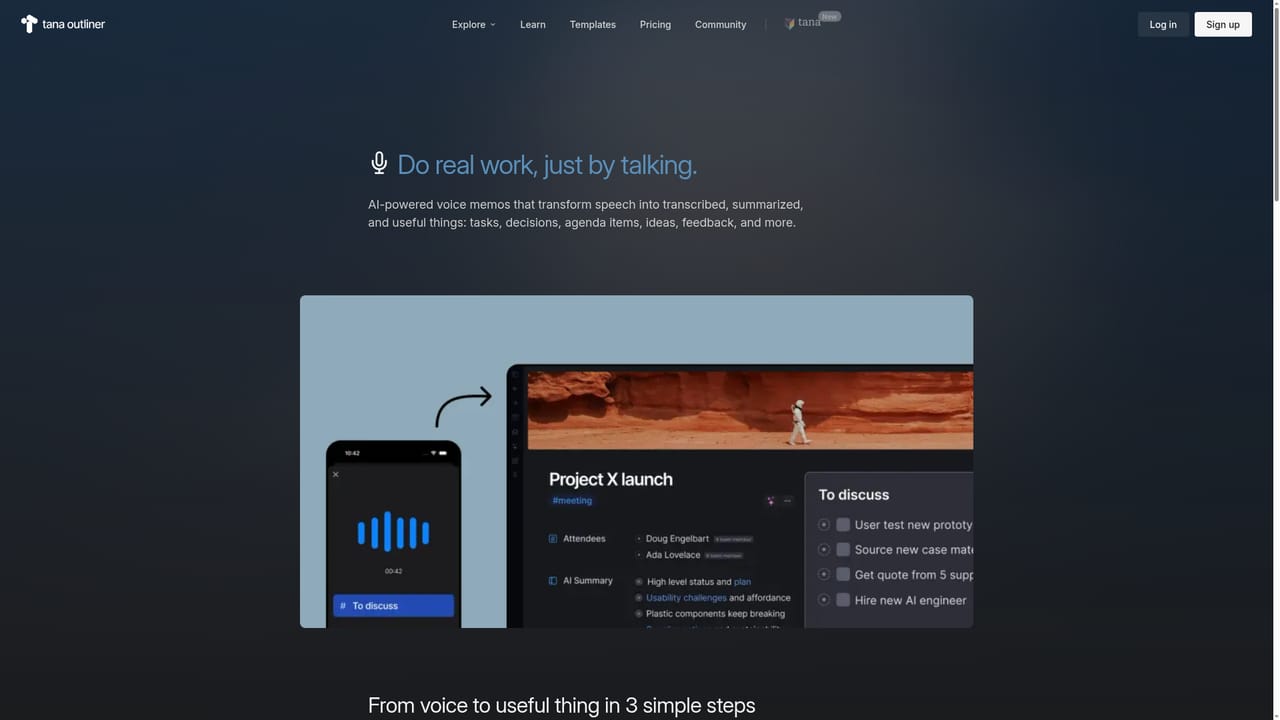
  5. 5Record a voice memo instead of typing
    Talk into the mobile app and let the note land pre-tagged and connected to the relevant project or person; add instructions to a supertag if you want it processed a specific way.
    Tana Outliner — Record a voice memo instead of typing
  6. 6Start an AI chat under a note
    Place the cursor under a note and press SPACE to open an AI chat using that note as context, then ask it to summarize, reformat, or review the content.

Pros and cons

Pros

  • Supertags let any bullet become a typed object, so structure grows out of your notes instead of being designed in advanceAI
  • Saved views surface agenda items, goals, and delegated tasks automatically, cutting down on manual searchingAI
  • Voice memos and live transcription turn spoken input into tagged notes connected to the right project or personAI
  • AI chat runs directly on a note as context, useful for reshaping rough notes into minutes, summaries, or draftsAI
  • References pull a live mirrored copy of a note, so updates propagate instead of going staleAI

Cons

  • No pricing, plan tiers, or trial terms are stated on the homepage, so cost has to be confirmed before committingAI
  • The graph and supertag model has a real learning curve; beginners may spend early sessions designing types instead of taking notesAI
  • Product naming is confusing: this is a separate product from Tana, the meeting platform at tana.inc, and search results mix the twoAI
  • The homepage claims team use, but collaboration, permissions, and shared workspace mechanics are not described in any detailAI
  • AI features depend on your notes being reasonably well tagged and connected, which weakens their value in a messy graphAI

How much does Tana Outliner cost?

Features

Core features are an infinite outliner, supertags that turn bullets into typed objects (tasks, projects, meetings, OKRs), saved views that pull matching information automatically, live voice transcription and meeting transcription on desktop, auto-tagged voice memos on mobile, note-aware AI chat, custom AI automations with command nodes and event triggers, AI chat agents with their own instructions, a Daily Notes page, and @ references that mirror a note in place.

Learn more

Frequently asked questions about Tana Outliner

  • How do you use Tana Outliner?
    The walkthrough on this page covers 6 steps: 1. Create an account or install the desktop app 2. Capture first notes in the outliner 3. Turn bullets into typed objects with supertags 4. Build a saved view for what you check often 5. Record a voice memo instead of typing 6. Start an AI chat under a note.
  • What platforms does Tana Outliner support?
    Tana Outliner is available on Web App, MacOS, Windows, Linux, iOS and Android.
  • What are the limitations of Tana Outliner?
    No pricing, plan tiers, or trial terms are stated on the homepage, so cost has to be confirmed before committing. The graph and supertag model has a real learning curve; beginners may spend early sessions designing types instead of taking notes. Product naming is confusing: this is a separate product from Tana, the meeting platform at tana.inc, and search results mix the two.

Status

StatusActive
Views0
Outbound clicks0
Added10/21/2026

Platforms

Web AppMacOSWindowsLinuxiOSAndroid

Pricing

FreeFreemium