Free trial
Every new account gets 10 free credits at sign-up with no credit card required. Free exports are 720p, up to 15 seconds, watermarked and limited to personal use.
Learn moreTurn any photo or logo into a hand-drawn sketch video in the browser

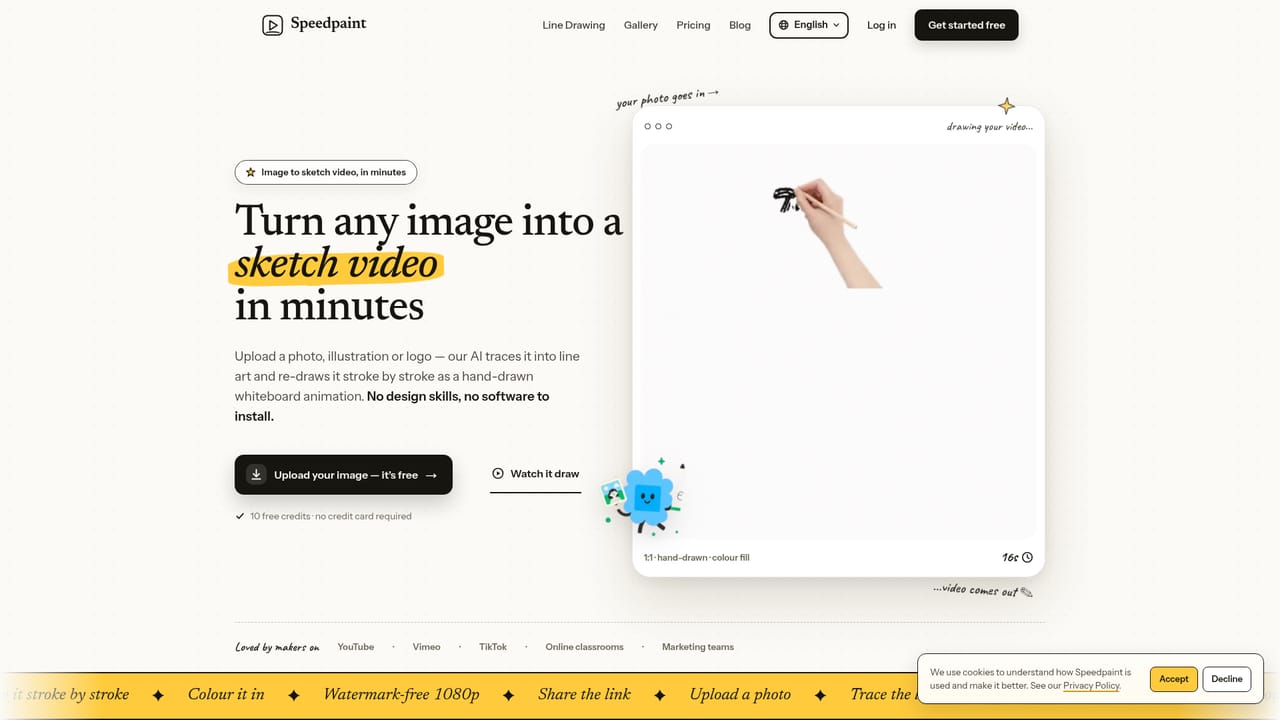
Speedpaint is a colorize drawing tool that turns any photo or logo into a hand-drawn sketch video in the browser. Speedpaint converts a photo, logo or illustration into a stroke-by-stroke whiteboard animation with realistic hand styles and configurable colouring, then exports 1080p MP4 or GIF from the browser.
Speedpaint is a browser tool that converts a still image into a hand-drawn whiteboard animation. You upload a photo, logo, illustration or piece of handwriting, and the service extracts the line art automatically, then plays back a realistic hand tracing every stroke before the colour returns. Output is a downloadable MP4 or looping GIF in landscape, vertical or square framing. The whole point is that no timeline editing, asset library or manual tracing is involved: the source picture you already own becomes the animation. The workflow is deliberately short. After uploading a JPG, PNG, WebP or SVG (up to 10MB and 4096x4096 pixels), you approve the extracted sketch next to the original, then set duration between 5 and 60 seconds, choose stroke detail, and pick one of four hand styles (realistic, dark tone, child, fountain pen) or no hand at all. Colouring is configurable too, with hand paint, contour wipe, block fill and fade in modes. Credits are only spent once the line art looks right, which matters because busy backgrounds are handled automatically and results vary by image. A typical render finishes in three to five minutes. The audience is broad but specific: YouTubers who want a drawn hook for an intro, teachers animating a diagram while narrating, and marketers turning product shots or listing photos into ad creative without hiring a motion designer. SVG uploads skip line-art extraction entirely, so logo animations come out crisper than photographic inputs. Against classic whiteboard suites, Speedpaint trades scene-building depth for speed. It is not the right pick for a five-minute multi-scene explainer assembled from stock clip libraries, and it does not record live brush strokes the way sketch-recording apps do. As a fast route from one existing image to a finished sketch clip, it is well scoped.
Every new account gets 10 free credits at sign-up with no credit card required. Free exports are 720p, up to 15 seconds, watermarked and limited to personal use.
Learn moreCredit based, with monthly and yearly billing (yearly saves about 50%). Free: $0, 10 credits once, 720p up to 15s, watermarked, personal use. Starter: $4.50/mo billed yearly, 30 credits monthly, 1080p up to 30s, no watermark, commercial licence. Pro: $9.50/mo yearly, 200 credits, 1080p up to 60s, priority queue. Studio: $34.50/mo yearly, 1000 credits. One credit roughly equals a 720p 15s video.
Learn morePriority support is listed as a Studio plan feature; the homepage does not describe a help centre, documentation or other support channels.
Line-art extraction from JPG, PNG, WebP and SVG files, four realistic hand styles plus a no-hand option, duration from 5 to 60 seconds, adjustable stroke detail, four colouring modes (hand paint, contour wipe, block fill, fade in), 1080p MP4 and GIF export in landscape, vertical or square, share links, and watermark-free commercial output on paid plans.
 AI Angels400+ customizable AI girlfriends for NSFW chat, voice calls, and roleplay
 Candy AIExperience the future of companionship with AI friends who chat, role-play, and connect with you on a human level.
 ourdream.aiA vast AI roleplay platform with millions of characters for chat, images, video and voiceAI Angels400+ customizable AI girlfriends for NSFW chat, voice calls, and roleplayCandy AIExperience the future of companionship with AI friends who chat, role-play, and connect with you on a human level.ourdream.aiA vast AI roleplay platform with millions of characters for chat, images, video and voice