Pricing
Access requires a Storyblocks subscription: the generate button reads Subscribe to Generate for visitors without a plan. The page shows a credit counter but does not publish plan tiers, credit rates or per-generation costs.
Learn moreTurn scripts into finished voiceover in a browser studio
Own Storyblocks TTS? Verify ownership to get a dofollow link

Storyblocks TTS is an AI narration tool that turns scripts into finished voiceover in a browser studio. Storyblocks TTS is a web studio for turning scripts into voiceover, with a curated voice library split between general Core Voices and contributor-led Artist Voices, running on the Eleven v3 model with a tempo control and a 4,500 character limit per generation.
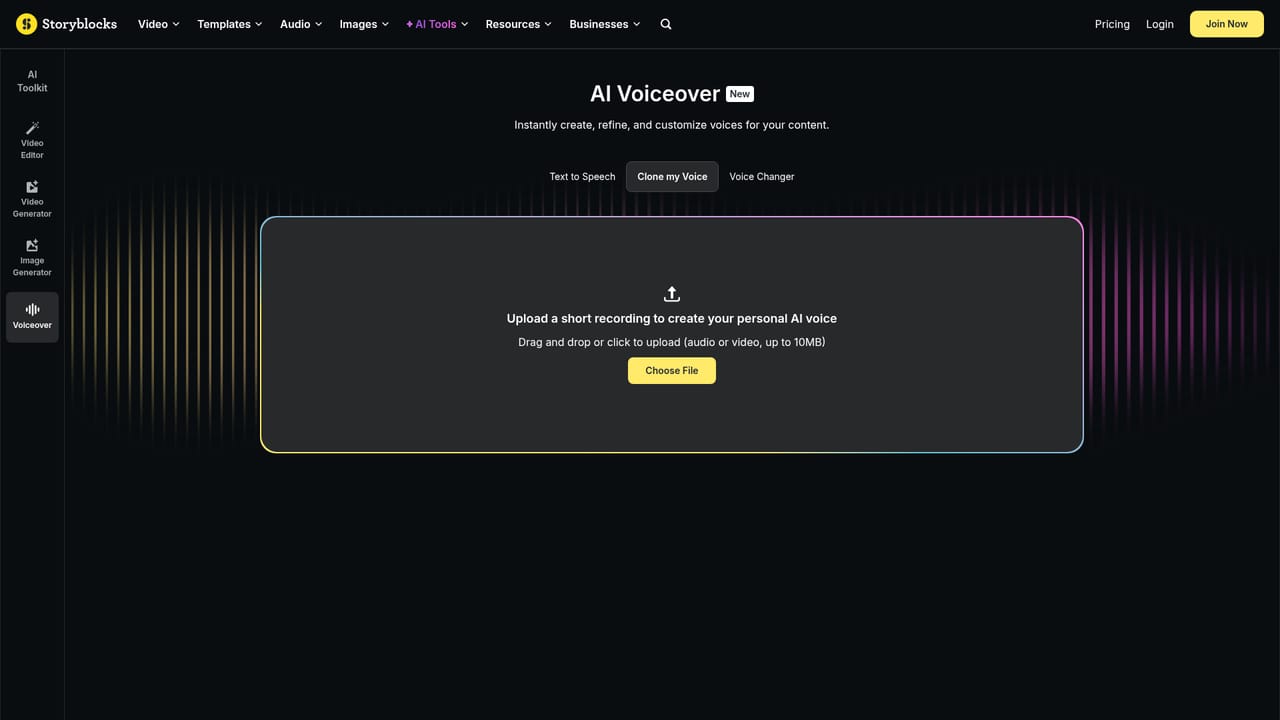
Storyblocks TTS is a browser based voiceover studio that turns written scripts into spoken audio. It sits inside the wider Storyblocks AI Voiceover suite, next to a voice cloning tool and a voice changer, so the text to speech page is one part of a small production workflow rather than a standalone utility. The editor accepts up to 4,500 characters per generation and runs on the Eleven v3 model, with a tempo control that starts at 1.00x for pacing adjustments. The voice library is the product's main differentiator. Two pools are on offer: Core Voices and Artist Voices. Core Voices are organised by language, accent, gender, use case and tone, and each entry carries a plain description of the delivery, such as a crisp tech narrator, a warm presenter for long-form content, or a deep baritone for TV. Artist Voices are created with Storyblocks contributors and carry the contributor's name and a note on their style, for example a peppy British female voice for expressive narration or a measured female voice with a Thai accent. The tool is aimed at editors, marketers and course builders who need narration for video, podcast and presentation work without booking a session. The practical loop is short: paste the script, pick a voice that matches the register of the piece, adjust tempo, generate, and download. Because generation is credit based and tied to a subscription, the natural comparison is with standalone TTS services from ElevenLabs and similar vendors. Storyblocks competes on the bundled stock library and the contributor voice roster rather than on exotic controls. The honest caveats matter here. Visitors without a plan cannot generate, since the button reads Subscribe to Generate, and the page does not publish credit rates, download formats or commercial licensing terms. The tool is web only, the models are chosen for you, and the script cap rules out long-form audiobook chapters in one pass. Treat it as a fast narration layer for short and mid-length content.
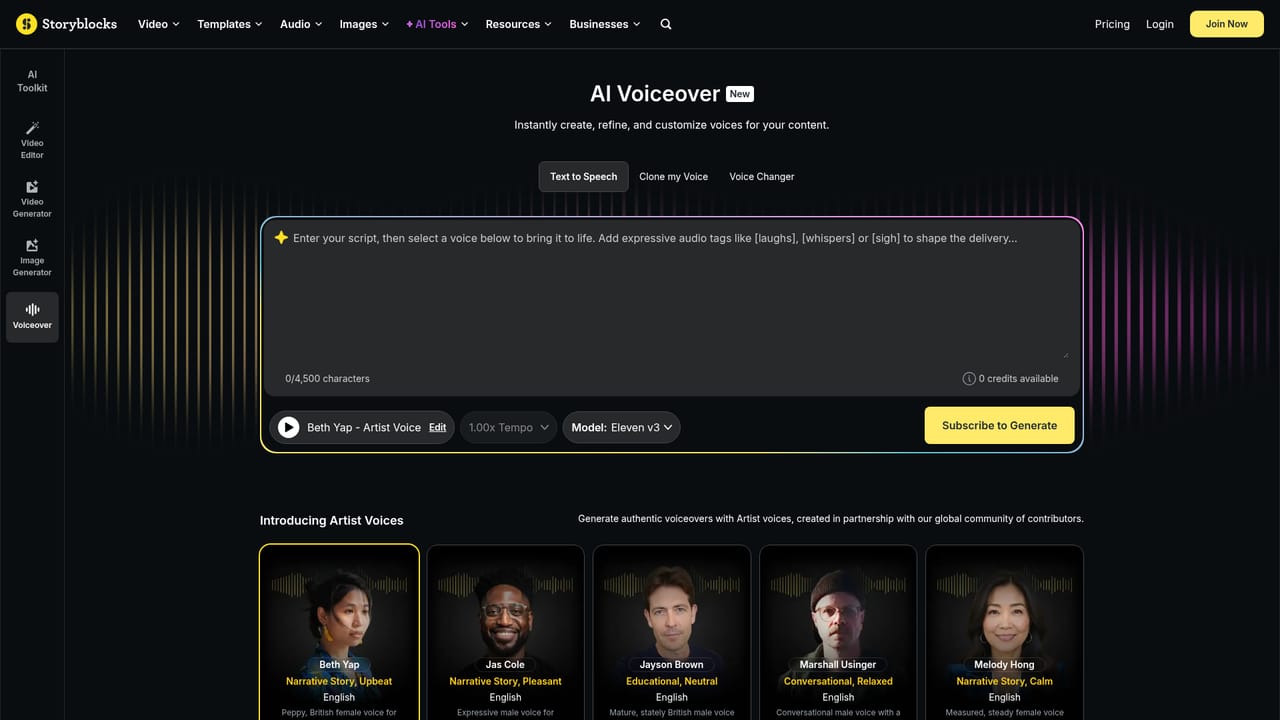
Access requires a Storyblocks subscription: the generate button reads Subscribe to Generate for visitors without a plan. The page shows a credit counter but does not publish plan tiers, credit rates or per-generation costs.
Learn moreText to speech on the Eleven v3 model with a 4,500 character script field, a tempo control from 1.00x, and two voice pools: Core Voices filterable by language, accent, gender, use case and tone, and Artist Voices built with Storyblocks contributors.
Learn more AI Angels400+ customizable AI girlfriends for NSFW chat, voice calls, and roleplay
 Candy AIExperience the future of companionship with AI friends who chat, role-play, and connect with you on a human level.
 ourdream.aiA vast AI roleplay platform with millions of characters for chat, images, video and voiceAI Angels400+ customizable AI girlfriends for NSFW chat, voice calls, and roleplayCandy AIExperience the future of companionship with AI friends who chat, role-play, and connect with you on a human level.ourdream.aiA vast AI roleplay platform with millions of characters for chat, images, video and voice


