Free trial
A free trial is offered, and the site says the plan can be cancelled anytime. The Chrome quiz solver and four small extensions are also labelled free.
Learn moreTurns notes and PDFs into flashcards, quizzes, mind maps and notes
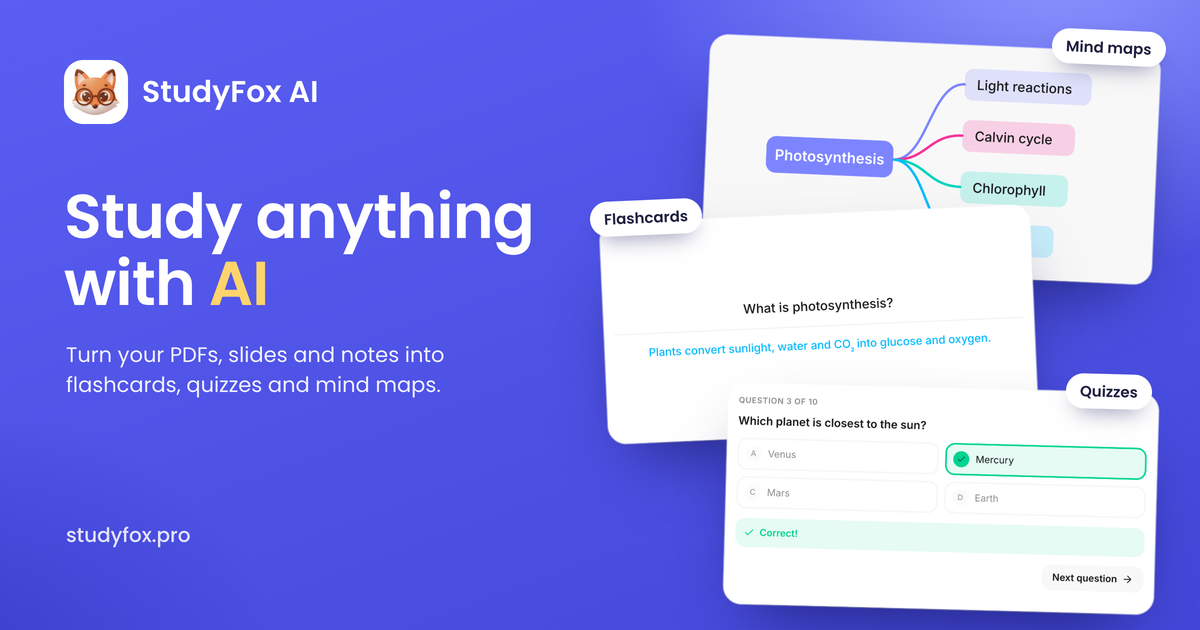
StudyFox AI is an exam preparation tool that turns notes and PDFs into flashcards, quizzes, mind maps and notes. StudyFox AI converts notes, slides and PDFs into spaced-repetition flashcards, graded quizzes, structured notes and mind maps, with a Chrome extension that solves on-screen quiz questions step by step.
StudyFox AI is a study platform aimed at students who want to convert their own course material into practice tools. Users can feed in notes, slides, a PDF or a plain topic, and the service generates flashcards, quizzes, structured notes and mind maps from it. The homepage frames this as one tool for every format a professor might hand out, from a screenshot to a full chapter. Each study mode has its own workspace. The flashcard deck builds cards automatically and schedules them with spaced repetition, so cards that are known well appear less often while frequently missed ones return sooner. Anki is listed as supported. The quiz generator grades answers immediately, explains why each answer is right or wrong, and tracks recurring misses so later quizzes lean toward weak areas. The note taker reshapes rough lecture scribbles, slides or PDFs into cleaner notes with key terms called out, and the mind map tool turns a long PDF reading into a branching diagram of its main concepts. A separate Chrome extension covers quiz solving. A student captures a question on a course portal such as Canvas, Blackboard or Moodle, and the extension returns an answer with the reasoning laid out. It is described as working in Chrome and Edge. The site also offers four free browser extensions that run locally without an account: Citepad for citations, Deep Focus for site blocking and Pomodoro timing, Marker for highlighting and notes, and Recall for spaced-repetition flashcards from any web page. Among alternatives, StudyFox sits between single-purpose flashcard apps and general chat assistants. It bundles several study formats under one subscription and relies on the learner's own material rather than a fixed content library. The site cites more than 1,000 active students across 27 universities, and its pricing page advertises a trial that can be cancelled at any time.
A free trial is offered, and the site says the plan can be cancelled anytime. The Chrome quiz solver and four small extensions are also labelled free.
Learn moreThe homepage advertises a single plan that includes everything, with a free trial and cancellation at any time. Specific prices are not stated on the homepage; see the pricing page.
Learn moreAnki is listed as supported for flashcards. The quiz solver works on course portals such as Canvas, Blackboard and Moodle through a Chrome and Edge extension.
Learn moreAI flashcards with spaced repetition and Anki support, quiz generator with explanations, AI note taker, PDF to mind map, Chrome and Edge quiz solver, plus free extensions: Citepad, Deep Focus, Marker and Recall.
Learn more AI Angels400+ customizable AI girlfriends for NSFW chat, voice calls, and roleplay
 Candy AIExperience the future of companionship with AI friends who chat, role-play, and connect with you on a human level.
 ourdream.aiA vast AI roleplay platform with millions of characters for chat, images, video and voiceAI Angels400+ customizable AI girlfriends for NSFW chat, voice calls, and roleplayCandy AIExperience the future of companionship with AI friends who chat, role-play, and connect with you on a human level.ourdream.aiA vast AI roleplay platform with millions of characters for chat, images, video and voice


