Free trial
No formal trial is needed: editing is free, the first export is free and unwatermarked, and no account is required to begin. The paid tiers remove the export limit rather than unlocking the editor itself.
Learn moreA browser video editor that cuts on your machine and never uploads your footage.

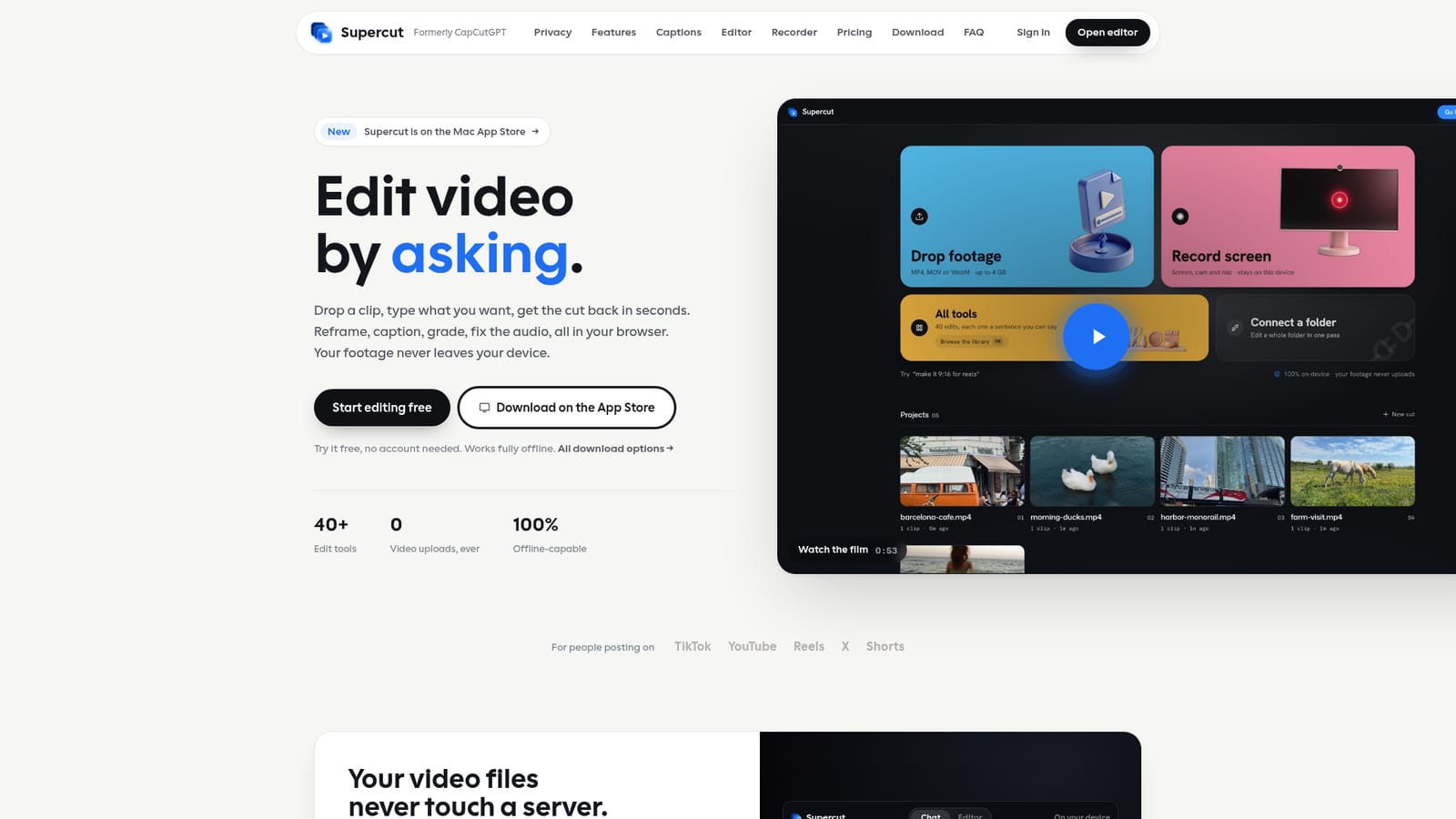
Supercut is an on-device AI video editor for the browser and desktop. Type an edit in plain English and it reframes, captions, grades, cleans audio and exports, all without uploading a single frame. A multitrack timeline, version branching and folder batching cover the cases the prompt bar cannot.
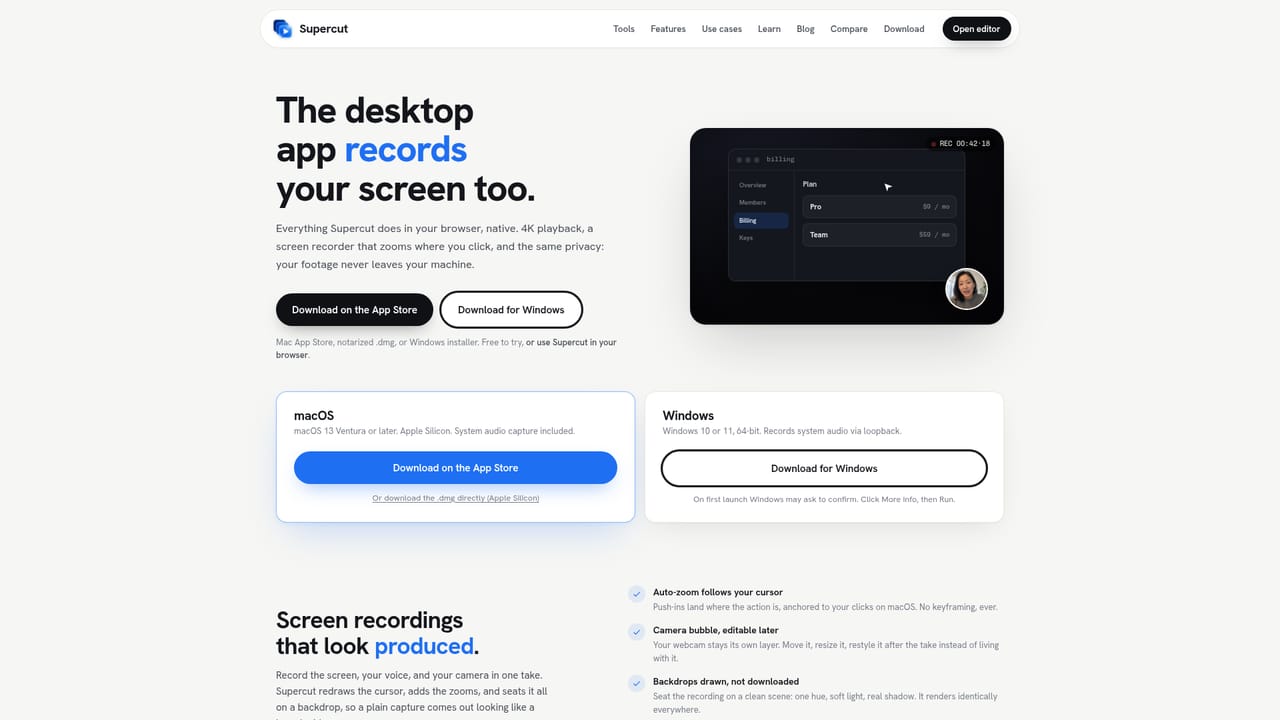
Supercut is a video editor that runs entirely inside the browser, with an optional native desktop build for Mac and Windows. The premise is simple and unusual: your footage is decoded, edited and exported locally through WebAssembly, so nothing is sent to a server. Drop an MP4, MOV or WebM file up to 4GB and it opens without an upload bar. The AI layer only ever receives your written request, the transcript of what is said in the clip and its sound levels, both computed on your device, plus a few low resolution frames if you explicitly enable that. Disconnect the wifi and editing still works. The main interface is a chat box. Requests like "make it vertical for tiktok", "add auto-captions" or "kill the background noise" map onto more than 40 tools: trimming, face tracked reframe for any aspect ratio, colour grades, audio cleanup, speed changes from 0.25x to 4x, face blur, picture in picture and multi-clip stitching via @-mentions. Captions come from Whisper running locally, with word-level timing, 19 languages and automatic language detection. Every line is editable before burn-in, and the .srt can be exported instead. Each prompt forks a new version rather than overwriting the last, so earlier takes stay available to branch from. When prompts are not enough, a Studio tab offers a real multitrack timeline with video, text and audio lanes, frame accurate trims and waveforms on the clips. A Director drafts proposed actions against a scratch copy for review before applying, and deleting words from the transcript cuts the corresponding video. Screen recording with webcam, cursor redraw, auto-zoom and drawn backdrops sits alongside, with batch folder processing for shoots that arrive as dozens of clips. Independent editors, social teams and creators working with confidential or embargoed footage are the obvious audience, since unreleased material never leaves the machine. The trade-off is reach: folder batching requires Chrome, Edge or the desktop app, auto-zoom and system audio capture are desktop-only, and the desktop download is the route to native 4K playback. Against cloud editors such as CapCut, the differentiator is privacy and the absence of upload waits rather than a wider effects library.
No formal trial is needed: editing is free, the first export is free and unwatermarked, and no account is required to begin. The paid tiers remove the export limit rather than unlocking the editor itself.
Learn moreEditing and the first export are free with no account and no watermark. Pro is listed at $3.49/mo in the first year (then $59.88 a year) with unlimited exports, folder batching and all 40+ tools. A Lifetime option costs $55.30 once. A FIRST30 discount code is shown at checkout for 30% off.
Learn moreThe site offers an email address for stuck users and an FAQ covering privacy, captions, the timeline, screen recording, file limits, pricing and the rename from CapCutGPT. No live chat or ticketing portal is described.
The desktop app runs a local MCP server on loopback, so Claude Code, Cursor or any MCP client can trim, cut and caption through it. Folder batching uses the File System Access API in Chrome, Edge and the desktop app.
Learn morePrompt-based editing across 40+ tools: trimming, face-tracked reframe to any aspect ratio, on-device Whisper captions in 19 languages, face blur, audio cleanup, colour grades, speed changes from 0.25x to 4x, picture-in-picture and multi-clip stitching. Studio adds a multitrack timeline, transcript-based cutting, a Director that proposes edits for approval, version branching, folder batching, screen recording with auto-zoom and platform export presets.
 AI Angels400+ customizable AI girlfriends for NSFW chat, voice calls, and roleplay
 Candy AIExperience the future of companionship with AI friends who chat, role-play, and connect with you on a human level.
 ourdream.aiA vast AI roleplay platform with millions of characters for chat, images, video and voiceAI Angels400+ customizable AI girlfriends for NSFW chat, voice calls, and roleplayCandy AIExperience the future of companionship with AI friends who chat, role-play, and connect with you on a human level.ourdream.aiA vast AI roleplay platform with millions of characters for chat, images, video and voice