SuperImage

On-device AI upscaling that keeps your photos off the cloud

Beginner

What is SuperImage?

SuperImage upscales and enhances photos, portraits and anime art using AI that runs entirely on your own device. The base app is free with a 25 image queue; a lifetime Pro license removes the cap, drops ads and lets you load custom PyTorch, ONNX and MNN models.

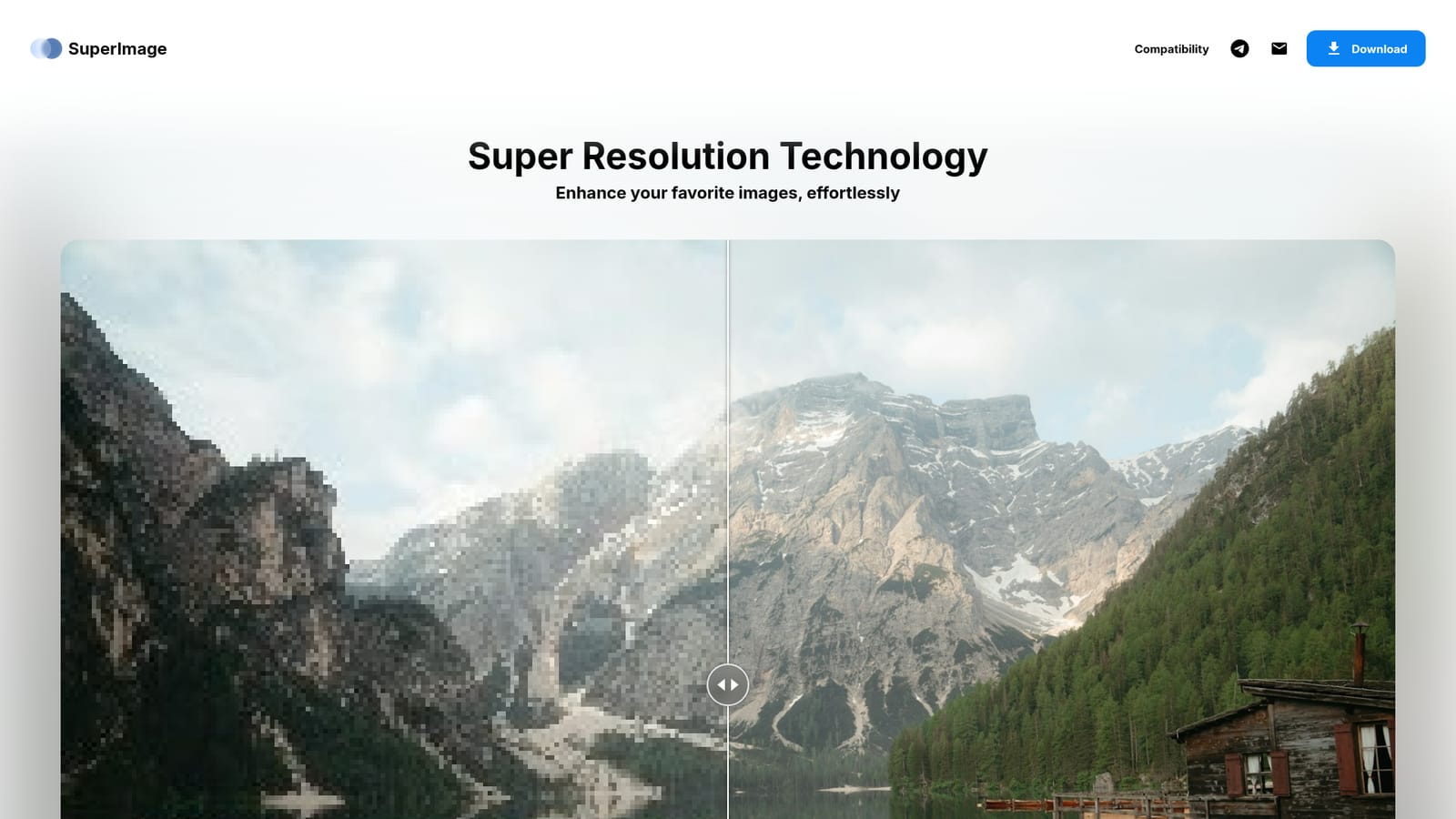
SuperImage is an image upscaling and enhancement app built around local processing. Instead of shipping your files to a remote server, it runs an AI stack on the machine you already own, using the GPU and CPU of your phone or computer. The pitch is straightforward: better resolution without uploads, accounts, or a metered credit system. The app targets several common cases. It restores detail in low-resolution photographs, sharpens faces in portraits where pixelation has taken over, and cleans up anime wallpapers so line work and color blocks hold together at larger sizes. The site presents these as before and after pairs, which is the honest way to judge an upscaler: look at the output, not the marketing. The free version is genuinely free, described as forever, with no hidden costs. It handles queues of up to 25 images at a time, which is enough for casual restoration work but will feel tight for anyone processing a photo library or a batch of wallpaper assets. SuperImage Pro is sold as a lifetime license rather than a subscription. That tier removes the queue cap, strips ads, lets you save images wherever you like, and unlocks custom model loading. Advanced users can import their own models in PyTorch, ONNX and MNN formats with a single click, which puts the tool closer to a local inference front end than a fixed one-click filter. The trade-off is platform reach. Android is the primary target, with a Pro build on Windows and macOS distributed through the site and the Mac App Store respectively. There is no browser-based version, so anyone on Chrome OS, Linux, or a locked-down work machine is left out. Local processing also means results depend on your hardware; an older phone will not match a desktop GPU. Compared with cloud upscalers that charge per image, SuperImage wins on privacy and long-run cost, and loses on portability across devices and on the convenience of processing from any browser tab.

How do you use SuperImage?

  1. 1Check that your device is supported
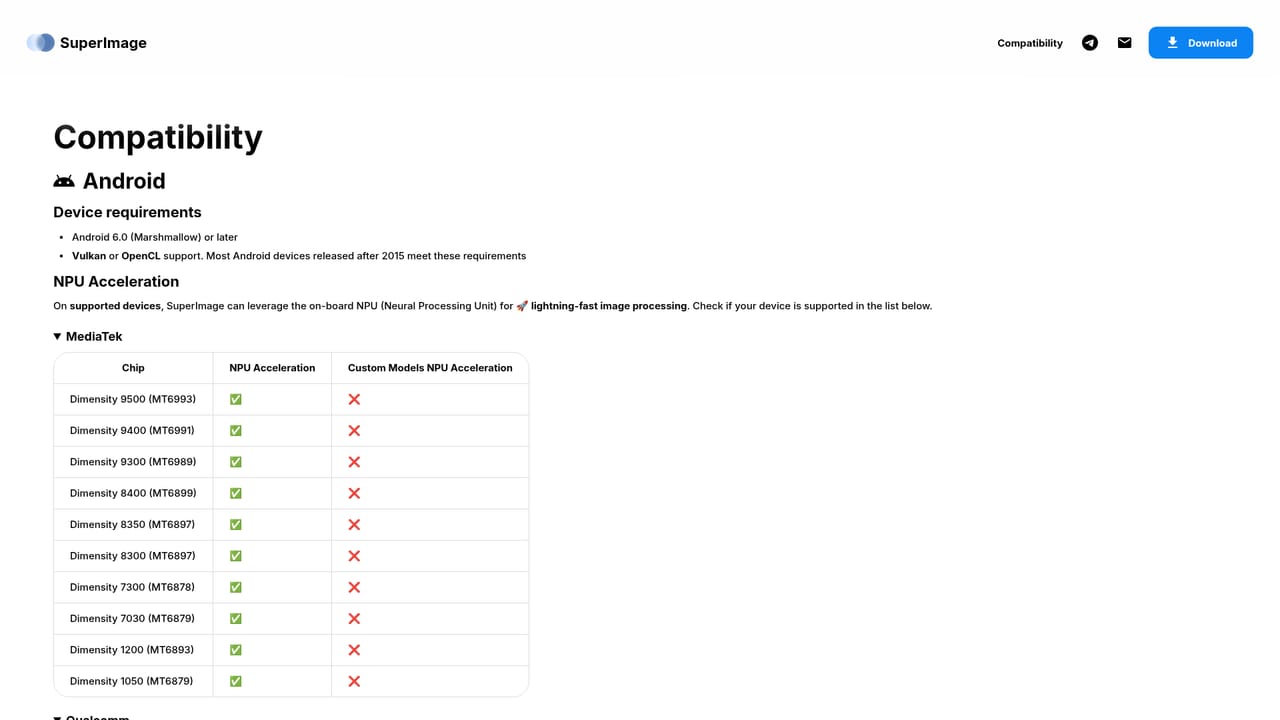
    Open the compatibility page before downloading to confirm your Android version, Windows machine or Mac meets the requirements for local processing.
  2. 2Download the free app
    Grab the Android build from the download link on the homepage. The free version needs no account and no payment details.
  3. 3Queue your images
    Add the photos or wallpapers you want to upscale. On the free tier you can line up to 25 images in a single batch.
  4. 4Run the enhancement
    Start the job and let the app process each file on your hardware. Keep the device plugged in for large batches, since local inference is compute heavy.
  5. 5Compare and save the output
    Review the enhanced result against the original, then export. Pro users can choose any save location on the device.
  6. 6Upgrade or load a custom model
    If you need unlimited queues, ad removal or your own PyTorch, ONNX or MNN models, move to the Pro license for Android, Windows or macOS.

Pros and cons

Pros

  • Processes images locally, so originals never leave your device and no internet connection is neededAI
  • Free tier is not a trial: unlimited enhancements with a 25 image queue capAI
  • Pro is a one-time lifetime license rather than a recurring subscriptionAI
  • Custom model import in PyTorch, ONNX and MNN formats suits users who want fine controlAI
  • Handles portraits, general photos and anime artwork with separate tuned resultsAI

Cons

  • No web app: the core experience is Android, with desktop limited to the paid Pro tierAI
  • Free version has no ad removal or custom model support, so serious batch work pushes you to ProAI
  • Output quality and speed depend heavily on your own hardware, with no cloud fallbackAI
  • No stated pricing figure, refund policy or system requirements on the homepageAI
  • Linux and Chrome OS users have no path to the desktop buildAI

How much does SuperImage cost?

Pricing

Two tiers. The standard Android app is free permanently with a queue limit of 25 images. SuperImage Pro is a one-time lifetime license, not a subscription, and adds unlimited queues, no ads, free choice of save location, custom model loading and early access to new features. Exact prices are not listed on the homepage.

Learn more

Support

Contact is available through a Telegram channel and an email address (help@superimage.io). No knowledge base or ticketing system is mentioned on the homepage.

Integrations

Custom upscaling models can be imported in PyTorch, ONNX and MNN formats. No third-party app integrations are described on the homepage.

Features

AI super resolution for photos, portrait face detail recovery and anime wallpaper upscaling. All processing happens on device with no uploads and no internet requirement. Free tier allows queues of up to 25 images; Pro removes the cap, strips ads, opens any save location and supports importing custom models in PyTorch, ONNX and MNN formats.

Frequently asked questions about SuperImage

  • How much does SuperImage cost?
    Two tiers. The standard Android app is free permanently with a queue limit of 25 images. SuperImage Pro is a one-time lifetime license, not a subscription, and adds unlimited queues, no ads, free choice of save location, custom model loading and early access to new features. Exact prices are not listed on the homepage.
  • How do you use SuperImage?
    The walkthrough on this page covers 6 steps: 1. Check that your device is supported 2. Download the free app 3. Queue your images 4. Run the enhancement 5. Compare and save the output 6. Upgrade or load a custom model.
  • What platforms does SuperImage support?
    SuperImage is available on Android, Windows and MacOS.
  • What does SuperImage integrate with?
    Custom upscaling models can be imported in PyTorch, ONNX and MNN formats. No third-party app integrations are described on the homepage.
  • What are the limitations of SuperImage?
    No web app: the core experience is Android, with desktop limited to the paid Pro tier. Free version has no ad removal or custom model support, so serious batch work pushes you to Pro. Output quality and speed depend heavily on your own hardware, with no cloud fallback.

Status

StatusActive
Views0
Outbound clicks0
Added10/21/2026

Platforms

AndroidWindowsMacOS

Pricing

FreePaid