Free trial
The site invites new users to start creating for free with no credit card required, but it does not state how many free credits or pages that includes.
Learn moreTurn a written story into a finished comic, without drawing a single panel.

Tab Story is an anime generator tool that turns a written story into a finished comic, without drawing a single panel. Tab Story turns pasted prose or scripts into finished comic pages and vertical webtoons, handling storyboarding, panel layout, art generation and character consistency in one browser based flow.
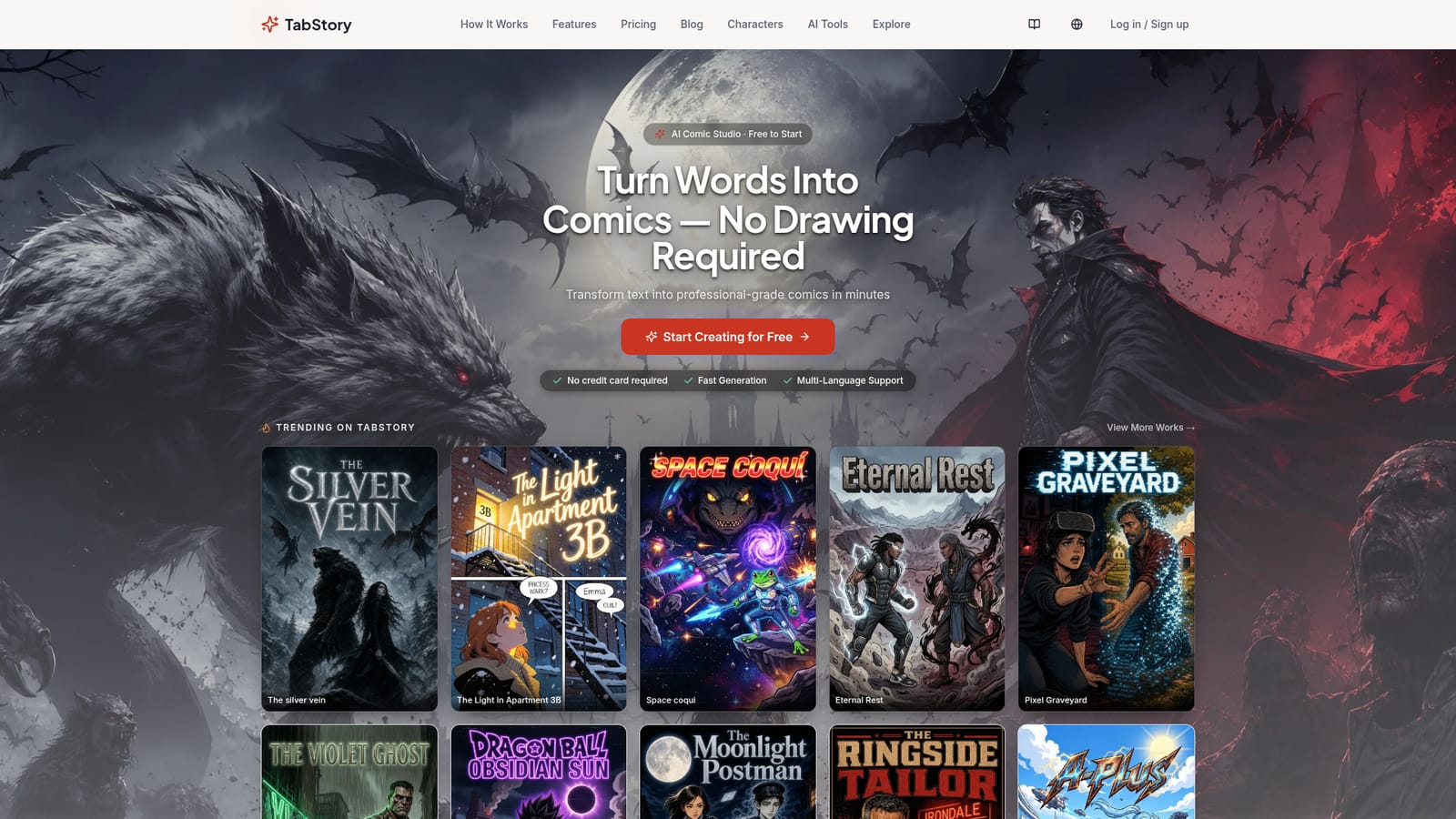
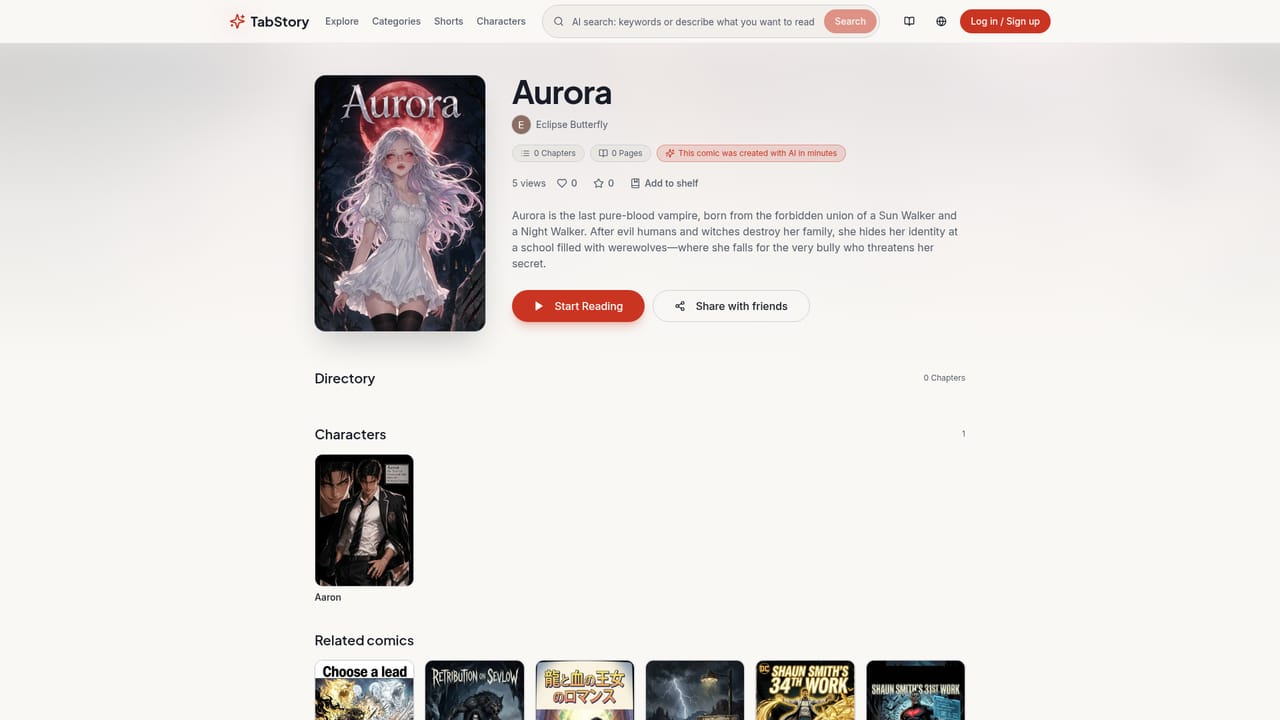
Tab Story is a browser based comic studio that converts written stories into finished comic pages and vertical webtoons. You paste a novel excerpt, a script or a rough outline, pick an art style and a page format, and the service handles the rest: it reads the text for plot beats, drafts a storyboard, generates artwork for each panel and assembles the finished page. The work is presented as a three step flow (input story, AI generation, edit and publish), and the entire pitch rests on removing the drawing stage from comic production. The feature set is built around continuity, which is usually where AI comics fall apart. Tab Story keeps a character reference across scenes and pages rather than redrawing a stranger in every panel, and it offers preset styles such as manga, webtoon, American comics and ink wash, plus a custom style option. Output formats cover vertical webtoon strips, traditional page layouts and storyboards, with layouts tuned for phone, tablet and desktop reading. After generation, pages can be edited: compositions adjusted, dialogue rewritten, details corrected before export. Finished pages can be downloaded as high resolution images or published to a public gallery on the site, where a browsable feed of user comics shows what the engine currently produces. It suits writers sitting on unpublished prose, indie creators testing a serialized webtoon idea without hiring an artist, and marketers or educators who need narrative visuals quickly. Traditional comic artists can use it for thumbnail storyboards rather than final art. Compared with general purpose image generators, the appeal is the pipeline: layout, paneling and character memory are handled in one place instead of being stitched together by hand. Compared with hiring an illustrator, it trades control and stylistic nuance for speed and a much lower entry cost. The pricing model is pay as you go rather than a monthly plan. Credit packs start at 1,000 credits for $9.99, larger purchases carry bulk discounts, and unused credits do not expire. Creating an account and starting a first project requires no credit card.
The site invites new users to start creating for free with no credit card required, but it does not state how many free credits or pages that includes.
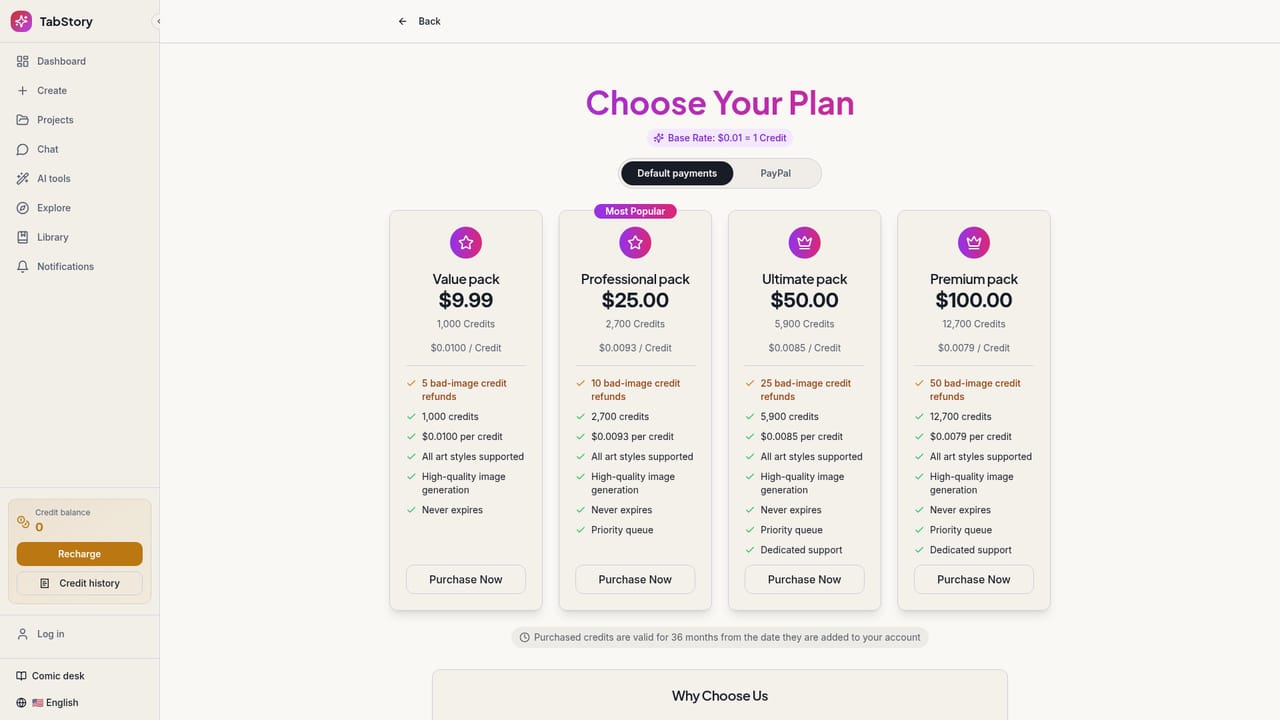
Learn morePay as you go credit packs rather than subscriptions. Credits start at 1,000 for $9.99, larger packs carry bulk discounts, and credits never expire. There are no monthly fees; you buy credits and spend them as you generate.
Learn moreSupport is limited to an on-site FAQ covering pricing, copyright, supported languages, generation speed, editing and character consistency. No email, chat or documentation portal is listed.
AI storyboard analysis from pasted text, preset and custom art styles, character consistency across pages, adjustable page compositions and dialogue, high resolution export, online sharing, and layouts for webtoon, traditional page and storyboard formats across mobile, tablet and desktop.
 AI Angels400+ customizable AI girlfriends for NSFW chat, voice calls, and roleplay
 Candy AIExperience the future of companionship with AI friends who chat, role-play, and connect with you on a human level.
 ourdream.aiA vast AI roleplay platform with millions of characters for chat, images, video and voiceAI Angels400+ customizable AI girlfriends for NSFW chat, voice calls, and roleplayCandy AIExperience the future of companionship with AI friends who chat, role-play, and connect with you on a human level.ourdream.aiA vast AI roleplay platform with millions of characters for chat, images, video and voice