Pricing
The homepage shows a words used meter capped at 1,000 and links to a paid tier for premium features. Exact plan prices and allowances are not stated on this page, so check the pricing page before committing.
Learn moreTurn a short prompt into a story told entirely in emoji.
Own TavernCrowd Emoji Story Generator? Verify ownership to get a dofollow link

TavernCrowd Emoji Story Generator is an emoji translation tool that turns a short prompt into a story told entirely in emoji. A TavernCrowd generator that turns a short written brief into a story told through emoji, aimed at dungeon masters, writers and social posters who want a visual narrative prompt rather than prose.
TavernCrowd Emoji Story Generator is a browser based writing aid that converts a short prompt into a narrative told through emoji. It sits inside the wider TavernCrowd toolbox, a collection of generators built for tabletop roleplayers, dungeon masters and fiction writers. Rather than drafting prose, the tool produces a sequence of icons that carries a plot from opening beat to resolution, which you can then drop into a campaign handout, a group chat or a social post. The workflow is deliberately minimal. An instruction panel asks for any relevant details to weave into the story, with an input counter that permits up to 5,000 characters, so a prompt can be a single sentence or a detailed brief naming characters, a setting and a twist. One click on Generate produces the output, and a history panel keeps earlier results within reach for comparison. A visible words used meter tracks consumption against a 1,000 word allowance, which implies a tiered model where heavier use runs into a paid plan. Output can be copied straight from the panel or expanded to a larger view for reading. The realistic audience is the game master who wants a quick visual riddle for a session, the writer who needs a novelty teaser, or anyone making light social content. Because the result is symbolic rather than literal, it works best as a prompt for interpretation: players decode the icons, readers guess the plot. It is not a substitute for the sibling Story Generator, Dialogue Generator or Dnd Plot Generator on the same site, which produce conventional text. Treat the emoji version as a companion piece for puzzles, invitations and in character props. The page also carries a long editorial guide on emoji communication, covering why symbolic stories travel well across languages and how to sequence icons for clarity. That context helps first time users, though it makes the page wordy around a very simple tool. Anyone weighing alternatives will find broader emoji translators and meme makers elsewhere, but few are packaged with roleplaying generators for quests, prophecies, stat blocks and backgrounds in one account.
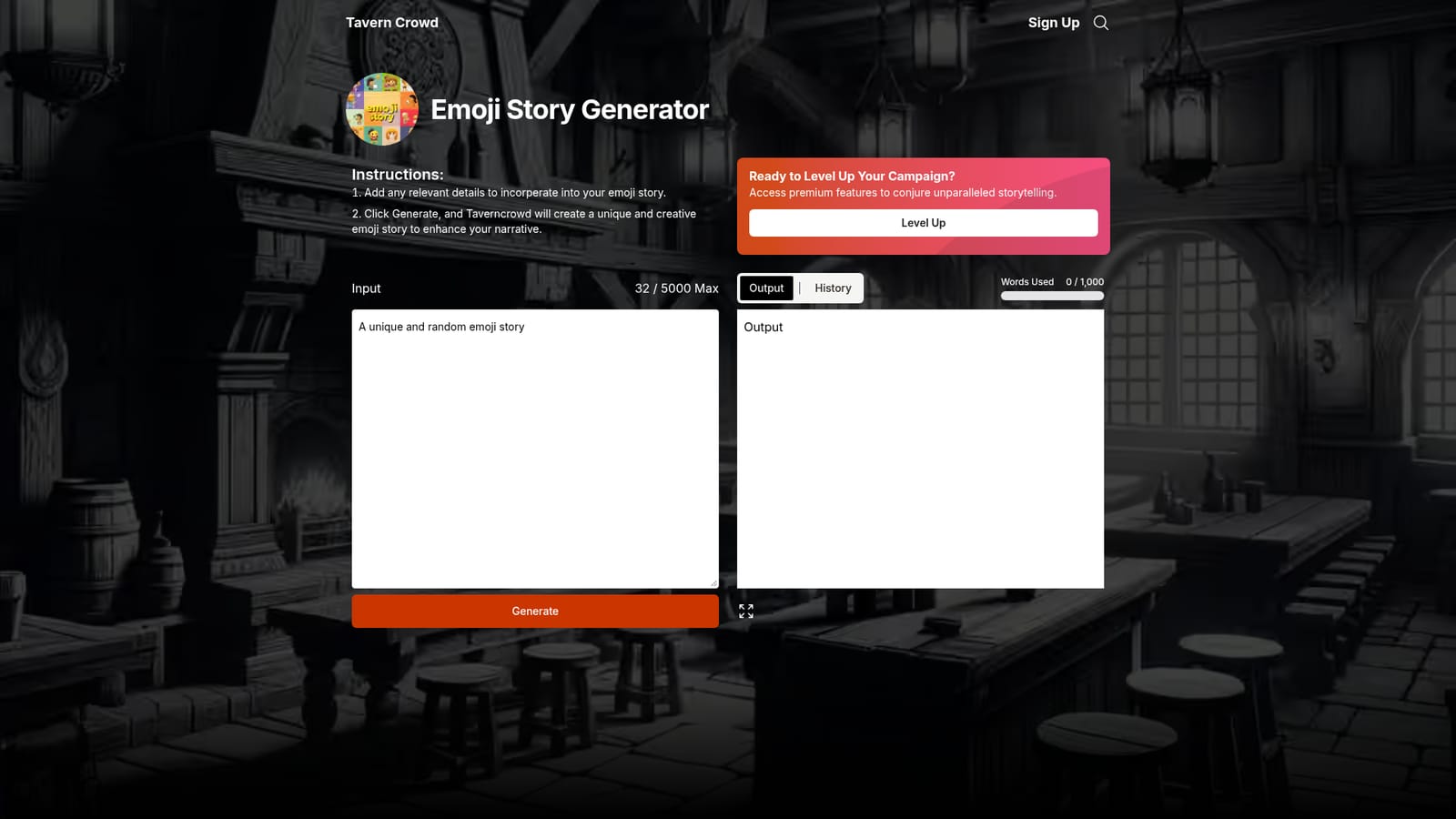
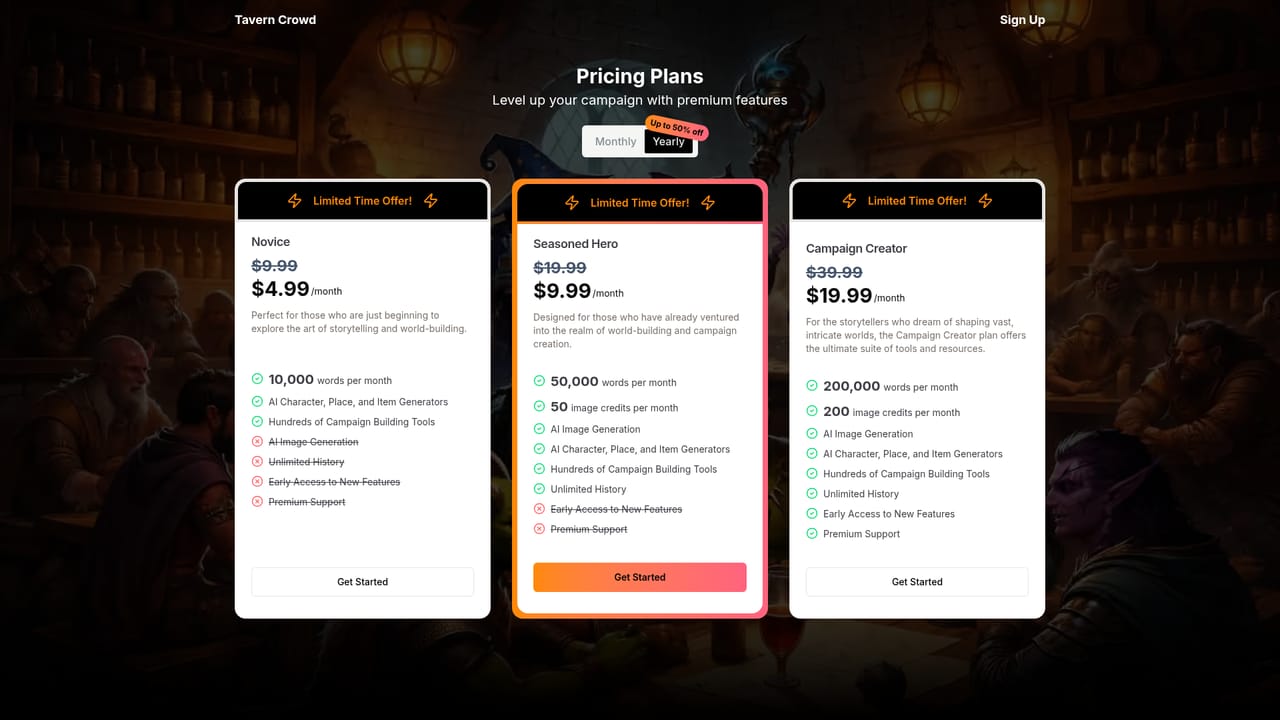
The homepage shows a words used meter capped at 1,000 and links to a paid tier for premium features. Exact plan prices and allowances are not stated on this page, so check the pricing page before committing.
Learn morePrompt driven emoji story generation with a 5,000 character input field, a Generate button, an output panel with copy and maximize controls, and a history panel for earlier runs. A words used meter tracks consumption against a 1,000 word allowance, and premium features are gated behind a paid tier.
 AI Angels400+ customizable AI girlfriends for NSFW chat, voice calls, and roleplay
 Candy AIExperience the future of companionship with AI friends who chat, role-play, and connect with you on a human level.
 ourdream.aiA vast AI roleplay platform with millions of characters for chat, images, video and voiceAI Angels400+ customizable AI girlfriends for NSFW chat, voice calls, and roleplayCandy AIExperience the future of companionship with AI friends who chat, role-play, and connect with you on a human level.ourdream.aiA vast AI roleplay platform with millions of characters for chat, images, video and voice


