Pricing
Browsing and downloading the gallery wraps is described as free. A pricing page exists, but the homepage does not state plans or amounts.
Learn moreFree Tesla wrap gallery with an AI designer and 3D preview
Own Tesla Wrap Designer? Verify ownership to get a dofollow link

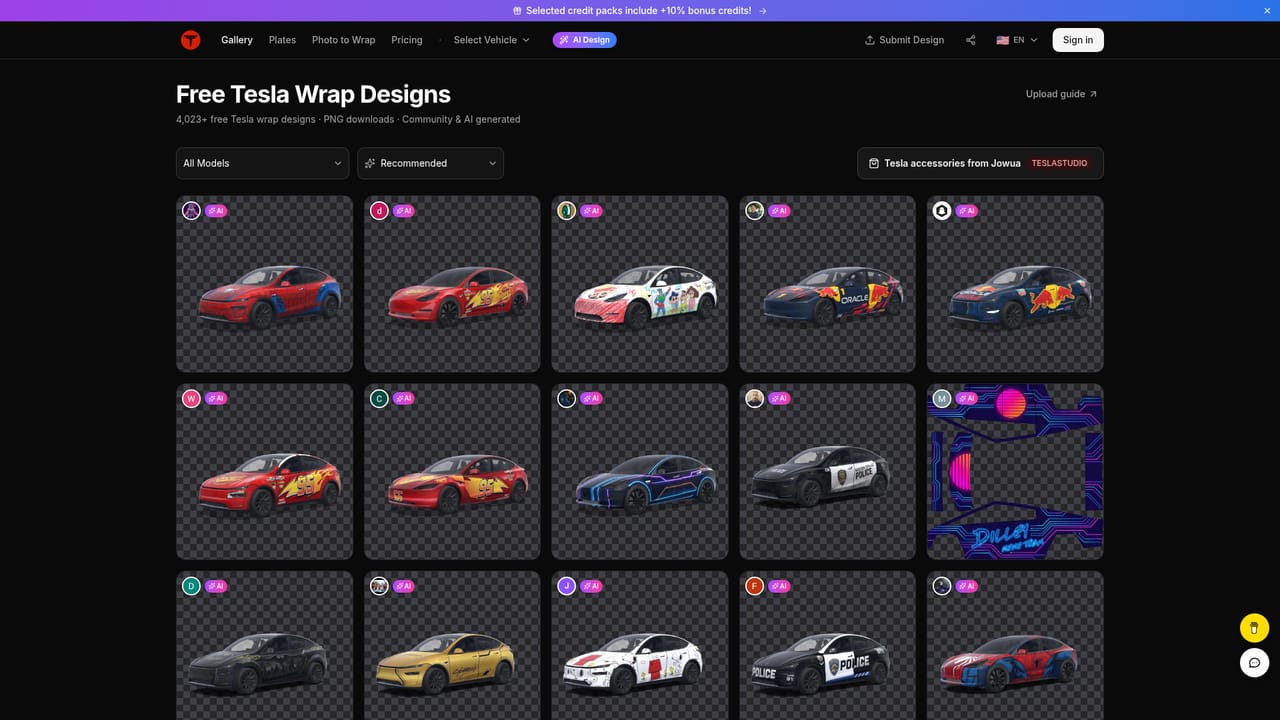
Tesla Wrap Designer is a web app with a gallery of 4,000+ free Tesla wraps, an AI generator and a 3D preview editor covering Model 3, Y, S, X and Cybertruck, plus pages for Cybercab, Roadster and Semi.
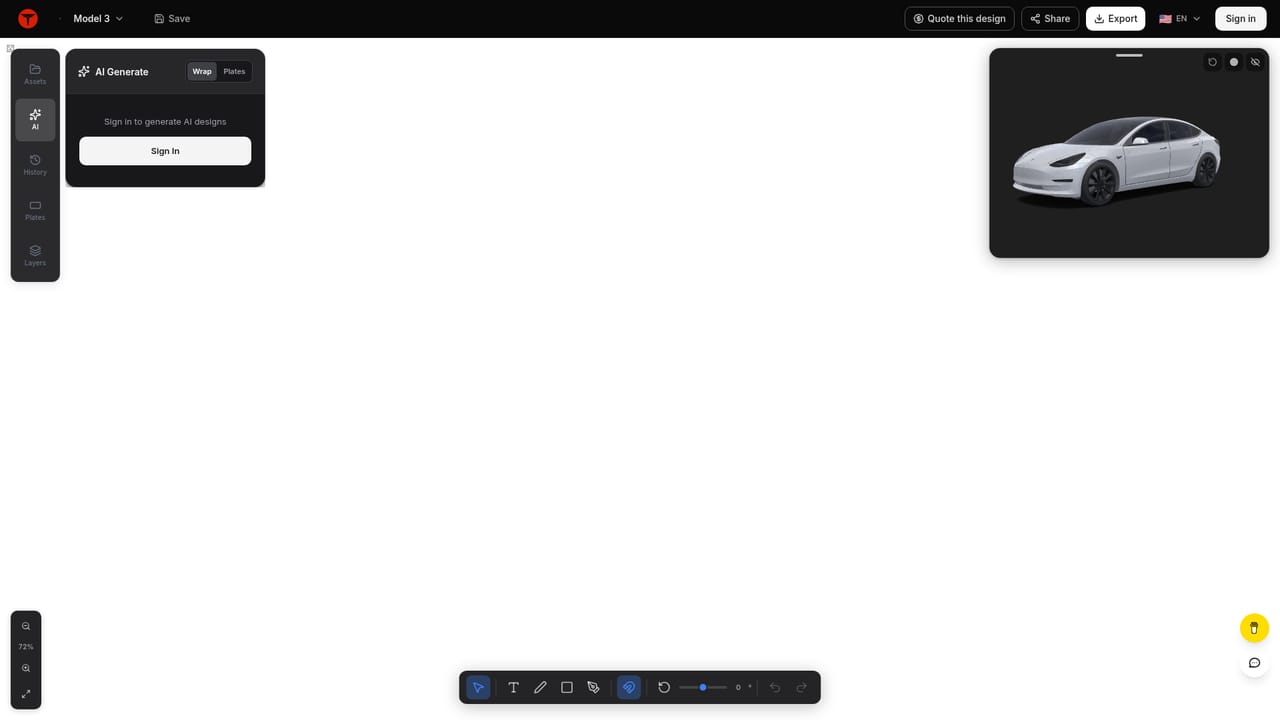
Tesla Wrap Designer is a web tool for people who want a custom look for a Tesla without guessing how a design will sit on the car. It combines a large gallery of ready-made wraps with an AI generator and a 3D editor, so a design can be browsed, downloaded or created from scratch and checked on a model of the actual vehicle. The gallery holds more than 4,000 designs, either produced with AI or shared by Tesla owners. Examples on the homepage range from cartoon and character themes to movie tie-ins, brand liveries and plain solid colours such as red or pink. Each entry shows a 3D preview, the vehicle it was made for and the name of the contributor. Designs are free to browse and download for the supported models: Model 3, Model Y, Model S, Model X and Cybertruck, with separate editors for variants such as the 2024 Model 3 trims, the 2025 Model Y trims, the Model Y L and the 2025 Model S Plaid. Pages for Cybercab, Roadster and Semi are also listed. In practice, a visitor picks a vehicle, opens its editor and either starts from a gallery design or describes a new one for the AI to generate. The result is shown on a rotating 3D model, which makes it easier to judge how panels, doors and roof line up before committing to a file. Because wrap templates differ between model years and trims, choosing the correct variant first matters more than any styling choice. Among alternatives, it sits between generic image generators, which produce flat artwork with no knowledge of a car's panel layout, and professional vinyl design software, which is more precise but harder to learn. It suits owners who want a quick, low-cost way to personalise a car or find inspiration, rather than studios that need production-ready print files with exact tolerances. The homepage does not describe account requirements, export formats or paid tiers in detail, and a pricing page exists for anyone who needs that information.
Browsing and downloading the gallery wraps is described as free. A pricing page exists, but the homepage does not state plans or amounts.
Learn moreGallery of 4,000+ free AI-made and community Tesla wraps, an AI wrap generator, and a 3D preview editor with per-variant templates for Model 3, Y, S, X and Cybertruck, plus pages for Cybercab, Roadster and Semi.


