Free trial
The homepage promotes a free sign up with no credit card required and links to a free trial button for video generation, though the length and limits of the trial are not stated.
Learn moreOne AI studio for voiceovers, writing, visuals, video, chatbots and code

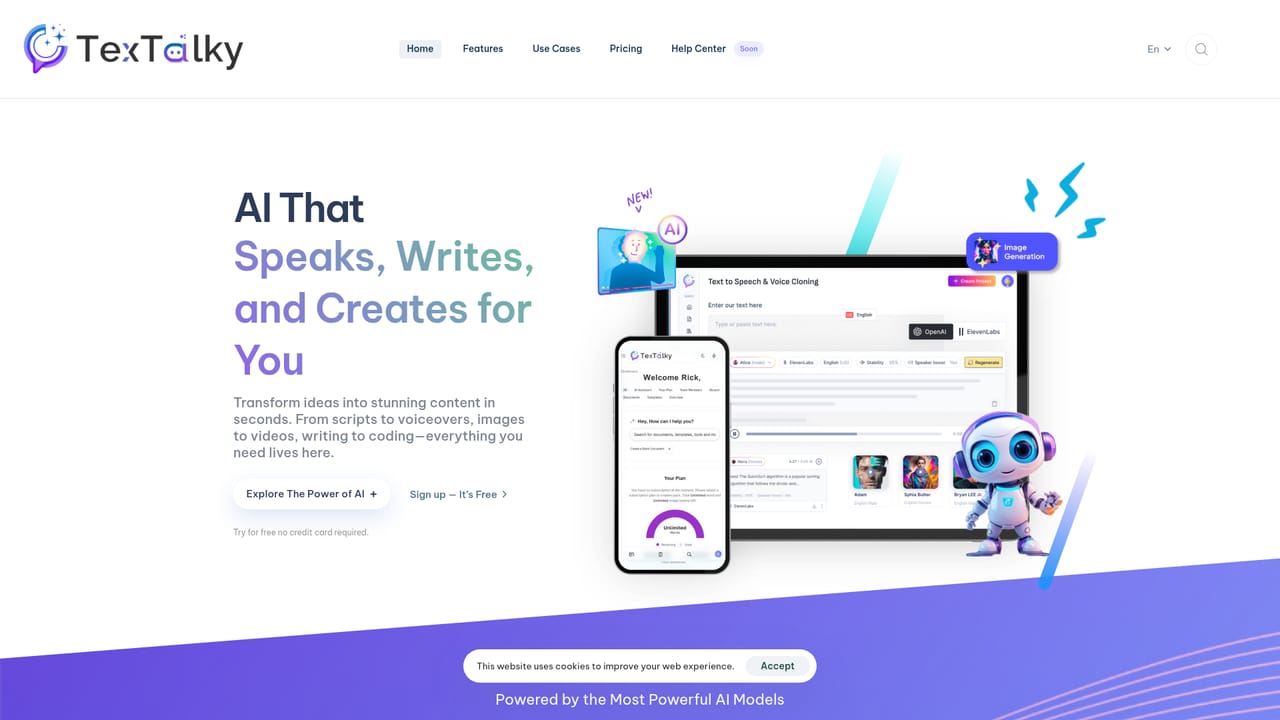
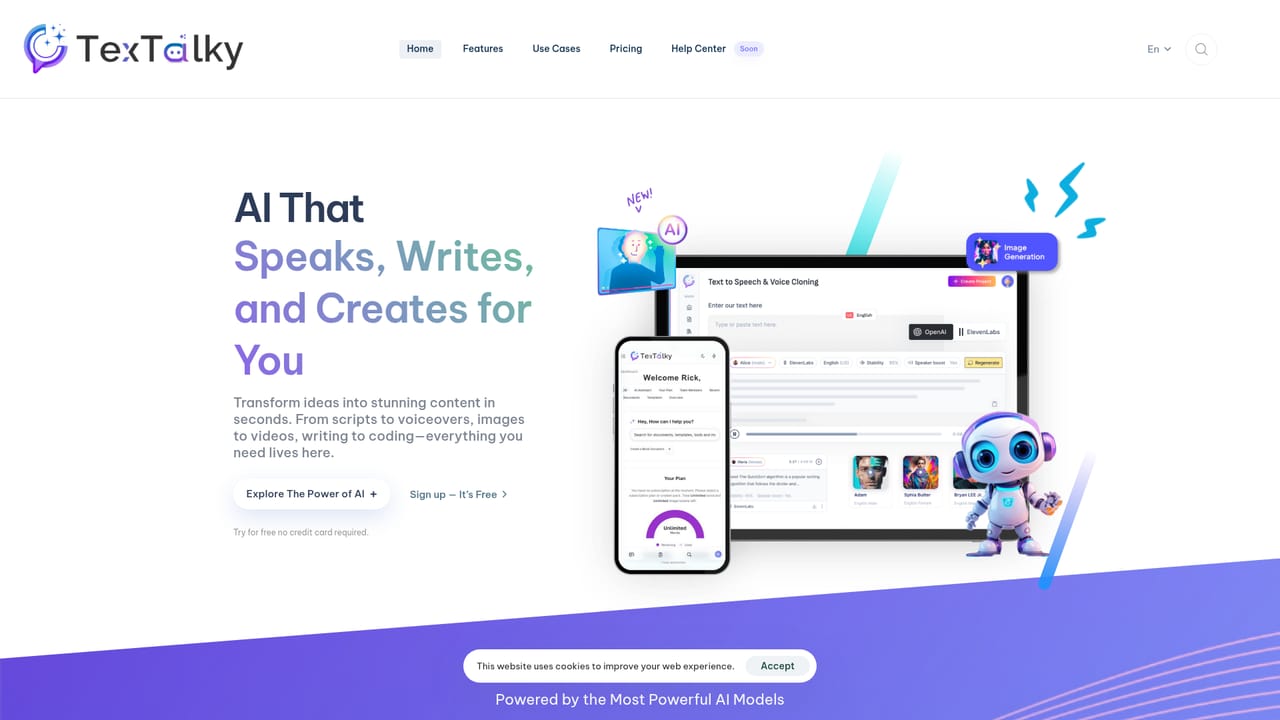
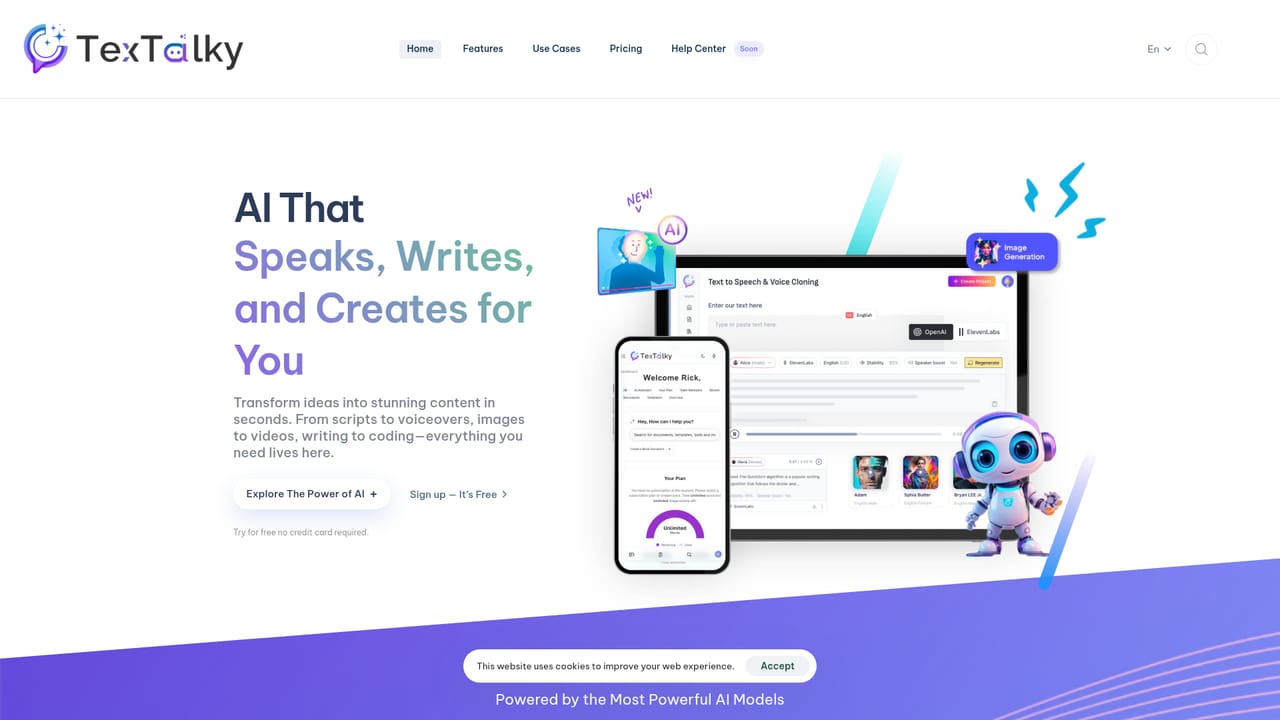
Textalky is an all in one AI creative studio bundling text to speech with voice cloning, transcription, writing assistants, image and video generation, chatbots and code tools in a single dashboard.
Textalky positions itself as an all in one AI creative studio rather than a single purpose generator. Its four pillars cover voice, content, visuals and conversation. The voice side handles text to speech with lifelike narration, transcription, voice cloning, noise and music isolation, and royalty free music generation. The create side includes a writing editor, a template driven writer, an SEO article wizard, a rewriter and a blog wizard. The visual side generates and edits images, animates scripts into video clips, restyles existing footage, and produces real time images inside chat. The connect side deploys custom chatbots on websites, mobile apps and messaging channels, while a code tool turns plain language prompts into snippets and scripts. The tool is aimed at content teams, marketers, podcasters, small agencies and solo creators who would otherwise juggle separate subscriptions for narration, copywriting and graphics. Audio producers can clone a voice and use it across unlimited projects, or clean up a noisy interview before publishing. Writers can start from a template or a full article outline and let the rewriter shift tone and length afterward. Designers get a familiar prompt to image workflow with batch processing and an upscaling step for campaign assets. The homepage claims broad model coverage, listing OpenAI, ElevenLabs, Azure, Stability AI, AWS and Google Cloud as the engines behind the features. Voice generation is advertised in 50+ voices and 20+ languages, while a separate section cites 150+ languages and regional accents, so the exact catalogue per tool is worth checking before committing. Users sign up through a hosted lab subdomain and work inside a single dashboard. Compared with dedicated text to speech services, Textalky trades depth for breadth: you get a working speech generator alongside writing, image and chat tools, which suits buyers who want one bill and one interface. Buyers with strict voice acting requirements or heavy video production needs should still test output quality against specialist competitors before switching.
The homepage promotes a free sign up with no credit card required and links to a free trial button for video generation, though the length and limits of the trial are not stated.
Learn moreThe homepage points users to documentation and a ticket submission form for questions. No live chat, phone support or community forum is listed.
External chatbot integrations are advertised for third party bots such as GPT and Dialogflow, with a single snippet embed. Model partners listed include OpenAI, ElevenLabs, Azure, Stability AI, AWS and Google Cloud.
Voice suite with text to speech, transcription, cloning, vocal isolation and AI music. Content suite with a writing editor, writer templates, SEO article wizard, rewriter and blog wizard. Visual suite for image generation and editing, text to video, video to video and real time chat images. Connect suite for website, file and external chatbots plus code generation and RSS and YouTube helpers.
 AI Angels400+ customizable AI girlfriends for NSFW chat, voice calls, and roleplay
 Candy AIExperience the future of companionship with AI friends who chat, role-play, and connect with you on a human level.
 ourdream.aiA vast AI roleplay platform with millions of characters for chat, images, video and voiceAI Angels400+ customizable AI girlfriends for NSFW chat, voice calls, and roleplayCandy AIExperience the future of companionship with AI friends who chat, role-play, and connect with you on a human level.ourdream.aiA vast AI roleplay platform with millions of characters for chat, images, video and voice


