Free trial
Previews are free with no card required, and three uploads per day are allowed without an account.
Learn moreVirtual staging for empty rooms with free previews first

TINTY is a web tool that virtually stages empty rooms from a single listing photo. Previews are free and take about 30 seconds, and users pay only to render the ones they keep, with 2K finals starting at $1.32 a photo.
TINTY is a web-based virtual staging tool built for real estate listings. A user uploads a photo of an empty room, and the service generates furnished previews of the same space. The homepage states that previews arrive in roughly 30 seconds and cost nothing, with payment only required when a preview is chosen for a full-quality render. The meta description puts final 2K renders at a starting price of $1.32 per photo and says no card is needed to try it. The workflow is short. After dropping in a JPG, PNG or WebP file (up to 10 MB), the user sets the room type, a design style, the furniture and an accent color. The showcase on the homepage, a studio apartment shown before and after in a Scandinavian style with sand accents, illustrates the kind of output on offer. From the generated previews, the user picks the ones worth keeping and renders them, then downloads the results in full quality or refines them further. The tool works best on empty rooms, so it suits vacant properties more than spaces that are already furnished. The audience is people who market property: agents, listing photographers, landlords and small teams that want furnished-looking photos without hiring a physical staging company. The preview-first model lowers the risk of experimenting, since several style options can be compared before any money is spent. Visitors can try three uploads a day without creating an account, which makes a quick evaluation possible. Among alternatives, TINTY sits in the pay-per-image corner of the virtual staging market rather than the subscription-heavy or service-assisted end. It is a narrower tool than general interior design or image generation apps, concentrating on one job: turning bare listing photos into staged ones. Buyers who need broader editing, 3D walkthroughs or human-reviewed staging will likely need to look elsewhere, while those who want fast, inexpensive stills for listings have a focused option.
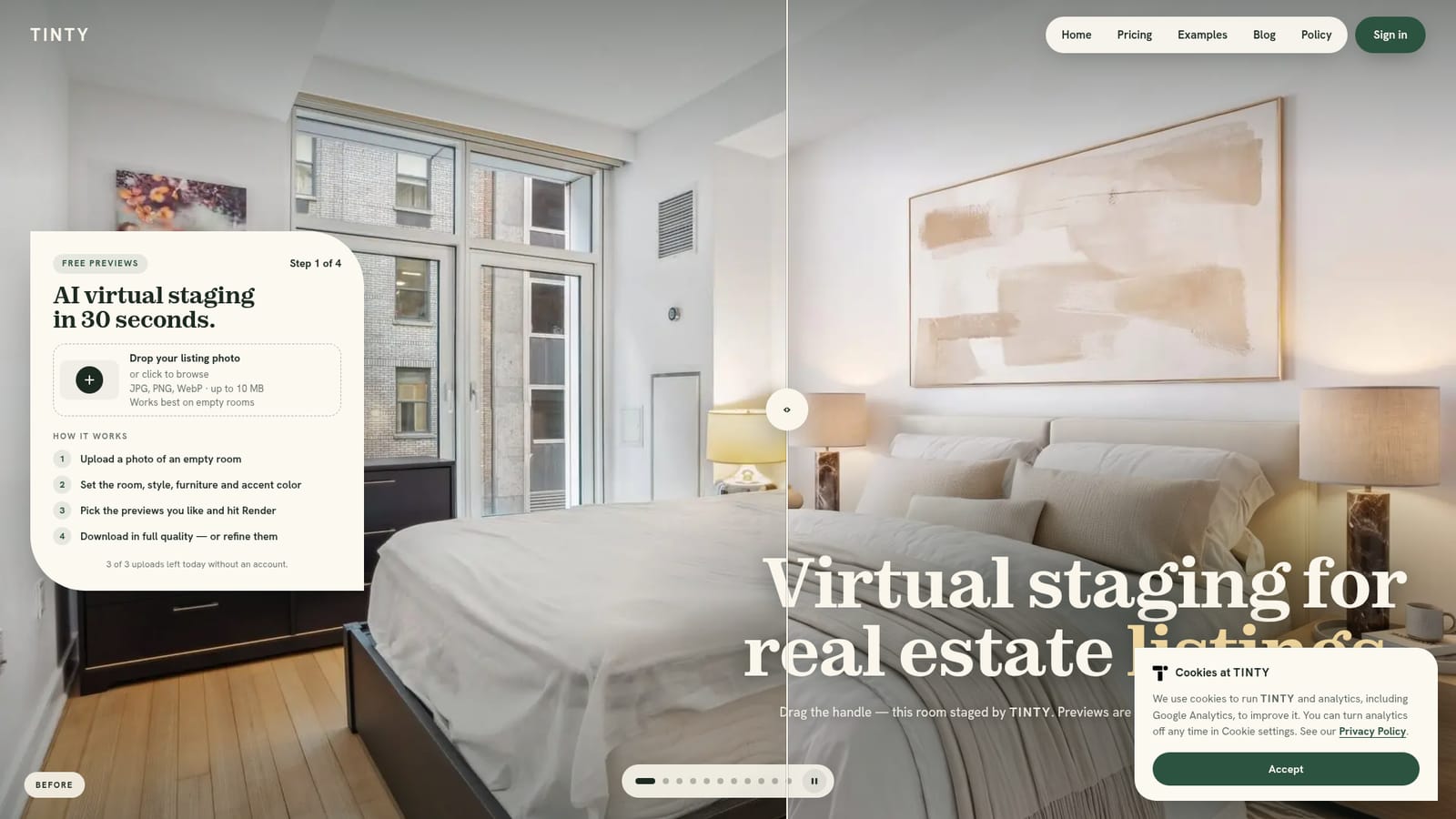
Previews are free with no card required, and three uploads per day are allowed without an account.
Learn morePreviews are free. Final 2K renders start from $1.32 a photo according to the page description, and payment is only needed for the previews a user chooses to render. No card is required to start.
Learn moreVirtual staging of empty room photos with free previews in about 30 seconds, selectable room type, style, furniture and accent color, 2K final renders, full-quality downloads and a refine option.


