TLDRAI

Turn long articles, files and web pages into short, readable summaries.

Beginner
Screenshot of TLDRAI, Turn long articles, files and web pages into short, readable summaries

What is TLDRAI?

TLDRAI is an AI summarizer tool that turns long articles, files and web pages into short, readable summaries. TLDRAI summarizes pasted text, uploaded files and web pages into short, digestible results, with a public explore feed of sample summaries. A focused, single-purpose reading aid for anyone drowning in long articles.

TLDRAI is a web based summarization tool built around a simple premise: paste something long, get something short. The site frames it as an answer to information overload, and the product lives up to that framing by keeping the interface narrow. There are three entry points and little else to configure. You can drop in raw text, upload a file, or hand over a website address and let the tool pull the readable content before condensing it. The homepage makes the intended workflow obvious through its own examples. You can see summaries of news articles, Wikipedia entries, YouTube pages, corporate blog posts, a food delivery business page and a restaurant POS vendor's product page. That spread is a fair picture of the audience: researchers clearing a reading queue, commuters who want the gist of a long article, students skimming sources, and analysts who need to triage vendor pages before a meeting. The output is deliberately compact, usually a few sentences that name the subject and the main point. The results are also browsable. An explore page collects previously generated summaries, which doubles as a demonstration of the output quality and as light inspiration for what kinds of input the tool handles. The site lists a companion product, TLDWAI, aimed at video content, which suggests the maker is building a small family of length reduction tools rather than a broad productivity suite. Among alternatives, TLDRAI sits at the lightweight end. It is not a document workspace, a browser sidebar or a research assistant with citation tracking. There is no visible account layer described on the homepage, no stated model choice and no detail about how long inputs can be. For a quick read of one stubborn article it is direct and fast. For a team that needs summaries folded into a knowledge base, the lack of stated integrations is a real gap.

How do you use TLDRAI?

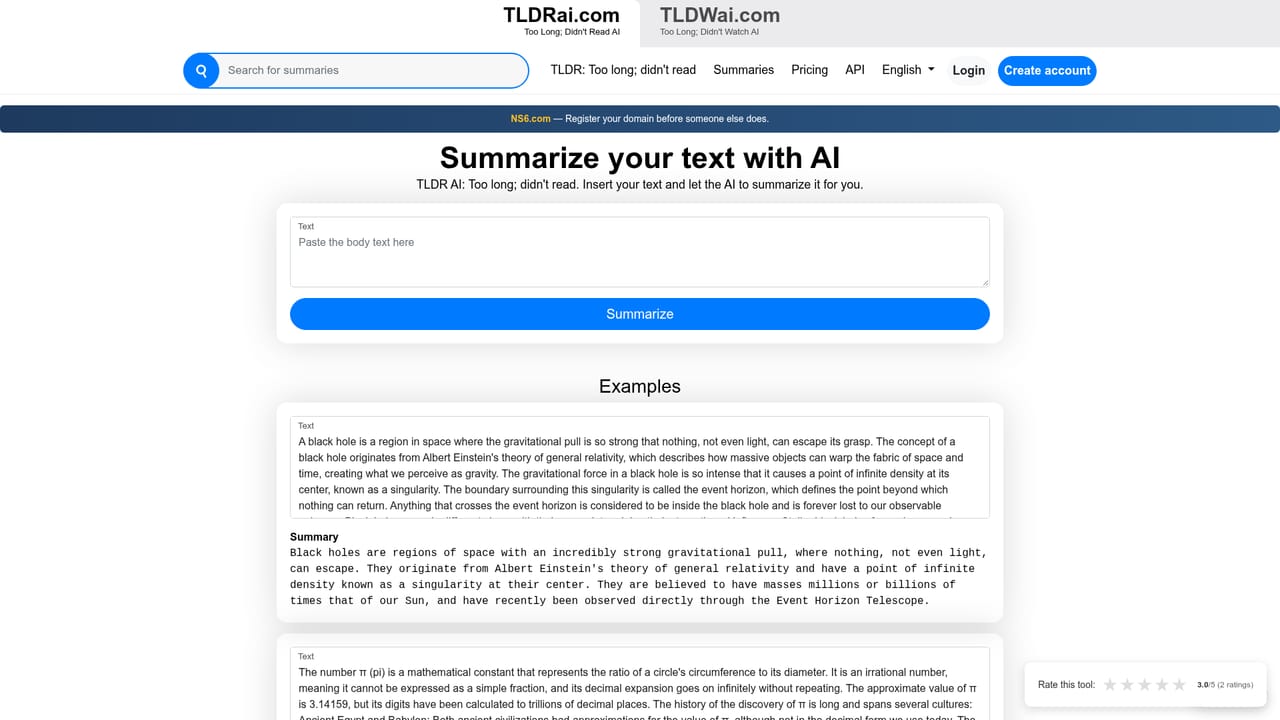
  1. 1Summarize a block of pasted text
    Open the text summarizer and paste the passage you want condensed. Submit it and read the short result against the original to check nothing important was dropped.
    TLDRAI — Summarize a block of pasted text
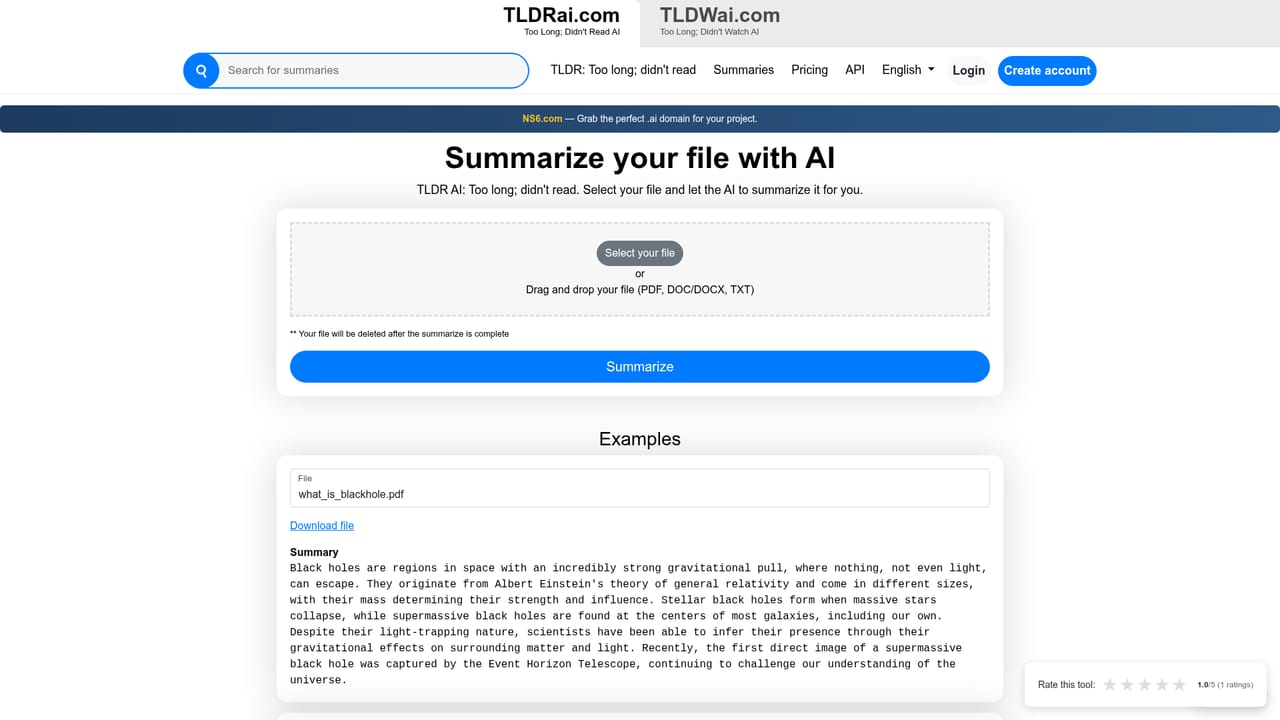
  2. 2Summarize a document from a file
    Use the file summarizer when the source is a saved document rather than a selection. Upload the file and let the tool extract and condense the contents.
    TLDRAI — Summarize a document from a file
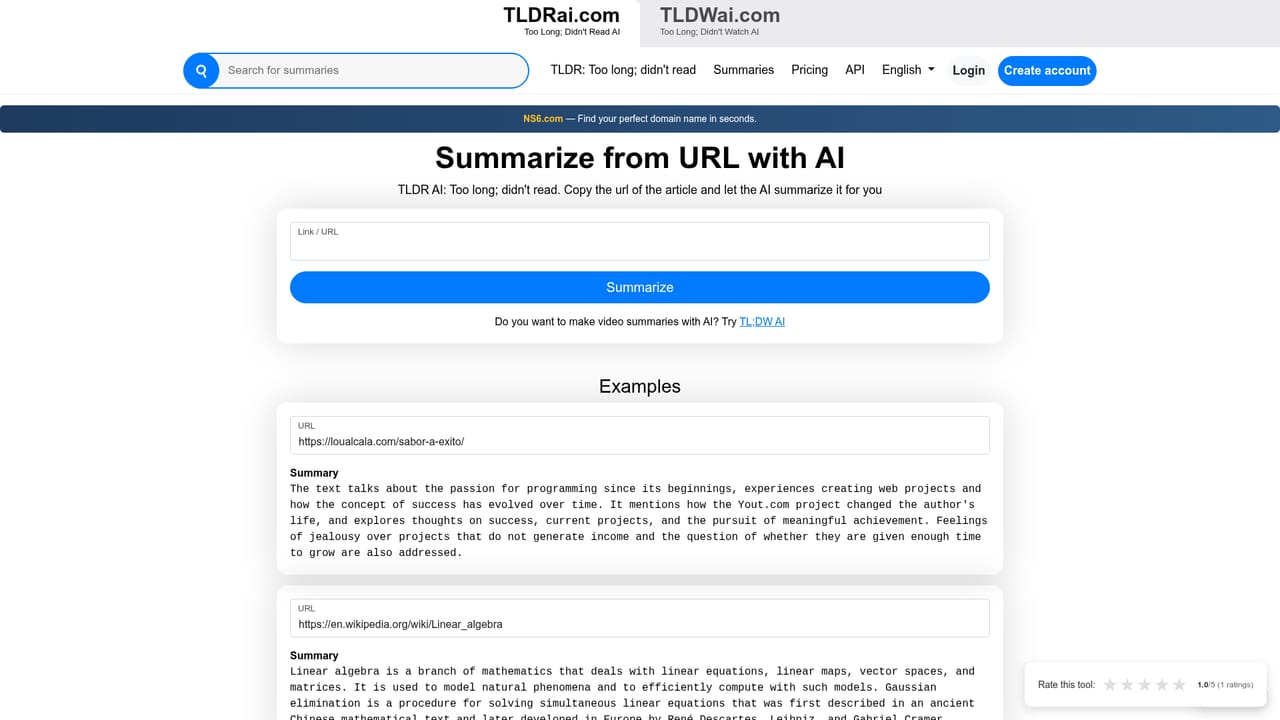
  3. 3Summarize content from a website
    Paste the address of an article or page into the URL summarizer. This is the fastest route for long reads you want to triage before committing time.
    TLDRAI — Summarize content from a website
  4. 4Review and share the result
    Each summary gets its own result page. Read it, adjust your input if the output missed the point, and share the link when someone else needs the gist.
  5. 5Browse the explore feed for examples
    The explore page collects prior summaries from news, encyclopedias and product pages. Skim it to see how the tool handles different source types.

Pros and cons

Pros

  • Three clear input routes: raw text, file upload and website URLAI
  • Example summaries on the homepage show realistic output length and styleAI
  • A public explore feed lets you judge output quality before committingAI
  • Companion TLDWAI covers video, so long form content is partly coveredAI
  • Minimal interface means no setup beyond choosing an input typeAI

Cons

  • Homepage states no pricing, limits or model details, so cost is unknown upfrontAI
  • No stated integrations, API or workspace features for teamsAI
  • Uploaded file types and size limits are not documented on the siteAI
  • Summaries reflect whatever the page renders, which can include boilerplateAI
  • Explore feed quality varies widely, from real articles to login pagesAI

How much does TLDRAI cost?

Features

Three summarization modes cover pasted text, uploaded files and website URLs. Each produces a short, readable digest with a shareable result page. An explore feed collects example summaries from news articles, Wikipedia entries, YouTube pages and product documentation, giving a sense of output length and structure before you use it.

Learn more

Frequently asked questions about TLDRAI

  • How do you use TLDRAI?
    The walkthrough on this page covers 5 steps: 1. Summarize a block of pasted text 2. Summarize a document from a file 3. Summarize content from a website 4. Review and share the result 5. Browse the explore feed for examples.
  • What platforms does TLDRAI support?
    TLDRAI is available on Web App.
  • What are the limitations of TLDRAI?
    Homepage states no pricing, limits or model details, so cost is unknown upfront. No stated integrations, API or workspace features for teams. Uploaded file types and size limits are not documented on the site.

Status

StatusActive
Views0
Outbound clicks0
Added10/21/2026

Platforms

Web App

Pricing

Free