Free trial
Free users can generate up to roughly 10 seconds of content with any voice, and guest generation is available after passing a human verification check.
Learn moreText to speech and talking video in the voice of Donald Trump and other public figures.
Own TrumpAiVoice.net? Verify ownership to get a dofollow link

TrumpAiVoice.net is an AI video talk tool. A browser based generator that converts text into Trump style speech and short talking videos, with a roster of other celebrity and political voices, video templates and multilingual output.
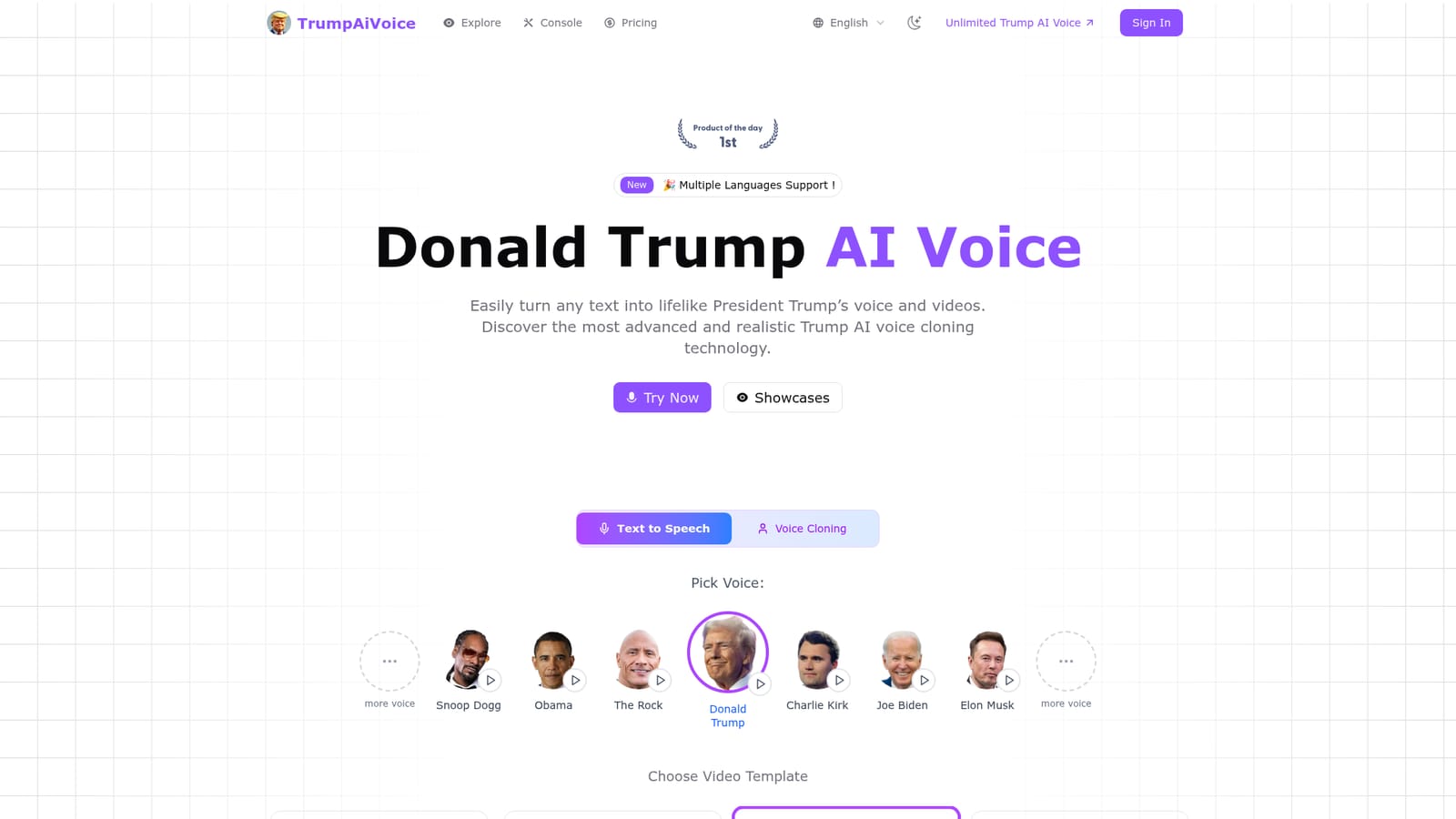
TrumpAiVoice.net is a browser based voice generation tool built around a single, very specific hook: it turns written text into audio or short video clips delivered in a Donald Trump style voice. The homepage pairs that headline voice with a roster of other recognizable figures, including Obama, Joe Biden, Elon Musk, Snoop Dogg, The Rock and Charlie Kirk, and the interface lets you switch between them from a row of headshots. Everything runs in the browser, so there is nothing to install before your first generation. In practice the workflow is a form, not a studio. You pick a voice, paste a script into the text box, and optionally attach a video template such as Baby Trump, Garden Interview, Presidential Office or Flag Background. Small controls handle text formatting, an optional news rewrite mode that adjusts wording to current events, watermark removal on paid tiers, a slower Eco Mode that trims 20 percent of credit use, and a language selector for multilingual output. Pauses can be inserted inline with a short tag. Audio generation is the lighter path; video generation requires an account and produces lip sync and gestures tied to the chosen personality. The tool is aimed at parody creators, meme accounts and social media publishers who want a recognizable impression quickly, rather than at studios doing serious voice work. Against general purpose voice platforms it trades breadth of control for speed and a ready made cast of characters, and its templates do much of the visual work that would otherwise need editing software. Anyone needing fine grained prosody control, long form narration or predictable commercial rights should compare carefully before committing, because licensing varies by voice and the free tier is short.
Free users can generate up to roughly 10 seconds of content with any voice, and guest generation is available after passing a human verification check.
Learn moreThe homepage describes a free tier limited to about 10 seconds of output and a premium tier allowing up to 3 minutes per generation, plus features such as watermark removal and Eco Mode credit savings. No prices or plan names are published.
Learn moreSupport is offered by email and through Discord, with a FAQ section covering voice realism, generation speed, length limits and commercial licensing.
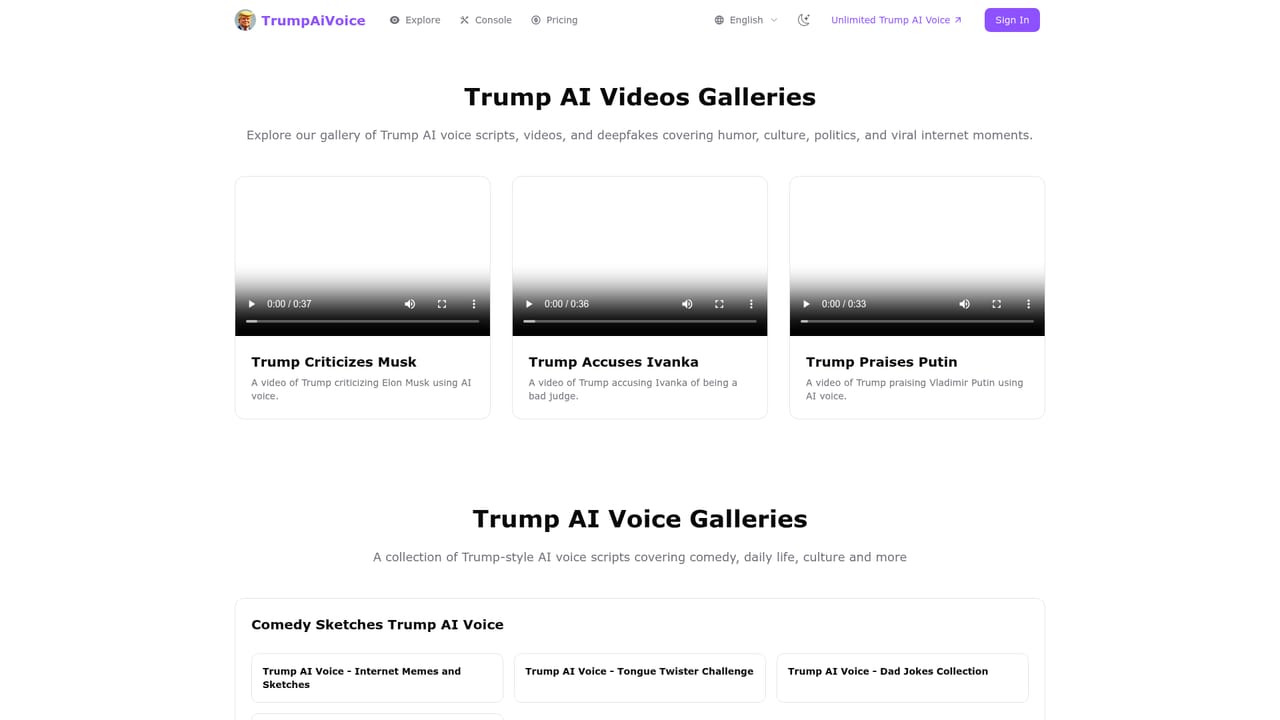
Voice cloning and text to speech across Trump and dozens of other public figures, talking video with synchronized lip movement and gestures, four video templates, multilingual output, Smart text formatting, inline pause tags, a news rewrite mode, watermark removal, Eco Mode credit saving and a usage dashboard.
 AI Angels400+ customizable AI girlfriends for NSFW chat, voice calls, and roleplay
 Candy AIExperience the future of companionship with AI friends who chat, role-play, and connect with you on a human level.
 ourdream.aiA vast AI roleplay platform with millions of characters for chat, images, video and voiceAI Angels400+ customizable AI girlfriends for NSFW chat, voice calls, and roleplayCandy AIExperience the future of companionship with AI friends who chat, role-play, and connect with you on a human level.ourdream.aiA vast AI roleplay platform with millions of characters for chat, images, video and voice