Support
Unwrap describes personalized support from day one, framing onboarding as a partnership with expert guidance tailored to each business rather than a self-serve handoff.
Learn moreCustomer intelligence that surfaces feedback trends before you ask

Unwrap turns scattered customer feedback into proactively delivered insights, with AI auto-tagging, natural language querying, shared dashboards and automatic alerts for product, support and executive teams.
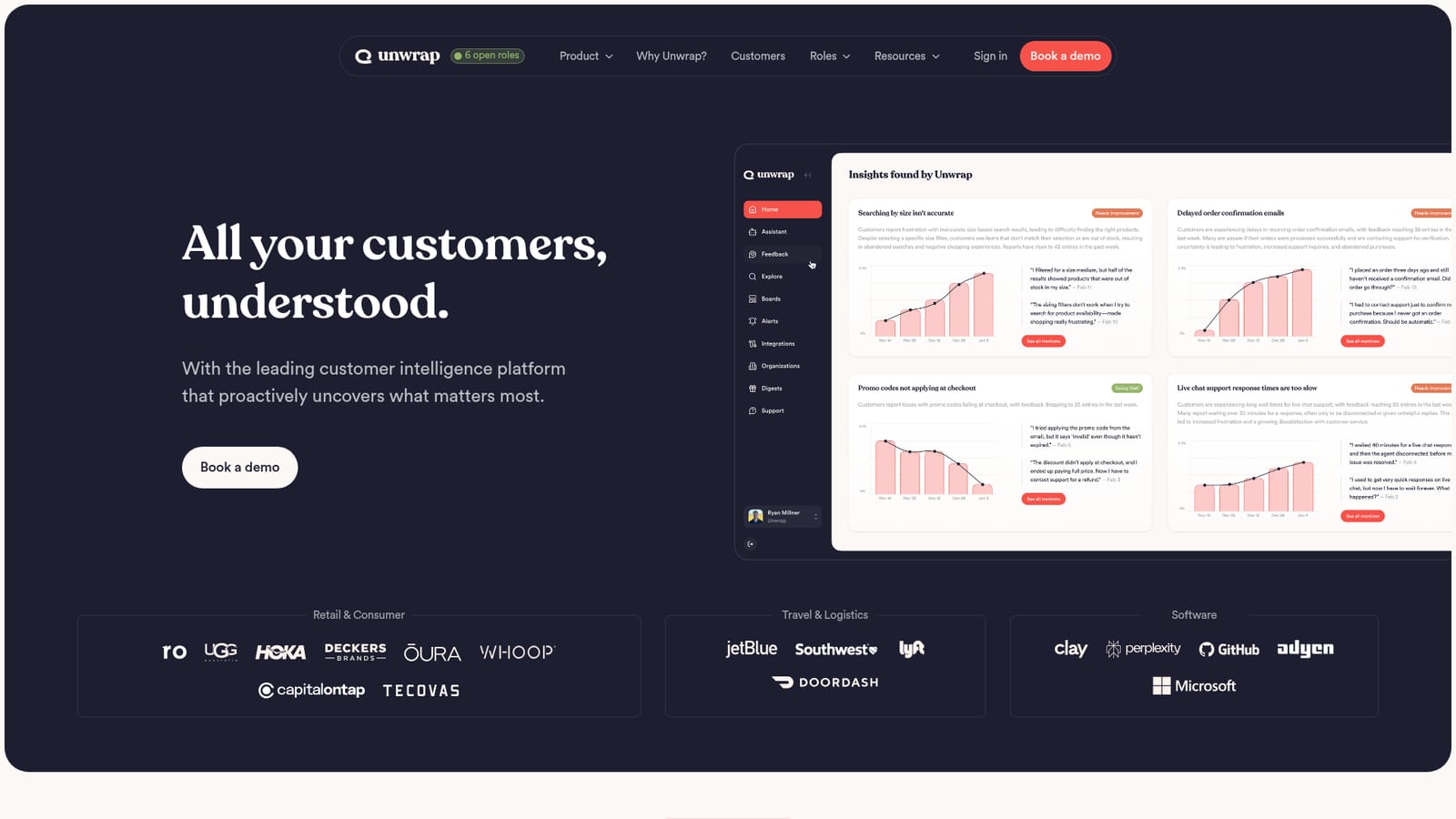
Unwrap is a customer intelligence platform built around a simple premise: teams do not need another dashboard, they need answers delivered before anyone thinks to ask. The product ingests feedback from a wide range of sources, uses AI to categorize and interpret it, and then proactively pushes the resulting trends to the people who can act on them. Rather than requiring an analyst to build queries and manually tag thousands of comments, Unwrap structures messy, unstructured customer input into something decision-ready. The workflow follows three stages. Connect pulls feedback in from many sources at once. Analyze converts that raw material into insights that arrive without manual prompting. Act is where product, support and leadership teams use the output to shape roadmaps and prioritization. Around that core sit several purpose-built tools: an Auto Tagger that categorizes all feedback, shared Dashboards that can be customized per team, an Assistant for querying feedback in natural language, Alerts that flag emerging issues automatically, and a Responder for replying to customers faster. The audience spans customer experience teams watching for early warning signs, product managers deciding what to build next, and executives who want confirmation that feedback is already being handled before it reaches them. Published case studies cover retail and consumer brands, travel and logistics companies, and software firms, including lululemon, DoorDash, Oura, Perplexity and GitHub Copilot. Reported outcomes range from catching trending issues before they grow to a 21 percent lift in spare parts revenue at Rad Power Bikes and a 25 percent productivity gain at GitHub Copilot. Unwrap positions itself against voice-of-customer suites and feedback analytics tools that lean on manual tagging or static reporting. Its differentiators are the proactive delivery model, organization-wide access to the same insight set, and enterprise security posture with SOC 2 Type II and GDPR compliance, SSO, activity monitoring and automatic PII redaction. Buyers comparing it with platforms like Enterpret will find the closest contest is over automation depth and how much setup the team must do before insights become useful.
Unwrap describes personalized support from day one, framing onboarding as a partnership with expert guidance tailored to each business rather than a self-serve handoff.
Learn moreCore tools include Auto Tagger for categorizing all feedback, team-customized Dashboards, an Assistant for natural language querying, Alerts that surface new insights automatically, and a Responder for faster customer replies. Feedback flows through three stages: connect sources, analyze into insights, then act on roadmaps and priorities.
Learn more AI Angels400+ customizable AI girlfriends for NSFW chat, voice calls, and roleplay
 Candy AIExperience the future of companionship with AI friends who chat, role-play, and connect with you on a human level.
 ourdream.aiA vast AI roleplay platform with millions of characters for chat, images, video and voiceAI Angels400+ customizable AI girlfriends for NSFW chat, voice calls, and roleplayCandy AIExperience the future of companionship with AI friends who chat, role-play, and connect with you on a human level.ourdream.aiA vast AI roleplay platform with millions of characters for chat, images, video and voice


