Vaethat

Archviz-only AI that upscales and refines 3D renders in one click

Beginner
Screenshot of Vaethat, Archviz-only AI that upscales and refines 3D renders in one click

What is Vaethat?

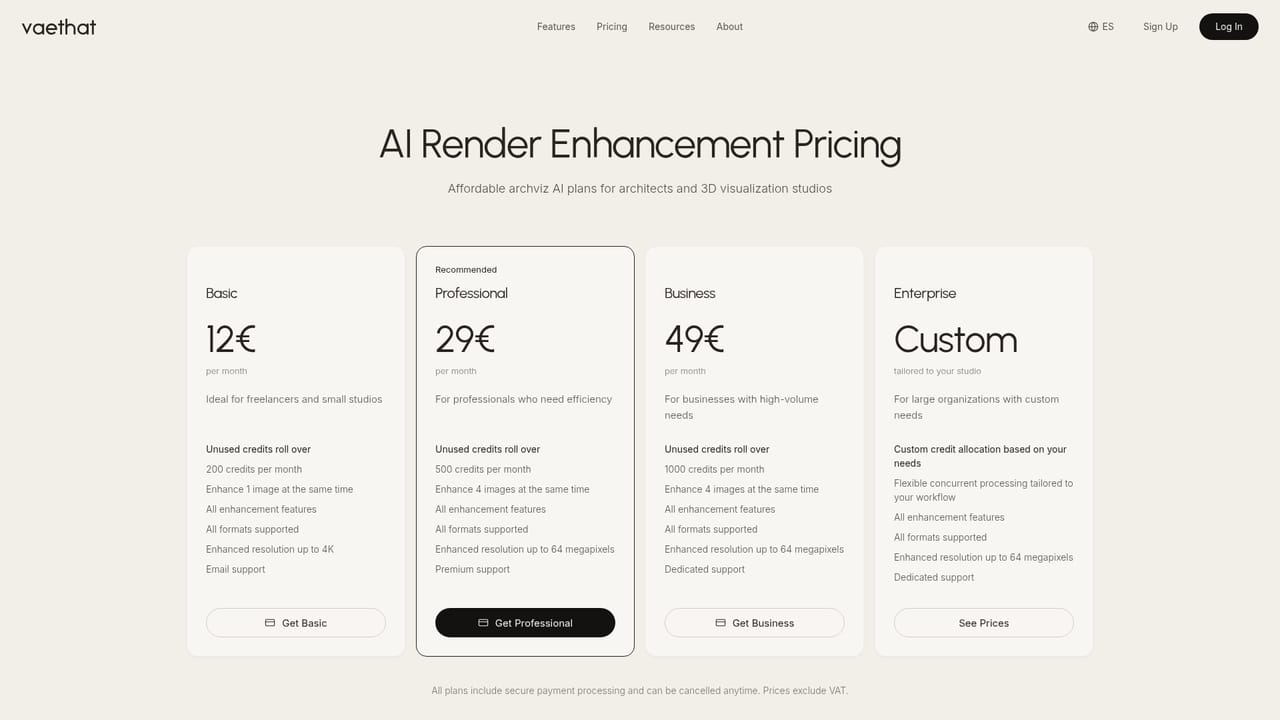
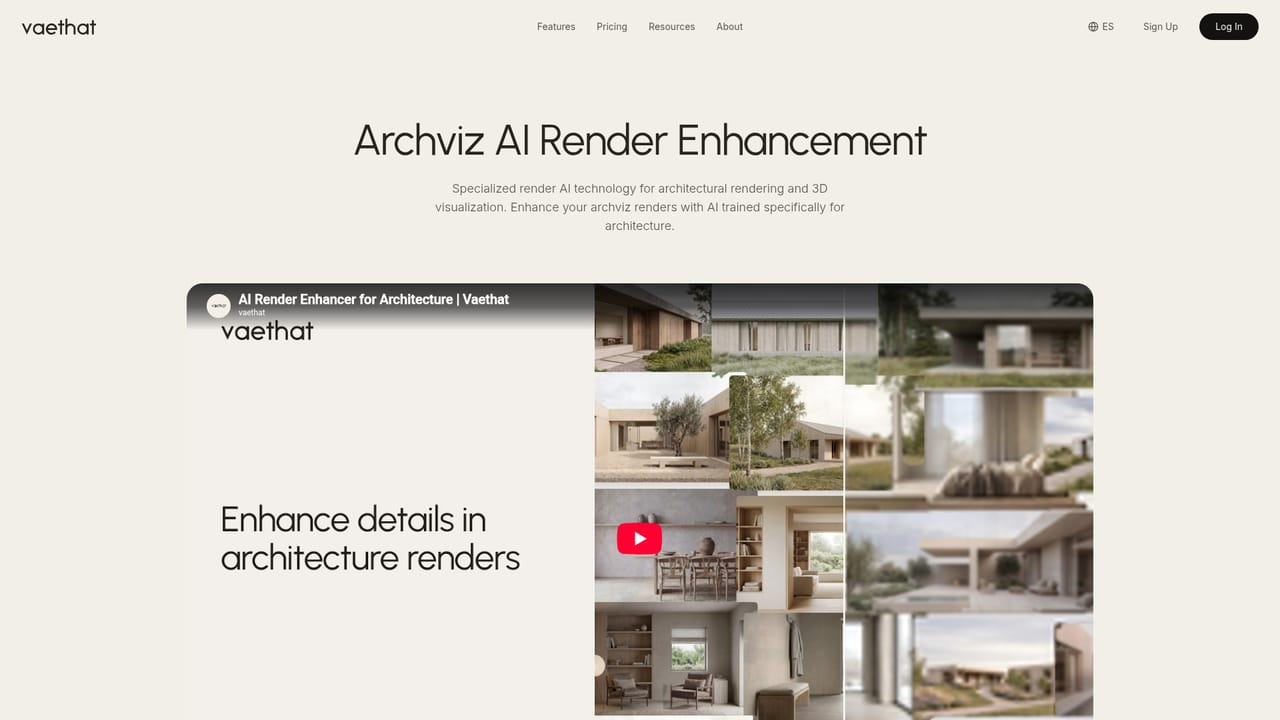
Vaethat is a web-based AI enhancer trained on architectural visualization. It upscales renders 2x or 4x in batches, supports region and people refinement, and exports layered .psd files, with plans from €12 per month.

Vaethat is a web-based render enhancer aimed at architectural visualization. It takes finished 3D renders and raises their resolution to 2x or 4x while adding believable detail to materials, vegetation, people and fine surface textures. The underlying model is described as trained exclusively on archviz imagery, which is the main argument for choosing it over general-purpose AI upscalers that tend to drift away from the original design. The workflow is deliberately short. A user drops a whole folder of renders into a multi-image workspace, picks 2x or 4x, and presses Enhance. There are no prompts, sliders or presets to compare, so the same single mode is applied to exteriors, interiors and landscaping alike. Two optional controls cover the edge cases: Region lets the user draw a selection and refine only that area, such as a facade detail or a fixture, and People handles foreground and background figures separately. Results can be downloaded as a layered .psd with the original render as the base layer and the enhanced version above it, aligned to the pixel, so the output can be masked and blended in Photoshop or Affinity. Pricing is credit-based and tied to output size. Credits are calculated from the pixel area of the result, so a 2000 by 2000 output costs 4 credits and a 4000 by 4000 output costs 8. Plans start at €12 per month with 200 credits (up to 4K), with higher Professional, Business and Enterprise tiers, rollover caps on unused credits and priority queueing for subscribers. The site states that uploaded images are not used to train models, and that PNG, JPG and WEBP files are supported. The renderer is irrelevant, since the tool works on exported images from engines such as V-Ray, Lumion, Corona or Twinmotion. Vaethat suits visualization studios, architects and freelance 3D artists who want faster post-production without prompt engineering. Compared with broad image generators and general upscalers, it trades flexibility for consistency and speed. Anyone who needs creative re-imagining of a scene, or work outside architecture, will find it narrower than those alternatives.
How do you use Vaethat?

  1. 1Open the enhancer workspace
    Go to the enhance page and sign in with a subscription plan. The workspace accepts whole projects and saves sessions.
    Vaethat — Open the enhancer workspace
  2. 2Upload your renders
    Drop a folder of PNG, JPG or WEBP renders into the multi-image workspace so they can be processed together.
  3. 3Choose 2x or 4x
    Pick the output scale and the Exterior or Interior setting. The same mode and resolution can be applied to every image at once.
  4. 4Refine a region or people
    Draw a selection to enhance only a focal area, or use the People option for foreground and background figures, which saves credits over a full reprocess.
    Vaethat — Refine a region or people
  5. 5Run Enhance and export
    Press Enhance, then download the results, optionally as a layered .psd with the original beneath for Photoshop or Affinity.
  6. 6Pick a plan that fits volume
    Compare credit allowances and rollover caps on the pricing page before committing to a tier.
    Vaethat — Pick a plan that fits volume

Pros and cons

Pros

  • Trained only on archviz imagery, so results stay close to the original designAI
  • One-mode workflow with no prompts or sliders keeps testing and wasted credits lowAI
  • Batch workspace enhances a whole project's renders in parallel on one canvasAI
  • Layered .psd export keeps the original as a base layer for masking and blendingAI
  • Stated policy of not training models on uploaded images and rollover of unused creditsAI

Cons

  • No free trial, so quality can only be judged after paying for a planAI
  • Limited to architectural renders, so it is a poor fit for other kinds of imageryAI
  • Little creative control: no prompts or sliders to steer the result beyond region and peopleAI
  • Credits scale with output pixel area, so large 4K and above batches can use allowances quicklyAI
  • Only 2x and 4x scaling are offered, with PNG, JPG and WEBP as the stated input formatsAI

How much does Vaethat cost?

Free trial

No free trial is offered. The entry Basic plan starts at €12/month.

Learn more

Pricing

Subscription plans start with Basic at €12/month for 200 credits (up to 4K), with Professional, Business and Enterprise tiers above it. Credits depend on output pixel area, and unused credits roll over up to a plan-specific cap.

Learn more

Support

The homepage does not describe a support channel in detail, though a customer testimonial mentions great support.

Integrations

No direct plugins are listed. It works on exported images from renderers such as V-Ray, Lumion, Corona, Twinmotion, D5 Render and Unreal Engine, and exports layered .psd files for Photoshop or Affinity.

Features

2x and 4x AI upscaling for architectural renders, batch enhancement on one canvas, region selection, separate people enhancement, exterior and interior modes, saved projects and layered .psd export with the original as base layer.

Learn more

Frequently asked questions about Vaethat

  • How much does Vaethat cost?
    Subscription plans start with Basic at €12/month for 200 credits (up to 4K), with Professional, Business and Enterprise tiers above it. Credits depend on output pixel area, and unused credits roll over up to a plan-specific cap.
  • Does Vaethat offer a free trial?
    No free trial is offered. The entry Basic plan starts at €12/month.
  • How do you use Vaethat?
    The walkthrough on this page covers 6 steps: 1. Open the enhancer workspace 2. Upload your renders 3. Choose 2x or 4x 4. Refine a region or people 5. Run Enhance and export 6. Pick a plan that fits volume.
  • What platforms does Vaethat support?
    Vaethat is available on Web App.
  • What does Vaethat integrate with?
    No direct plugins are listed. It works on exported images from renderers such as V-Ray, Lumion, Corona, Twinmotion, D5 Render and Unreal Engine, and exports layered .psd files for Photoshop or Affinity.
  • What are the limitations of Vaethat?
    No free trial, so quality can only be judged after paying for a plan. Limited to architectural renders, so it is a poor fit for other kinds of imagery. Little creative control: no prompts or sliders to steer the result beyond region and people.

Status

StatusActive
Views0
Outbound clicks0
Added10/18/2026

Platforms

Web App

Pricing

Subscription