Pricing
The homepage does not list prices, tiers or credit allowances. It directs users to a separate plans page for comparison, so budget planning has to happen there rather than on the generator page.
Learn moreText and image to video with the Veo 4 workflow
Own Veo 4 AI Video Generator? Verify ownership to get a dofollow link

Veo 4 AI Video Generator is an image to video tool. A browser based Veo 4 workflow for turning text briefs and reference images into short cinematic clips at 720p or 1080p, with camera, style and audio direction built into the prompt and clip chaining for longer sequences.
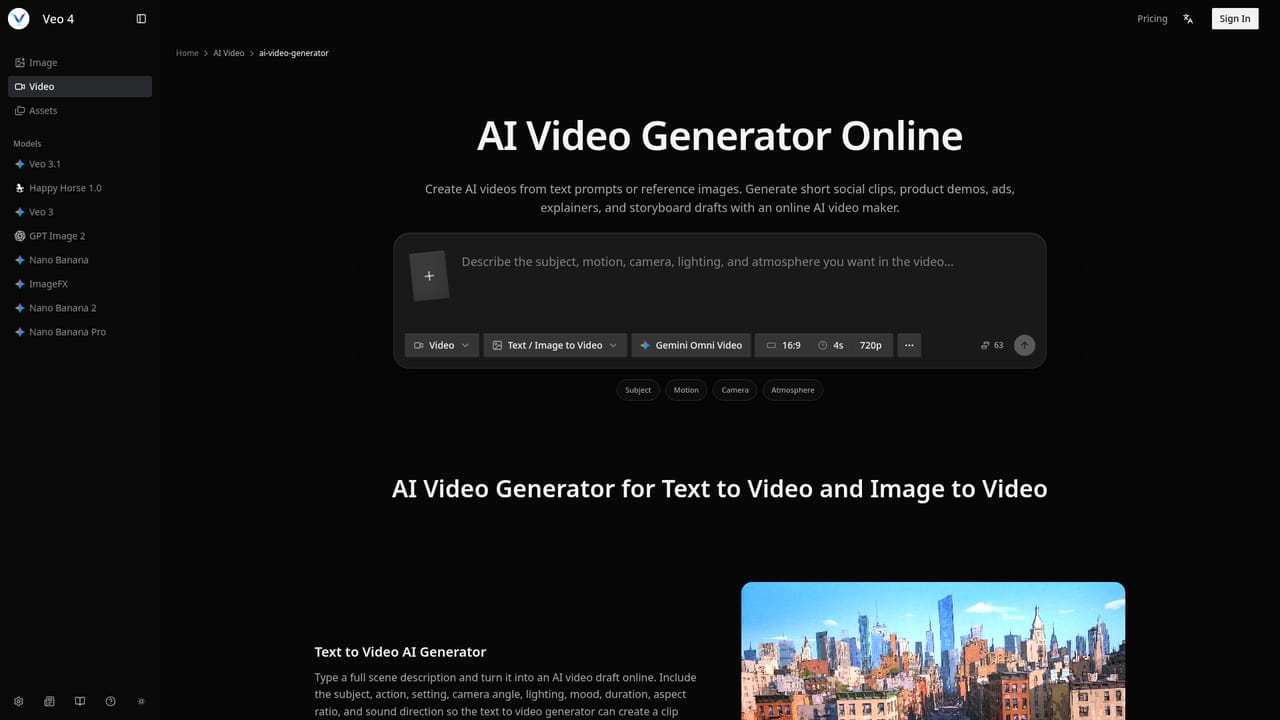
Veo 4 AI Video Generator is a browser based workflow on veox.im built around Google's Omni Video model. It takes a written brief or a set of reference images and turns them into short cinematic clips, with the prompt carrying direction for subject, action, setting, lens feel, lighting, pacing and intended sound. The interface exposes four creation modes: text to video, image to video, frame to frame guidance, and a multi reference mode aimed at keeping characters and products consistent across shots. Output is deliberately short form: clips are generated at 720p or 1080p, 24fps, in 4, 6 or 8 second lengths. That constraint shapes what the tool is actually for. It is a previsualization and concept validation instrument rather than a finished production suite. Marketing teams can test a hook, a product angle or a UGC style scene before committing budget. Filmmakers can explore camera language and atmosphere for storyboards and pitch decks. Ecommerce sellers can build quick demos from existing product photography. Longer narratives are handled by chaining several generations with a shared prompt structure and the same references, which keeps identity and motion direction stable across clips. Prompt quality drives results more than any toggle. The product guidance is to write a brief that names the subject, the action, the camera movement, the style, the duration and the audience, plus dialogue intent, ambient sound and music mood where audio matters. The page positions Veo 4 against Kling 3, Seedance 2 and Sora 2 Pro, framing it as the fidelity first option that trades raw generation speed for cleaner subjects, cinematic lighting and closer prompt adherence, with audio treated as part of the plan rather than an afterthought. Anyone expecting fast high volume iteration may prefer the competing models; anyone chasing a polished eight second hero shot will find the tradeoff sensible. Access is through the web app, including mobile browsers. Pricing tiers are listed on a separate plans page, and the site also hosts related image tools such as Nano Banana and GPT Image 2 for building the reference assets this workflow depends on.
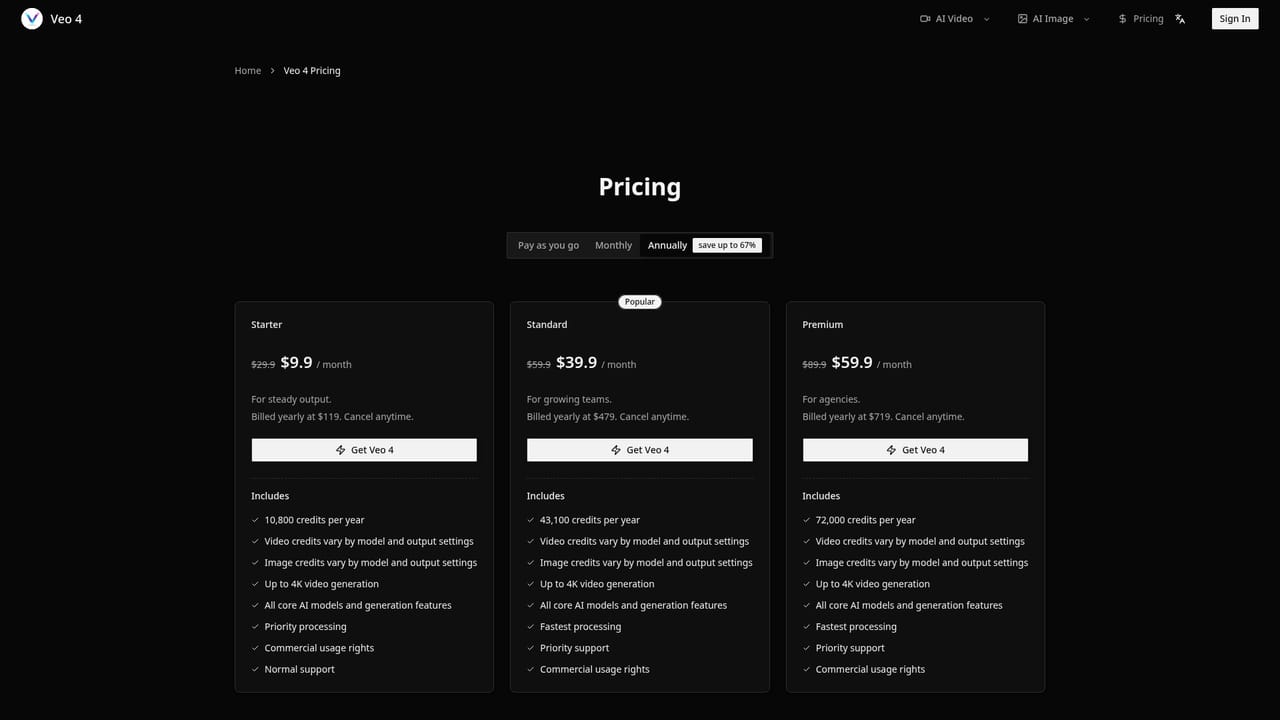
The homepage does not list prices, tiers or credit allowances. It directs users to a separate plans page for comparison, so budget planning has to happen there rather than on the generator page.
Learn moreText to video, image to video, frame to frame control and a multi reference mode for character and object consistency. Clips render at 720p or 1080p, 24fps, in 4, 6 or 8 second lengths, with prompts covering camera movement, lighting, atmosphere and audio cues. Multiple generations can be chained to extend a story.
Learn more AI Angels400+ customizable AI girlfriends for NSFW chat, voice calls, and roleplay
 Candy AIExperience the future of companionship with AI friends who chat, role-play, and connect with you on a human level.
 ourdream.aiA vast AI roleplay platform with millions of characters for chat, images, video and voiceAI Angels400+ customizable AI girlfriends for NSFW chat, voice calls, and roleplayCandy AIExperience the future of companionship with AI friends who chat, role-play, and connect with you on a human level.ourdream.aiA vast AI roleplay platform with millions of characters for chat, images, video and voice


