Free trial
The FAQ states that a free trial is available, though the homepage does not specify how many generations it includes or how long it lasts.
Learn moreTurn two still photos into an AI hug video in a few clicks.

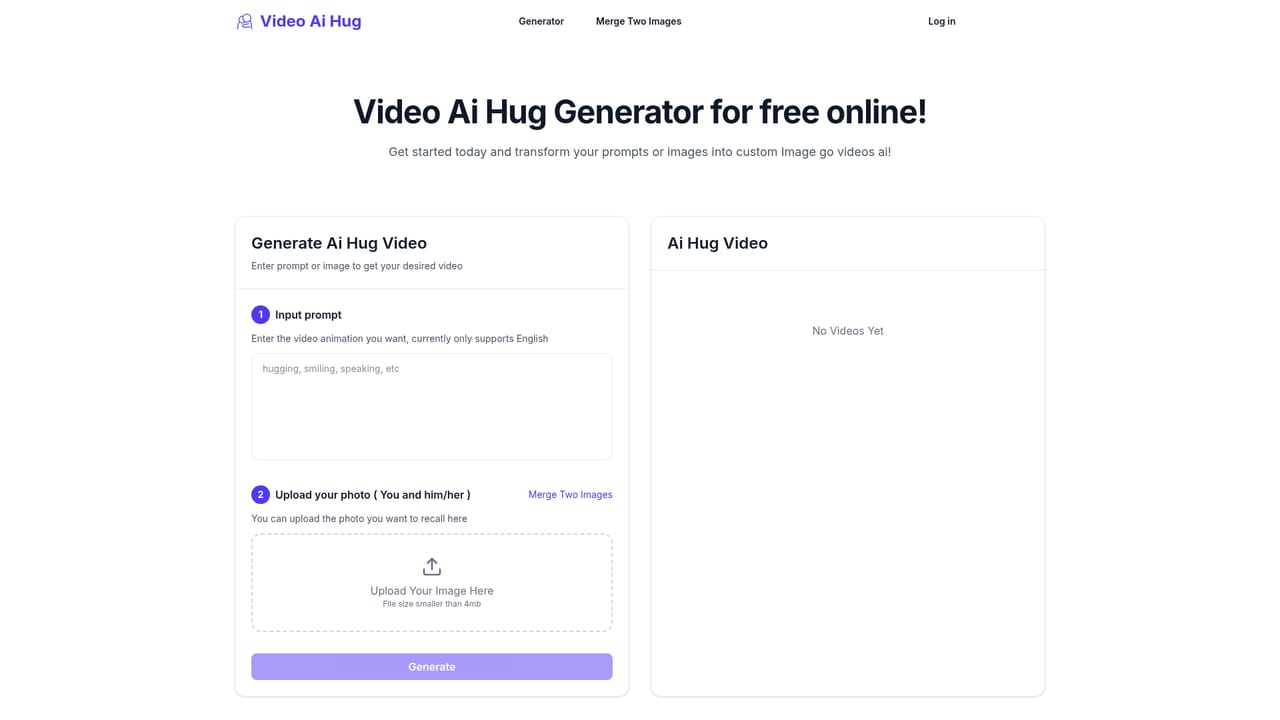
Video Ai Hug is a generative video tool that turns two still photos into an AI hug video in a few clicks. A single purpose AI video tool that takes two portrait photos plus a short prompt and renders a short hugging clip.
Video Ai Hug is a browser based generator that animates two separate portrait photos into a short clip of the two people embracing. The workflow is deliberately narrow: you supply one photo of each person, add a text prompt describing the scene or mood, and the service returns a rendered video within a few minutes. The company positions the output around emotional occasions such as Valentine's Day, birthdays and anniversaries, and also mentions romantic gestures and meme style clips as other uses for the same engine. The product is aimed at people with no video editing background. There is nothing to install and no timeline to learn; the site states that no professional skills are required, and the process is described as one click generation once the images and prompt are in place. Output is delivered in high quality without a watermark on paid credits, and files are downloaded directly from the platform for sharing on social channels or messaging apps. In practice the quality of the result depends heavily on what you upload. The service analyzes the photos to drive expressions and movement, so clear, well lit shots of each person are likely to matter more than prompt wording. The prompt field lets you steer style, motion and atmosphere, which means the tool sits somewhere between a fixed template app and a general image to video model: less flexible than the latter, far simpler than a full animation suite. Compared with general purpose AI video generators, Video Ai Hug trades breadth for a single well defined effect and a credit model that avoids a recurring bill. Anyone who needs varied motion, longer scenes or fine control over framing will find it limiting. For a greeting card style keepsake made from two phone photos, the narrow focus is the point.
The FAQ states that a free trial is available, though the homepage does not specify how many generations it includes or how long it lasts.
Learn moreCredits are sold in one-time packs, with no subscription and no hidden fees. Starter gives 20 credits for $9.9 (valid 1 month), Premium 40 credits for $14.9 (2 months), Deluxe 100 credits for $24.9 (2 months) and Ultimate 300 credits for $54.9 (3 months). One credit equals one AI video, and every tier includes high quality output with no watermark.
Learn moreSupport is limited to a homepage FAQ covering access, free trial, use cases and downloading videos. No email address, help centre or live chat is listed.
Upload two separate photos and the AI analyzes them to produce a couple's hug video with generated expressions and movement. A prompt field controls style, motion and atmosphere. The same engine is pitched for romantic gestures and meme style clips as well as hugs. Paid credits deliver high quality video without a watermark, downloadable from the platform for sharing.
 AI Angels400+ customizable AI girlfriends for NSFW chat, voice calls, and roleplay
 Candy AIExperience the future of companionship with AI friends who chat, role-play, and connect with you on a human level.
 ourdream.aiA vast AI roleplay platform with millions of characters for chat, images, video and voiceAI Angels400+ customizable AI girlfriends for NSFW chat, voice calls, and roleplayCandy AIExperience the future of companionship with AI friends who chat, role-play, and connect with you on a human level.ourdream.aiA vast AI roleplay platform with millions of characters for chat, images, video and voice


