VideoPoet

A Google Research language model that generates and edits video with sound

Intermediate
Screenshot of VideoPoet, A Google Research language model that generates and edits video with sound

What is VideoPoet?

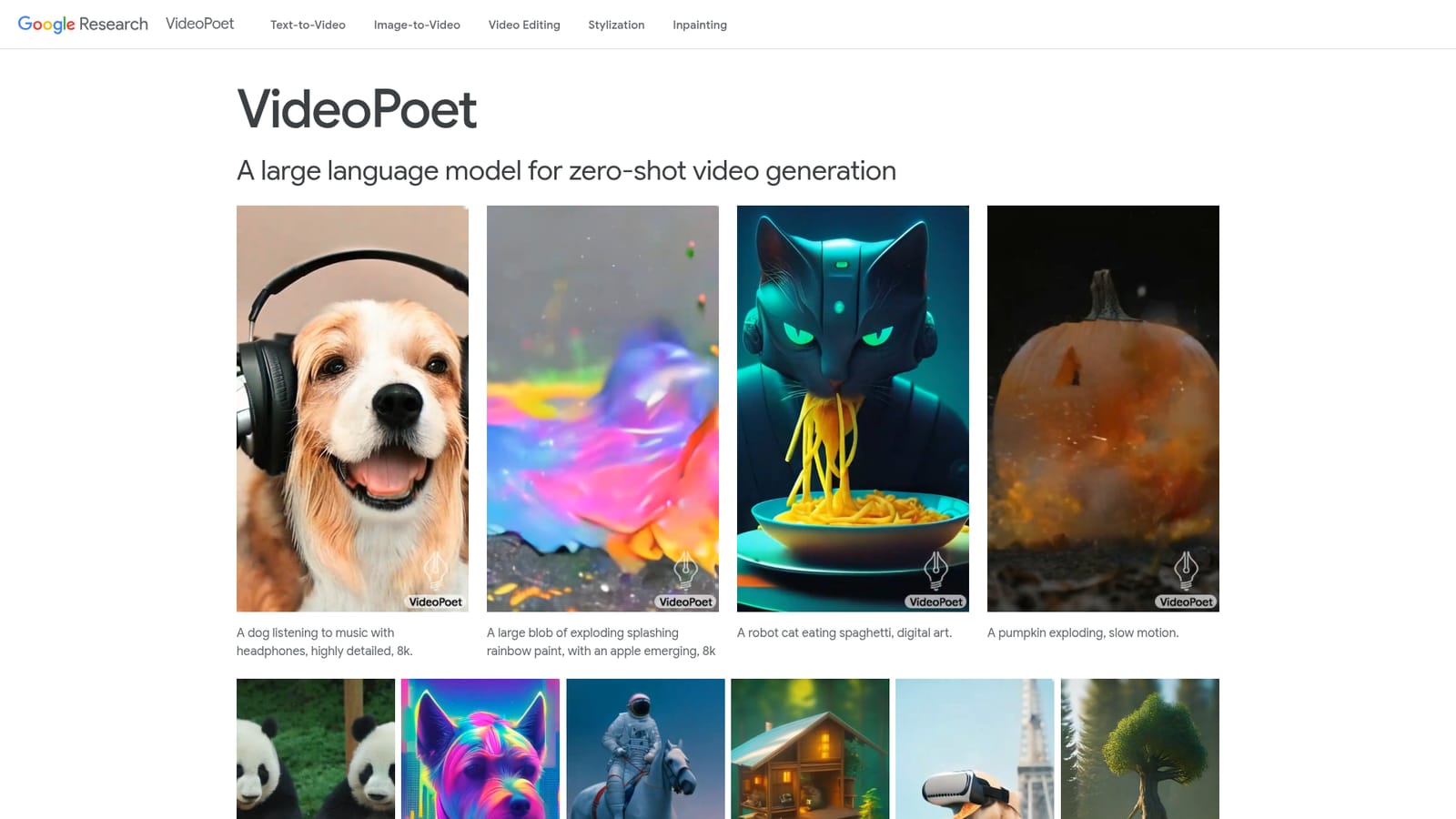
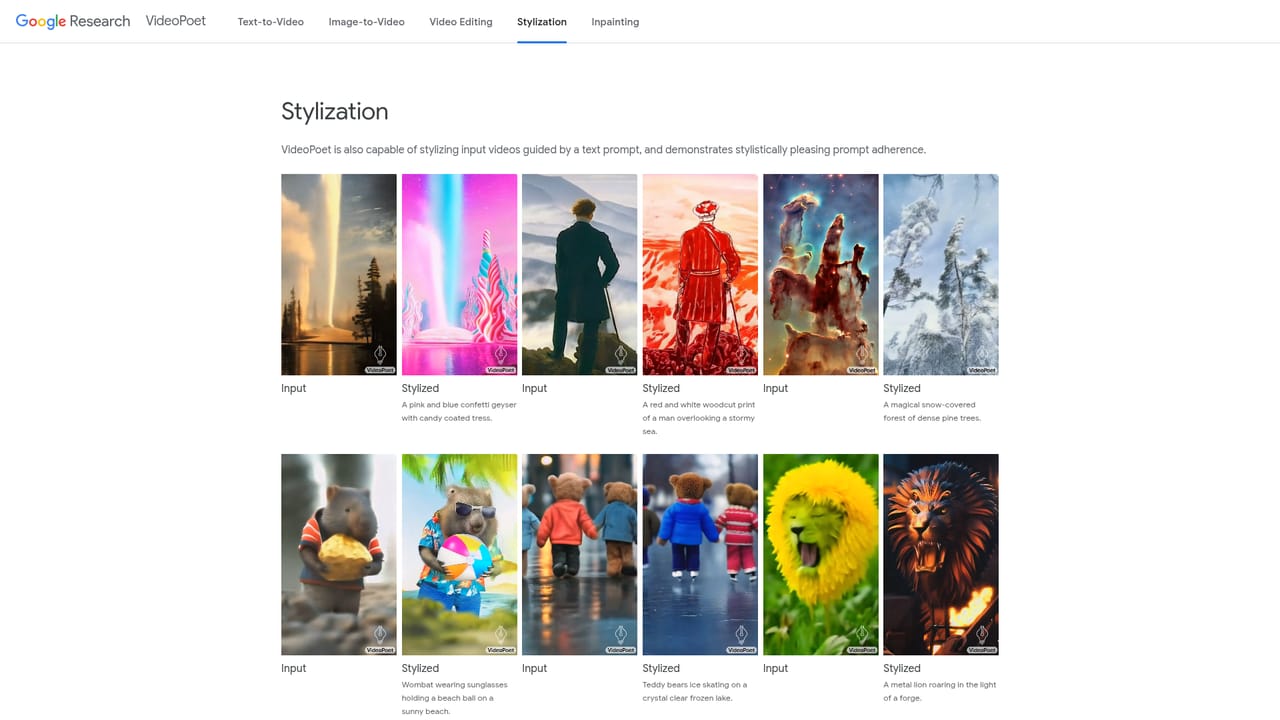
VideoPoet is a generative video tool. Google Research's VideoPoet turns any autoregressive language model into a video generator by tokenizing video, images and audio into one vocabulary. It covers text to video, image to video, stylization, inpainting and video to audio, with prompt driven camera moves and clip extension for longer scenes.

VideoPoet is a research project from Google that treats video generation as a language modeling problem. Images, video and audio are converted into discrete tokens through the MAGVIT V2 video tokenizer and the SoundStream audio tokenizer, placing every modality into a shared vocabulary that a text based language model can read and predict. The model then learns to forecast the next video or audio token in a sequence, which is how it produces clips rather than retrieving them. The demonstration site is aimed at researchers, film and motion design professionals, and technically curious creators evaluating where generative video stands. Out of the box it handles text to video, text to image, image to video, video frame continuation, inpainting and outpainting, stylization, and video to audio, and those tasks can be composed for zero shot results such as text to audio. Default outputs run about two seconds, with longer pieces built by feeding one second of prior footage back in to predict the next second, a loop the team repeats to reach any duration while keeping object identity intact. In practice the model rewards careful prompt craft. Style tags like digital art, pencil art or ink wash can be appended to a base prompt, and camera language such as arc shot, dolly zoom or FPV drone shot steers movement. Prompts can be revised across successive extensions to shift a scene mid clip, and interactive editing lets a user generate several unguided candidates, keep the strongest, then refine it with text. To prove the point, Google used Bard to script a short raccoon story, generated clips for each beat and stitched them into a YouTube Short. Against commercial video generators, VideoPoet reads as a research showcase rather than a product. There is no visible subscription tier, editor timeline or export pipeline on the site, so it competes on the breadth of modalities and motion fidelity demonstrated in its samples, not on workflow convenience. Anyone weighing it should treat the published results as evidence of capability and expect access to be constrained by research release terms.

How do you use VideoPoet?

  1. 1Read the overview and study the sample gallery
    Start on the homepage to see the range of outputs, from a walking water figure to an origami fox, and read the short explanation of the tokenizer plus language model pipeline.
    VideoPoet — Read the overview and study the sample gallery
  2. 2Study text to video prompting
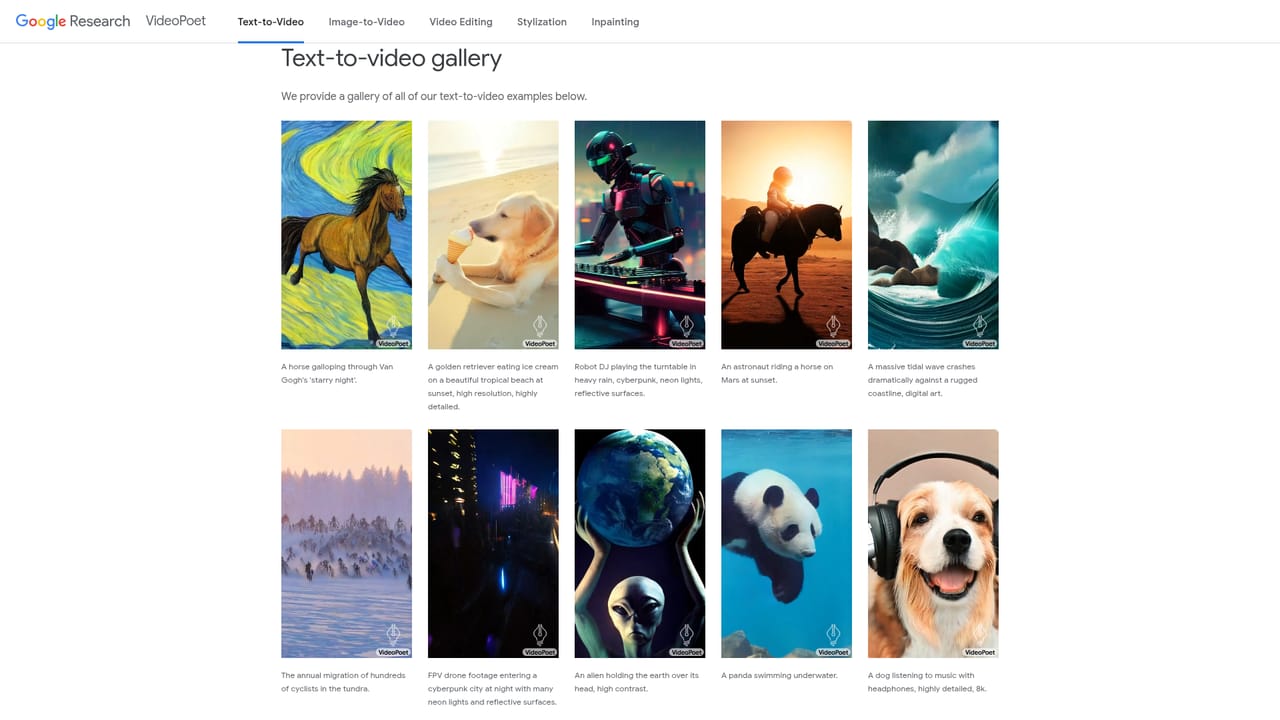
    The text to video page collects prompt and clip pairs, which is the fastest way to learn how phrasing, subject detail and motion verbs affect the result.
    VideoPoet — Study text to video prompting
  3. 3Try image to video generation
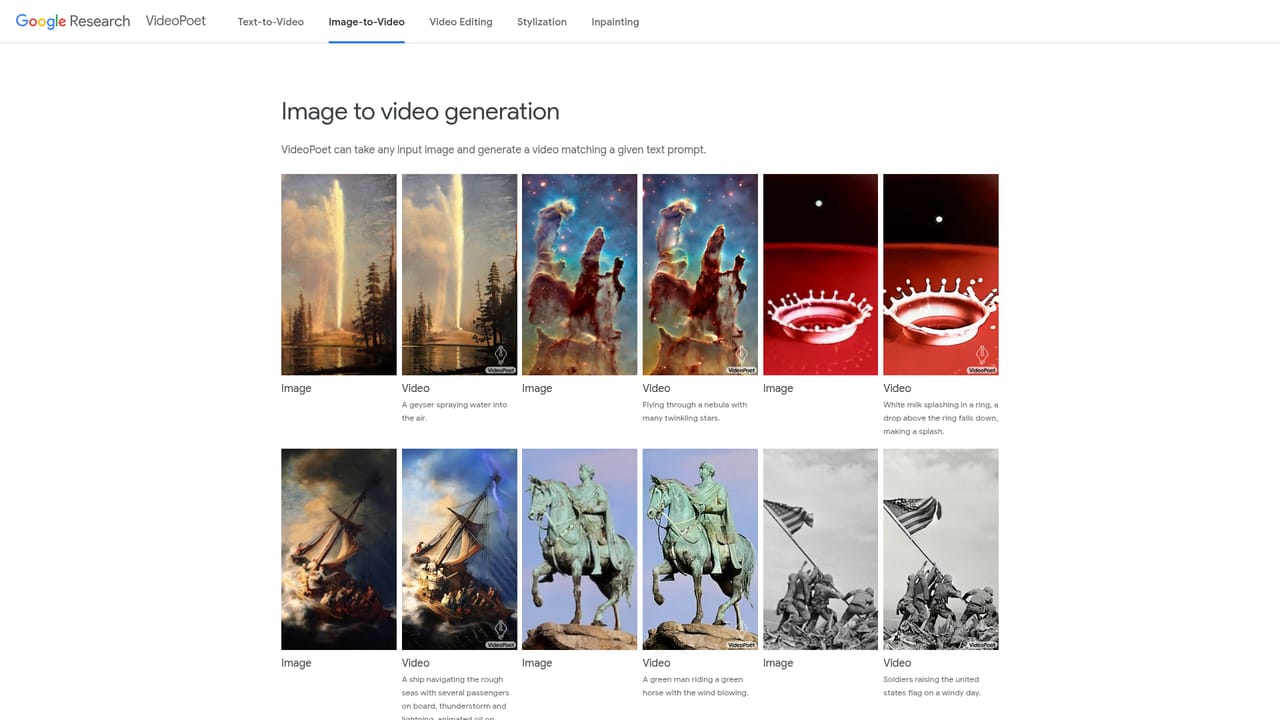
    Review the image to video examples to see how a still frame plus a text prompt produces motion, then prepare a source image if you plan your own test.
    VideoPoet — Try image to video generation
  4. 4Extend and edit a clip
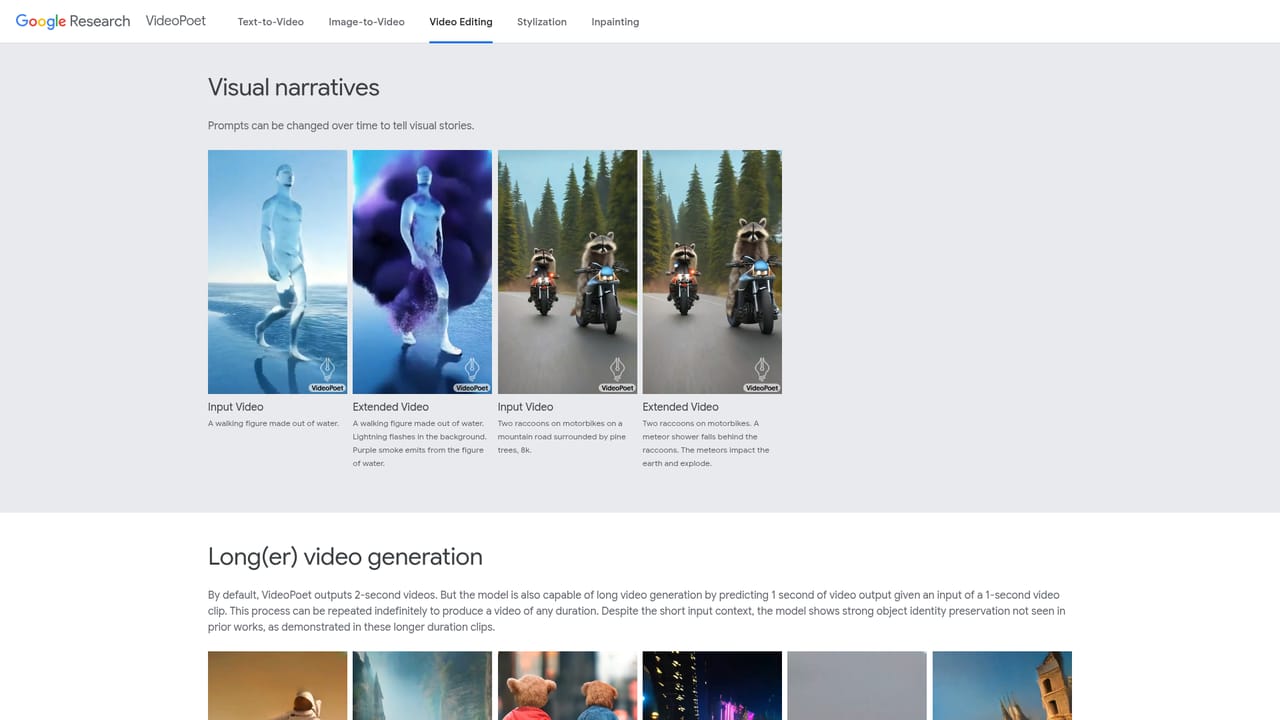
    The video editing page shows prompt changes across extensions and interactive candidate selection, the main route for pushing past the two second default.
    VideoPoet — Extend and edit a clip
  5. 5Apply a style to the prompt
    Append style descriptors such as pencil art, ink wash or double exposure to a base prompt, as demonstrated on the stylization page.
    VideoPoet — Apply a style to the prompt
  6. 6Fill in or extend the frame
    The inpainting page covers inpainting and outpainting results, useful when a generated clip needs its borders rebuilt or its canvas widened.

Pros and cons

Pros

  • Handles seven tasks in one model, from text to video and stylization to video to audioAI
  • Strong large motion and temporal consistency in the published samplesAI
  • Prompts can be rewritten between extensions to steer a scene as it unfoldsAI
  • Camera moves and visual styles are controlled through ordinary prompt languageAI
  • Official paper and research blog document the method in detailAI

Cons

  • Presented as a research demo, with no pricing, sign up flow or editor on the siteAI
  • Default clips last only about two seconds, so longer pieces need repeated prediction loopsAI
  • No stated commercial license, export options or usage rights for generated footageAI
  • Results are curated examples, with no public benchmark or hands on trialAI

How much does VideoPoet cost?

Features

Text to video, text to image, image to video, video frame continuation, video inpainting and outpainting, prompt guided stylization, and video to audio, all from one autoregressive model. Prompts accept camera directions (arc shot, dolly zoom, FPV drone) and style tags, and tasks can be composed for zero shot results. Square and portrait orientations are supported, with clip chaining for longer sequences.

Frequently asked questions about VideoPoet

  • How do you use VideoPoet?
    The walkthrough on this page covers 6 steps: 1. Read the overview and study the sample gallery 2. Study text to video prompting 3. Try image to video generation 4. Extend and edit a clip 5. Apply a style to the prompt 6. Fill in or extend the frame.
  • What platforms does VideoPoet support?
    VideoPoet is available on Web App.
  • What are the limitations of VideoPoet?
    Presented as a research demo, with no pricing, sign up flow or editor on the site. Default clips last only about two seconds, so longer pieces need repeated prediction loops. No stated commercial license, export options or usage rights for generated footage.

Status

StatusActive
Views0
Outbound clicks0
Added10/21/2026

Platforms

Web App

Pricing

Free