Free trial
Visitors can generate free clips from a pasted YouTube link, and the homepage states that no credit card and no sign-up are needed to begin.
Learn moreTurns long videos into captioned, reframed shorts for TikTok, Reels and Shorts
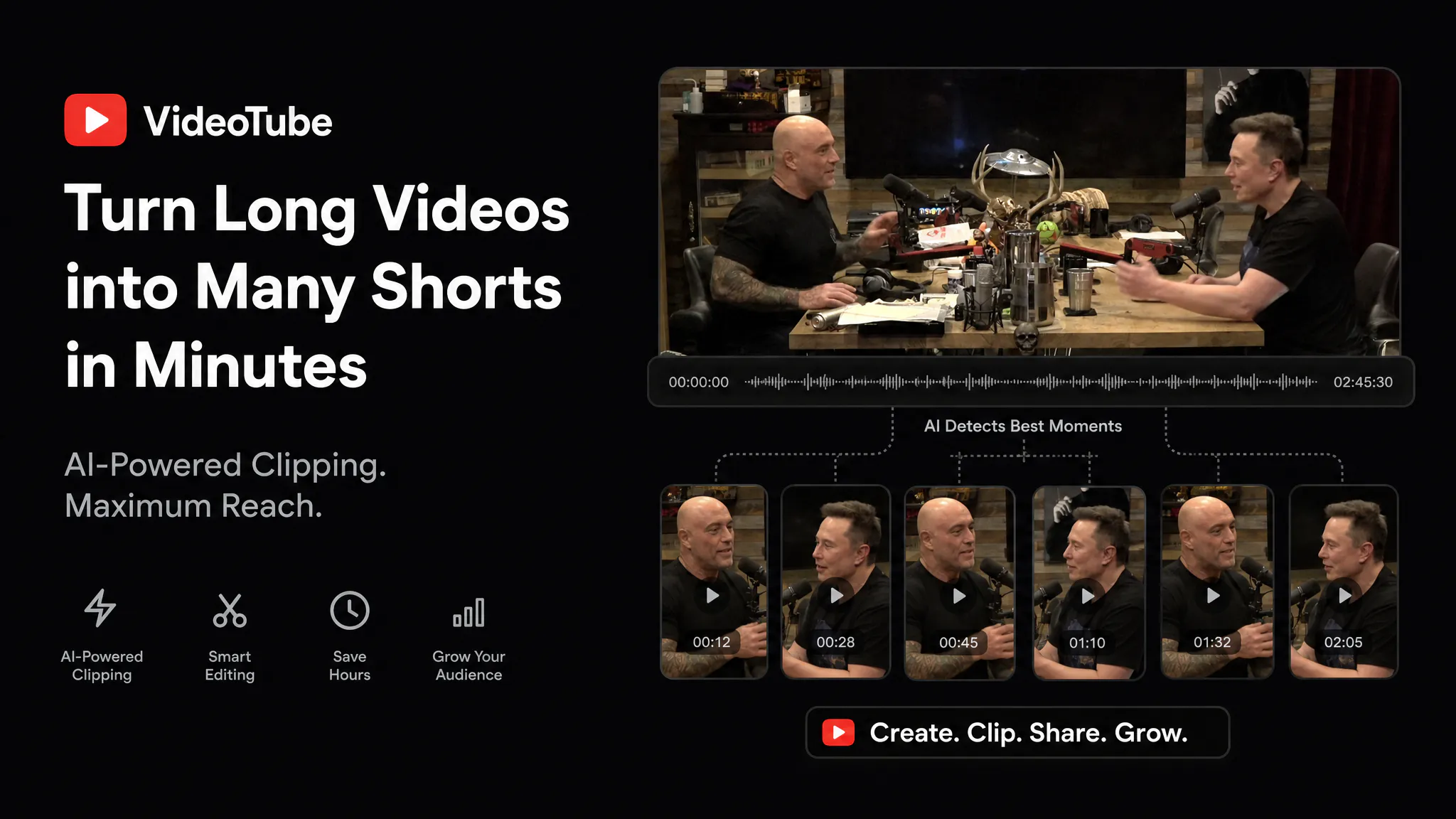
VideoTube is a clip finder tool that turns long videos into captioned, reframed shorts for TikTok, Reels and Shorts. VideoTube converts long videos into ready-to-post shorts by finding key moments, adding captions and B-roll, removing filler words and formatting for TikTok, YouTube Shorts and Reels.
VideoTube is a browser-based clip maker that takes a long recording and cuts it into short vertical videos ready for social platforms. The homepage centers on a single input: paste a YouTube link or upload a file, and the system looks for the strongest moments, then packages each one as a separate short. Along the way it adds captions and B-roll, strips filler words, and formats every clip for TikTok, YouTube Shorts and Instagram Reels. The audience is mostly creators who already publish long-form material and want to repurpose it without opening a timeline editor. Podcasters, streamers, YouTubers and course makers fit the pattern, since their source footage is hours long and the useful highlights are scattered through it. The site also positions itself for marketers who need a steady stream of short posts from webinars or interviews. The landing page states that no credit card and no sign-up are needed to try it, and it describes uploads as private and secure. In practice the workflow runs through a dashboard, with projects and a library area for keeping finished work. Beyond the main clipping tool, the navigation lists separate pages for adding captions to an existing video, reframing footage to a new aspect ratio, and an AI video generator, plus a wider set of video tools. That makes it closer to a small toolkit than a single-purpose app, though clipping is clearly the lead feature. Among alternatives, VideoTube competes with other long-to-short clippers and with general editors that have added auto-caption features. Its pitch is speed and low friction: a free first run, a link-based start, and automated handling of the repetitive finishing steps. Buyers who need frame-level manual control, brand template systems or team collaboration should check the site for specifics, because the homepage does not detail them. Pricing tiers are not listed on the page either, so plan limits need confirming directly.
Visitors can generate free clips from a pasted YouTube link, and the homepage states that no credit card and no sign-up are needed to begin.
Learn moreThe homepage advertises free clips with no credit card required, but it does not list paid plans, prices or usage limits.
Learn moreThe homepage names YouTube links as an input source and targets TikTok, YouTube Shorts and Instagram Reels as output formats. No formal integrations or API are listed.
Finds the best moments in a long video, cuts them into separate shorts, adds captions and B-roll, removes filler words and formats clips for TikTok, YouTube Shorts and Reels. Also offers caption, reframe and AI video generator tools.
Learn more AI Angels400+ customizable AI girlfriends for NSFW chat, voice calls, and roleplay
 Candy AIExperience the future of companionship with AI friends who chat, role-play, and connect with you on a human level.
 ourdream.aiA vast AI roleplay platform with millions of characters for chat, images, video and voiceAI Angels400+ customizable AI girlfriends for NSFW chat, voice calls, and roleplayCandy AIExperience the future of companionship with AI friends who chat, role-play, and connect with you on a human level.ourdream.aiA vast AI roleplay platform with millions of characters for chat, images, video and voice