VidGen AI Image Generator

Browser-based AI video and image maker with effects and a community prompt gallery

Beginner
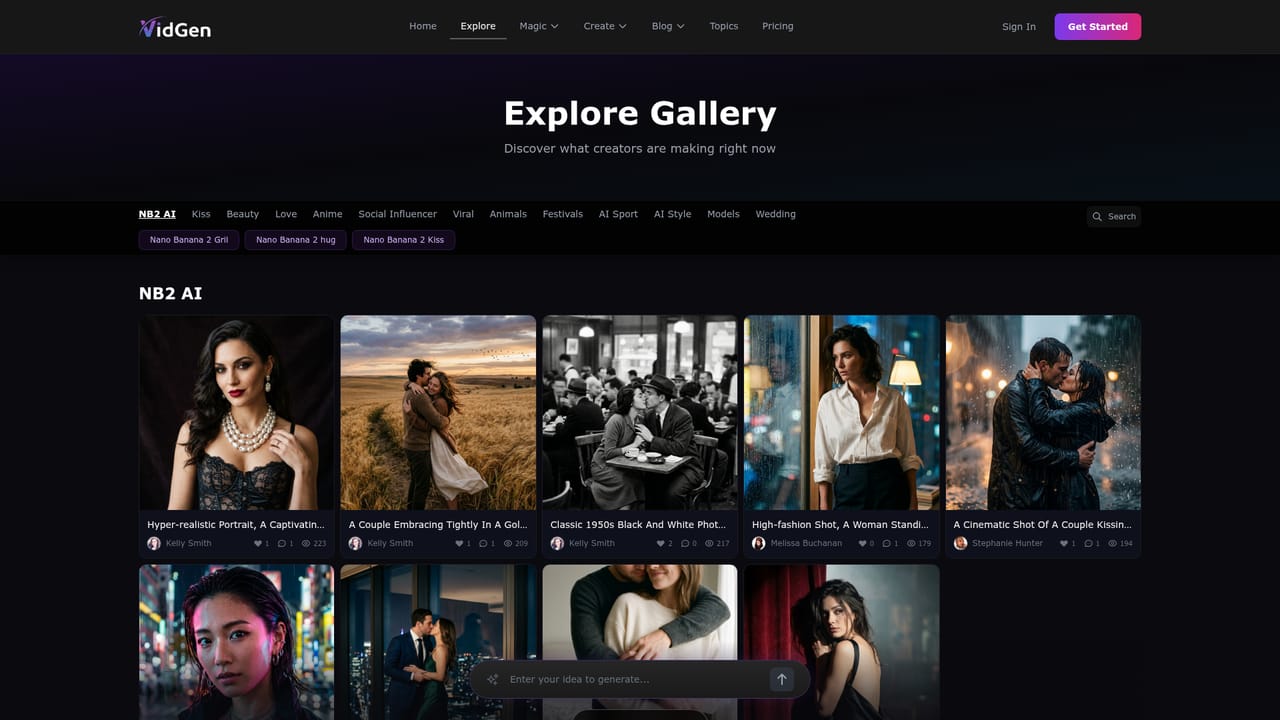
Screenshot of VidGen AI Image Generator, Browser-based AI video and image maker with effects and a community prompt gallery

What is VidGen AI Image Generator?

VidGen AI Image Generator is an image generator tool. VidGen AI Image Generator (VidGenerator) is a web platform for AI image creation and image-to-video clips, with one-click effect templates and a community gallery of remixable prompts.

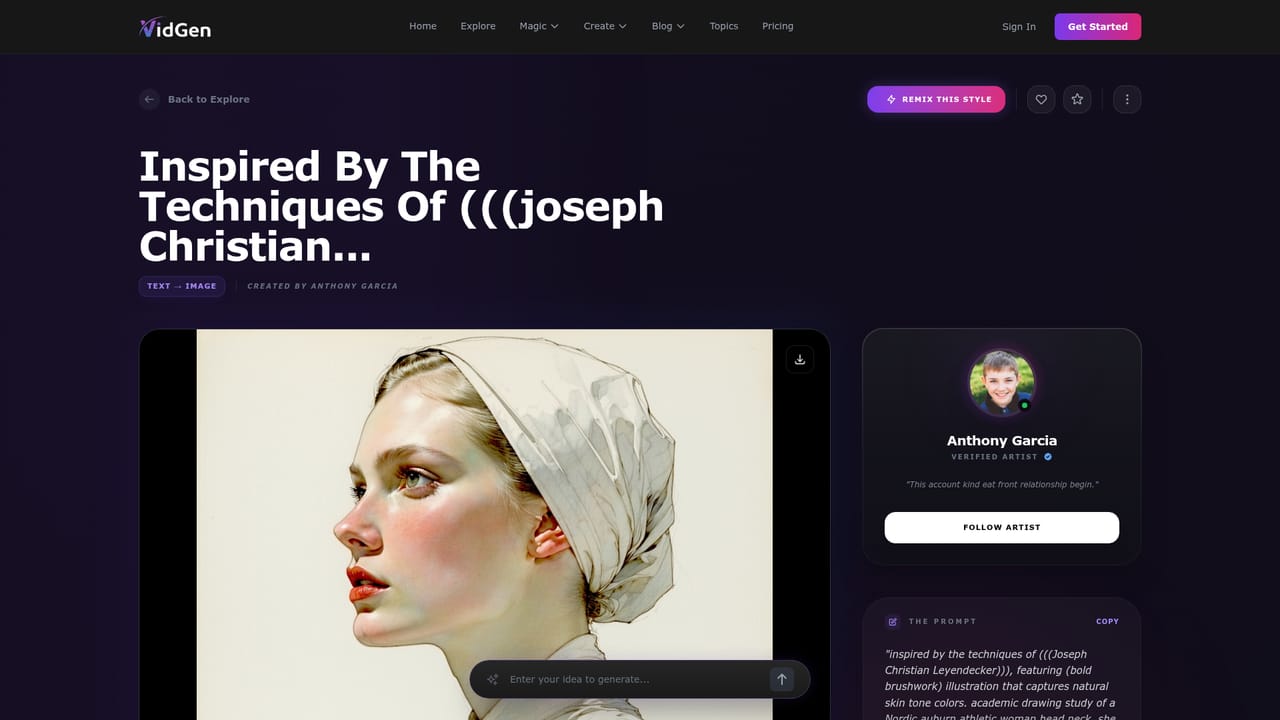
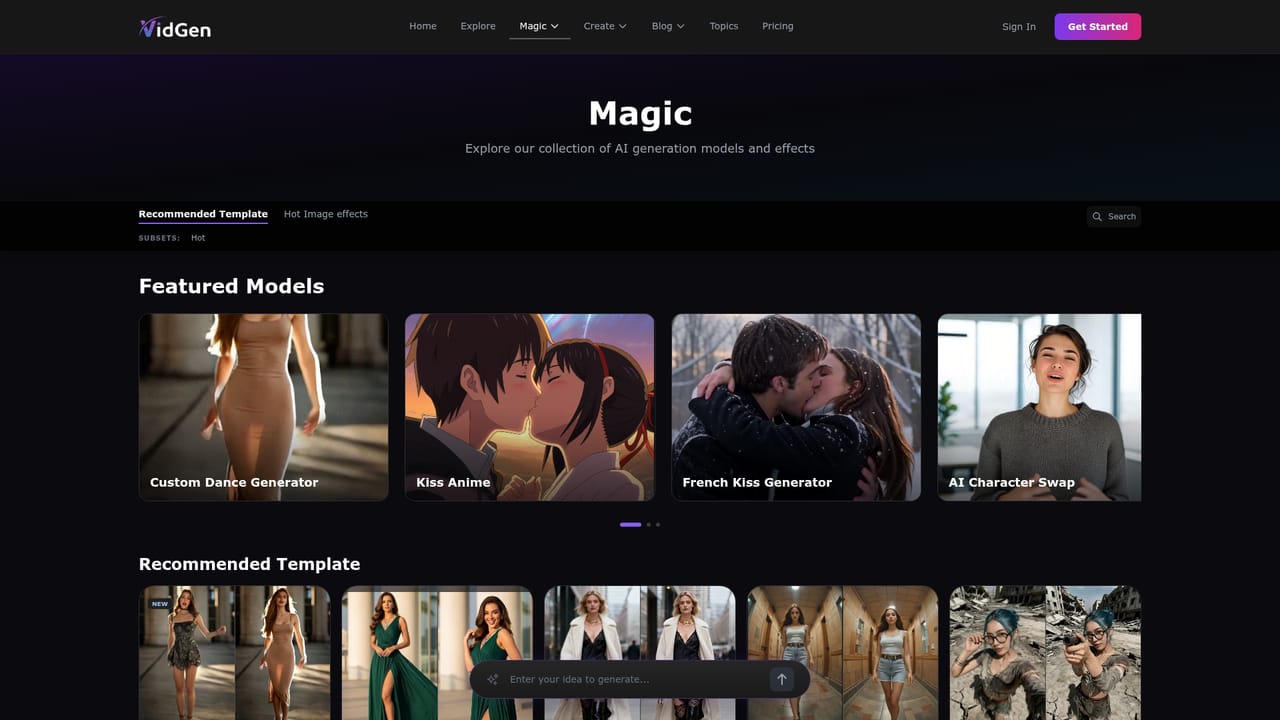
VidGen AI Image Generator, published under the VidGenerator name, is a web platform that combines AI image creation with image-to-video generation. The homepage frames it as an unlimited, one-click creation environment aimed at people who want to turn prompts and still pictures into finished visuals without assembling a production pipeline. It also positions itself as an alternative to Vidgenie-style services. In practice the site is organized around three areas. The generation pages take an input, such as a photo for the image-to-video flow, and return a clip or picture. A "Magic" section collects ready-made video effects, including a custom dance generator, anime kiss clips, character swap, a walk generator, a couple vlog generator and a princess carry effect, each with its own page and a before-and-after preview. Alongside these sits a community gallery where users publish their results together with the full prompt text, and each entry carries a Remix button so a visitor can start from someone else's wording rather than a blank box. The shared prompts show the range of styles on offer: painterly illustration, dark fantasy oil painting, hyper-realistic portraits, seasonal scenes and anime couples. Many prompts include long negative-style instructions about hands, fingers and anatomy, which gives newcomers a practical sense of how to steer the model away from common image flaws. The site also runs a blog and topic pages that discuss related tools and models. The audience is mainly casual creators, social media users and hobbyists who want quick, template-driven output and are comfortable learning by copying prompts. Compared with established generators that publish detailed model documentation and offer desktop or mobile apps, this service is lighter on stated specifications and leans on effect templates and community inspiration. Some of the featured content and effect names lean toward adult or romantic themes, which buyers should weigh against their own use case and audience. Pricing, usage limits and commercial licensing terms are not described on the homepage.
How do you use VidGen AI Image Generator?

  1. 1Open the free generator
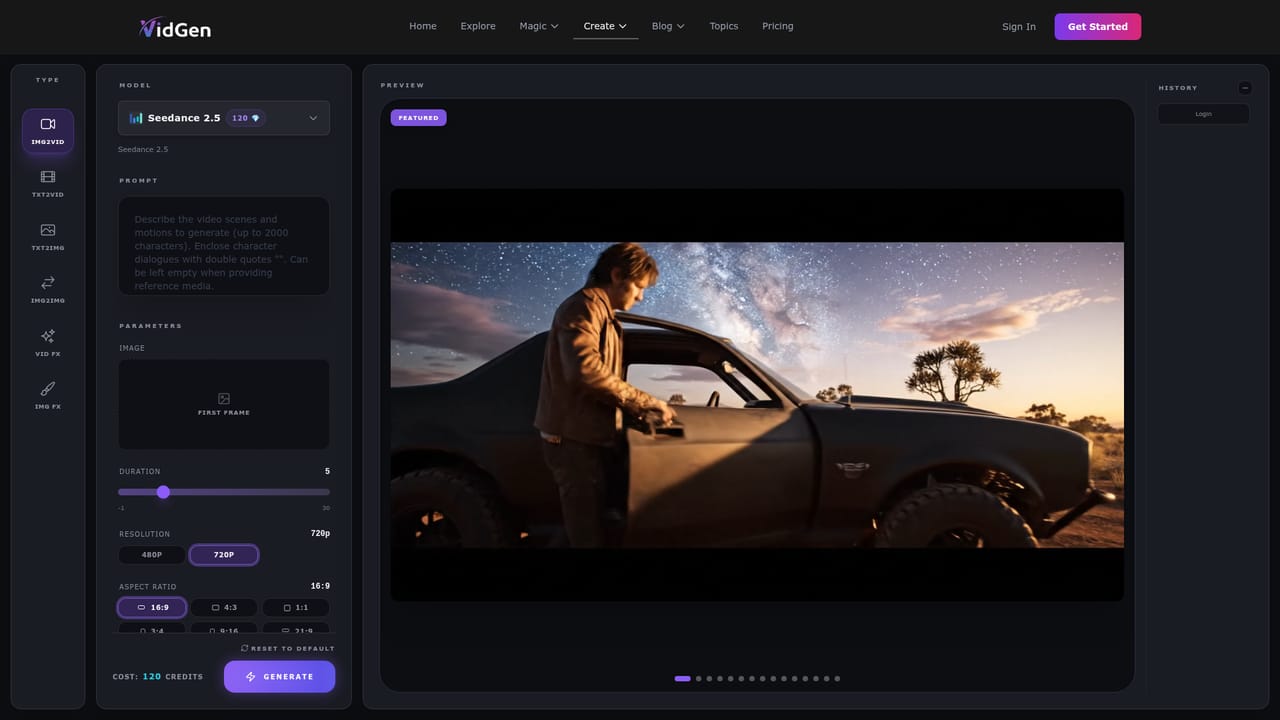
    Use the Free Generate button on the homepage to reach the image-to-video generation page and see the available input options.
    VidGen AI Image Generator — Open the free generator
  2. 2Browse the community gallery
    Open the explore page to look through published creations and find a style close to the result you want.
    VidGen AI Image Generator — Browse the community gallery
  3. 3Remix a shared prompt
    Pick a gallery entry and use its Remix option to start from the full prompt text, then edit the subject, style or negative instructions.
    VidGen AI Image Generator — Remix a shared prompt
  4. 4Try a Magic effect
    Visit the Magic section and choose an effect such as the custom dance generator, then upload your source picture and run it.
    VidGen AI Image Generator — Try a Magic effect
  5. 5Read the guides
    Check the blog and topic pages for comparisons and tips on related AI image and video models before refining your prompts.

Pros and cons

Pros

  • Remix button on gallery entries lets beginners start from a working prompt instead of a blank fieldAI
  • Dedicated effect pages such as dance, anime kiss and character swap reduce prompt writingAI
  • Handles both still images and image-to-video from one siteAI
  • Public gallery shows full prompt text, which teaches useful wording and negative instructionsAI
  • A free generate entry point sits on the homepage for quick first testsAI

Cons

  • Homepage gives no pricing, credit or usage limit details despite the unlimited claimAI
  • No model specifications, resolution or output length are stated for images or videoAI
  • Much of the featured content and effect naming leans toward adult or romantic themes, limiting fit for professional useAI
  • No mobile apps, API or integrations are mentioned, so workflows stay inside the browserAI
  • Commercial licensing and content moderation policies are not visible on the homepageAI

How much does VidGen AI Image Generator cost?

Free trial

The homepage offers a "Free Generate" button, so some free generation appears available, but limits and conditions are not stated.

Learn more

Features

Image generation, image-to-video, a Magic library of video effects (dance, anime kiss, character swap, walk, couple vlog, princess carry, muscle, AI girlfriend), a community gallery with remixable prompts, blog and topic guides.

Learn more

Frequently asked questions about VidGen AI Image Generator

  • Does VidGen AI Image Generator offer a free trial?
    The homepage offers a "Free Generate" button, so some free generation appears available, but limits and conditions are not stated.
  • How do you use VidGen AI Image Generator?
    The walkthrough on this page covers 5 steps: 1. Open the free generator 2. Browse the community gallery 3. Remix a shared prompt 4. Try a Magic effect 5. Read the guides.
  • What platforms does VidGen AI Image Generator support?
    VidGen AI Image Generator is available on Web App.
  • What are the limitations of VidGen AI Image Generator?
    Homepage gives no pricing, credit or usage limit details despite the unlimited claim. No model specifications, resolution or output length are stated for images or video. Much of the featured content and effect naming leans toward adult or romantic themes, limiting fit for professional use.

Status

StatusActive
Views0
Outbound clicks0
Added10/18/2026

Platforms

Web App

Pricing

Freemium