Free trial
The homepage offers a free start through a Get started FREE link into the app, and the video face swap tool is described as free with no sign-up and no watermark. No trial length or credit allowance is stated.
Learn moreTurn a prompt, photo, or deck into a publish-ready talking video
Own VisionStory AI? Verify ownership to get a dofollow link
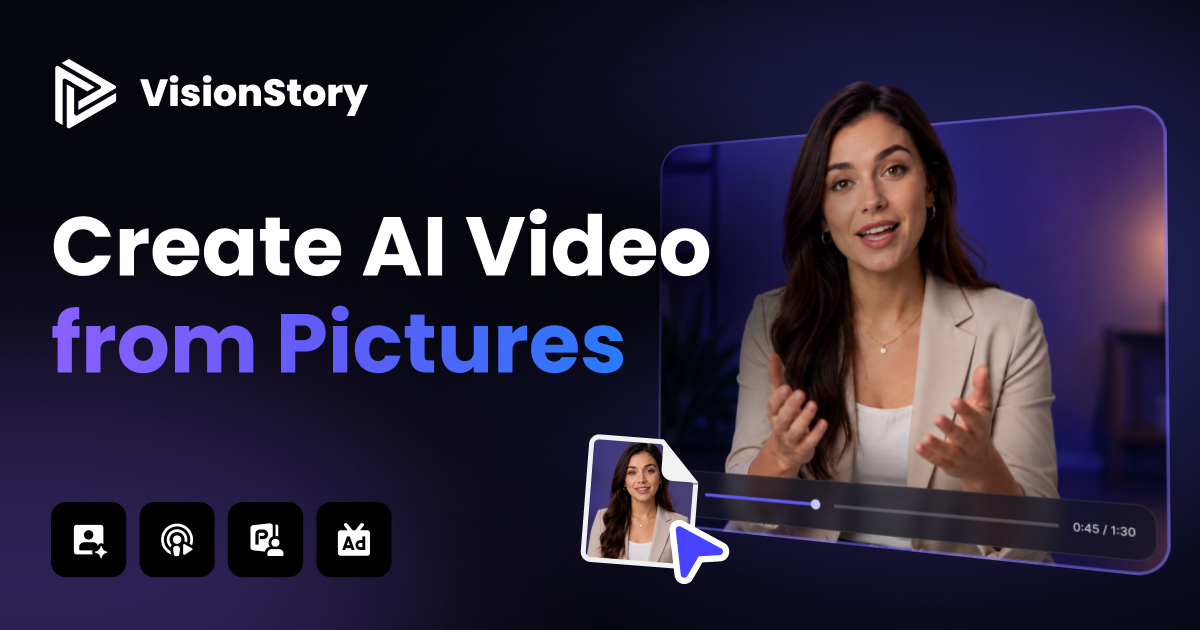
VisionStory AI is an AI video talk tool that turns a prompt, photo, or deck into a publish-ready talking video. VisionStory generates talking avatar videos from prompts, photos, slides, audio or scripts, keeping one character consistent across languages, scene counts and resolutions up to 2K.
VisionStory is a browser-based video generation platform built around one core idea: a single character should stay recognisable across every scene, language and resolution. Its V-Character 4.0 model renders talking avatars with sharper faces, subtler expressions and natural hand and body movement, and the platform can hold that identity for clips up to ten minutes long. Output runs at 720p, 1080p or 2K in 16:9, 9:16 and 1:1, which covers YouTube, Reels, Shorts and training material without a re-render. The workflow is organised around an AI Video Agent. A user picks an avatar and writes one sentence, or supplies a URL, PDF or slide deck, and the agent drafts a script, a scene per shot, a voiceover and captions. Revisions happen by chatting about an individual shot rather than regenerating the whole piece. Voices come from a library spanning multiple languages and regional accents. Beyond avatar video, the product bundles several production tools. The music video generator takes one portrait plus an uploaded track or a Suno or Udio link and produces lip-synced performance shots. The podcast generator turns MP3, WAV or a script into a two-host video conversation from templates. Face swap runs on both stills and video, with uploads deleted after processing. Model access includes Seedance 2.5, Kling O3, MiniMax H3 and Wan 3.0. Developers get a REST API, Python SDK, CLI, MCP server and Agent Skill, with setup prompts written for Claude Code, Cursor and similar coding agents. The audience is broad: marketers and small business teams producing ads or explainers, trainers building module content, musicians and podcasters who want visuals, and social creators who need volume. It sits between single-purpose avatar tools and full editing suites, since editing stays conversational rather than timeline based.
The homepage offers a free start through a Get started FREE link into the app, and the video face swap tool is described as free with no sign-up and no watermark. No trial length or credit allowance is stated.
Learn moreSongs can be uploaded as files or pulled from Suno and Udio links. Developer access runs through a REST API, Python SDK, CLI, MCP server and Agent Skill, with setup prompts for Claude Code, Cursor, Codex, Windsurf, Cline and Gemini.
Learn moreTalking avatars with V-Character 4.0 for clips up to ten minutes, multilingual AI voices, 720p to 2K export in 16:9, 9:16 and 1:1, and an AI Video Agent that plans script, shots, voiceover and captions from a prompt, URL, PDF or deck. Also included: music video generation with singing lip sync, video podcast creation, face swap for photos and video, image generation, green screen and background removal, and access to Seedance 2.5, Kling O3, MiniMax H3 and Wan 3.0.
Learn more AI Angels400+ customizable AI girlfriends for NSFW chat, voice calls, and roleplay
 Candy AIExperience the future of companionship with AI friends who chat, role-play, and connect with you on a human level.
 ourdream.aiA vast AI roleplay platform with millions of characters for chat, images, video and voiceAI Angels400+ customizable AI girlfriends for NSFW chat, voice calls, and roleplayCandy AIExperience the future of companionship with AI friends who chat, role-play, and connect with you on a human level.ourdream.aiA vast AI roleplay platform with millions of characters for chat, images, video and voice