Integrations
The homepage mentions robust API integrations for IVR, automated calls and corporate presentations, but no specific third party integrations or developer documentation are listed on the visible page.
Natural AI voices for 25+ Indian and global languages.
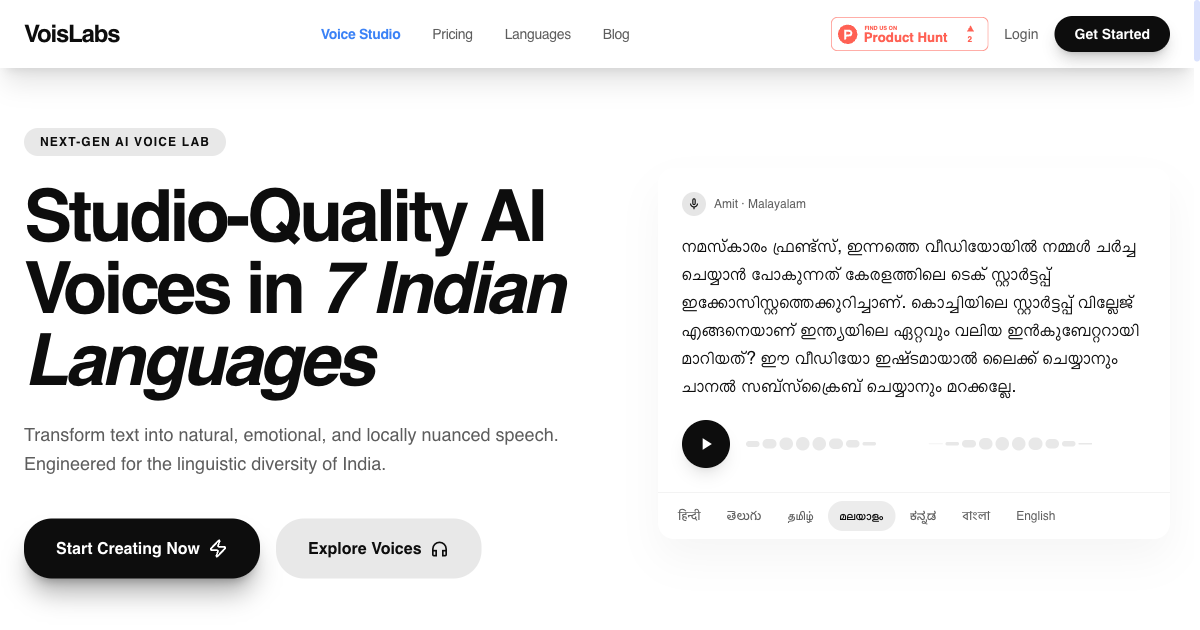
VoisLabs is a text to speech studio focused on Indian languages, offering 100+ natural voices across Hindi, Tamil, Telugu, Bengali and many smaller regional languages, plus English, Spanish, Arabic and French. Paste a script, preview a voice and export MP3 or WAV in under a minute.
VoisLabs is a text to speech platform built around the linguistic diversity of India. Where most voice generators treat Indian languages as an afterthought, VoisLabs treats them as the core catalogue. The homepage lists more than 100 natural voices across Hindi, Tamil, Telugu, Bengali, Kannada, Malayalam, Marathi, Punjabi, Gujarati, Odia, Assamese, Urdu, Nepali and a long tail that includes Bhojpuri, Maithili, Awadhi, Santali, Manipuri, Mizo, Kashmiri and Sindhi, alongside English, Spanish, Arabic and French. Voice personas such as Karan, Priya, Naina and Meera are presented with sample clips tagged to use cases like YouTube narration, e-learning, audiobooks, news, devotional content and business IVR. The workflow is deliberately short. A script is pasted into the studio, a voice is previewed and selected, and the finished audio is exported as MP3 or WAV for production. VoisLabs says the path from text to audio takes under 60 seconds, and the voice previews on the site let you judge tone and pacing before committing to a render. The models are described as trained on regional datasets to capture context, tone and the emotional flavour ("Bhav") of Indian speech, which is the pitch that separates it from generic global TTS engines. The product fits creators and organisations working in Indian languages: YouTube channels dubbing or localising video, ed-tech teams building native-language lessons, audiobook and devotional publishers, and enterprises wiring voice into IVR or automated call flows. The homepage cites over 10,000 content creators, more than a million audio clips generated and a 99.9 percent uptime SLA, plus testimonials from a travel YouTuber, an ed-tech consultant and a logistics CEO using Telugu for customer service automation. Against mainstream text to speech tools, VoisLabs trades breadth of exotic accents for depth in South Asian languages, including smaller languages that rarely appear in commercial voice catalogues. Teams that need only English or a handful of European languages have plenty of established options; the case for VoisLabs rests on Indic coverage and locally tuned delivery.
The homepage mentions robust API integrations for IVR, automated calls and corporate presentations, but no specific third party integrations or developer documentation are listed on the visible page.
100+ natural voices across Indian languages (Hindi, Tamil, Telugu, Bengali, Kannada, Malayalam, Marathi, Punjabi, Gujarati, Odia, Assamese, Urdu, Nepali and smaller languages such as Bhojpuri, Maithili, Santali, Kashmiri and Sindhi) plus English, Spanish, Arabic and French. Paste text, preview voice personas by use case, and export MP3 or WAV, with the homepage claiming a text to audio turnaround under 60 seconds and API support for IVR and automated calls.
 AI Angels400+ customizable AI girlfriends for NSFW chat, voice calls, and roleplay
 Candy AIExperience the future of companionship with AI friends who chat, role-play, and connect with you on a human level.
 ourdream.aiA vast AI roleplay platform with millions of characters for chat, images, video and voiceAI Angels400+ customizable AI girlfriends for NSFW chat, voice calls, and roleplayCandy AIExperience the future of companionship with AI friends who chat, role-play, and connect with you on a human level.ourdream.aiA vast AI roleplay platform with millions of characters for chat, images, video and voice


