Free trial
New users receive free credits to try the AI video generator and eligible tools. Avatar generation and voice synthesis require a paid subscription.
Learn moreText, images and product links into publishable video, no camera needed
Own Wizstar Text to Video AI? Verify ownership to get a dofollow link

Wizstar Text to Video AI is a short videos tool. A multi-tool AI video platform for text to video, product ads, talking avatars, lip sync and 75 language video translation, with agent workflows that write the script, scenes and voiceover from a single brief.
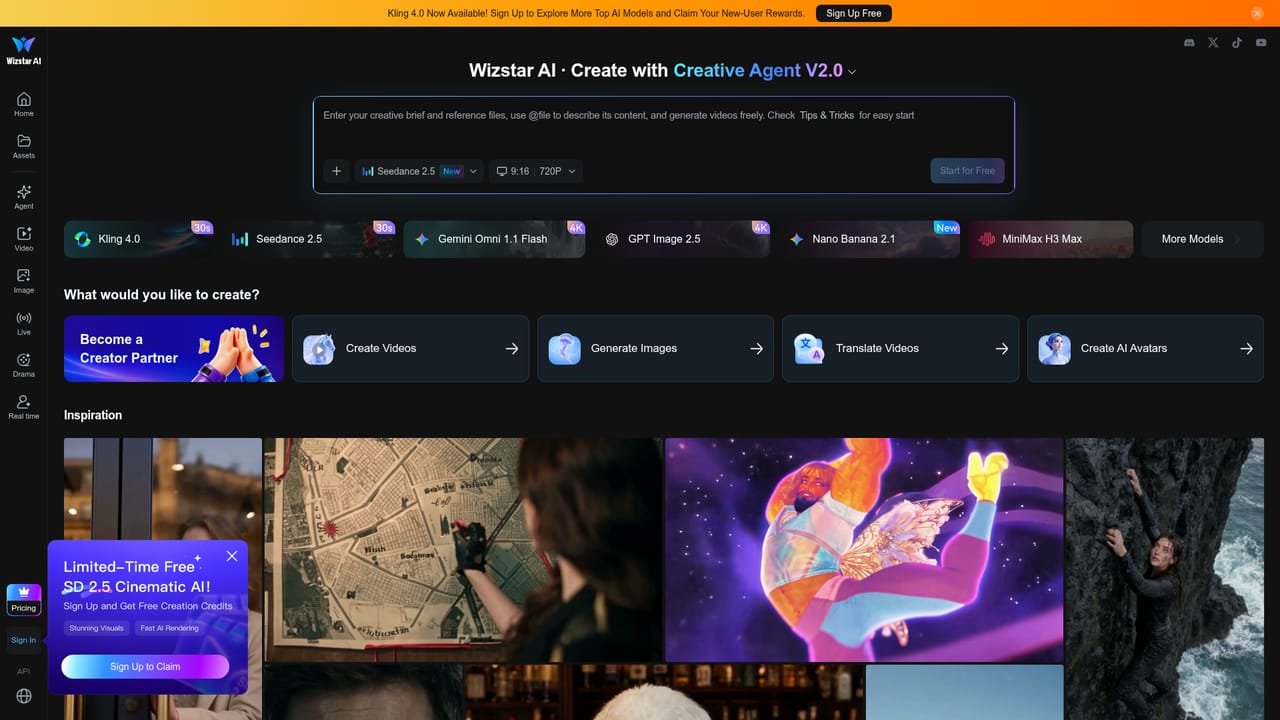
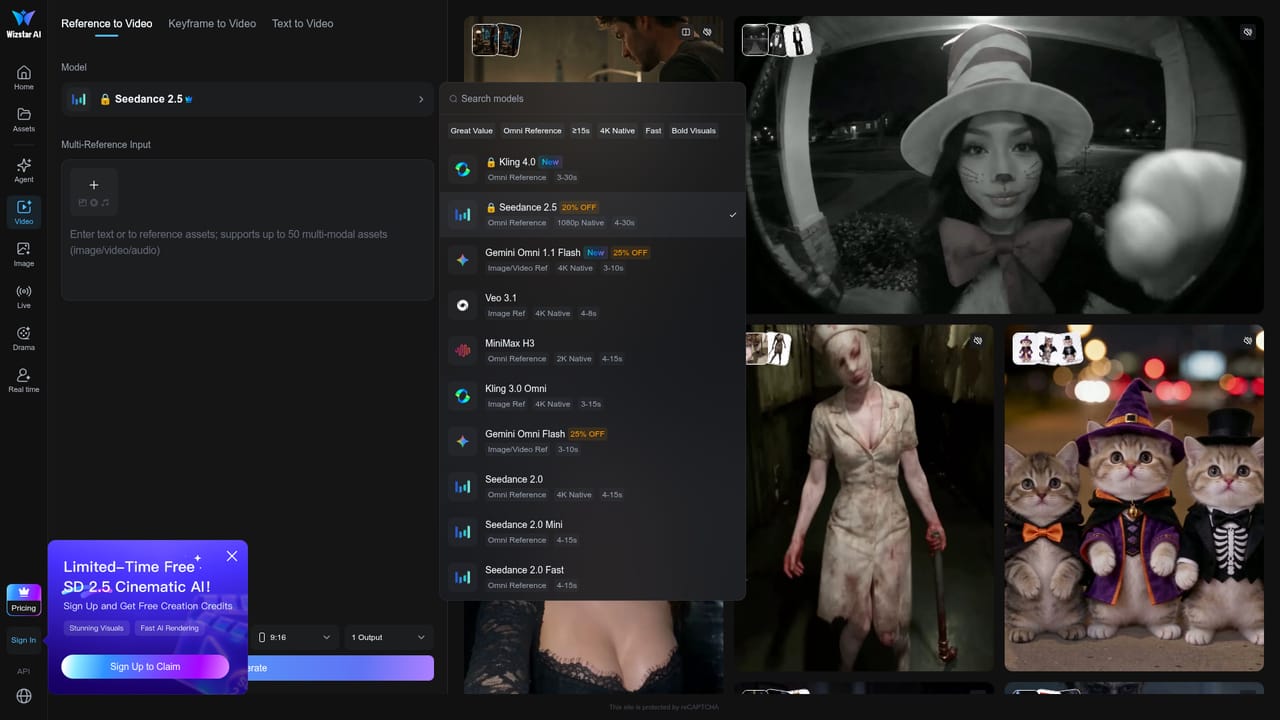
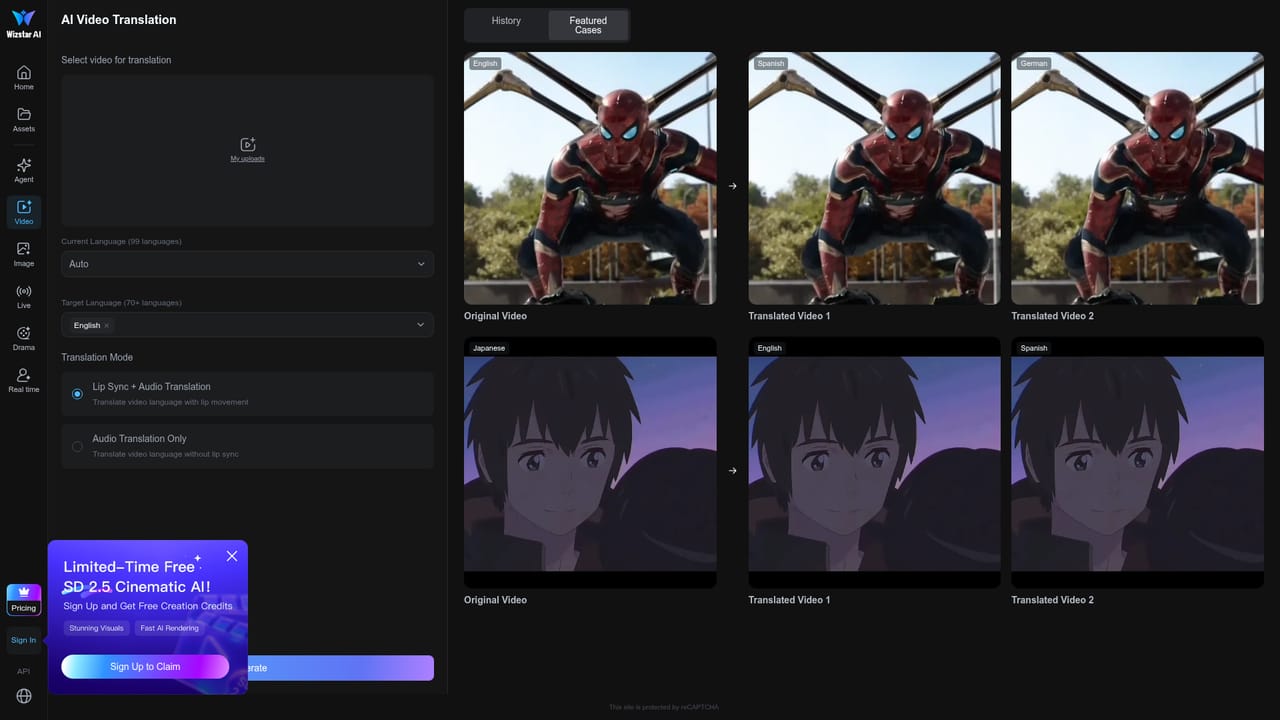
Wizstar is a browser based AI video platform that converts text prompts, images, product links, scripts and audio files into finished video. Rather than a single generator, it bundles several production tools under one account: a cinematic text to video generator running models such as Seedance 2.5 and Kling 3.0 Omni, an AI image generator with Nano Banana 2, an avatar and lip sync studio, a 75 language video translator, and a short drama module that adapts novels into scripts and localizes existing scripts for new markets. The platform is built around two agent workflows. The Creative Agent takes a brief, expands it into a storyline, keeps characters consistent between scenes, and produces synced visuals and audio. The E-commerce Agent starts from a product link or photo and returns a shoppable video with script, scenes, captions, voiceover and formats sized for store listings and social ads. A Viral Video Recreation tool studies a reference clip and rebuilds its script, shot rhythm and transitions around your own product, which is the fastest route for sellers who already know which ad format performs. In practice the workflow is prompt first. Users pick a tool from the homepage, choose a model and aspect ratio (9:16 or 16:9 at 720P appear in the on page selector), supply input, and review the generated cut. Avatar Studio handles volume work: load multiple scripts and output talking presenter videos in bulk for training, social and regional campaigns. Translation adds voice timing, lip sync and subtitles, so one master video can serve many markets. Wizstar sits between single model front ends and full production suites. It is aimed at e-commerce sellers, performance marketers, agencies, educators and brands localizing content, and the free credits let newcomers test quality before committing. Teams that only need one clean cinematic clip may find the breadth unnecessary, while high volume avatar and voice work is gated behind paid plans. Who it suits: creators and business teams that need a steady output of short form video, product ads and localized versions, without filming or editing skills.
New users receive free credits to try the AI video generator and eligible tools. Avatar generation and voice synthesis require a paid subscription.
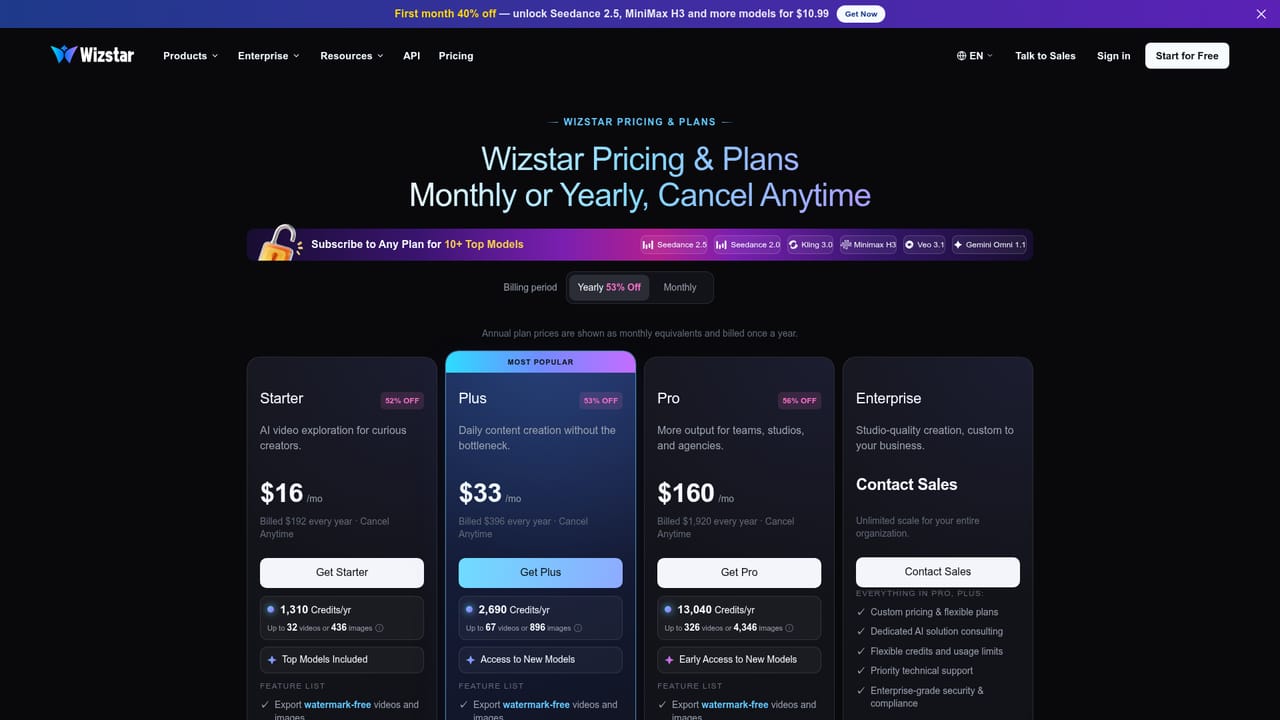
Learn moreThe homepage advertises a first month 40% discount bringing access to Seedance 2.5, MiniMax H3 and other models to $10.99. Free credits are offered at signup, and paid plans are said to add more credits, faster generation and advanced workflows. Full tier details sit on the pricing page.
Learn moreText to video and image to video generation with Seedance 2.5, Kling 3.0 Omni and other models; AI image generation with Nano Banana 2; product videos from links or photos; viral video recreation from a reference clip; talking avatars and lip sync with bulk script input; video translation into 75 languages with subtitles and lip sync; Creative and E-commerce agents that plan script, scenes, voiceover and captions; novel to script and script localization for short drama.
Learn more AI Angels400+ customizable AI girlfriends for NSFW chat, voice calls, and roleplay
 Candy AIExperience the future of companionship with AI friends who chat, role-play, and connect with you on a human level.
 ourdream.aiA vast AI roleplay platform with millions of characters for chat, images, video and voiceAI Angels400+ customizable AI girlfriends for NSFW chat, voice calls, and roleplayCandy AIExperience the future of companionship with AI friends who chat, role-play, and connect with you on a human level.ourdream.aiA vast AI roleplay platform with millions of characters for chat, images, video and voice


