Integrations
The homepage names CRM sync, email, call summaries and compliant texting as data sources and displays a partner logo strip, but does not list supported CRM or texting vendors by name.
Client intelligence from everyday advisor conversations

Xylo AI converts advisor emails, call summaries, texting and CRM data into behavioral client profiles, churn and referral alerts, and prioritized next actions written in the advisor's own voice. Built for RIAs and wealth managers rather than general email drafting.
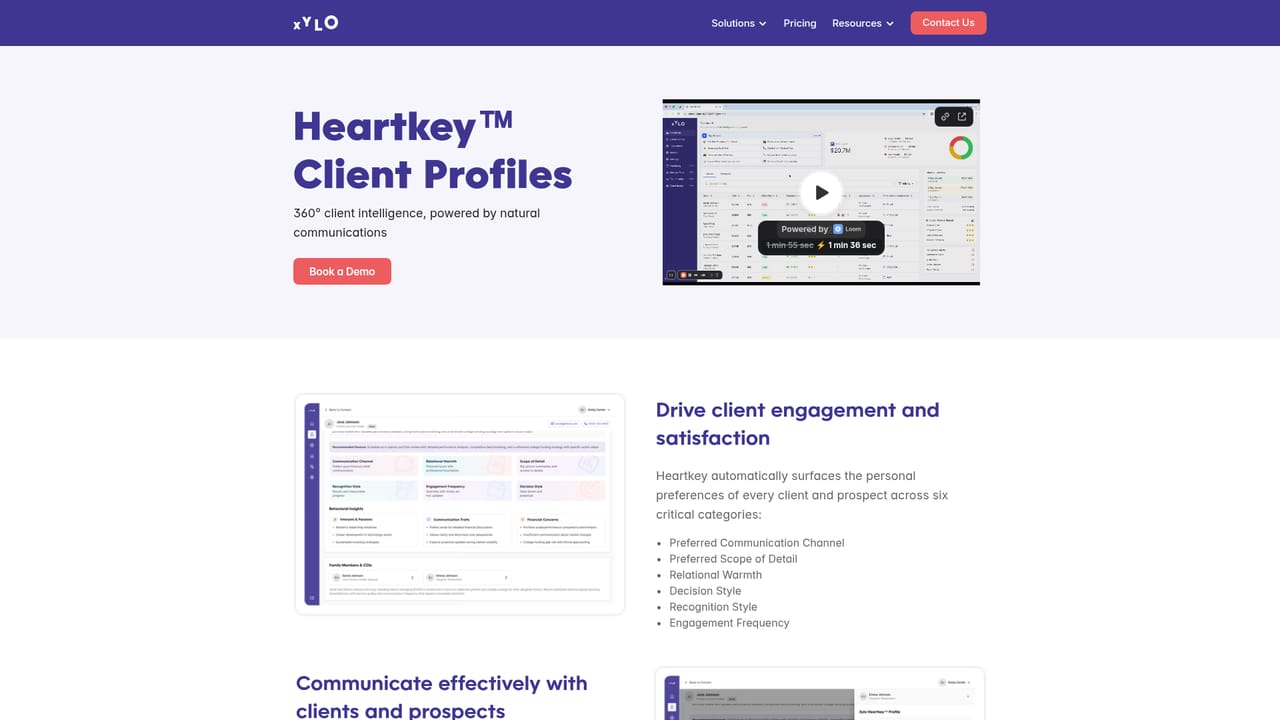
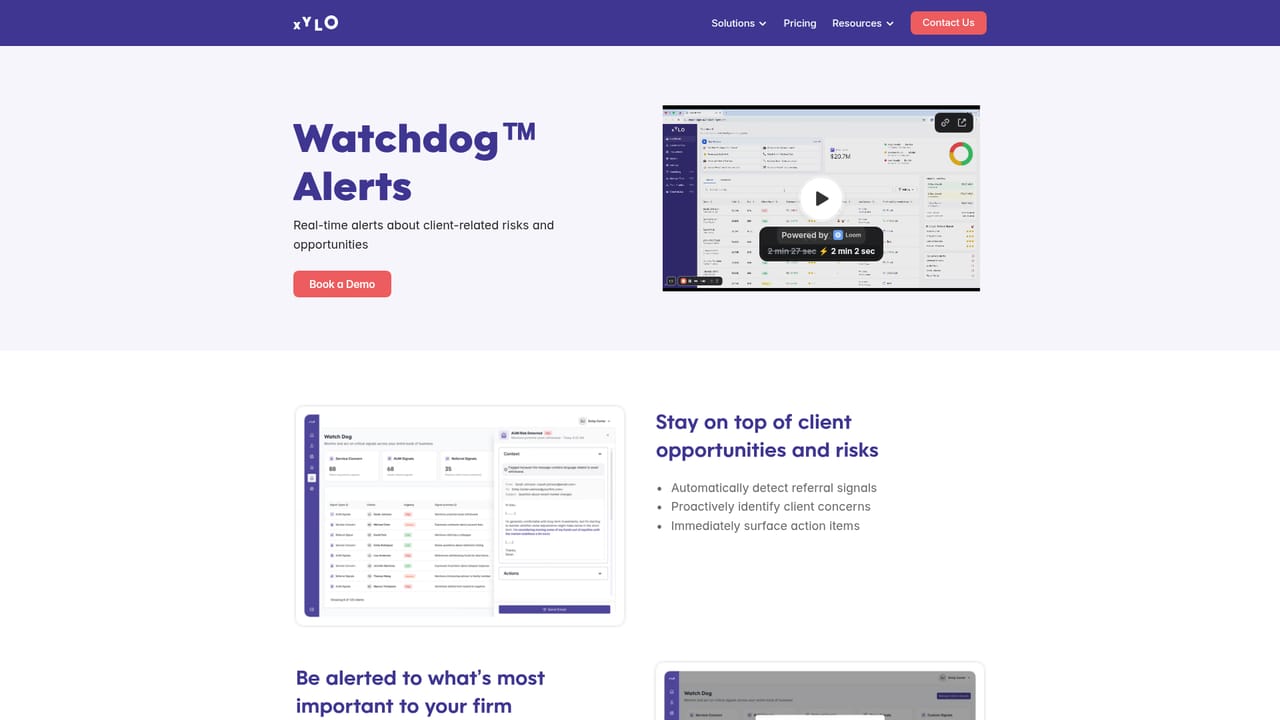
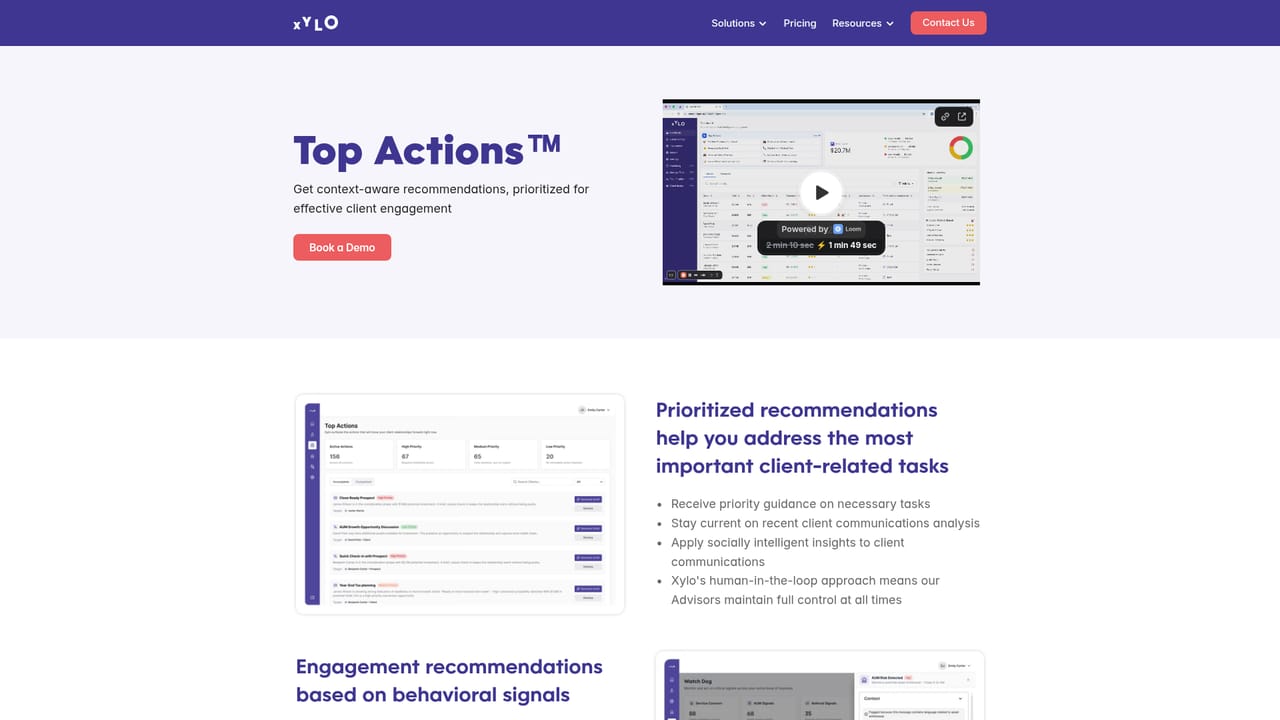
Xylo AI is a client intelligence platform built for registered investment advisors, wealth managers and financial planning practices. Rather than generating emails from scratch, it reads the ordinary contact a firm already has with clients and prospects (CRM records, emails, call summaries, compliant texting) and turns those interactions into signals an advisor can act on. The site frames the problem plainly: each new client adds more to an advisor's plate, and the cues that matter get buried under daily noise. The product works in three stages. Capture pulls data in from a connected CRM plus message and call channels. Process applies behavioral analysis to surface risk and opportunity signals, including shifts in sentiment, relationship friction and churn risk. Act feeds a prioritized task list that advisors work through, and Top Actions generates drafted communication in the advisor's own style using adaptive personas. The heart of the system is HeartKey, which builds a 360 degree profile of each client covering communication style and tone preferences, preferred contact timing and frequency, stated interests and overall relationship health. Watchdog sits on top of that as a real time alert layer that can be tuned to detect referral signals, emerging concerns or incremental AUM opportunities. The audience is clearly the advisory side of financial services, not general business correspondence. Every feature is organized around book of business management, retention and referral growth, and the site cites third party research on close rates, referrals and churn as the outcome model. Practices that already run a CRM and text or email clients regularly will get the fastest value, since the tool's usefulness depends entirely on the volume and quality of interactions flowing into it. Compared with generic AI email assistants, Xylo is narrower by design: less about drafting one polished message and more about deciding which client needs attention, why, and what to say in the firm's voice. Pricing is published on its own page rather than summarized on the homepage.
The homepage names CRM sync, email, call summaries and compliant texting as data sources and displays a partner logo strip, but does not list supported CRM or texting vendors by name.
Three connected modules: HeartKey client profiles covering tone preferences, engagement timing, interests and relationship health; Watchdog real-time alerts for referral signals, client concerns and AUM opportunities with configurable triggers; and Top Actions prioritized recommendations plus adaptive persona drafting. Data comes from CRM sync, email, call summaries and compliant texting, all shown in a single filtered dashboard view.
Learn more AI Angels400+ customizable AI girlfriends for NSFW chat, voice calls, and roleplay
 Candy AIExperience the future of companionship with AI friends who chat, role-play, and connect with you on a human level.
 ourdream.aiA vast AI roleplay platform with millions of characters for chat, images, video and voiceAI Angels400+ customizable AI girlfriends for NSFW chat, voice calls, and roleplayCandy AIExperience the future of companionship with AI friends who chat, role-play, and connect with you on a human level.ourdream.aiA vast AI roleplay platform with millions of characters for chat, images, video and voice


