Free trial
No free trial is described. The homepage offers a 30-minute demo on your own numbers with no commitment.
Learn moreAI bookkeeping and accounting with human experts reviewing every close
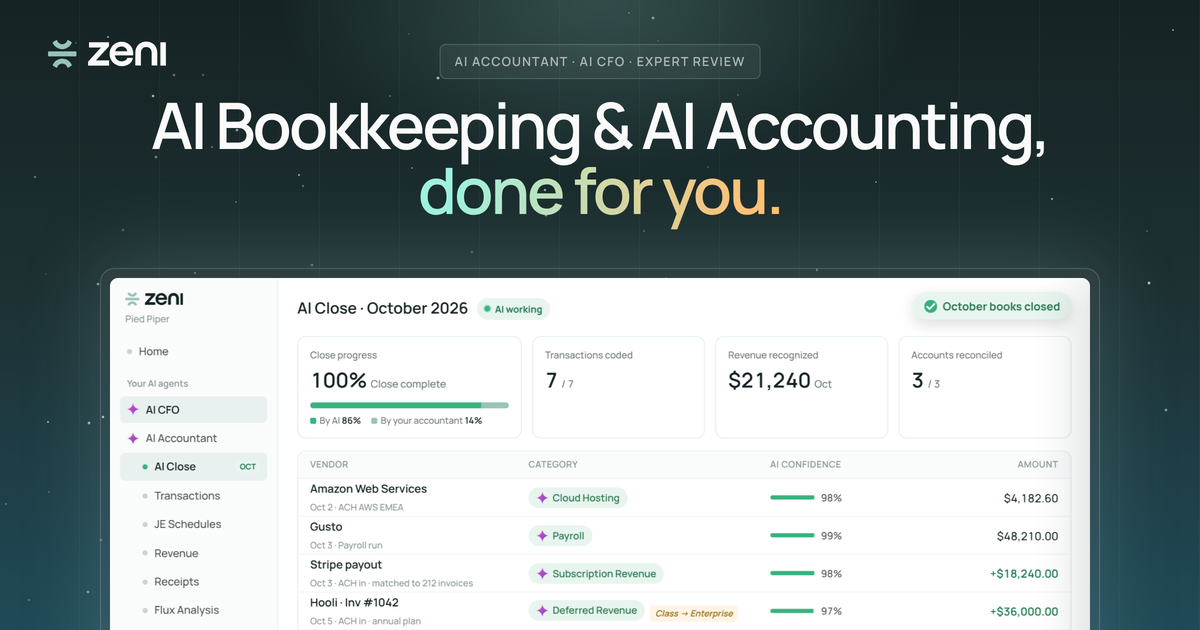
Zeni AI is an accounting journal entries tool. Zeni pairs an AI Accountant and AI CFO with human accountants who review uncertain items and sign off each close. It targets growing businesses that want bookkeeping, reconciliation, month-end close and board-ready reporting done for them.
Zeni is an AI accounting and bookkeeping platform aimed at growing businesses that want their books handled rather than just automated. Each company gets a dedicated AI Accountant and an AI CFO, both deployed and managed by Zeni's own accountants, so the work of coding transactions, reconciling accounts and closing the month is done for the customer instead of handed back as software to operate. In practice the AI Accountant works continuously. It codes expenses and invoices and shows its reasoning, matches receipts, reconciles accounts, posts accruals and deferred revenue, and runs the close as transactions arrive, so books stay current through the month instead of sitting untouched until month-end. When the AI is unsure about an item, such as a payment that could be consulting or legal fees, the item goes to the customer's assigned Zeni accountant rather than being guessed. Those decisions are turned into rules for that company's books, and a controller signs off every close. The AI CFO sits on top of the closed books. It answers questions about runway, burn and spending on demand, shows the data and steps behind each answer, and produces board-ready reports. The site notes that it can make mistakes and that important figures should be checked. Separate pages cover month-end close, an MCP product, and versions of the pitch for founders, CFOs and small business owners. Zeni positions itself against hiring a bookkeeping team, outsourcing to a traditional accounting firm, or maintaining spreadsheets. The homepage cites more than 1,000 companies closing their books on it, SOC 2 Type II, a 4.7 rating from 84 G2 reviews, and 93.8% of transactions handled accurately by the AI alone. Evaluation starts with a 30-minute demo on the buyer's own numbers, which suits finance leads and founders who want outcomes and accountability more than a self-serve bookkeeping tool.
No free trial is described. The homepage offers a 30-minute demo on your own numbers with no commitment.
Learn moreThe homepage does not state prices. A pricing page exists on the site, and the main call to action is booking a free demo.
Learn moreEach customer gets a dedicated Zeni accountant who reviews flagged items, and a controller signs off every close. The site also embeds an AI chat widget.
The homepage demo shows bank, payroll, card and payment activity such as ACH, Gusto and Stripe payouts, but no integrations list is given. A Zeni MCP product page exists.
Learn moreAI Accountant codes expenses and invoices, matches receipts, reconciles accounts, posts accruals and deferred revenue, and runs the close. Zeni experts review uncertain items and sign off. AI CFO answers finance questions and produces board-ready reports.
Learn more AI Angels400+ customizable AI girlfriends for NSFW chat, voice calls, and roleplay
 Candy AIExperience the future of companionship with AI friends who chat, role-play, and connect with you on a human level.
 ourdream.aiA vast AI roleplay platform with millions of characters for chat, images, video and voiceAI Angels400+ customizable AI girlfriends for NSFW chat, voice calls, and roleplayCandy AIExperience the future of companionship with AI friends who chat, role-play, and connect with you on a human level.ourdream.aiA vast AI roleplay platform with millions of characters for chat, images, video and voice