Free trial
A free trial requires no credit card and lets free users view partial transcripts and use basic features. Full transcripts and all features require a paid plan.
Learn moreSpeech-to-text conversion for audio and video in 134+ languages
Own AccurateScribe? Verify ownership to get a dofollow link
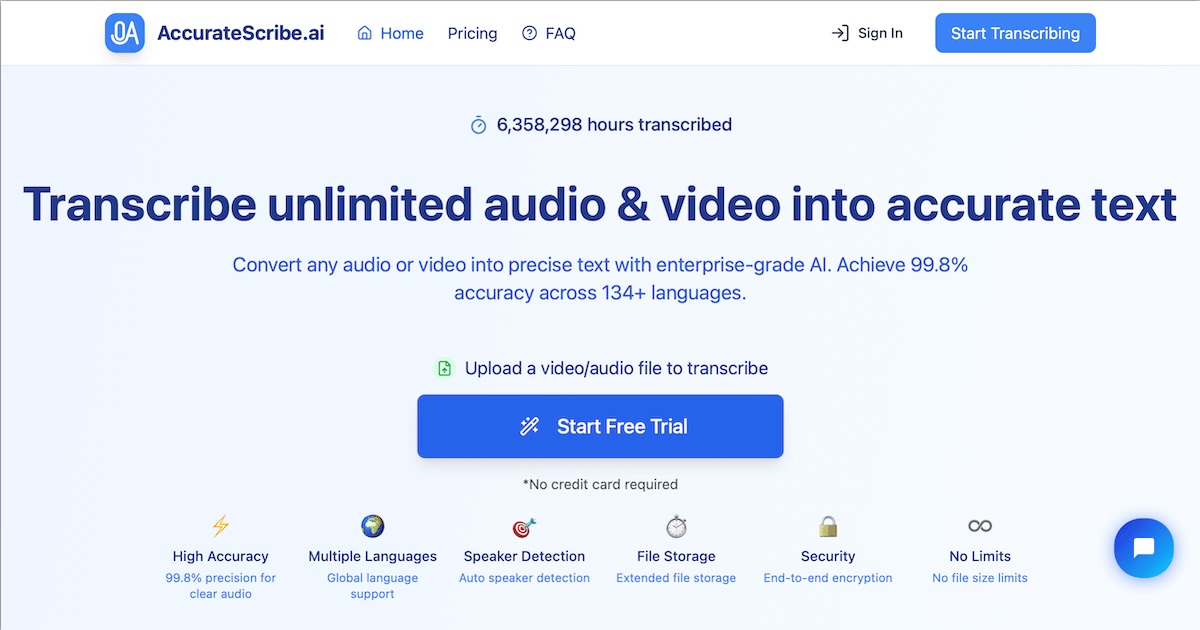
AccurateScribe is an AI transcriber tool. AI transcription service for audio and video, built on Whisper, that labels speakers, adds timestamps, translates into 134+ languages and exports to DOCX, PDF, TXT, SRT or VTT. Handles files up to 10 hours and 5GB, batches 50 at a time, and offers a free trial with partial transcripts.
AccurateScribe is an online transcription service that turns audio and video files into written text using AI, built on Whisper technology according to the company. The pitch is straightforward: upload a recording, get back a transcript with speaker labels and timestamps, then export it as a document or a subtitle file. The site claims a 99.8% accuracy figure for clear audio and says the engine processes files roughly five times faster than real time. It reports more than 6.3 million hours transcribed to date. The tool is aimed at people who work with recorded speech regularly: researchers sitting on interview tapes, journalists checking quotes, professors with lecture recordings, legal and medical teams handling depositions or clinical notes, and video producers who need captions. Support for 134+ languages with automatic language detection and regional accent handling makes it usable for international teams and multilingual content. A translate function moves transcripts into other languages while attempting to preserve meaning and context. In practice the workflow is upload, configure, review, export. Uploads can run up to 10 hours or 5GB per file, and batch jobs handle up to 50 files at once. Speaker recognition can be switched on before processing so multi-voice recordings come back labeled. An interactive editor with timestamps lets you correct errors before download. Output formats cover DOCX, PDF, TXT, SRT, VTT and FCPXML, so the same transcript can serve as a written document or a caption track. Audio enhancement is available for noisy recordings. Among transcription tools, AccurateScribe positions itself on capacity and format range rather than on deep app integrations or team collaboration features. The free tier shows partial transcripts, which is enough to judge accuracy on your own audio before committing. Files are encrypted end to end and the site states they are deleted after processing.
A free trial requires no credit card and lets free users view partial transcripts and use basic features. Full transcripts and all features require a paid plan.
Learn moreThe homepage does not list prices. It describes a free trial that shows partial transcripts with basic features, and says full features are available for a very low cost without stating amounts or plan tiers.
Learn moreWhisper-based transcription for audio and video, 99.8% claimed accuracy on clear audio, 134+ languages with auto detection, speaker recognition, translation, timestamped editing, audio enhancement, batch processing of up to 50 files, files up to 10 hours or 5GB, and exports to DOCX, PDF, TXT, SRT, VTT and FCPXML.
 AI Angels400+ customizable AI girlfriends for NSFW chat, voice calls, and roleplay
 Candy AIExperience the future of companionship with AI friends who chat, role-play, and connect with you on a human level.
 ourdream.aiA vast AI roleplay platform with millions of characters for chat, images, video and voiceAI Angels400+ customizable AI girlfriends for NSFW chat, voice calls, and roleplayCandy AIExperience the future of companionship with AI friends who chat, role-play, and connect with you on a human level.ourdream.aiA vast AI roleplay platform with millions of characters for chat, images, video and voice


