Free trial
Free tier at $0 with 9 credits and 1 song, no credit card required. The FAQ also states 50 free credits daily, roughly 10 songs, though the pricing table lists a smaller allowance.
Learn moreText to full songs with vocals in under ten seconds

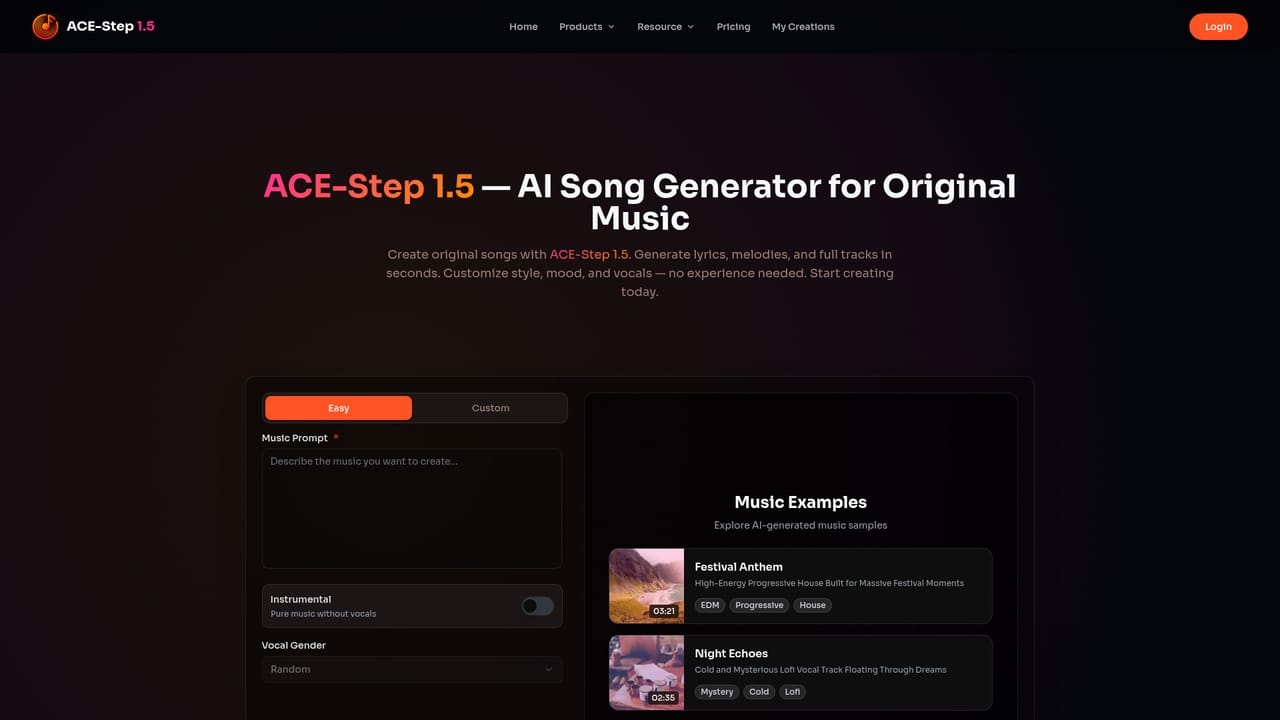
ACE-Step 1.5 is a music creator tool. AI music generator that composes full songs (verses, choruses, bridges) from a text prompt in under ten seconds, with vocals in 50+ languages, section-level Repaint editing, and MP3, WAV, or stem export. Free credits to start, paid tiers for commercial licensing.
ACE-Step 1.5 is a browser-based AI music generator that turns a written prompt into a complete song with lyrics, melody, and vocals. The site positions it around three claims: generation of a full four minute track in under ten seconds, vocal synthesis across more than 50 languages, and a training set limited to licensed and public domain material so output can be used commercially on paid plans. It is aimed at YouTubers, marketers, indie game developers, podcasters, and producers who need original audio without licensing stock libraries or hiring a composer. In practice the workflow is prompt-first. You describe the track you want (genre, mood, tempo, vocal type), set duration and style, and optionally paste your own lyrics for the engine to set to a melody. The output includes verse, chorus, and bridge structure rather than short loops. From there the Repaint editor lets you highlight a section and regenerate only that part, which is useful when a single verse or line of lyrics misses. Finished tracks export as MP3 or lossless WAV, and stem export separates vocals from instrumentals for mixing in a DAW. Where it fits: the homepage pitches ACE-Step 1.5 against Suno and Udio by emphasizing controllability and copyright safety over raw novelty, and against generic loop libraries by producing structured songs. The published examples span synth-R&B, Afrobeat, dream pop, hardstyle, glitch rock, and chiptune-adjacent styles, so the range is broad, though the site does not document per-genre accuracy. Accounts are credit-based. The free tier grants 9 credits on signup and a stated daily allowance of 50 credits (roughly 10 songs), while paid tiers bundle 99 to 700 credits with commercial licensing, stem and unlimited downloads, and concurrent task limits. Credits are described as non-expiring, and one-time purchases are offered alongside subscriptions.

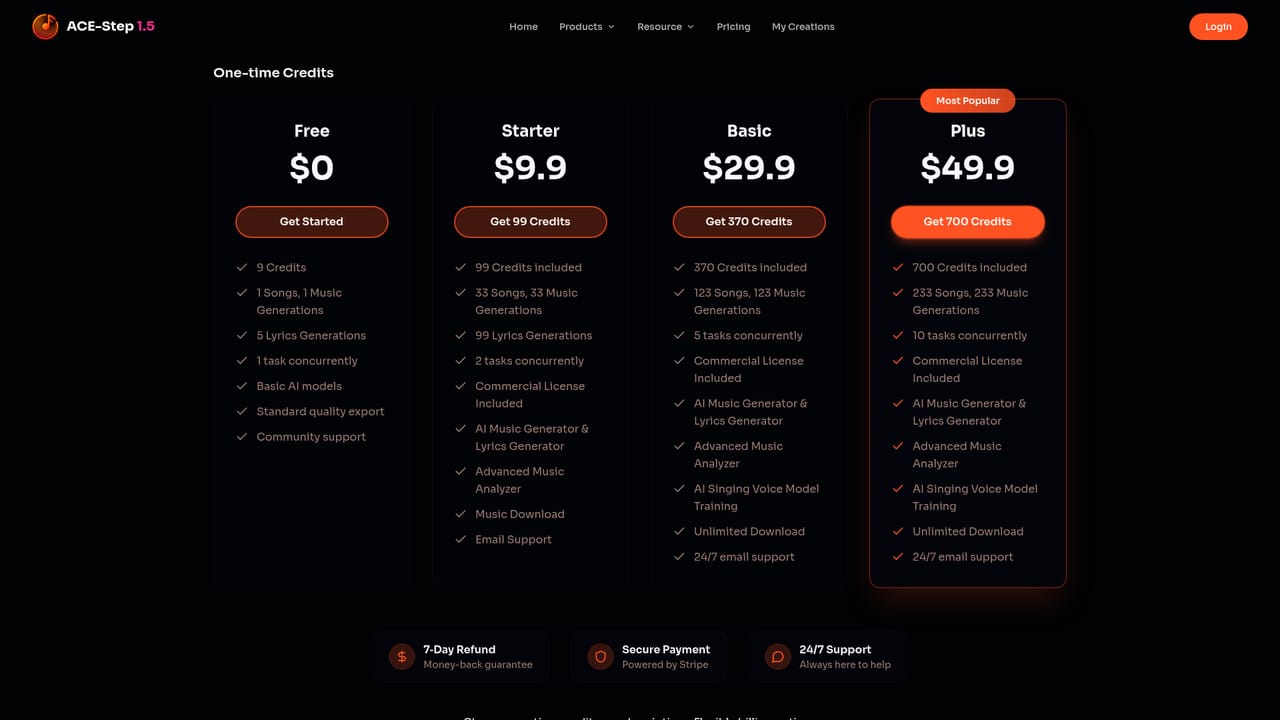
Free tier at $0 with 9 credits and 1 song, no credit card required. The FAQ also states 50 free credits daily, roughly 10 songs, though the pricing table lists a smaller allowance.
Learn moreCredit-based pricing with one-time purchases or subscription. Free: $0, 9 credits, 1 song. Starter: $9.9 for 99 credits (about 33 songs). Basic: $29.9 for 370 credits, adds voice model training and unlimited downloads. Plus: $49.9 for 700 credits and 10 concurrent tasks. Paid tiers include a commercial license; credits are stated to never expire.
Learn moreEmail support listed on Starter, 24/7 email support on Basic and Plus, and community support on the free plan. A 7-day refund money-back guarantee is published separately.
Learn morePrompt-to-song generation with full verse, chorus, and bridge structure; vocals in 50+ languages; user-supplied lyrics set to melody; Repaint section editing; MP3 and WAV export plus stem export; lyrics generator and advanced music analyzer on paid tiers; singing voice model training on Basic and above.
 AI Angels400+ customizable AI girlfriends for NSFW chat, voice calls, and roleplay
 Candy AIExperience the future of companionship with AI friends who chat, role-play, and connect with you on a human level.
 ourdream.aiA vast AI roleplay platform with millions of characters for chat, images, video and voiceAI Angels400+ customizable AI girlfriends for NSFW chat, voice calls, and roleplayCandy AIExperience the future of companionship with AI friends who chat, role-play, and connect with you on a human level.ourdream.aiA vast AI roleplay platform with millions of characters for chat, images, video and voice


