Free trial
Signing in grants 10 credits and the first generation on the demo settings is free, which is enough to sample one model before paying.
Learn moreAI video generation and prompt-based editing in one workspace

AlephAI.app is an image to video tool. Aleph AI bundles text-to-video, image-to-video, reference-driven generation, clip extension and prompt-based video editing into one web workspace, drawing on third-party models such as Kling 4.0, Seedance 2.0 and Sora 2. Free credits are offered at sign-in, and a library of one-click effects sits alongside the main tools.
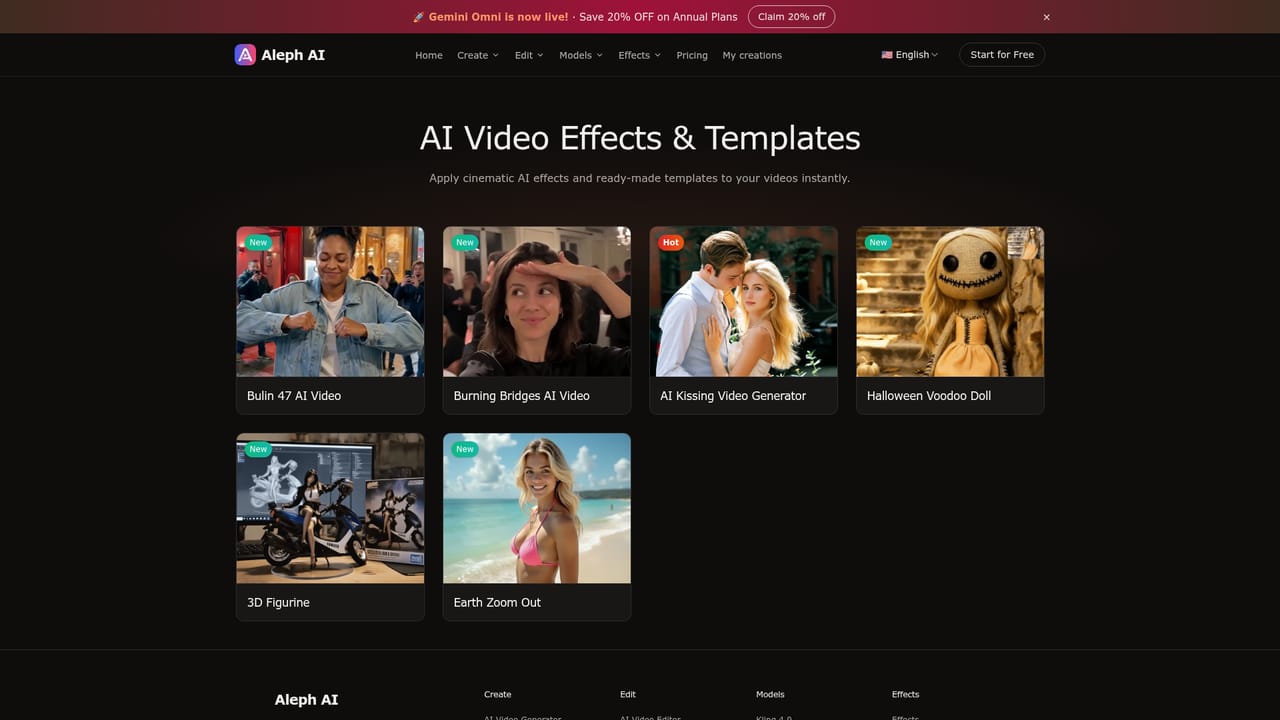
Aleph AI is a browser-based video workspace that combines generation and editing under a single roof. On the generation side it covers text-to-video, image-to-video, reference-to-video (where image, video and audio clips act as guidance), first-and-last-frame transitions, and clip extension. On the editing side it takes existing footage and applies prompt-driven changes: restyling a scene into anime, illustration or painterly looks, swapping backgrounds and lighting, adding or removing objects, and continuing a shot past its original ending. The stated aim is to avoid bouncing between separate generation and editing products. Under the hood, Aleph AI is a front end for several third-party video models rather than a model of its own. The roster listed on the homepage includes Kling 4.0, Kling 3.0, Seedance 2.0, Seedance 1.5 Pro, Sora 2 and Wan Animate. The site is explicit that availability, supported modes, settings and credit cost differ per model, and that the interface only surfaces the options valid for the chosen workflow. Practical output controls mentioned on the page include aspect ratios such as 16:9, 9:16 and 1:1, clip lengths from 5 to 10 seconds, and resolutions from 360p up to 1080p, though not every combination will be offered for every model. It suits creators who need short clips rather than long-form edits: social media inserts and b-roll, product photos turned into moving shots, artwork and portraits animated with a controlled camera move, and style experiments on footage that already exists. A set of one-click effect tools sits alongside the main workflows, including Bulin 47 and Burning Bridges meme videos, a kissing photo effect, an Earth zoom-out, and a watermark remover for clips made elsewhere. The honest framing is that Aleph AI competes on convenience and model access, not on proprietary technology. Buyers already paying for a single model directly may find the credit markup hard to justify, and anyone needing frame-accurate timeline editing, multi-track audio or long sequences will still need a conventional editor. Where it earns its place is for people who want several current video models and a fast prompt-based cleanup pass without managing multiple subscriptions.
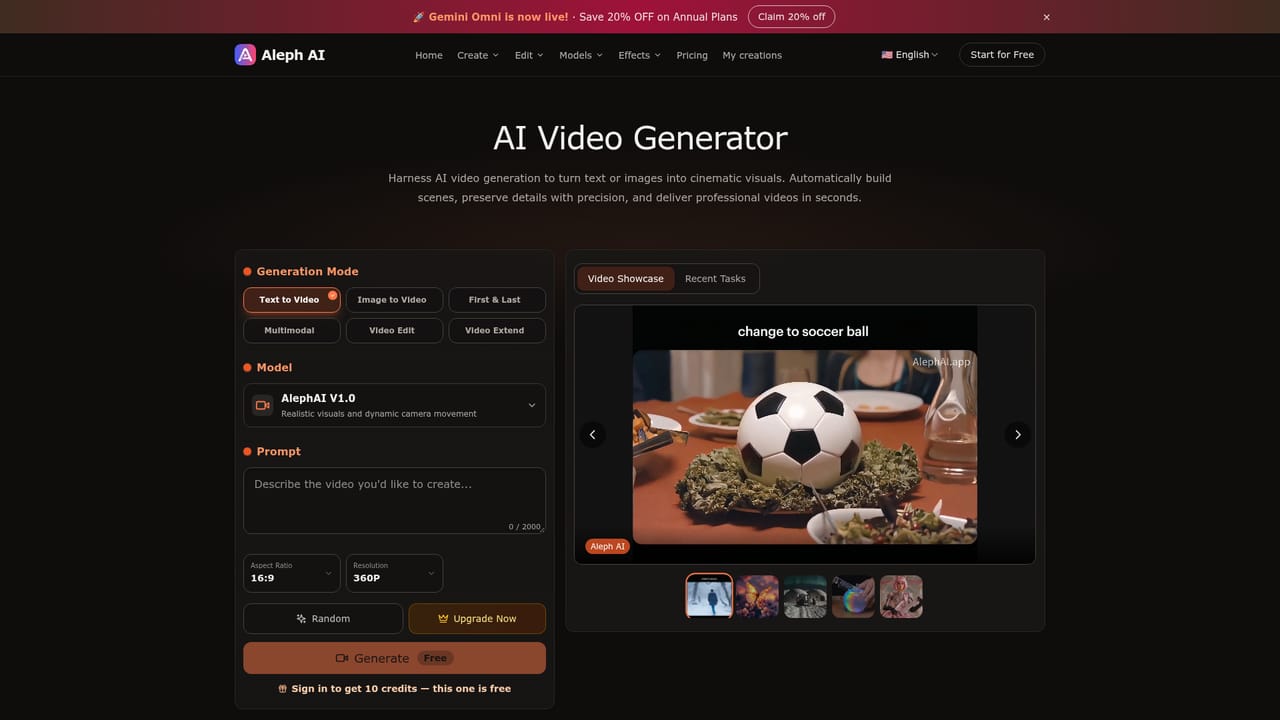
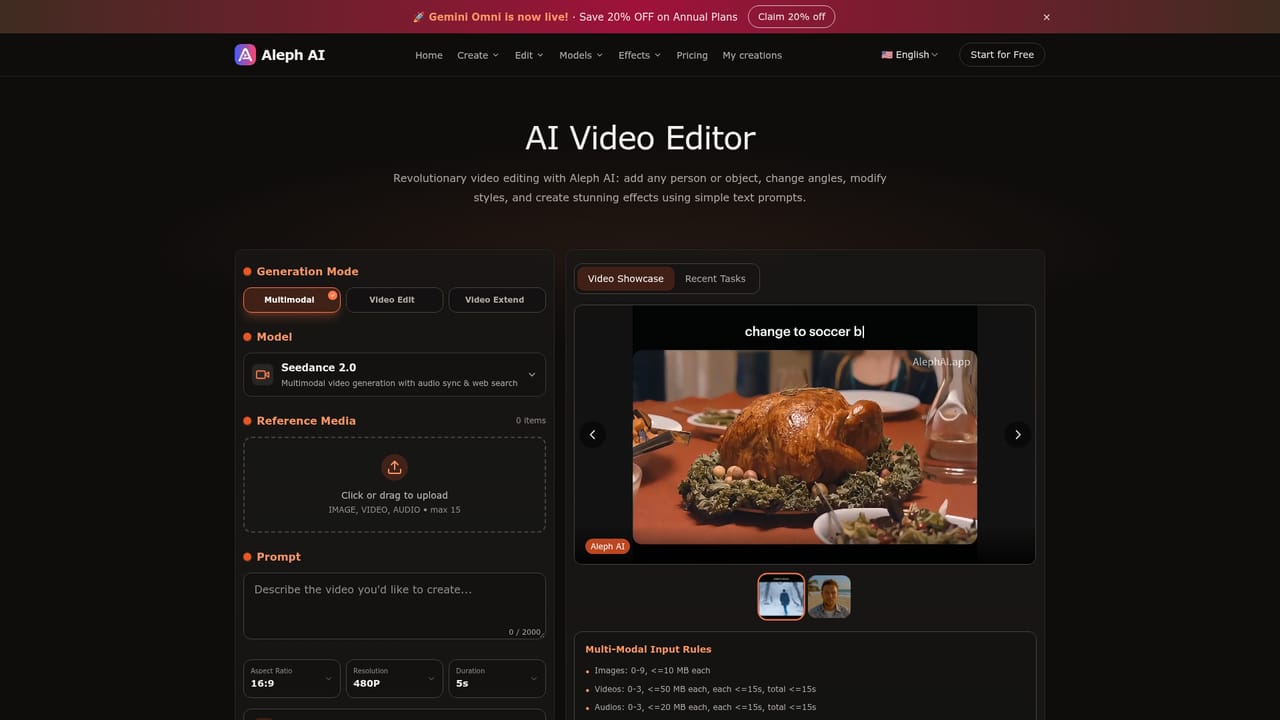
Signing in grants 10 credits and the first generation on the demo settings is free, which is enough to sample one model before paying.
Learn moreThe site advertises free credits on sign-in (10 credits, with the first generation offered free) and a 20% discount on annual plans. Per-model credit costs are not published on the homepage; it only states that cost differs by model and workflow.
Learn moreText-to-video, image-to-video, reference-to-video using image, video and audio guidance, first-and-last-frame transitions, and clip extension. The editor adds prompt-based style transfer, background and environment changes, object addition or removal, and scene continuation. Models include Kling 4.0, Kling 3.0, Seedance 2.0, Seedance 1.5 Pro, Sora 2 and Wan Animate, with effect tools for meme videos, kissing photos, Earth zoom-outs and watermark removal.
Learn more AI Angels400+ customizable AI girlfriends for NSFW chat, voice calls, and roleplay
 Candy AIExperience the future of companionship with AI friends who chat, role-play, and connect with you on a human level.
 ourdream.aiA vast AI roleplay platform with millions of characters for chat, images, video and voiceAI Angels400+ customizable AI girlfriends for NSFW chat, voice calls, and roleplayCandy AIExperience the future of companionship with AI friends who chat, role-play, and connect with you on a human level.ourdream.aiA vast AI roleplay platform with millions of characters for chat, images, video and voice


