Athena

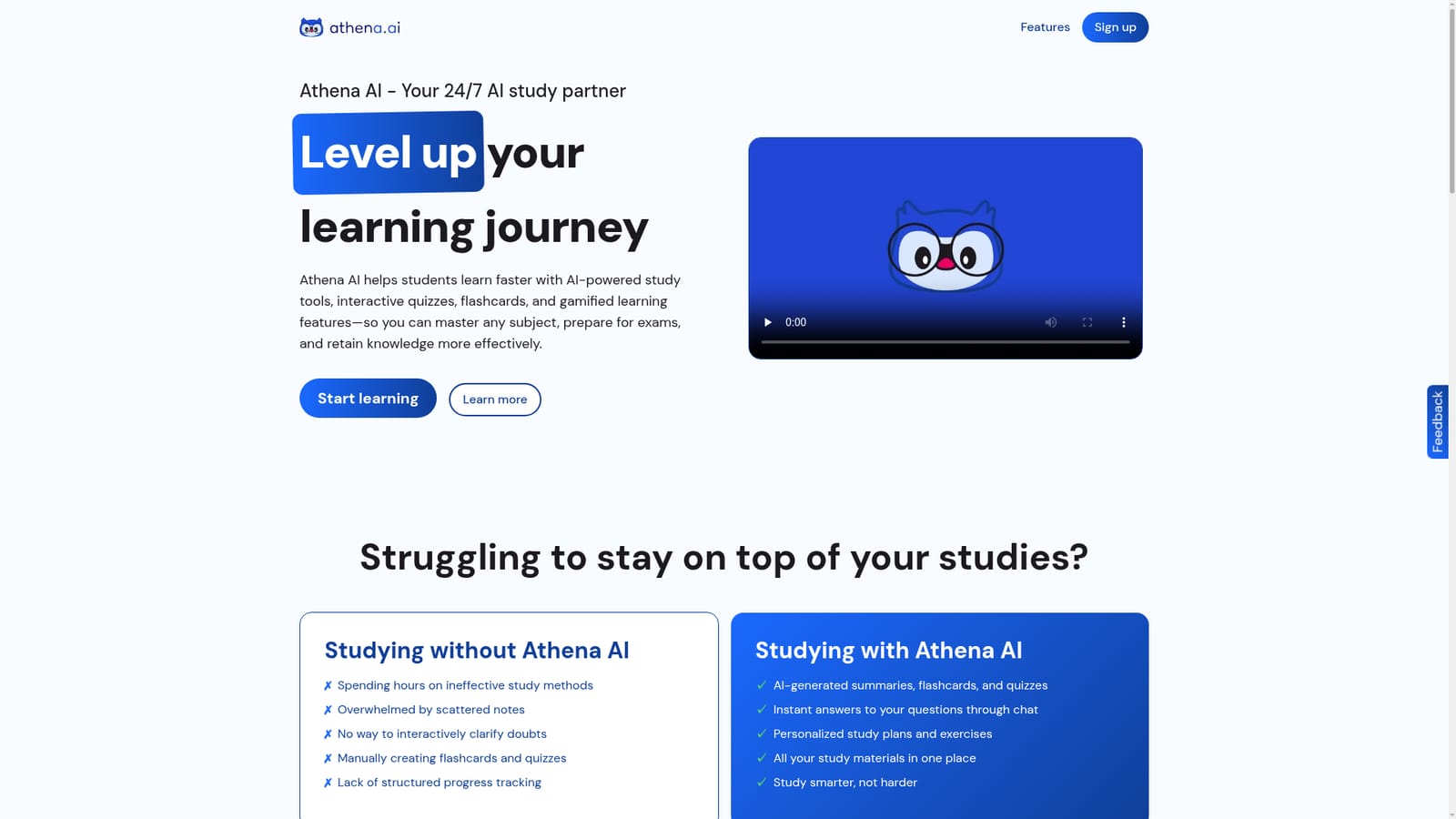
Turn any document into quizzes, flashcards and summaries instantly.

Beginner
Screenshot of Athena, Turn any document into quizzes, flashcards and summaries instantly

What is Athena?

Athena is an exam preparation tool that turns any document into quizzes, flashcards and summaries instantly. Athena is an AI study partner that converts uploaded documents into summaries, flashcards, quizzes and chat answers. Gamified analytics and leaderboards encourage consistent study habits, with a free Basic tier and a discounted Premium subscription.

Athena is an AI study assistant that turns the materials you already have into active recall tools. Upload a PDF, Word document, slide deck, image, code file or text file, and the platform generates summaries, flashcards and quizzes from that content. A chat interface sits alongside the study tools, so you can ask follow-up questions about the same material instead of searching elsewhere. The system stores everything in one place, which removes the usual scatter of notes across apps and folders. In practice, the workflow is upload, generate, then drill. A student loads lecture notes before an exam and receives a condensed summary plus a flashcard set. Quiz generation tests recall, while gamified analytics track progress through rewards, leaderboards and achievements. Those mechanics target the retention side of studying rather than just content access, and the site's learning hub ties the features to spaced repetition and microlearning routines. Basic accounts get three upload credits, and referring friends adds more. The audience is students preparing for exams, particularly those juggling coursework with part-time work or other commitments. It also suits self-directed learners who want to convert dense reading into question-and-answer formats without building decks by hand. The tool is general purpose across subjects: the file support covers text-heavy documents, slides, images and code, so the same workflow applies to history readings and programming coursework alike. Athena competes with general AI chat assistants and dedicated flashcard apps. Its advantage is that the study artifacts are generated from your own files in a single environment rather than assembled across disconnected services. The tradeoff is that it is a study companion, not a full learning management system: there are no live classes, no instructor dashboards and no institutional tooling. Premium removes the upload ceiling and adds priority support, which matters most for students processing large volumes of material every week.

How do you use Athena?

  1. 1Create a free account
    Sign up on the Athena site to open a Basic plan, which includes limited AI tools and three upload credits to start.
    Athena — Create a free account
  2. 2Upload your study material
    Add a PDF, Word document, slide deck, image, code file or text file. Multiple files can be uploaded at once, subject to your plan.
  3. 3Generate a summary first
    Run the summary generator to condense the document into a quick review sheet before creating practice materials.
  4. 4Build flashcards and quizzes
    Convert the same material into flashcards and quizzes so you can test recall rather than just reread notes.
    Athena — Build flashcards and quizzes
  5. 5Ask the chat assistant
    Use chat interaction to clarify confusing points in your material and get explanations tied to what you uploaded.
  6. 6Track progress with gamified analytics
    Review rewards, leaderboards and achievements to keep study sessions consistent, and read the learning hub guide on beating procrastination.
    Athena — Track progress with gamified analytics

Pros and cons

Pros

  • Generates summaries, flashcards and quizzes directly from your own uploaded files.AI
  • Accepts PDFs, Word docs, slides, images, code and text files in one workflow.AI
  • Built-in chat provides instant clarification on study material without leaving the app.AI
  • Gamified analytics with rewards and leaderboards support habit building and retention.AI
  • Free Basic plan lets students test the core tools before paying.AI

Cons

  • The free tier caps uploads at three credits, which runs out quickly for regular coursework.AI
  • No native integrations with learning management systems or calendar tools are listed.AI
  • Pricing is shown as a launch discount, so the long-term subscription rate is uncertain.AI
  • Gamification can distract students who want a distraction-free study environment.AI
  • Support runs through email and social channels only, with no live chat option described.AI

How much does Athena cost?

Pricing

Basic is free with limited AI tools and three upload credits, plus referral credits. Premium is listed at $6.99 instead of $13.99 under a launch discount, and includes all study tools, unlimited uploads, simultaneous multi-document upload and priority support. Subscriptions can be cancelled at any time.

Learn more

Support

Support is available by email at support@athena.study and through the company's social media channels. The site also invites feature requests and feedback through the same contacts.

Features

Core tools include file upload for PDFs, Word docs, slides, images, code and text files; a chat assistant for quick answers; AI-generated flashcards; quiz generation with progress tracking; a summary generator; and gamified analytics with rewards, leaderboards and achievements. Premium adds unlimited uploads and simultaneous multi-document upload.

Frequently asked questions about Athena

  • How much does Athena cost?
    Basic is free with limited AI tools and three upload credits, plus referral credits. Premium is listed at $6.99 instead of $13.99 under a launch discount, and includes all study tools, unlimited uploads, simultaneous multi-document upload and priority support. Subscriptions can be cancelled at any time.
  • How do you use Athena?
    The walkthrough on this page covers 6 steps: 1. Create a free account 2. Upload your study material 3. Generate a summary first 4. Build flashcards and quizzes 5. Ask the chat assistant 6. Track progress with gamified analytics.
  • What platforms does Athena support?
    Athena is available on Web App.
  • What are the limitations of Athena?
    The free tier caps uploads at three credits, which runs out quickly for regular coursework. No native integrations with learning management systems or calendar tools are listed. Pricing is shown as a launch discount, so the long-term subscription rate is uncertain.

Status

StatusActive
Views0
Outbound clicks0
Added10/21/2026

Platforms

Web App

Pricing

FreemiumSubscription