Free trial
Pro includes a 7-day free trial with no card required. The Free plan is also available permanently.
Learn moreSpeak once, get clean structured notes in seconds.
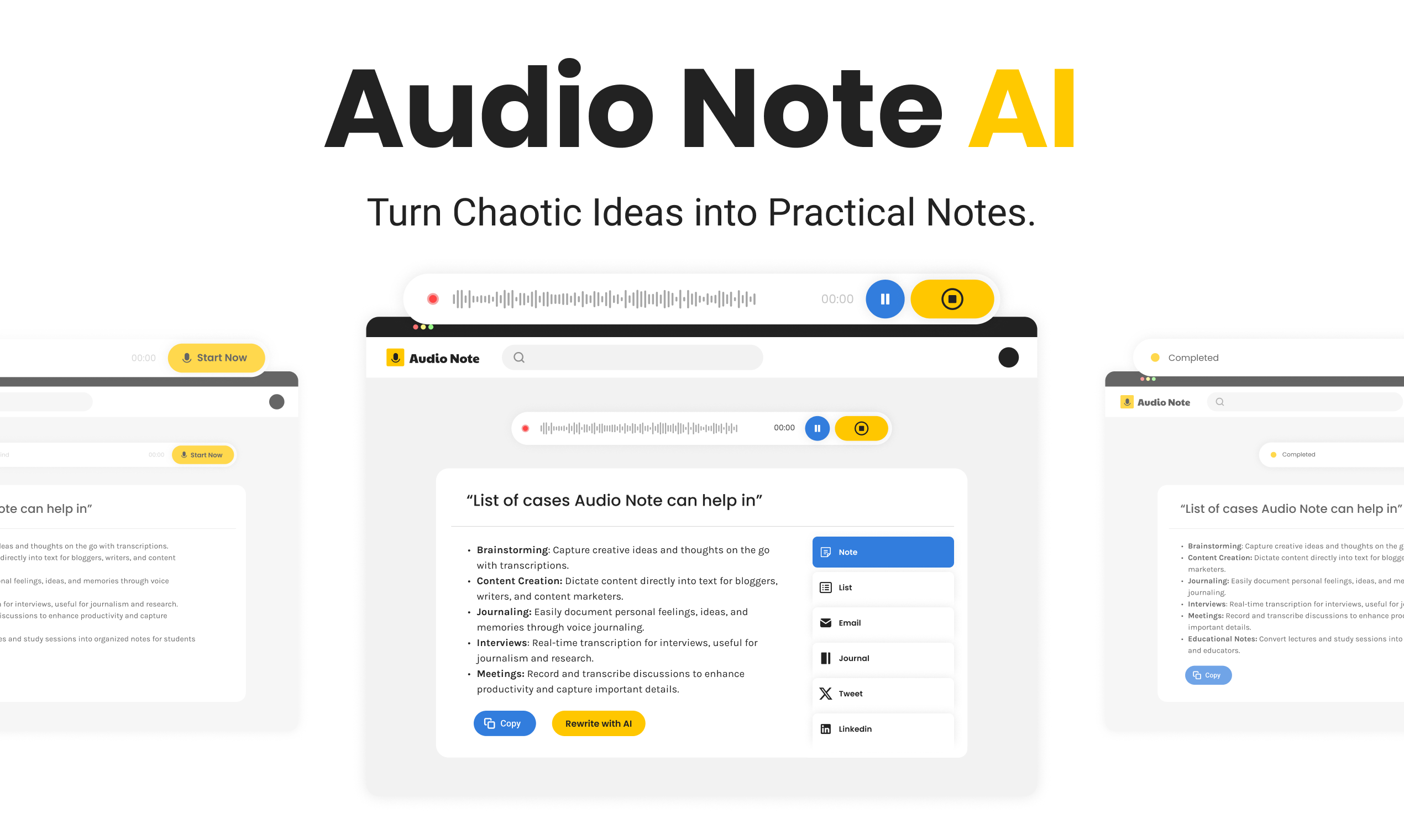
AudioNotesAI is an aesthetic notes tool that speaks once, get clean structured notes in seconds. AudioNotesAI turns spoken audio into structured notes, checklists, action items, calendar events and meeting summaries across 30+ languages. It runs as an installable browser app with a free tier and a Pro subscription that adds more formats, longer recordings and Markdown export.
AudioNotesAI is a voice-first note tool that records or accepts audio, transcribes it, and rewrites the result into a format you can actually use. A rambling recap of a client call becomes a tidy summary with named action items, a checklist, or a short LinkedIn post. The free tier covers three rewrite formats (Note, List and Action Items), while Pro unlocks seven, adding Email, Journal, Meeting Summary and LinkedIn Post. The site advertises support for more than 30 languages, so you can speak in Spanish, Hindi or French and get the transcript back in that same language. In practice the workflow is short. You hit the mic or type into the note box, speak your mind, and the audio is transcribed in seconds. The AI then proposes a title and you switch between output formats until the note reads the way you want. Saying something like remind me to follow up with the designer auto-tags the item, and a single action items view rolls every checklist from every note into one place. Pro users can push an action item into a calendar event as an .ics file, merge several related notes into one cohesive summary, and export any note as Markdown. Notes can also be published as a public link, which the site offers on every plan. It suits people who think out loud: consultants and account managers after calls, founders and writers catching ideas on a walk, students summarising lectures, and anyone who finds typing notes slower than talking. The product runs in the browser as an installable PWA on iPhone, Android, Mac and Windows, so there is no store download, and it includes light and dark modes. Against dedicated meeting recorders, AudioNotesAI is broader in output format but lighter on meeting plumbing, and its ceilings are real: six minute recordings and 20 voice notes a month on Free. It is best judged as a fast personal note pipeline rather than a full transcription suite.
Pro includes a 7-day free trial with no card required. The Free plan is also available permanently.
Learn moreFree forever at $0 with 6 minute recordings, 20 voice notes and 30 AI rewrites per month, three rewrite formats and public sharing. Pro is $15 per month or $149.99 per year ($8.25 per month, 45% saving), with 30 minute recordings, 400 voice notes, 600 rewrites, seven formats, calendar hand-off, note merging and Markdown export. Both paid plans renew until cancelled.
Learn moreCalendar integration works through .ics files rather than a direct account sync. No API or third-party app integrations are listed.
Voice recording and audio upload with transcription in over 30 languages, AI rewriting into seven formats (Note, List, Action Items, Email, Journal, Meeting Summary, LinkedIn Post), automatic title generation, remind-me tagging, a cross-note action items view, .ics calendar hand-off, note merging, Markdown export, public share links, light and dark mode, and PWA installation on phone and desktop.
 AI Angels400+ customizable AI girlfriends for NSFW chat, voice calls, and roleplay
 Candy AIExperience the future of companionship with AI friends who chat, role-play, and connect with you on a human level.
 ourdream.aiA vast AI roleplay platform with millions of characters for chat, images, video and voiceAI Angels400+ customizable AI girlfriends for NSFW chat, voice calls, and roleplayCandy AIExperience the future of companionship with AI friends who chat, role-play, and connect with you on a human level.ourdream.aiA vast AI roleplay platform with millions of characters for chat, images, video and voice