Free trial
A free basic tier is offered on the homepage, and the tool can be tried directly on the site. The free tier's exact scale limits and watermark policy are not spelled out.
Learn moreOne-click AI enlargement that holds detail up to 16x the original size

BigJpg AI is a 4K upscale tool. BigJpg AI enlarges images up to 16x with machine learning, preserving edges and fine detail that plain resizing loses. Upload JPG, PNG, GIF or BMP files, choose a scale factor, and download a cleaner high-resolution version.
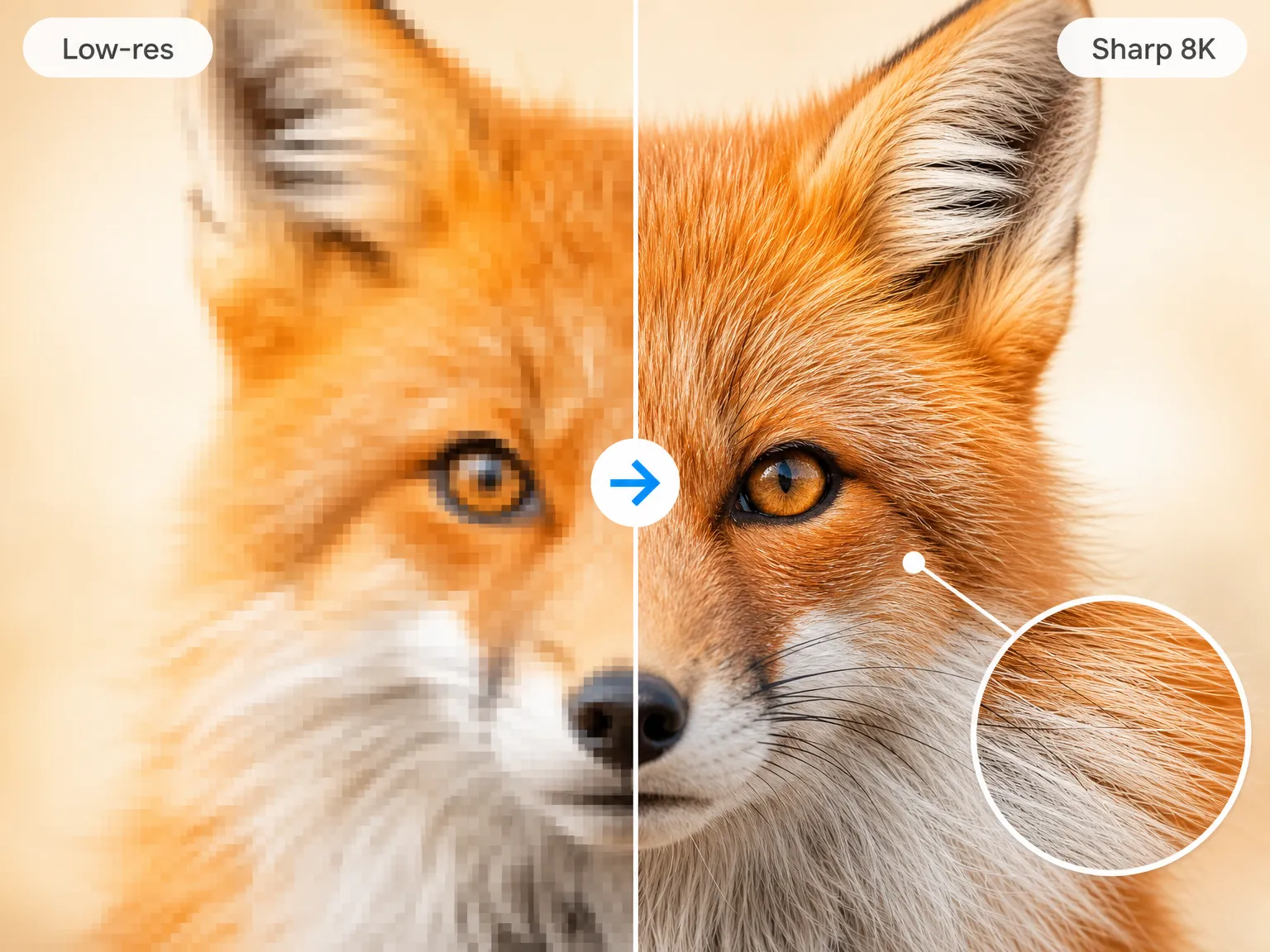
BigJpg AI is an image enlargement service built around a single promise: you upload a small, low-resolution picture, pick a scale factor, and the system reconstructs a much larger version with clean edges and plausible fine detail. The tool's own comparison pits a naive pixel stretch against its 4x AI output, showing softened stair-stepping and recovered texture on the processed side. Enlargement factors run from 2x up to 16x, and the site states that images stay sharp across that whole range, whereas conventional resizers typically degrade well before 300 percent. Mechanically the workflow is deliberately thin. You choose a file (JPG, PNG, GIF and BMP are the supported formats), set the target dimensions, and wait. Most jobs finish in under a minute according to the FAQ, while heavier files can take a few minutes. There is no layer stack, no manual resampling dialog, and no sharpening pipeline to tune, which is the whole point: the product positions itself as the shortcut past the resolution settings and quality loss that stall image projects. Typical users are people preparing assets for output rather than for casual sharing. The stated use cases include photos headed to large print media, graphics and icons for high-resolution displays, and detail recovery from telescope or microscope captures. Because the paid tiers bundle a commercial license, it also fits designers and small studios that need a defensible license for client work. Batch upscaling and watermark removal are gated behind the subscription. BigJpg AI competes with general photo editors on one axis only: raw scale headroom, without the steep learning curve. Planning on cloud AI upscalers on subscription? Those often cost more per month but may include broader editing suites, but BigJpg AI offers a lifetime option, which is a real differentiator. The trade-off is that it does exactly one job, and quality depends on how much genuine information the source image still holds.
A free basic tier is offered on the homepage, and the tool can be tried directly on the site. The free tier's exact scale limits and watermark policy are not spelled out.
Learn moreFree for basic use, with three paid tiers: Pro at $14.99 per month (16x upscaling, no watermark, commercial license, unlimited use, batch processing, priority email support), Pro Yearly at $79 for twelve months, and Lifetime at $99 one-time including all future updates. Refunds are available within 14 days of purchase.
Learn moreSupport runs through email, including refund requests within 14 days of purchase and general questions. Priority email support is listed on Pro and Lifetime plans; no live chat or response time is published.
AI enlargement from 2x to 16x with edge smoothing and detail reconstruction, a claimed sharpness ceiling far above typical resizers. Supports JPG, PNG, GIF and BMP input with no stated limit on output dimensions. Paid plans add batch upscaling, watermark removal, unlimited usage, a commercial license and priority email support. Most images process in under a minute.
 AI Angels400+ customizable AI girlfriends for NSFW chat, voice calls, and roleplay
 Candy AIExperience the future of companionship with AI friends who chat, role-play, and connect with you on a human level.
 ourdream.aiA vast AI roleplay platform with millions of characters for chat, images, video and voiceAI Angels400+ customizable AI girlfriends for NSFW chat, voice calls, and roleplayCandy AIExperience the future of companionship with AI friends who chat, role-play, and connect with you on a human level.ourdream.aiA vast AI roleplay platform with millions of characters for chat, images, video and voice