Free trial
New users get 10 free image credits with no credit card required, available through the site call to action and the Shopify app listing.
Learn moreAI product photography and video for ecommerce listings

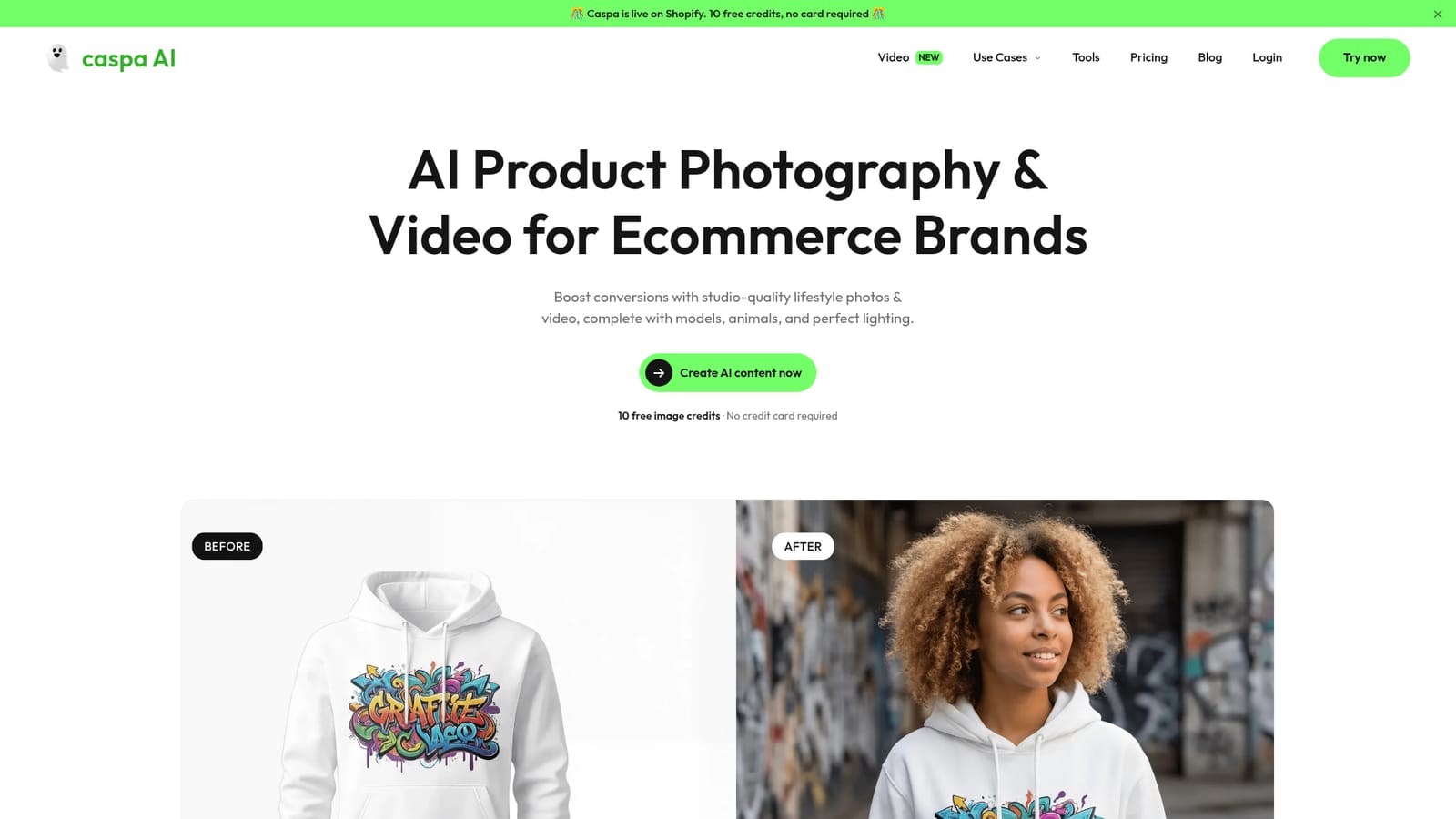
Caspa AI generates studio and lifestyle product photos and videos for ecommerce sellers, placing uploaded products on AI human or animal models, in styled scenes, and in multi product bundles while preserving logos, patterns and text. It adds background removal, magic erase, upscaling and A+ content templates.
Caspa AI is a generative image and video platform built around a narrow, commercial goal: producing the lifestyle and studio photography that ecommerce sellers need for product pages. A seller uploads a plain product shot, and the tool places that item into a new scene, on a model, in a styled interior, or alongside other products from the same catalogue. The emphasis throughout the site is on preserving the thing that actually matters to a shop owner: the text, pattern and logo details printed on the merchandise. In practice the workflow is closer to a photo editing suite than to a blank text-to-image prompt box. The editor bundles a background remover, a magic eraser for cleaning up source shots, and upscaling for small or low resolution files, so a rough image taken on a phone can be prepared before it is regenerated. From there, users add AI human models across a range of ethnicities, which the site frames as a way to A/B test imagery against different demographics, and AI animal models for products that suit that treatment. Multiple products can be combined into one scene, which is aimed at bundle photography and room sets such as bedroom or living room layouts. Consistency matters here: once a model and setting are chosen, the same setup can be reused to produce front, side and rear views of a garment. The audience is ecommerce brands, marketplace sellers and small businesses rather than general creative studios. Caspa positions itself for Amazon A+ content, optimised infographics, social media posts and curated templates, and it lists Shopify, Amazon, WooCommerce, BigCommerce, Adobe Commerce, TikTok, Instagram, Facebook and YouTube as the places output is designed to be used. A Shopify app is available with 10 free credits and no card required. Against general purpose image generators, the pitch is control and catalogue consistency rather than artistic range. Against a traditional product shoot, the trade is realism and human judgement for speed and cost, and the site's own case studies cite a 40 percent conversion lift for one store and a 50 percent production cost cut for a furniture business. Those are vendor supplied numbers and should be read as marketing rather than verified benchmarks.
New users get 10 free image credits with no credit card required, available through the site call to action and the Shopify app listing.
Learn moreOutput is built for Shopify, Amazon, WooCommerce, BigCommerce, Adobe Commerce, TikTok, Instagram, Facebook and YouTube, with a dedicated Shopify app. No API is mentioned.
AI product photography and video with human and animal models, multiple ethnicities for demographic testing, consistent multi angle views, multi product scenes, infographics, Amazon A+ content, curated templates, custom AI stock photos, background remover, magic eraser and upscaling.
 AI Angels400+ customizable AI girlfriends for NSFW chat, voice calls, and roleplay
 Candy AIExperience the future of companionship with AI friends who chat, role-play, and connect with you on a human level.
 ourdream.aiA vast AI roleplay platform with millions of characters for chat, images, video and voiceAI Angels400+ customizable AI girlfriends for NSFW chat, voice calls, and roleplayCandy AIExperience the future of companionship with AI friends who chat, role-play, and connect with you on a human level.ourdream.aiA vast AI roleplay platform with millions of characters for chat, images, video and voice


