Free trial
Early access itself is the free tier: full contract reviews at no cost with daily fair-use limits and no payment details required. The site states that payments are not active yet.
Learn moreTurn a contract into a plain-English review workspace before you sign
Own ContractDecoder? Verify ownership to get a dofollow link

ContractDecoder is an email polishing tool that turns a contract into a plain-English review workspace before you sign. ContractDecoder converts an uploaded or pasted agreement into a structured plain-English workspace: key terms, obligations and deadlines, items to review before signing, discussion questions, example wording and an optional draft email.
ContractDecoder is a browser-based contract reading tool that takes an uploaded document, a pasted block of text, or photos of paper pages and reorganizes the clauses into a review workspace. The output is grouped rather than conversational: a before-you-sign snapshot, a list of top items to review, a key terms checklist covering payment, ownership, renewal and termination language, an obligations and deadlines checklist showing who owes what and by when, and a set of discussion questions with example wording you could propose. A draft email to the other side can be generated from the review items, which makes the tool less about producing a verdict and more about preparing a conversation. The design targets people who receive agreements with no realistic path to a full legal review: freelancers weighing a client services agreement, small business owners handling vendor contracts, tenants reading a lease, employees reviewing severance or offer documents, and anyone facing an NDA. A role selector (disclosing party, receiving party, contractor, tenant, employer and similar) shifts the discussion points toward the side you sit on. The tool is deliberately framed as general information, not legal advice, and it does not tell you whether to sign or whether a clause is enforceable. It was built with input from a licensed attorney, and the workflow assumes you will take the output to a professional or back to the counterparty. Early access is free with daily fair-use limits and no account needed; signing in with Google or email saves generated workspaces so they can be reopened, though the saved record holds the review result rather than your original contract text. Pasted text and supported uploads are scanned for sensitive personal information patterns and can be swapped for [REDACTED] before analysis. Answers come back as a structured document, which puts it closer to a guided checklist than to general chatbots like ChatGPT or Copilot, where you supply the prompts yourself.
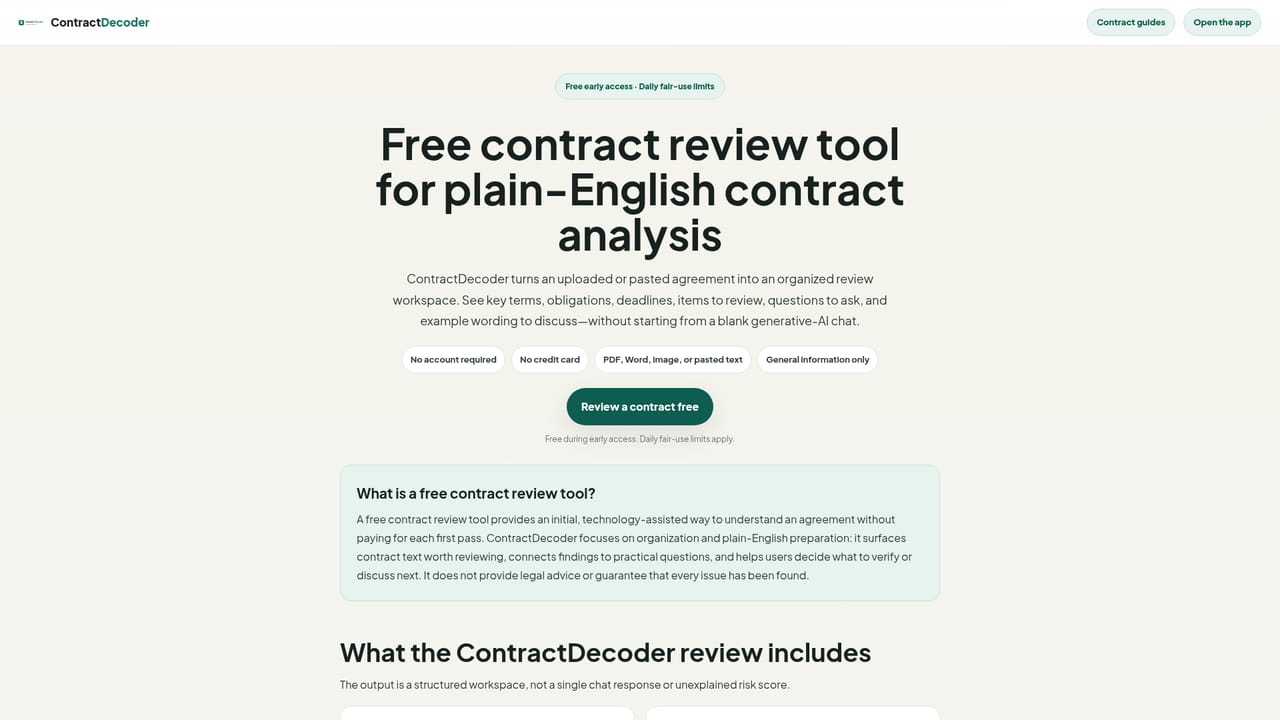
Early access itself is the free tier: full contract reviews at no cost with daily fair-use limits and no payment details required. The site states that payments are not active yet.
Learn moreContractDecoder is free during early access, with no account or credit card required and daily fair-use limits in place. The site says paid options are being explored: a single review around $4.99 per contract, a Workspace Plus tier around $14.99 per month with fair use, plus PDF exports, saved reports and draft-email workflows. None of these are active yet; visitors can join a waitlist.
Learn moreAn early-access team can be emailed at hello@contractdecoder.net, and failed analyses show a support reference so the issue can be investigated without sending the contract itself. Users are asked not to email contract excerpts or sensitive personal information.
Each review returns a before-you-sign snapshot, top items to review, a key terms checklist (payment, ownership, renewal, termination, liability, confidentiality), an obligations and deadlines checklist, expandable notes on why an item matters, questions to ask and example wording, an optional draft discussion email, PDF export, copy analysis and saved workspaces for signed-in users.
Learn more AI Angels400+ customizable AI girlfriends for NSFW chat, voice calls, and roleplay
 Candy AIExperience the future of companionship with AI friends who chat, role-play, and connect with you on a human level.
 ourdream.aiA vast AI roleplay platform with millions of characters for chat, images, video and voiceAI Angels400+ customizable AI girlfriends for NSFW chat, voice calls, and roleplayCandy AIExperience the future of companionship with AI friends who chat, role-play, and connect with you on a human level.ourdream.aiA vast AI roleplay platform with millions of characters for chat, images, video and voice


