Free trial
The homepage states that Jetwriter is free to try and offers a free extension install, but it does not specify a trial length or which features are gated.
Learn moreAI writing assistant that works inside Gmail, Slack and any web page

Jetwriter AI is an email polishing tool. A lightweight Chrome extension plus web app that drafts email replies, fixes grammar, translates and summarizes text directly inside Gmail, Outlook, Slack and other sites, using GPT-6, Claude and Gemini models with personalization from past emails.
Jetwriter AI is a browser extension and web app that puts an AI writing assistant on top of the sites people already use for work communication. The core idea is to remove tab switching: instead of copying a draft into a separate chatbot, users select text or open a prompt panel directly inside Gmail, Outlook, WhatsApp Web, LinkedIn, Slack, Zoho, Freshdesk or Zendesk. From there it drafts replies, fixes grammar, translates, summarizes, explains or rewrites the selected passage, and users can define their own one click actions or turn the built in ones off. The Gmail side is the most developed part. Jetwriter analyzes past emails and drafts to learn tone and recurring details, then writes a reply automatically when an incoming message seems to need one. Users can switch this behavior off or adjust it in settings. Beyond email, the extension can read the page in front of it and answer questions about it, and the web app covers files, live web search, voice input and a choice of models from the GPT-6 series, Claude Opus and Sonnet, and Gemini Pro. A personal profile, long term memory and saved writing styles push output closer to the user's own voice across repeated sessions. The product suits sales and support teams working a shared inbox, freelancers juggling client email, and anyone who writes in a second language and wants a translation and grammar check in the same place. Personal assistants and operations staff who answer messages across several tools are another natural fit. Because the extension weighs under 1MB, it is meant to stay installed permanently rather than be opened on demand, and the same account works on mobile and on browsers that do not support extensions through the web app. The market here is crowded: browser based assistants, grammar checkers and standalone AI chat clients all overlap with parts of what Jetwriter does. Jetwriter's argument is breadth in one lightweight package plus the email personalization layer, rather than a single best in class writing surface. Buyers who need deep document editing, team style guides or enterprise administration should check the pricing page and confirm what is included before committing.
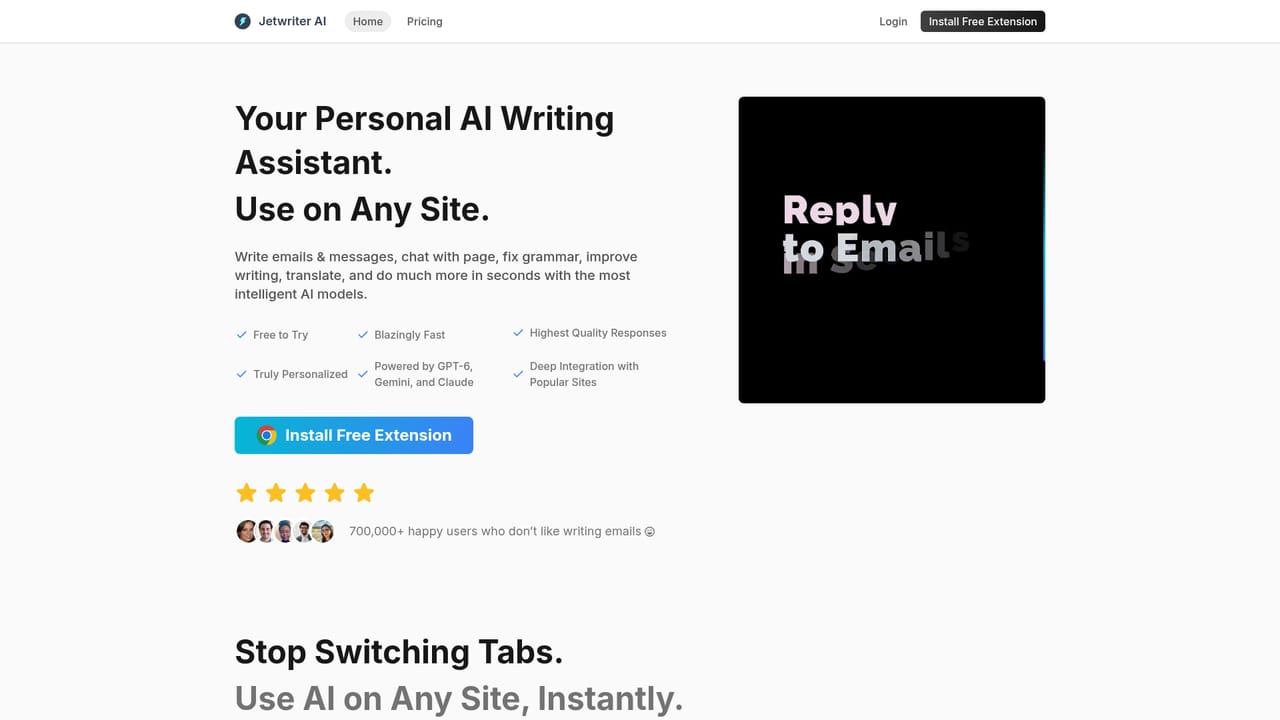

The homepage states that Jetwriter is free to try and offers a free extension install, but it does not specify a trial length or which features are gated.
Learn moreThe homepage advertises that Jetwriter is free to try and links to a dedicated pricing page for plan details. No specific tiers, prices or usage limits are stated on the homepage, so the pricing page is the place to confirm what each plan includes.
Learn moreThe homepage names Gmail (with deep integration and auto draft), Outlook, WhatsApp Web, LinkedIn, Slack, Zoho, Freshdesk and Zendesk, plus reading of any webpage the user is viewing.
Learn moreDrafts email and message replies inside Gmail, Outlook, WhatsApp Web, LinkedIn, Slack, Zoho, Freshdesk and Zendesk; select and transform actions for grammar, translation, summaries and rewriting; chat with any page; chat with documents; live web access; voice input; model switching across GPT-6, Claude and Gemini; personal profile, memory, custom writing styles and saved prompt templates.
Learn more AI Angels400+ customizable AI girlfriends for NSFW chat, voice calls, and roleplay
 Candy AIExperience the future of companionship with AI friends who chat, role-play, and connect with you on a human level.
 ourdream.aiA vast AI roleplay platform with millions of characters for chat, images, video and voiceAI Angels400+ customizable AI girlfriends for NSFW chat, voice calls, and roleplayCandy AIExperience the future of companionship with AI friends who chat, role-play, and connect with you on a human level.ourdream.aiA vast AI roleplay platform with millions of characters for chat, images, video and voice


