Integrations
Sign-in is through GitHub, and the example change references Codex and Claude as agent participants. No other integrations are listed on the homepage.
A change viewer for reviewing code written by AI coding agents

Critic is a narrative code-change viewer for work produced by coding agents. It pairs before and after explanations with file diffs and threaded questions that are routed back to the author's agent session, aimed at teams reviewing AI-written code.
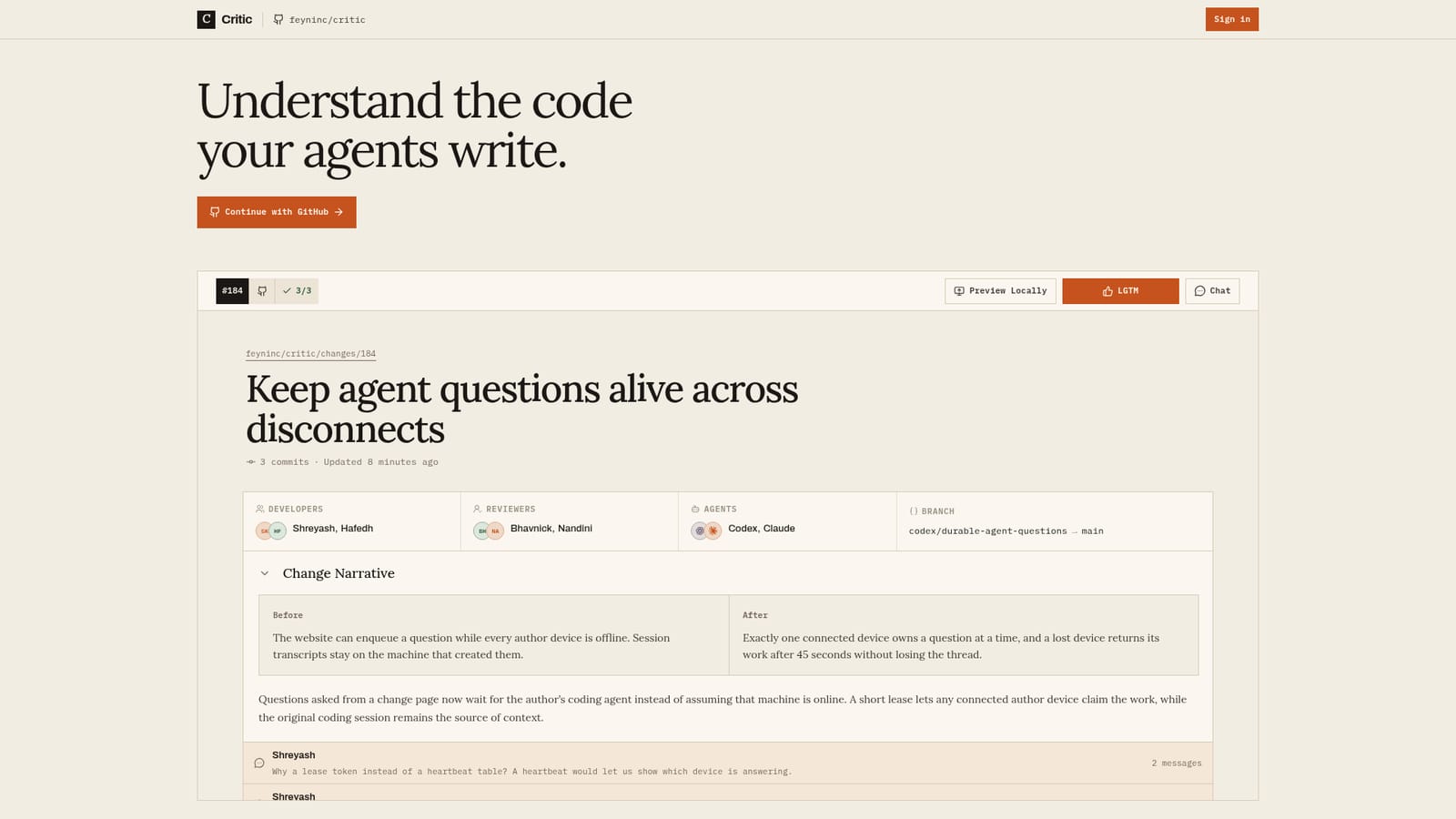
Critic is a web-based code-change viewer designed around a specific problem: much of the code landing in repositories is now written by coding agents, and reviewing a raw diff of that work is slow. Instead of presenting only a wall of modified lines, Critic wraps each change in a narrative. A change page shows a before and after explanation of the behavior being altered, then lets the reader expand into the files themselves, in unified or split view. The example on the homepage shows how this plays out. A change on a branch named after a Codex session describes the old behavior (a question can be queued while every author device is offline) and the new behavior (one connected device owns a question at a time, with a lease that returns work after 45 seconds). A short prose explanation follows, and below it sits a threaded discussion where reviewers question design choices, such as lease tokens versus a heartbeat table, or whether retry attempts are capped. Participants are organized into roles. Developers, human reviewers and agents such as Codex and Claude all appear on the same change. Questions asked from a change page are routed to the author's coding agent, so the original session that produced the code can answer with its own context. Sign-in is through GitHub, and the page offers a local preview option plus a conventional LGTM approval action and a chat panel. Critic suits teams that already delegate meaningful implementation work to coding agents and find that the bottleneck has moved from writing code to understanding it. It sits between traditional pull request interfaces, which assume a human author who can explain every line, and automated review bots that comment without owning the context. The homepage does not describe pricing, supported hosting beyond GitHub, or a public API, so buyers should confirm those details directly with the vendor before committing a team workflow to it.
Sign-in is through GitHub, and the example change references Codex and Claude as agent participants. No other integrations are listed on the homepage.
Narrative before and after change summaries, expandable file lists with unified and split diffs, threaded discussion between developers, reviewers and agents, questions routed to the author's coding agent, local preview, LGTM approval and chat.


