Decisional AI

AI agents that run the back office for commercial contractors

Intermediate API
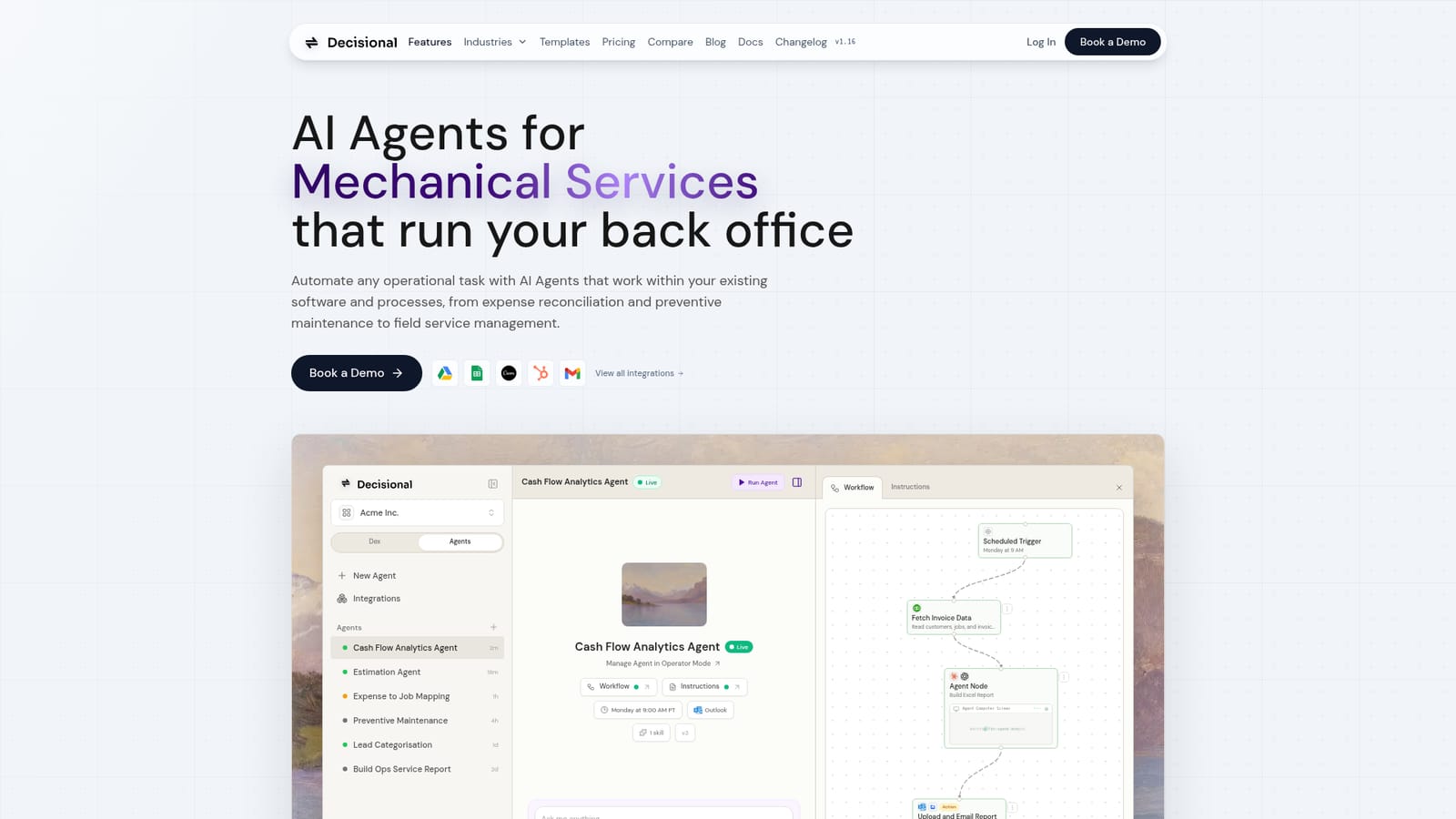
Screenshot of Decisional AI, AI agents that run the back office for commercial contractors

What is Decisional AI?

Decisional AI is a proactive AI assistant tool. Decisional builds AI agents that automate back-office operations for commercial contractors, connecting to QuickBooks, ServiceTitan, ServiceTrade, BuildOps and other tools. Dex plans and monitors workflows while Automation Agents execute them with visible run history and self-healing retries.

Decisional is a platform for building and running AI agents that automate operational work, with an initial focus on commercial contractors in HVAC, plumbing, electrical, mechanical services, roofing and general construction. Instead of asking a team to learn a new system of record, the agents operate inside the software a business already uses, connecting to tools such as QuickBooks, ServiceTitan, ServiceTrade and BuildOps, plus spreadsheets and email. The pitch is aimed at owners and operations leads who lose evenings to paperwork and reconciliation rather than at developers. The product has two layers. Dex is the assistant that plans work, assigns automations and monitors outcomes, and it can be reached through Slack, Telegram or a secured fork of OpenClaw. Automation Agents are the workers: purpose-built workflows such as an invoice follow-up agent that checks payments, drafts reminders and updates records, or a lead response agent that answers new inquiries and keeps the CRM current. Workflows mix deterministic rules, AI steps and custom code, and each step runs on a chosen runtime (Claude Code or Codex with model options from Anthropic and OpenAI). A visible run history shows what executed and what it cost in calls. In practice, a scheduled trigger can pull invoice data from QuickBooks, have an agent build an Excel report, and email it through Outlook on a Monday morning cadence. Agents can parse PDFs, invoices and contracts, use a spreadsheet to track long-running work, and load tool-specific skills so they follow guardrails for each connected app. When a run fails, Dex inspects the broken step, patches the workflow and reruns it. Decisional positions itself between general assistants like ChatGPT and connector tools like Zapier or n8n: the assistants reason but do not reliably run business processes, and the automation platforms move data without judgment. Decisional tries to span both. Templates for procurement approvals, Stripe invoice summaries, Attio follow-ups and weekly engineering reports give new users a starting point. Pricing is not published on the homepage; the primary entry point is a demo booking.

How do you use Decisional AI?

  1. 1Book a demo and describe the back-office task
    Start on the homepage and book a demo. Come with one concrete process, such as invoice follow-up or preventive maintenance scheduling, so the walkthrough maps to real work.
    Decisional AI — Book a demo and describe the back-office task
  2. 2Browse agent templates for a starting workflow
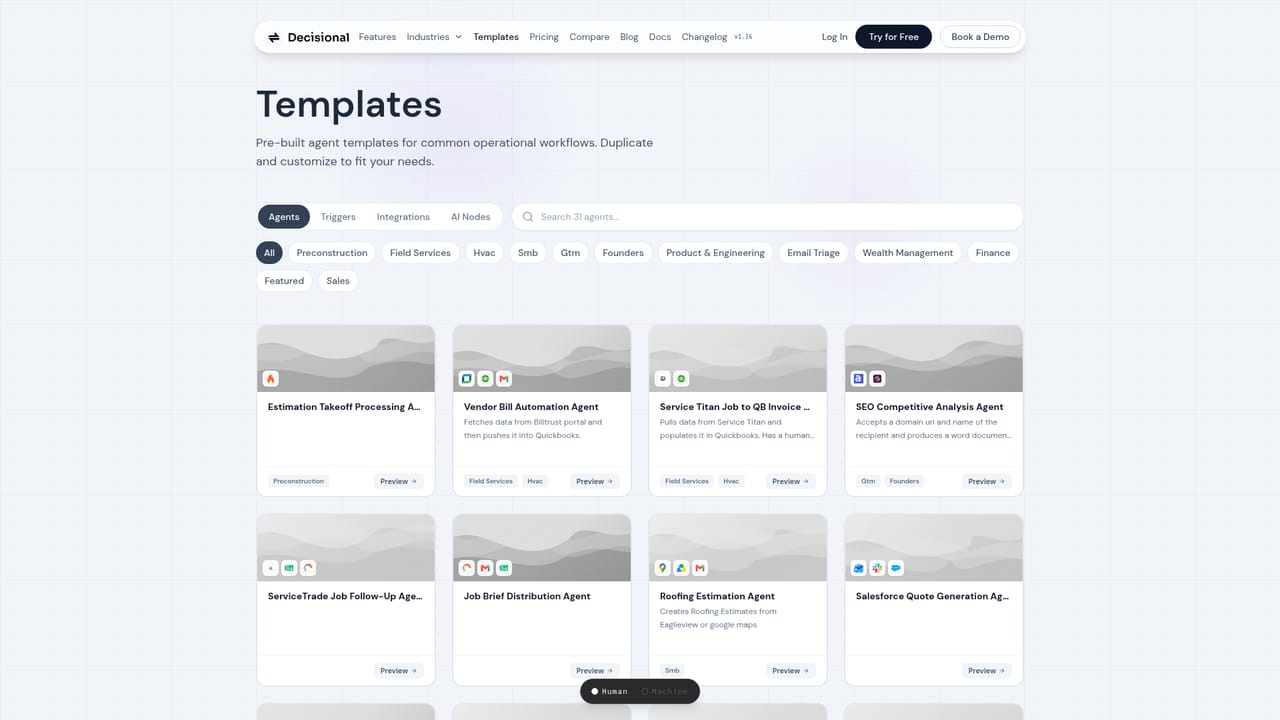
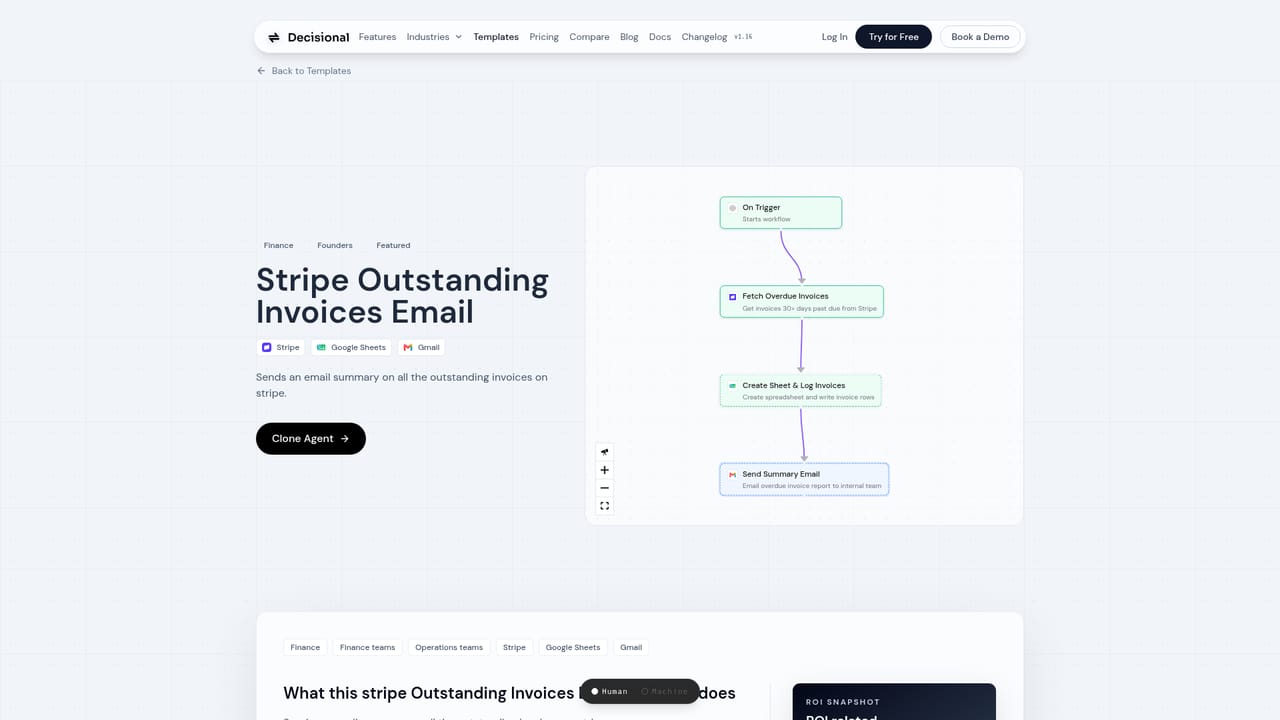
    Open the templates library and preview ones close to your need, for example the procurement approval agent or the Stripe outstanding invoices email agent.
    Decisional AI — Browse agent templates for a starting workflow
  3. 3Clone a template and adjust its steps
    Take a template into your workspace, then edit the workflow graph. Decide which steps stay deterministic, which use an AI model, and where approvals are required.
    Decisional AI — Clone a template and adjust its steps
  4. 4Connect your apps and pick a runtime
    Authorize the integrations the workflow touches, such as QuickBooks, Gmail, Sheets or Slack, and choose the agent runtime and model that fits the task.
  5. 5Set a trigger and review the first runs
    Attach a scheduled, webhook or form trigger, then watch the run history. If a step breaks, check whether Dex patched and reran it before adjusting the workflow.

Pros and cons

Pros

  • Agents run inside existing contractor software such as QuickBooks, ServiceTitan and BuildOps instead of forcing a migrationAI
  • Dex plus Automation Agents covers planning, execution and repair, which is more than a chat assistant or a simple connector offersAI
  • Step-level run history with tool calls and results makes it possible to audit what an agent actually didAI
  • Ready-made templates for procurement, invoicing and follow-up give a realistic starting pointAI
  • Self-healing behavior means a failed step gets patched and rerun rather than silently droppedAI

Cons

  • No pricing information appears on the homepage, so buyers must book a demo to learn costAI
  • The template library skews toward generic finance, sales and engineering workflows rather than contractor-specific jobsAI
  • Workflows that mix rules, AI steps and custom code assume someone can read node graphs and debug failuresAI
  • Reaching Dex through Slack, Telegram or an OpenClaw fork adds chat surface area that some teams will not want to manageAI
  • Contractor industry pages are still thin, with roofing shown in detail while other trades rely on general claimsAI

How much does Decisional AI cost?

Integrations

Connects to QuickBooks, ServiceTitan, ServiceTrade, BuildOps, Excel, Gmail, Slack, Stripe, HubSpot, Salesforce, Notion, Airtable, Linear and Outlook, with more than 1000 integrations and triggers available through API and webhook calls.

Learn more

Features

Dex handles planning, delegation and monitoring while Automation Agents run multi-step workflows across connected apps. Agents read PDFs and invoices, use spreadsheets for long tasks, load tool-specific skills with guardrails, and self-heal failed steps. Workflows combine rules, AI steps and custom code on Claude Code or Codex runtimes with model choices from Anthropic and OpenAI.

Learn more

Frequently asked questions about Decisional AI

  • Does Decisional AI have an API?
    Yes, Decisional AI offers an API.
  • How do you use Decisional AI?
    The walkthrough on this page covers 5 steps: 1. Book a demo and describe the back-office task 2. Browse agent templates for a starting workflow 3. Clone a template and adjust its steps 4. Connect your apps and pick a runtime 5. Set a trigger and review the first runs.
  • What platforms does Decisional AI support?
    Decisional AI is available on Web App and Discord.
  • What does Decisional AI integrate with?
    Connects to QuickBooks, ServiceTitan, ServiceTrade, BuildOps, Excel, Gmail, Slack, Stripe, HubSpot, Salesforce, Notion, Airtable, Linear and Outlook, with more than 1000 integrations and triggers available through API and webhook calls.
  • What are the limitations of Decisional AI?
    No pricing information appears on the homepage, so buyers must book a demo to learn cost. The template library skews toward generic finance, sales and engineering workflows rather than contractor-specific jobs. Workflows that mix rules, AI steps and custom code assume someone can read node graphs and debug failures.

Status

StatusActive
Views0
Outbound clicks0
Added10/21/2026

Platforms

Web AppDiscord

Pricing

Paid