Free trial
New users get three free designs with no design skills or software required, enough to test output quality on their own room or exterior photos.
Learn morePhotorealistic interior and exterior redesigns from a single photo in seconds
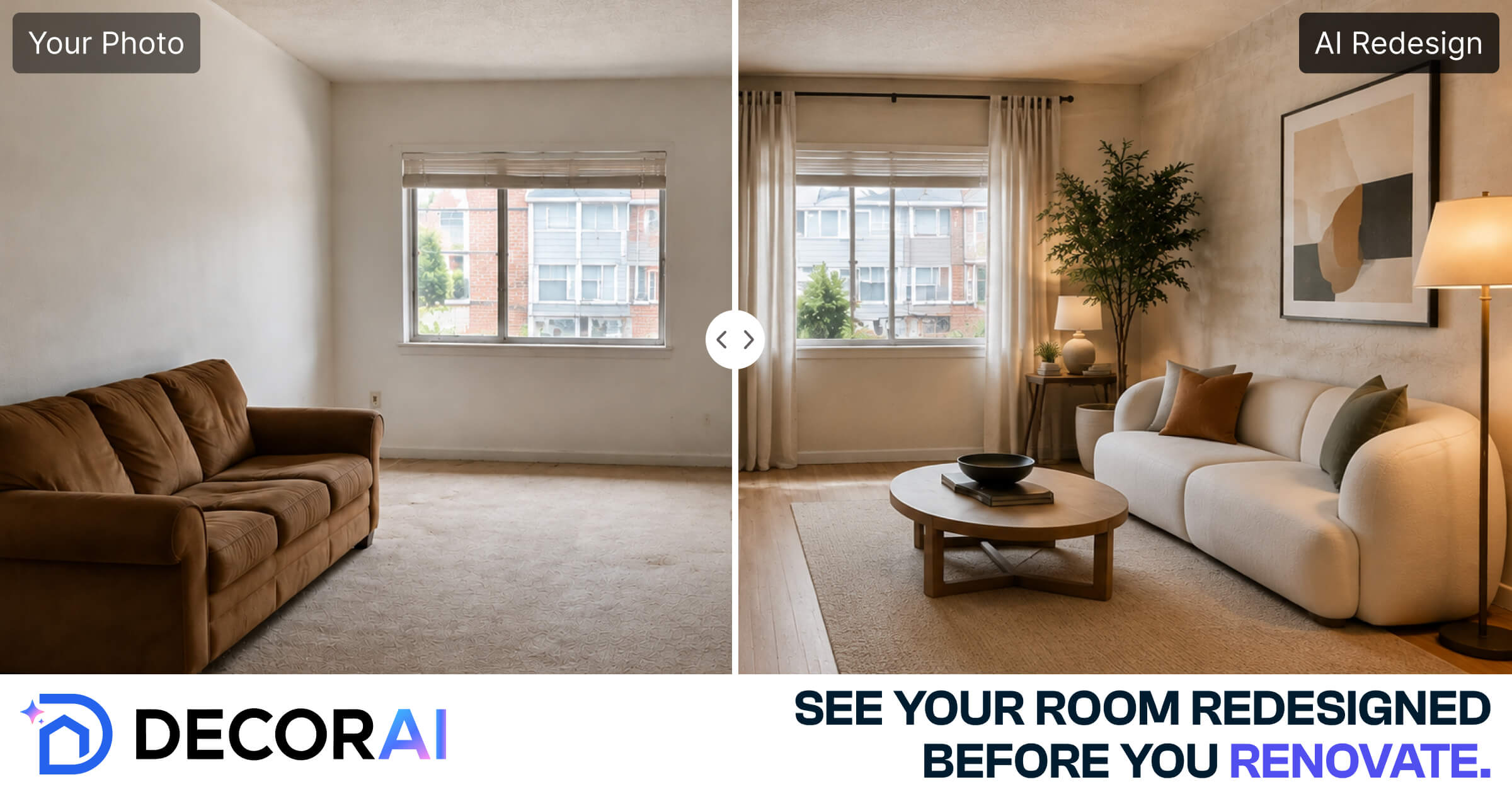
DecorAI is an exterior home design tool. Upload a photo of a room, exterior or garden and DecorAI returns photorealistic redesigns in about 30 seconds. It bundles room restyling, virtual staging, sketch and floor plan rendering, relighting and image cleanup tools in one browser app.
DecorAI is a browser-based design tool that turns an ordinary photo of a room, facade or garden into a photorealistic concept render. The workflow is deliberately narrow: you supply the source image (a phone snapshot, a sketch or even a floor plan), pick from 175 style presets or type a written prompt, and the service returns up to four variations while attempting to hold on to the original geometry and lighting. Most results arrive in around 30 seconds, and the company says it has produced over 40 million designs to date. The feature set reaches well beyond a single restyle button. There are space-specific tools for kitchens, bathrooms, landscapes and whole exteriors, plus virtual staging for empty rooms, sketch-to-render, floor plan to 3D, relighting, object erase, sky replacement and 4x upscaling. A newer option turns a still image into a short cinematic walkthrough video. Commercial use is included on paid plans and files are delivered without watermarks. The tool is aimed at people who need visual options quickly rather than precise drawings. Homeowners and renters use it to test paint, furniture or renovation directions before committing money. Agents and stagers use it to furnish listings. Designers and architects use it for early concept conversation with clients, and the exterior and garden styles give landscapers and builders a fast mood board. Anyone expecting a CAD package or millimetre-accurate plans should look elsewhere; DecorAI is a visualisation layer, not a drafting tool. Compared with dedicated virtual staging services, the appeal is breadth and cost: interior, exterior and garden work sit behind one plan, and there is no software to install. It runs entirely in a web browser and the first three designs are free, which makes it easy to judge output quality on your own photos before subscribing.
New users get three free designs with no design skills or software required, enough to test output quality on their own room or exterior photos.
Learn moreDecorAI uses a subscription model and offers three free designs before payment. The homepage advertises unlimited designs, four outputs per generation and one plan covering every tool, but actual prices and credit rules are not stated there and sit on the pricing page.
Learn moreA support page and a refund policy are published on the site. No live chat, phone number or response time commitments are described on the homepage.
Learn moreCore features include photo to redesign for interiors, kitchens, bathrooms, exteriors and gardens, 175 style presets, virtual staging, sketch to render, floor plan to 3D, relighting, 4x upscaling, image to video walkthroughs, object erase, sky replacement, surface editing and area expansion.
Learn more AI Angels400+ customizable AI girlfriends for NSFW chat, voice calls, and roleplay
 Candy AIExperience the future of companionship with AI friends who chat, role-play, and connect with you on a human level.
 ourdream.aiA vast AI roleplay platform with millions of characters for chat, images, video and voiceAI Angels400+ customizable AI girlfriends for NSFW chat, voice calls, and roleplayCandy AIExperience the future of companionship with AI friends who chat, role-play, and connect with you on a human level.ourdream.aiA vast AI roleplay platform with millions of characters for chat, images, video and voice